
1. Introduction
The Mingtawn Smart Glasses W640 are designed to integrate advanced technology into everyday eyewear. These smart glasses feature a 4K HD anti-shake camera, 3D stereo speakers, Bluetooth 5.3 connectivity, and AI interaction capabilities. They are equipped with polarized UV400 lenses, making them suitable for various outdoor activities while providing eye protection and hands-free media capture and communication.

Image: Overview of Mingtawn Smart Glasses W640 highlighting AI Sports Camera features.

Image: Mingtawn Smart Glasses W640 shown in use during various outdoor activities.
2. What's in the Box
Upon opening the package, verify that all components are present:
- Mingtawn Smart Glasses W640
- User Manual
3. Product Features
The Mingtawn Smart Glasses W640 offer a range of integrated features:
- HD Dual Anti-Shake Camera: Equipped with an 8MP camera capable of capturing 32MP high-definition photos. Features dual stabilization technology (physical and electronic) for stable recording during movement. Video recording is limited to 3 minutes per clip.
- AI Smart Interaction: Supports AI voice wake-up and includes built-in ChatGPT for smart photography, AI object recognition, smart Q&A, and real-time translation.
- Glasses-Headphones 2-in-1: Features open-ear stereo speakers for high-fidelity Hi-Fi sound, allowing situational awareness. Touch-sensitive sliders control volume, music playback (play/pause/skip tracks), and call management.
- Vibrant Polarized Lenses: UV400 polarized protection blocks harmful UV rays and glare. Lenses are enhanced with anti-impact, anti-fog, and anti-scratch coatings.
- All-Day Comfort Fit: Weighs 35 grams, made from ultra-light materials with adjustable nose pads. Features 4GB of built-in storage. IP66 rated for dust, water, and sweat resistance.

Image: Illustration of the 4-in-1 functionality of the smart glasses.

Image: Detailed features including camera, charging, design, waterproofing, and stabilization.

Image: Explanation of the multi-layered lens protection technology.

Image: Demonstration of eye protection and impact resistance.

Image: Highlighting the lightweight and durable design of the smart glasses.
4. Setup
4.1 Initial Charging
Before first use, fully charge your Mingtawn Smart Glasses. Connect the provided USB Type-C cable to the charging port on the glasses and to a power source. The charging indicator light will show the charging status.
4.2 Power On/Off
To power on the glasses, simply open the temples. To power off, close the temples. The glasses are designed for automatic power management.
4.3 App Installation and Pairing
Download the 'Hey Cyan' application from your smartphone's app store. Once installed, open the app and follow the on-screen instructions to pair your Mingtawn Smart Glasses via Bluetooth 5.3. This app enables advanced features like AI interaction, photo/video transfer, and settings adjustments.

Image: The Hey Cyan application interface for managing smart glasses features.
5. Operating Instructions
5.1 Camera Operation
The integrated 8MP camera captures high-definition photos and videos. A single video recording is limited to 3 minutes. The dual stabilization technology helps maintain steady footage during movement.
- Taking Photos: Use the designated control or voice command via the AI assistant.
- Recording Videos: Use the designated control or voice command. Remember the 3-minute limit per video.
- Recording Light: When the camera is active, an indicator light turns on to confirm recording status while respecting privacy.

Image: Smooth HD recording capability demonstrated by a cyclist.

Image: Details on high-definition video recording and photo resolution.

Image: First-person view and anti-shake HD capture capabilities.

Image: The recording indicator light on the smart glasses.
5.2 Audio Functions
The open-ear stereo speakers provide Hi-Fi audio for music and calls, while allowing you to remain aware of your surroundings.
- Music Playback: Use the touch-sensitive slider on the temples to play, pause, or skip tracks.
- Call Management: Answer or end calls using the touch-sensitive slider. The dual ENC microphones help block wind noise for clear communication.
- Volume Adjustment: Adjust volume using the touch-sensitive slider.
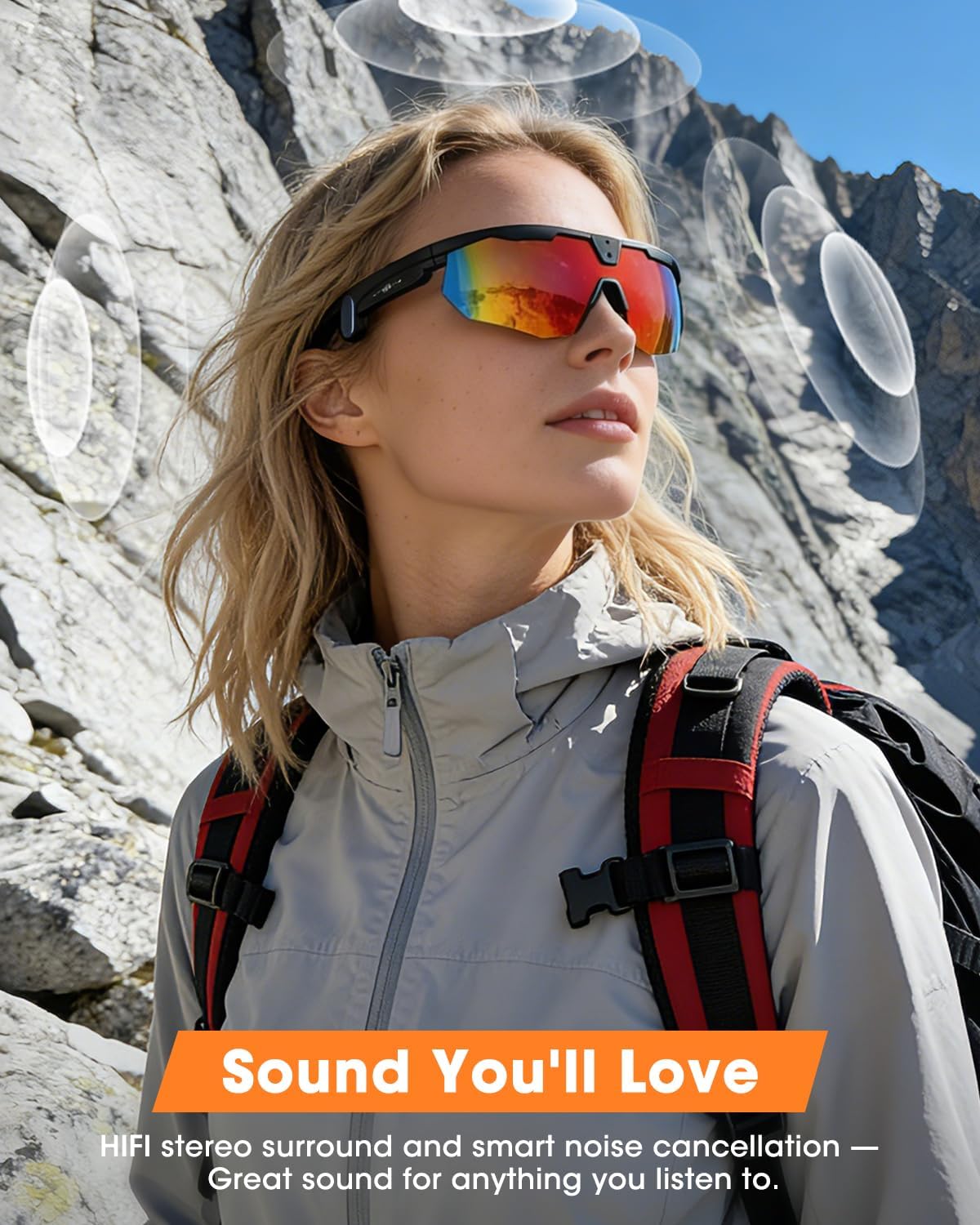
Image: HiFi stereo sound experience from the smart glasses.

Image: Dual-functionality for calls and music with advanced audio features.
5.3 AI Smart Interaction
The glasses integrate AI capabilities for enhanced functionality:
- AI Voice Wake-up: Activate the AI assistant with a voice command.
- ChatGPT Integration: Engage in smart Q&A and receive real-time translations.
- Smart Photography & Object Recognition: Use AI to assist with photo capture and identify objects in your view.

Image: AI Smart Assistant features including voice activation and translation.
Video: Demonstration of AI Voice Wake-Up and Wi-Fi connection for easy transfer to phone.
6. Connectivity
The Mingtawn Smart Glasses offer seamless connectivity:
- Bluetooth 5.3: For stable connection to your smartphone for audio, calls, and app interaction.
- Dual Wi-Fi: Enables quick and convenient transfer of photos, videos, and recordings to your phone without cables.

Image: Wi-Fi Quick Transfer feature for media synchronization with a smartphone.
7. Charging and Battery
The glasses are powered by a 290mAh lithium polymer battery.
- Charging: Uses a USB Type-C port for fast and convenient charging.
- Battery Life: Provides approximately 1.5 hours of continuous video recording. Standby time is over 7 days. Music playback can last up to 10 hours.

Image: Charging capabilities and battery specifications.
8. Maintenance and Care
To ensure the longevity and optimal performance of your Mingtawn Smart Glasses, follow these care guidelines:
- Cleaning: Use a soft, clean cloth to wipe the lenses and frame. Avoid abrasive materials or harsh chemicals.
- Water Resistance: The glasses have an IP66 rating for dust, water, and sweat resistance. While they can withstand splashes and sweat, they are not designed for submersion.
- Storage: Store the glasses in a protective case when not in use to prevent scratches and damage.
- Temperature: Avoid exposing the glasses to extreme temperatures.

Image: Detailed view of product components for maintenance reference.
9. Troubleshooting
If you encounter issues with your Mingtawn Smart Glasses, refer to the following common solutions:
- No Power: Ensure the glasses are fully charged. Check the charging cable and adapter.
- Bluetooth Connection Issues: Ensure Bluetooth is enabled on your phone and the glasses are within range. Try unpairing and re-pairing the device in your phone's Bluetooth settings.
- App Not Connecting: Ensure the 'Hey Cyan' app is updated to the latest version. Restart the app and the glasses.
- Camera Not Recording: Check if the internal storage is full. Ensure the camera indicator light is on when attempting to record.
- Audio Problems: Check the volume level on both the glasses and your connected device. Ensure the glasses are properly paired for audio output.
10. Specifications
Key technical specifications for the Mingtawn Smart Glasses W640:
| Feature | Specification |
|---|---|
| Model Number | W640 |
| Operating System | Android Wear 1.0 |
| Memory Storage Capacity | 4 GB |
| Camera | 8MP (32MP photo capture) |
| Battery Capacity | 290 mAh (Lithium Polymer) |
| Connectivity Technology | Bluetooth 5.3, Dual Wi-Fi |
| Water Resistance Level | IP66 (Dust, Water, Sweat Resistant) |
| Human Interface Input | Microphone, Touch-sensitive slider |
| Compatible Devices | Smartphone (Android, potentially iPhone via Bluetooth) |
| Weight | 35 grams |
| Lenses | Polarized UV400, Anti-impact, Anti-fog, Anti-scratch |

Image: Product dimensions for fit reference.
11. Warranty and Support
The Mingtawn Smart Glasses W640 come with a limited warranty. For detailed warranty information, claims, or technical support, please refer to the manufacturer's official website or contact their customer service directly. The warranty description provided is '1', indicating a standard limited warranty period.
