
Introduction
The FiiO DISC is a portable high-fidelity music player designed for an enhanced audio experience. It features a compact design, a circular touchscreen, dual DACs, and versatile connectivity options including Bluetooth 5.4 with LDAC support and both 3.5mm and 4.4mm headphone outputs. This manual provides essential information for setting up, operating, maintaining, and troubleshooting your FiiO DISC player.

Image: The FiiO DISC Portable HiFi Music Player in various colors, showcasing its compact and stylish design.
Package Contents
Verify that all items are present in the package:
- FiiO DISC Portable HiFi Music Player
- USB-C Cable
- Sticker
- Quick Start Guide (not included in this manual)
Setup
1. Charging the Device
Before first use, fully charge the FiiO DISC. Connect the provided USB-C cable to the device's USB-C port and to a compatible USB power adapter (not included) or a computer's USB port. A full charge typically takes approximately 35 minutes from 0% to 100%.
2. Inserting a Micro SD Card
The FiiO DISC supports Micro SD cards up to 2TB for music storage. Locate the Micro SD card slot on the device. Gently insert the Micro SD card into the slot until it clicks into place. Ensure the card is properly seated to avoid issues with music scanning and playback.

Image: Inserting a Micro SD card into the FiiO DISC for expanded storage.
3. Powering On/Off
To power on the device, press and hold the power button until the screen illuminates. To power off, press and hold the power button again and follow the on-screen prompts.
Operating Instructions
1. User Interface and Navigation
The FiiO DISC features a circular touchscreen for intuitive control. Navigate through menus, select songs, and adjust settings by tapping and swiping on the screen. The device runs on a Linux-based pure music system designed for efficient and responsive operation.

Image: The circular touchscreen interface of the FiiO DISC, showing dynamic UI elements.
2. Music Playback
After inserting a Micro SD card with music files, the device will scan and organize your library. Supported audio formats include MP3, AAC, FLAC, WAV, WMA, and OGG. Select music from your library to begin playback. The device supports features like customizable lock screens, screen savers, album art, and lyrics display.
3. Connecting Headphones
The FiiO DISC offers two headphone output options:
- 3.5mm Single-Ended Output: For standard headphones.
- 4.4mm Balanced Output: For headphones that support balanced audio, providing enhanced sound quality and power.

Image: The FiiO DISC featuring both 3.5mm and 4.4mm headphone outputs.
4. Bluetooth Connectivity
The device features Bluetooth 5.4 for wireless audio. To pair with Bluetooth headphones or speakers:
- Go to the Bluetooth settings menu on your FiiO DISC.
- Enable Bluetooth and put your headphones/speaker into pairing mode.
- Select your device from the list of available devices to connect.
The FiiO DISC supports LDAC, SBC codecs for high-quality wireless audio transmission.

Image: FiiO DISC demonstrating LDAC Bluetooth connectivity with wireless headphones and a speaker.
5. Advanced Connectivity Options
The FiiO DISC supports various advanced connectivity modes:
- USB DAC Mode: Connect the DISC to a computer via USB-C to use it as an external DAC.
- USB Audio Output: Output digital audio via USB to compatible devices.
- Coaxial Digital Output: For connecting to external DACs or amplifiers with coaxial input.
- AirPlay: Stream audio wirelessly to AirPlay-compatible devices.
Maintenance
1. Cleaning
Wipe the device with a soft, dry cloth. Avoid using harsh chemicals or abrasive materials, which can damage the screen or finish. Keep the ports free of dust and debris.
2. Storage
Store the FiiO DISC in a cool, dry place away from direct sunlight and extreme temperatures. If storing for an extended period, ensure the battery is partially charged (around 50%) to prolong its lifespan.
3. Firmware Updates
FiiO periodically releases firmware updates to improve performance and add features. Check the official FiiO website or forums for the latest firmware. To update, download the firmware ZIP file, transfer it to the root directory of your Micro SD card (do not extract), then navigate to the settings menu on your device and select "Local Update."
Troubleshooting
- Device not powering on: Ensure the device is fully charged. Connect it to a power source and try again.
- Music not appearing in library: Verify that the Micro SD card is correctly inserted and contains supported audio files. Perform a music library scan from the settings menu.
- Bluetooth connectivity issues: Ensure both the FiiO DISC and the receiving device are in pairing mode and within range. Try unpairing and re-pairing the devices.
- Poor battery life: Battery performance can vary based on usage (e.g., screen brightness, continuous playback, Bluetooth usage). Ensure the device is fully charged. If issues persist after a firmware update, contact support.
- UI navigation or tagging issues: Ensure your music files have correct and consistent metadata tags. Firmware updates may address some UI-related issues.
- Distorted audio: Ensure headphones are properly connected. Check audio settings and try a different audio file. If using a Micro SD card, ensure it is not corrupted.
Specifications
| Brand | FiiO |
| Model Name | DISC |
| Model Number | F5381D |
| Special Feature | Hi-Res Audio |
| Connectivity Technology | Aux, Bluetooth |
| Color | Black (as per current product variant) |
| Screen Size | 1.8 Inches |
| Compatible Devices | Headphones |
| Media Type | Micro SD (up to 2TB) |
| Included Components | Cable, Sticker |
| Display Technology | LCD |
| Supported Standards | MP3, AAC, FLAC, WAV, WMA, OGG |
| Battery Average Life | Up to 12 Hours |
| DACs | Dual CS43131 |
| Output Power | Up to 280mW |
| Operating System | Linux-based pure music system |
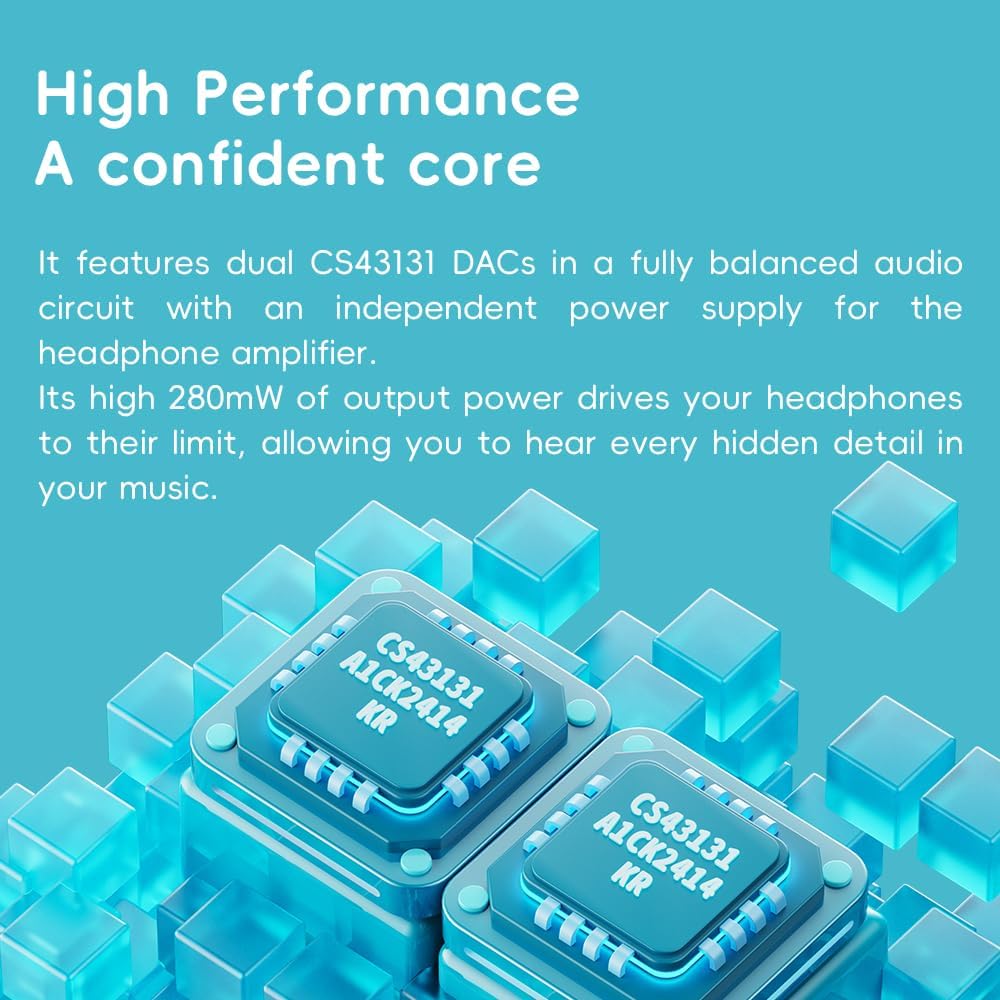
Image: Illustration of the dual CS43131 DACs, highlighting the high-performance audio core.

Image: The Ingenic X2000 dual-core chip, central to the FiiO DISC's pure audio operating system.

Image: The FiiO DISC offers up to 12 hours of battery life for extended listening.
Warranty Information
The FiiO DISC Portable HiFi Music Player comes with a 1-year warranty from the date of purchase. This warranty covers manufacturing defects under normal use. It does not cover damage caused by misuse, accidents, unauthorized modifications, or normal wear and tear. Please retain your proof of purchase for warranty claims.
Support
For further assistance, technical support, or warranty claims, please visit the official FiiO website or contact their customer service. Refer to the contact information provided with your product packaging or on the FiiO official website.