
Introduction
This manual provides instructions for the proper use and maintenance of your SBS TWS Twin Spike Earphones with Charging Case. Please read this manual thoroughly before using the product to ensure optimal performance and longevity.
Package Contents
Verify that all items are present in the package:
- SBS TWS Twin Spike Earphones (Left and Right)
- Charging Case
- USB-C Charging Cable
- User Manual (this document)
Product Overview
The SBS TWS Twin Spike earphones are designed for wireless audio playback and hands-free calling. They feature an in-ear design for comfort and stability, touch controls, and a portable charging case.
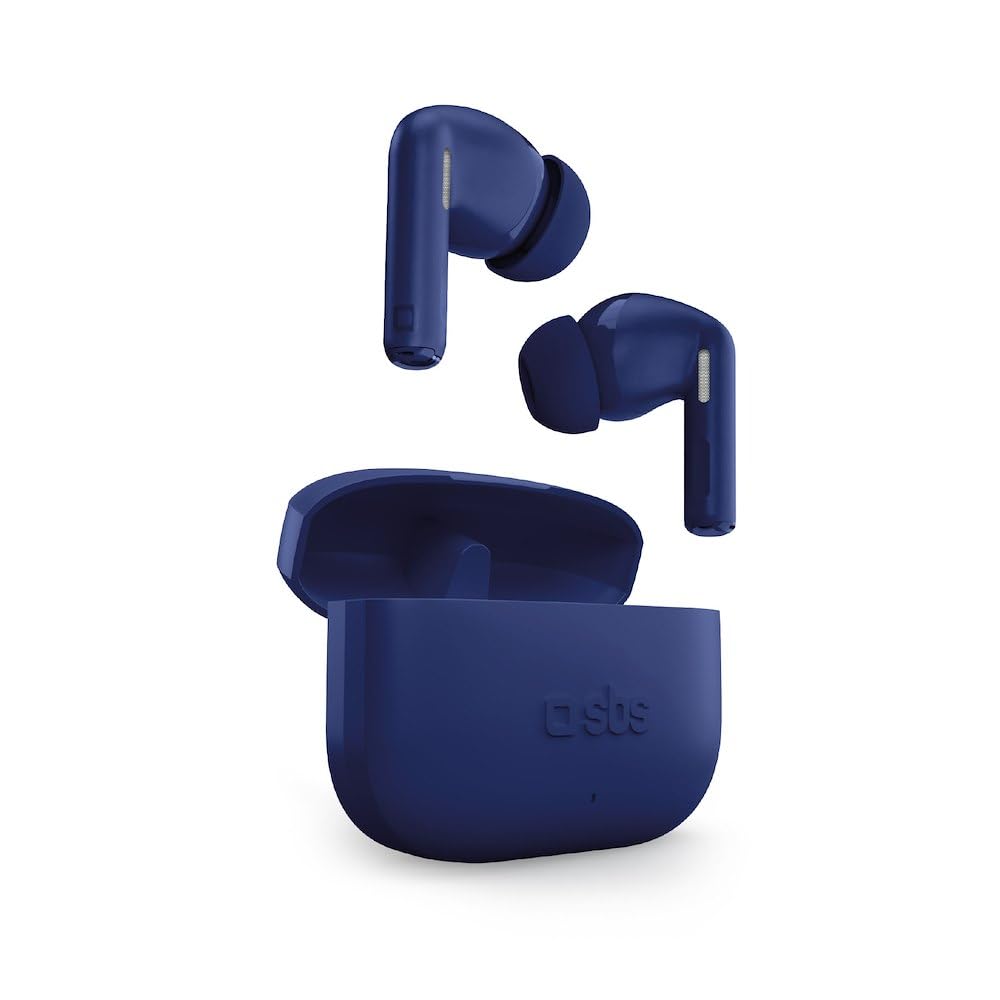
Image: SBS TWS Twin Spike Earphones and Charging Case. This image displays the compact charging case and the two in-ear earphones.
Components:
- Earbuds: Left and Right, each with touch control surface and audio output.
- Charging Case: Stores and recharges the earbuds. Features a USB-C port for charging the case itself.
- LED Indicators: On both earbuds and charging case, indicating power, charging status, and pairing.
Setup
1. Charging the Charging Case
Before initial use, fully charge the charging case. Connect the provided USB-C cable to the charging port on the case and the other end to a USB power source (e.g., computer, wall adapter). The LED indicator on the case will show charging status and turn off or change color when fully charged.
2. Charging the Earphones
Place the earphones into the charging case. Ensure they are correctly seated in their respective slots. The earphones will begin charging automatically. LED indicators on the earphones will show their charging status. They will turn off or change color when fully charged.
3. Initial Pairing with a Device
- Ensure the earphones are charged.
- Open the charging case. The earphones will automatically power on and enter pairing mode (indicated by flashing LEDs).
- On your smartphone or Bluetooth-enabled device, go to the Bluetooth settings.
- Search for available devices and select "SBS TWS Twin Spike" (or similar name).
- Once connected, a voice prompt will confirm successful pairing, and the earphone LEDs will stop flashing.
Note: The earphones feature a Hall Switch system for instant connection. After the first pairing, simply opening the case will automatically connect them to your previously paired device if Bluetooth is enabled on that device.
Operating Instructions
Touch Controls
The SBS TWS Twin Spike earphones feature intuitive touch controls on the outer surface of each earbud. Functions may vary slightly depending on the device and application.
- Play/Pause: Single tap on either earbud.
- Next Track: Double tap on the right earbud.
- Previous Track: Double tap on the left earbud.
- Answer/End Call: Single tap on either earbud during an incoming call or active call.
- Reject Call: Press and hold either earbud for approximately 2 seconds during an incoming call.
- Activate Voice Assistant: Triple tap on either earbud (e.g., Siri, Google Assistant).
Note: Volume control is typically managed directly from your connected device.
Maintenance
- Cleaning: Use a soft, dry, lint-free cloth to clean the earphones and charging case. Do not use abrasive cleaners or solvents.
- Storage: When not in use, store the earphones in their charging case to protect them and keep them charged.
- Water Exposure: These earphones are not waterproof. Avoid exposure to water, moisture, or extreme temperatures.
- Battery Care: To prolong battery life, avoid fully discharging the earphones and charging case frequently. Charge them regularly.
Troubleshooting
Earphones not pairing or connecting:
- Ensure both earphones are charged.
- Make sure Bluetooth is enabled on your device.
- Place the earphones back into the charging case, close the lid, wait a few seconds, then open it again to re-initiate pairing mode.
- Forget the device ("SBS TWS Twin Spike") from your device's Bluetooth settings and attempt to pair again.
- Ensure the earphones are within the Bluetooth range of your device (typically 10 meters).
Only one earphone working:
- Check the battery level of the non-working earphone.
- Place both earphones back into the charging case, close the lid, and then open it again. This often re-syncs them.
- Try resetting the earphones (refer to specific reset instructions if available, otherwise, a full charge and re-pairing often resolves this).
Poor audio quality or disconnections:
- Ensure there are no obstructions between your device and the earphones.
- Move closer to your connected device.
- Avoid environments with strong Wi-Fi or other wireless interference.
- Check if the earphones or your device require a software update.
Specifications
| Feature | Detail |
|---|---|
| Brand | SBS |
| Model Number | Stereo |
| Connectivity Technology | Wireless (Bluetooth) |
| Earphone Type | In-ear |
| Battery Life (Earphones) | Up to 4 hours per charge |
| Total Battery Life (with Case) | Up to 16 hours |
| Charging Case Capacity | 200 mAh |
| Charging Port | USB-C |
| Control Type | Touch Control |
| Weight | 50 Grams (item weight) |
| Frequency Range | 20 Hz - 20,000 Hz |
| Material | Plastic |
| GTIN | 08018417513473 |
Warranty and Support
Specific warranty information for SBS products is typically provided with the product packaging or available on the official SBS website. Please refer to the documentation included with your purchase for detailed warranty terms and conditions.
For technical support or customer service, please visit the official SBS website or contact their customer support channels. Keep your proof of purchase for any warranty claims.


