
1. Introduction
Thank you for choosing the xinwld Air3 Pro Wireless Earbuds. This manual provides detailed instructions on how to set up, operate, and maintain your new earbuds. Please read this manual carefully before use to ensure optimal performance and longevity of your device. Keep this manual for future reference.
2. Package Contents
Ensure all items are present in the package:
- xinwld Air3 Pro Wireless Earbuds (Left and Right)
- Charging Case
- USB Type-C Charging Cable
- Multiple Ear Tip Sizes (S, M, L)
- User Manual
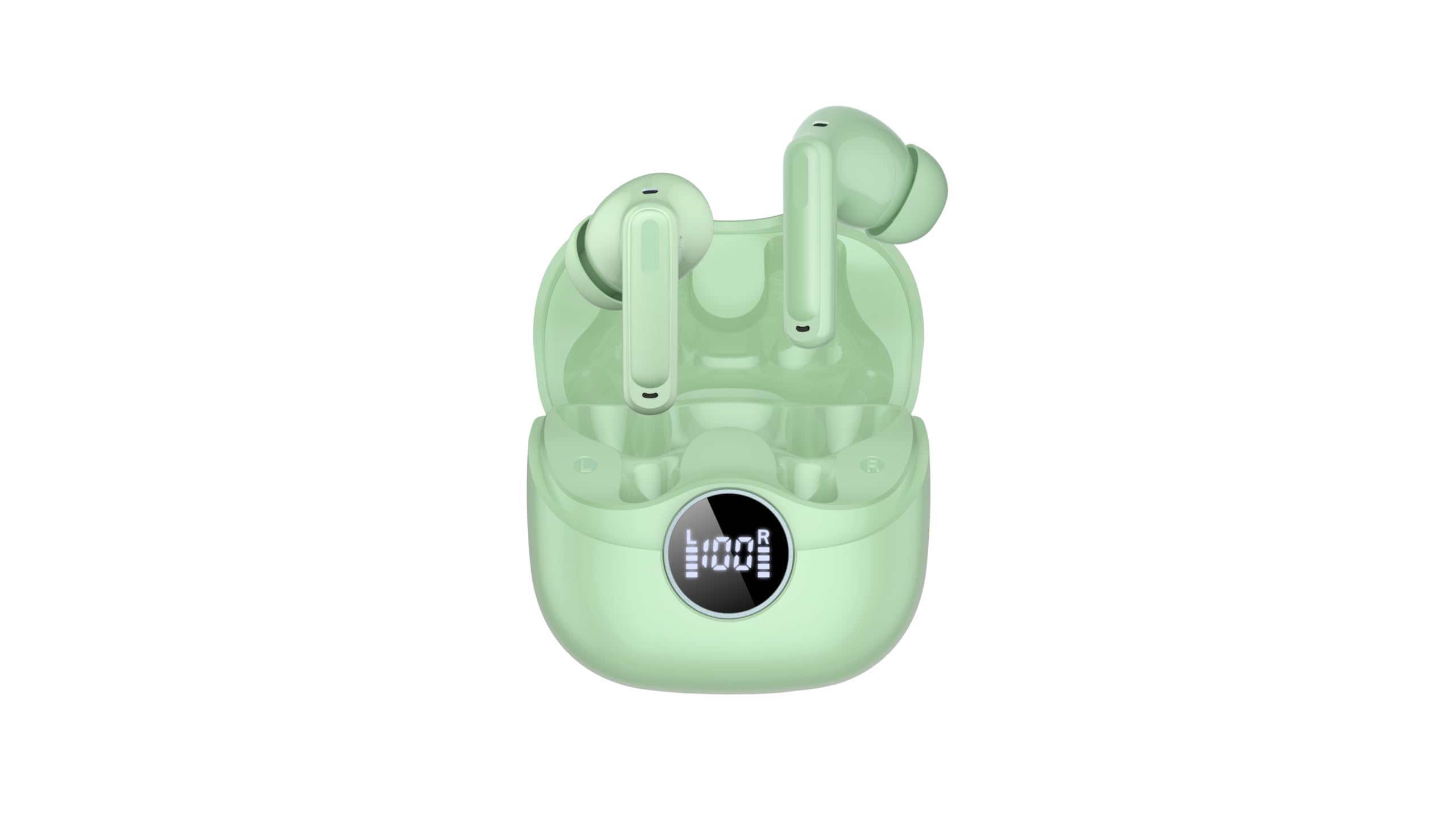
Image 2.1: xinwld Air3 Pro Wireless Earbuds and Charging Case with accessories.
3. Product Overview
The xinwld Air3 Pro Wireless Earbuds are designed for a superior audio experience with advanced features.
Key Features:
- Bluetooth 5.4: Provides a stable and efficient wireless connection.
- 4 ENC Noise Cancelling Microphones: Enhances call clarity by reducing environmental noise.
- HiFi Stereo Deep Bass: Delivers rich, immersive audio quality.
- 40 Hours Playtime: Extended battery life with the charging case.
- IP7 Waterproof: Resistant to sweat and rain, suitable for workouts and outdoor activities.
- LED Display: Shows battery status of the charging case and individual earbuds.
- Touch Control: Intuitive control for music, calls, and voice assistant.
Image 3.1: Close-up view of the xinwld Air3 Pro Wireless Earbuds.
4. Charging
The earbuds and charging case come with a partial charge. It is recommended to fully charge them before first use.
Charging the Charging Case:
- Connect the provided USB Type-C cable to the charging port on the case.
- Connect the other end of the cable to a USB power adapter (not included) or a computer's USB port.
- The LED display on the case will show the charging progress. A full charge typically takes about 1 hour.
Charging the Earbuds:
- Place the earbuds into their respective slots in the charging case. Ensure the charging contacts align.
- Close the charging case lid. The earbuds will automatically begin charging.
- The LED display on the case will indicate the charging status of each earbud.
Note: The earbuds can be recharged 2-3 times by a fully charged case, providing up to 40 hours of total playtime.
5. Initial Setup and Bluetooth Pairing
Follow these steps to pair your xinwld Air3 Pro earbuds with your device:
- Charge Earbuds: Ensure both earbuds and the charging case are sufficiently charged.
- Power On: Open the charging case lid. The earbuds will automatically power on and enter pairing mode. You may see indicator lights flashing on the earbuds.
- Activate Bluetooth: On your smartphone, tablet, or other Bluetooth-enabled device, go to the Bluetooth settings and turn on Bluetooth.
- Search for Device: In the list of available devices, select "Air3 Pro".
- Connect: Once selected, your device should connect to the earbuds. A voice prompt or indicator light change will confirm successful pairing.
- Subsequent Use: After the initial pairing, the earbuds will automatically connect to the last paired device when removed from the charging case, provided Bluetooth is enabled on your device.
Note: If pairing fails, place the earbuds back into the case, close the lid, and repeat the steps. Ensure the earbuds are close to your device during pairing.
6. Operating Instructions
Touch Controls:
The xinwld Air3 Pro earbuds feature intuitive touch controls on each earbud. The specific functions may vary slightly depending on your device and application.
| Action | Left Earbud | Right Earbud |
|---|---|---|
| Play/Pause Music | Single Tap | Single Tap |
| Next Track | Double Tap | Double Tap |
| Previous Track | Triple Tap | Triple Tap |
| Answer/End Call | Single Tap | Single Tap |
| Reject Call | Long Press (2s) | Long Press (2s) |
| Activate Voice Assistant | Long Press (2s) | Long Press (2s) |
Wearing the Earbuds:
For optimal sound quality and comfort, ensure the earbuds are worn correctly.
- Select Ear Tips: Choose the ear tips that provide the best seal and comfort for your ears.
- Insert Earbuds: Gently insert each earbud into your ear canal.
- Adjust Position: Rotate the earbud slightly until it fits snugly and securely. The microphone should be pointing towards your mouth for clear calls.
7. Maintenance and Care
Proper care ensures the longevity and performance of your earbuds.
- Cleaning: Regularly clean the earbuds and charging case with a soft, dry, lint-free cloth. Do not use harsh chemicals or abrasive materials.
- Ear Tip Cleaning: Remove ear tips and clean them with mild soap and water if necessary. Ensure they are completely dry before reattaching.
- Storage: When not in use, always store the earbuds in their charging case to protect them from dust and damage.
- Battery Care: Avoid fully discharging the battery frequently. Charge the earbuds and case regularly, even if not in use for extended periods, to maintain battery health.
- Water Resistance: While IP7 waterproof, avoid prolonged submersion in water. Dry the earbuds completely if they get wet before placing them back in the charging case.
- Avoid Extreme Temperatures: Do not expose the earbuds or charging case to extreme temperatures (hot or cold) or high humidity.
8. Troubleshooting
If you encounter issues with your earbuds, refer to the following common problems and solutions:
- Earbuds not pairing with device:
- Ensure Bluetooth is enabled on your device.
- Make sure the earbuds are charged and out of the charging case.
- Forget "Air3 Pro" from your device's Bluetooth list and try pairing again.
- Restart your device and the earbuds (by placing them back in the case and taking them out).
- No sound from one or both earbuds:
- Check the volume level on both your device and the earbuds.
- Ensure the earbuds are properly connected to your device.
- Try resetting the earbuds (refer to the manual for specific reset instructions if available, or try placing them in the case, closing, and reopening).
- Clean any debris from the earbud speaker mesh.
- Charging case not charging:
- Ensure the USB Type-C cable is securely connected to both the case and the power source.
- Try a different USB cable or power adapter.
- Check for any debris in the charging port of the case.
- Poor call quality:
- Ensure the earbuds are properly seated in your ears.
- Check for strong environmental noise; the ENC feature works best within its limits.
- Ensure your device has good network reception.
9. Product Specifications
Detailed technical specifications for the xinwld Air3 Pro Wireless Earbuds:
| Feature | Specification |
|---|---|
| Model Name | Air3 Pro |
| Connectivity Technology | Wireless (Bluetooth) |
| Bluetooth Version | 5.4 |
| Noise Control Features | Environmental Noise Cancellation (ENC) |
| Battery Life | Up to 40 Hours (with charging case) |
| Water Resistance Level | IP7 Waterproof |
| Control Method | Touch |
| Earpiece Shape | In Ear |
| Audio Driver Type | Bass Driver |
| Compatible Devices | Smartphones, Laptops, Tablets, Smart Speakers |
| Item Weight | 0.071 ounces (earbuds) |
10. Safety Information
Please read and follow these safety guidelines to prevent injury or damage to your device:
- Do not disassemble, repair, or modify the product. This may cause fire, electric shock, or complete damage to the product.
- Keep the earbuds and charging case away from extreme temperatures, direct sunlight, and high humidity.
- Avoid using the earbuds at excessively high volumes for prolonged periods to prevent hearing damage.
- Keep out of reach of children and pets to prevent accidental ingestion of small parts.
- Do not use the earbuds in situations where you need to hear your surroundings, such as driving, cycling, or walking in traffic.
- Use only the provided or certified charging cables and adapters.
11. Warranty and Support
xinwld products are designed and manufactured to the highest quality standards. For warranty information, technical support, or customer service inquiries, please refer to the warranty card included in your package or contact xinwld customer support through the retailer where you purchased the product. Please have your product model number (Air3 Pro) and ASIN (B0GHC3X3BP) ready when contacting support.

