
Introduction
Thank you for choosing the Decofy Fluted 3-Drawer Nightstand with Charging Station. This manual provides detailed instructions for assembly, operation, maintenance, and safety to ensure proper use and longevity of your product. Please read all instructions carefully before beginning assembly and retain this manual for future reference.
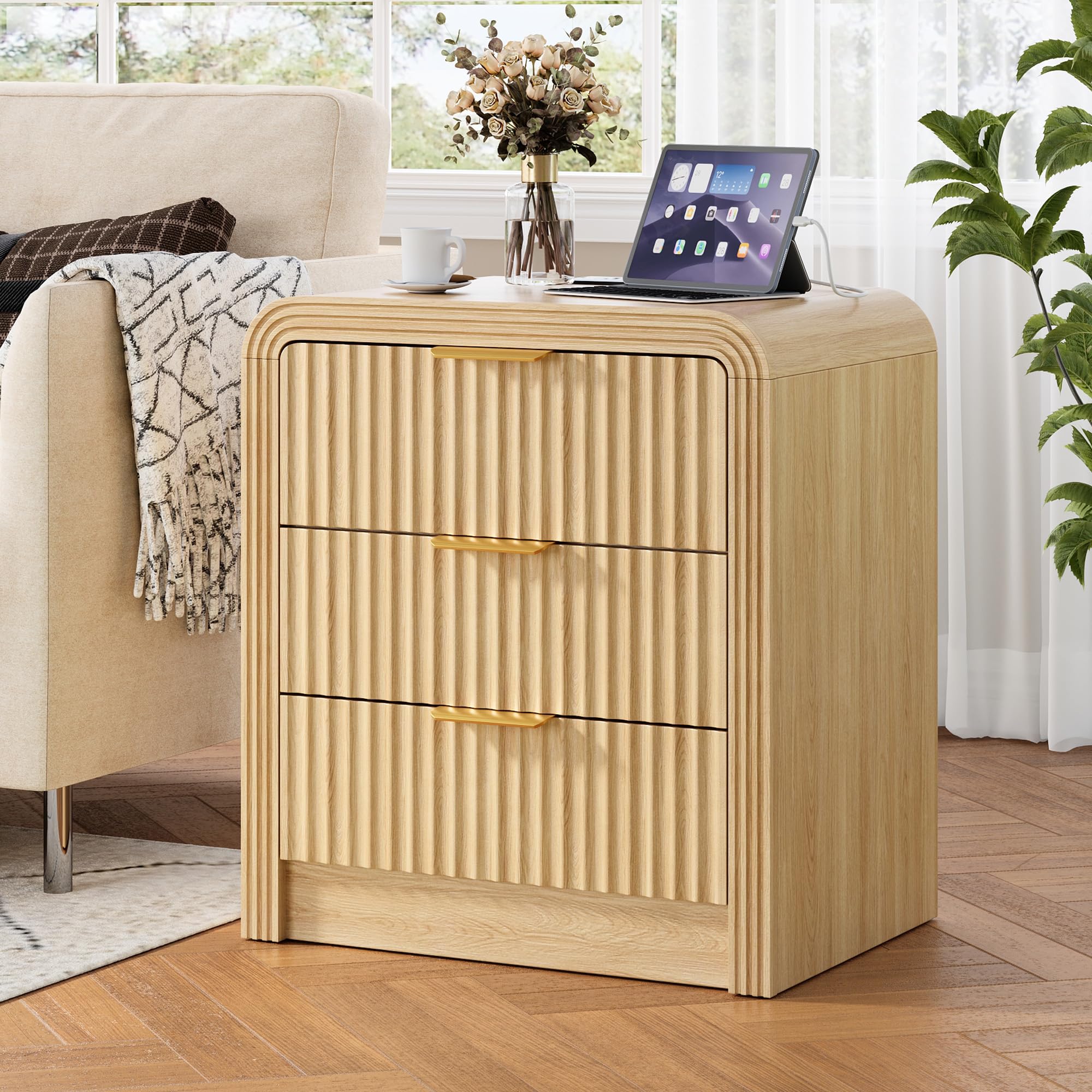
Image: The Decofy Fluted 3-Drawer Nightstand in Natural Oak, showcasing its design and three drawers.
Safety Information
To prevent injury or damage to the product, please adhere to the following safety guidelines:
- Maximum Weight Recommendation: Do not exceed the maximum weight recommendation of 200 pounds on the top surface of the nightstand. Exceeding this limit may compromise stability and lead to tipping or collapse.
- Always place the nightstand on a flat, stable, and level surface.
- Keep small parts and packaging materials away from children during assembly to prevent choking hazards.
- Ensure all screws and fasteners are securely tightened before use. Periodically check and re-tighten as necessary.
- Do not stand or climb on the nightstand.
- Avoid exposing the nightstand to excessive moisture or direct sunlight, which can cause warping or discoloration.
Product Dimensions
Understanding the dimensions of your nightstand is crucial for proper placement and use.
- Overall Dimensions (D x W x H): 15.5 inches x 19.6 inches x 24 inches
- Item Weight: 42.9 pounds
- Number of Drawers: 3

Image: Detailed diagram showing the dimensions of the nightstand and its drawers.
Package Contents
Please verify that all components are present before beginning assembly. If any parts are missing or damaged, please contact customer support.
- Nightstand Panels (various sizes)
- 3 Drawer Fronts with Fluted Design
- 3 Gold Metal Handles
- Drawer Slides (left and right pairs)
- Built-in Charging Station (with USB-C and USB-A ports)
- Assembly Hardware (screws, dowels, cam locks, etc.)
- Assembly Guide (this document)
- Tools Recommended For Assembly: Screw Driver (not included)
Assembly Instructions
Follow these steps carefully to assemble your Decofy Fluted 3-Drawer Nightstand. It is recommended to have a second person assist with assembly for easier handling.
Step 1: Prepare the Frame
Begin by identifying the side panels and base. Attach the legs with screws, ensuring they are firmly secured. Connect the main frame components using the provided hardware (dowels, cam locks, and screws) as indicated in the visual guide.
Step 2: Install Drawer Slides
Secure the drawer slides to the inner side panels of the nightstand frame. Pay attention to the orientation of the slides (left and right) to ensure smooth operation later.
Step 3: Assemble Drawers
Assemble each of the three drawers. Attach the drawer sides, back, and bottom to the fluted drawer front. Secure the gold metal handles to the drawer fronts.
Step 4: Integrate Charging Station
Connect the charging station to the designated area on the back of the nightstand. Ensure the power cord is routed safely and is not pinched.
Step 5: Insert Drawers and Final Tightening
Carefully insert the assembled drawers into the nightstand frame, aligning them with the installed drawer slides. Gently push them in until they click into place. Finally, tighten all fasteners using the provided tool to ensure stability.
Video: Seller-provided installation guide for the 3-drawer nightstand. This video demonstrates the step-by-step assembly process.
Video: Seller-provided installation guide for a 1-drawer nightstand, which may offer similar assembly principles for the frame and drawer mechanisms.
Operating Instructions: Charging Station
Your Decofy nightstand includes a convenient built-in charging station to power your devices.
Using the Charging Ports:
- Ensure the nightstand's power cord is securely plugged into a functional wall outlet.
- Locate the charging station on the top surface of the nightstand. It features:
- 2 AC Outlets (125V/12A): For standard electrical plugs.
- 1 USB-A Port (18W Quick Charge): For devices compatible with USB-A charging.
- 1 USB-C Port (20W Fast Charging): For devices compatible with USB-C fast charging.
- Plug your device's charging cable into the appropriate port on the charging station.
- Verify that your device begins charging.
Important: Do not overload the charging station. Refer to your device's charging requirements to avoid damage.

Image: Close-up view of the nightstand's top surface showing the integrated charging station with AC, USB-A, and USB-C ports in use.
Maintenance
Proper care will help maintain the appearance and functionality of your nightstand.
- Cleaning: Wipe surfaces with a soft, dry cloth. For stubborn marks, use a slightly damp cloth with mild soap, then dry immediately. Avoid harsh chemicals or abrasive cleaners.
- Dusting: Regularly dust with a soft, lint-free cloth.
- Spills: Blot spills immediately with a clean, dry cloth.
- Hardware: Periodically check all screws and fasteners and tighten them if they have loosened over time.
- Drawer Care: Keep drawer slides clean and free of debris to ensure smooth operation.
Troubleshooting
If you encounter any issues with your nightstand, refer to the following common solutions:
| Problem | Possible Cause | Solution |
|---|---|---|
| Nightstand is wobbly | Loose fasteners; uneven floor | Check and tighten all assembly screws. Ensure the nightstand is on a level surface; use furniture pads if needed. |
| Drawers do not slide smoothly | Drawer slides are misaligned or dirty; incorrect assembly | Remove drawers and inspect slides for debris. Re-align slides if necessary. Review assembly instructions for correct drawer installation. |
| Charging station not working | Power cord unplugged; wall outlet not functional; device cable faulty; overloaded circuit | Ensure the nightstand is plugged into a live outlet. Test the outlet with another device. Try a different charging cable. Avoid plugging too many high-power devices simultaneously. |
| Drawer front or handle is loose | Loose screws | Tighten the screws securing the handle or drawer front from the inside of the drawer. |
Specifications
| Feature | Detail |
|---|---|
| Brand | Decofy |
| Model Name | DC-BG05-JPSY03-101 |
| Product Dimensions (D x W x H) | 15.5"D x 19.6"W x 24"H |
| Item Weight | 42.9 pounds |
| Maximum Weight Recommendation | 200 pounds |
| Frame Material | Engineered Wood |
| Color | Natural Oak |
| Number of Drawers | 3 |
| Handle Material | Metal |
| Charging Station | Built-in 20W USB-C and 18W USB-A ports, 2 AC Outlets |
| Indoor/Outdoor Usage | Indoor |
Warranty and Support
Decofy stands behind the quality of its products. For specific warranty details, please refer to the warranty card included with your purchase or visit the official Decofy website. If you have any questions, require assistance with assembly, or need to report missing/damaged parts, please contact Decofy customer support through the retailer where you purchased the product or via the contact information provided on the Decofy brand store page.
Decofy Customer Support: Visit the Decofy Store on Amazon