
1. Introduction
Thank you for purchasing the Levoit Windi Mini White Tower Fan. This manual provides important information regarding the safe operation, maintenance, and troubleshooting of your new fan. Please read all instructions carefully before use and retain this manual for future reference.
2. Safety Information
To reduce the risk of fire, electric shock, or injury, always follow basic safety precautions:
- Ensure the fan is placed on a stable, level surface.
- Do not operate the fan with a damaged cord or plug.
- Keep fingers and other objects away from the fan grilles when operating.
- Do not use the fan near water or in excessively humid environments.
- Unplug the fan before cleaning or performing any maintenance.
- This fan uses an adapter power cord and is not cordless. Always plug it into a suitable power outlet.
3. Product Overview
Features
- VortexAir Technology: Provides focused, smooth, and high-performance airflow up to 23 ft/s.
- Quiet DC Motor: Operates at a low noise level of 20-43dB, suitable for bedrooms and offices.
- Portable Design: Compact size (5"D x 5"W x 13"H) with a soft carrying handle for easy relocation.
- Energy Efficient: Consumes a maximum of 7.5 watts.
- Flexible Airflow Control: 5 fan speeds plus a Turbo speed, and multi-angle oscillation (30°, 60°, or 90°).
- Convenient Controls: Includes a remote control, touch control panel, 12-hour timer, and sound/display off functions.
Components
The Levoit Windi Mini White Tower Fan consists of the main fan unit, a power adapter, and a remote control.
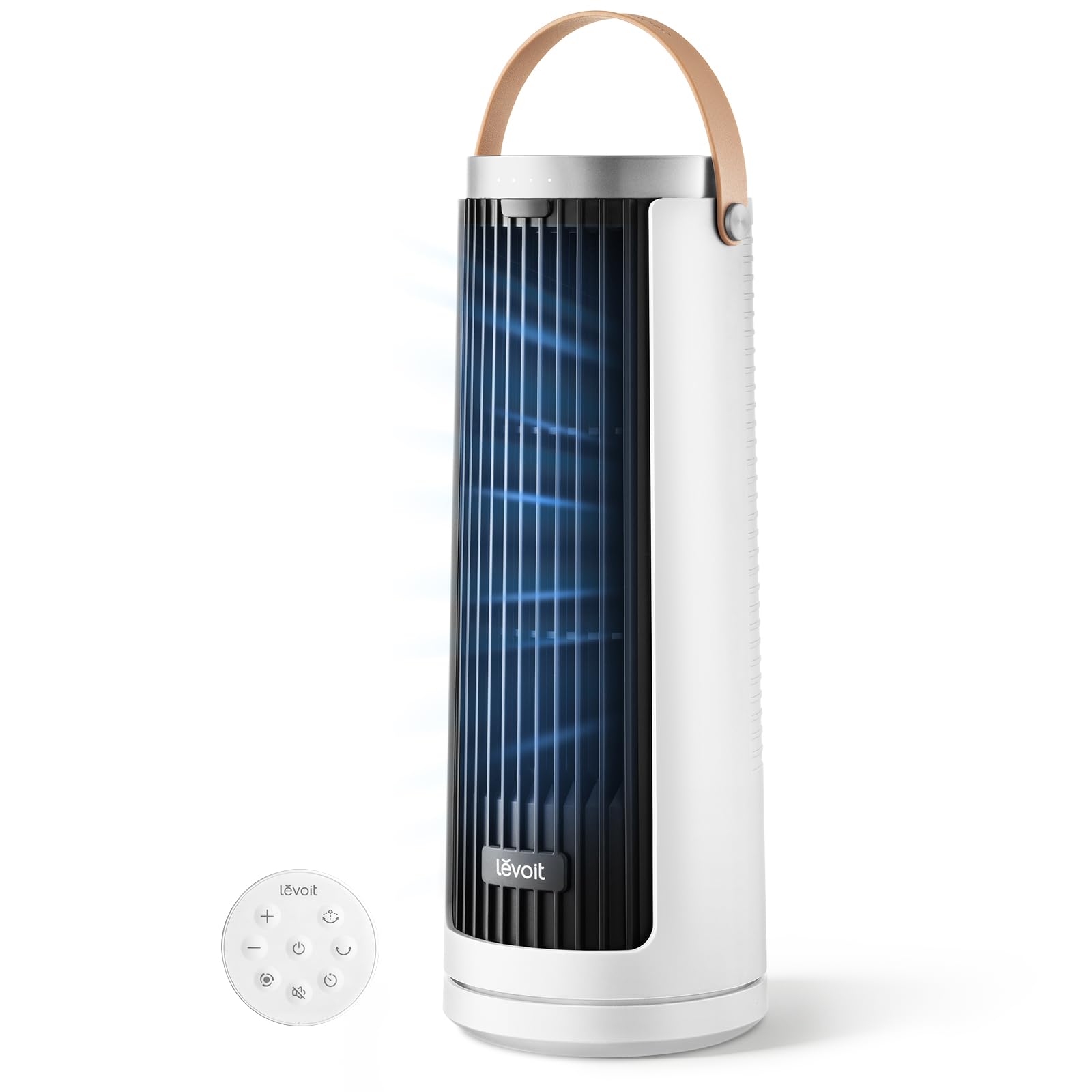
Image: Levoit Windi Mini White Tower Fan, showing its compact tower design.

Image: Top control panel of the Levoit Windi Mini White Tower Fan and its remote control.
4. Setup
- Unpacking: Carefully remove the fan and all accessories from the packaging. Ensure all components are present: fan unit, power adapter, and remote control.
- Placement: Place the fan on a firm, level surface. Ensure there is adequate space around the fan for optimal airflow and oscillation.
- Power Connection: Connect the power adapter to the fan's power input port, then plug the adapter into a standard electrical outlet.

Image: The Levoit Windi Mini White Tower Fan positioned in a bedroom and a home office, demonstrating its versatility.
5. Operating Instructions
Control Panel and Remote Control
The fan can be operated using the touch control panel on top of the unit or the included remote control.

Image: Close-up of the fan's control panel illustrating fan speed levels (1-4, Turbo) and oscillation angles (0°, 30°, 60°, 90°).
Functions
- Power On/Off: Press the power button (⏻) to turn the fan on or off.
- Fan Speed: Press the fan speed button (☷) repeatedly to cycle through 5 speed settings (1-5) and a Turbo speed.
- Oscillation: Press the oscillation button (↻) to activate or deactivate the oscillation feature. Press again to cycle through 30°, 60°, or 90° oscillation angles.
- Timer: Press the timer button (⏱) to set the fan to automatically turn off after a set period (up to 12 hours).
- Sound & Display Off: Press the dedicated button on the control panel or remote to turn off the display lights and button sounds for an undisturbed environment.
6. Maintenance
Regular cleaning helps maintain the fan's performance and extends its lifespan.
- Before Cleaning: Always unplug the fan from the power outlet.
- Exterior Cleaning: Wipe the exterior surfaces of the fan with a soft, damp cloth. Do not use abrasive cleaners or solvents.
- Air Inlet/Outlet: Use a vacuum cleaner with a brush attachment to gently remove dust from the air inlet and outlet grilles.
- Storage: If storing the fan for an extended period, clean it thoroughly and store it in a cool, dry place, preferably in its original packaging.
7. Troubleshooting
| Problem | Possible Cause | Solution |
|---|---|---|
| Fan does not turn on. | Not plugged in; power outlet malfunction; fan malfunction. | Ensure the power adapter is securely plugged into both the fan and a working electrical outlet. Test the outlet with another device. If the issue persists, contact customer support. |
| Weak airflow. | Air inlets/outlets are blocked; fan speed is too low. | Check for any obstructions around the air inlets and outlets. Increase the fan speed setting. |
| Fan is noisy. | Fan is not on a level surface; internal obstruction. | Ensure the fan is placed on a stable, flat surface. Check for any foreign objects inside the fan grilles (after unplugging). |
| Remote control not working. | Batteries are dead; remote not aimed correctly. | Replace the remote control batteries. Ensure the remote is aimed directly at the fan's receiver. |
8. Specifications
| Feature | Detail |
|---|---|
| Model Name | Levoit Windi Mini White |
| Model Number | LTF-F132-WUS |
| Brand | Levoit |
| Dimensions (D x W x H) | 5"D x 5"W x 13"H |
| Power Source | DC |
| Wattage | Max 7.5 watts |
| Noise Level | 20 dB (minimum) |
| Air Flow Capacity | Up to 23 ft/s |
| Number of Speeds | 5 + Turbo |
| Oscillation Angles | 30°, 60°, 90° |
| Timer | Up to 12 hours |
| Control Method | Touch, Remote |
| Material | Plastic |
| UPC | 810123679034 |
9. Warranty and Support
Levoit provides a warranty for this product. For detailed warranty information, please refer to the warranty card included with your purchase or visit the official Levoit website.
If you have any questions, concerns, or require assistance with your Levoit Windi Mini White Tower Fan, please contact Levoit Customer Service. Contact information can typically be found on the product packaging, the official Levoit website, or by referring to the "Customer Service" section mentioned in the product description.
You can also visit the Levoit Store on Amazon for more product information and support resources.


