
1. Introduction
This manual provides essential information for the safe and efficient operation, installation, and maintenance of your Kinetheme 12000BTU Mini Split AC/Heating System. This unit is designed to provide rapid cooling and heating for spaces up to 750 sq. ft., featuring advanced inverter technology for energy efficiency (17 SEER2) and utilizing eco-friendly R32 refrigerant. It offers multiple operating modes and quiet performance for optimal comfort.

Image: The Kinetheme Mini Split AC/Heating System installed in a living room, providing both heating and cooling.
2. Setup and Installation
Important: For optimal performance, safety, and warranty validity, professional installation by a licensed HVAC technician is required for this unit. The installation process involves handling refrigerants and electrical connections that should only be performed by qualified personnel.
2.1 Included Components
Your Kinetheme Mini Split AC/Heating System is shipped in two separate boxes. Please verify all components are present before beginning installation.
- Box 1: Indoor Unit, Wall Sheathing, Communication Wire, Fixing Screws (x5), Instruction Manual, Remote Control, Hanging Board.
- Box 2: Outdoor Unit, Connecting Pipes (x2), Drain Pipe, Wall Sleeves (x2), Bandage, Putty for Blocking Wall Holes.

Image: A visual breakdown of the components included in Box 1 (Indoor Unit, accessories) and Box 2 (Outdoor Unit, pipes, etc.).
2.2 Installation Overview
The installation process typically involves mounting the indoor unit, placing the outdoor unit, connecting refrigerant lines and electrical wiring, and ensuring proper drainage. Refer to the detailed instruction manual provided in Box 1 for step-by-step guidance.
Video: An official Kinetheme installation guide for the Mini Split Air Conditioner, demonstrating key steps.
Video: A detailed guide on installing a DIY-friendly mini split air conditioner, covering various aspects of the setup.

Image: A licensed professional performing installation and maintenance on a mini split AC unit.
3. Operating Instructions
Your Kinetheme Mini Split system offers various modes and settings for customized comfort. All functions are controlled via the included remote control.
3.1 Remote Control Functions
The remote control allows you to switch between operating modes, adjust fan speeds, set timers, and activate special features.
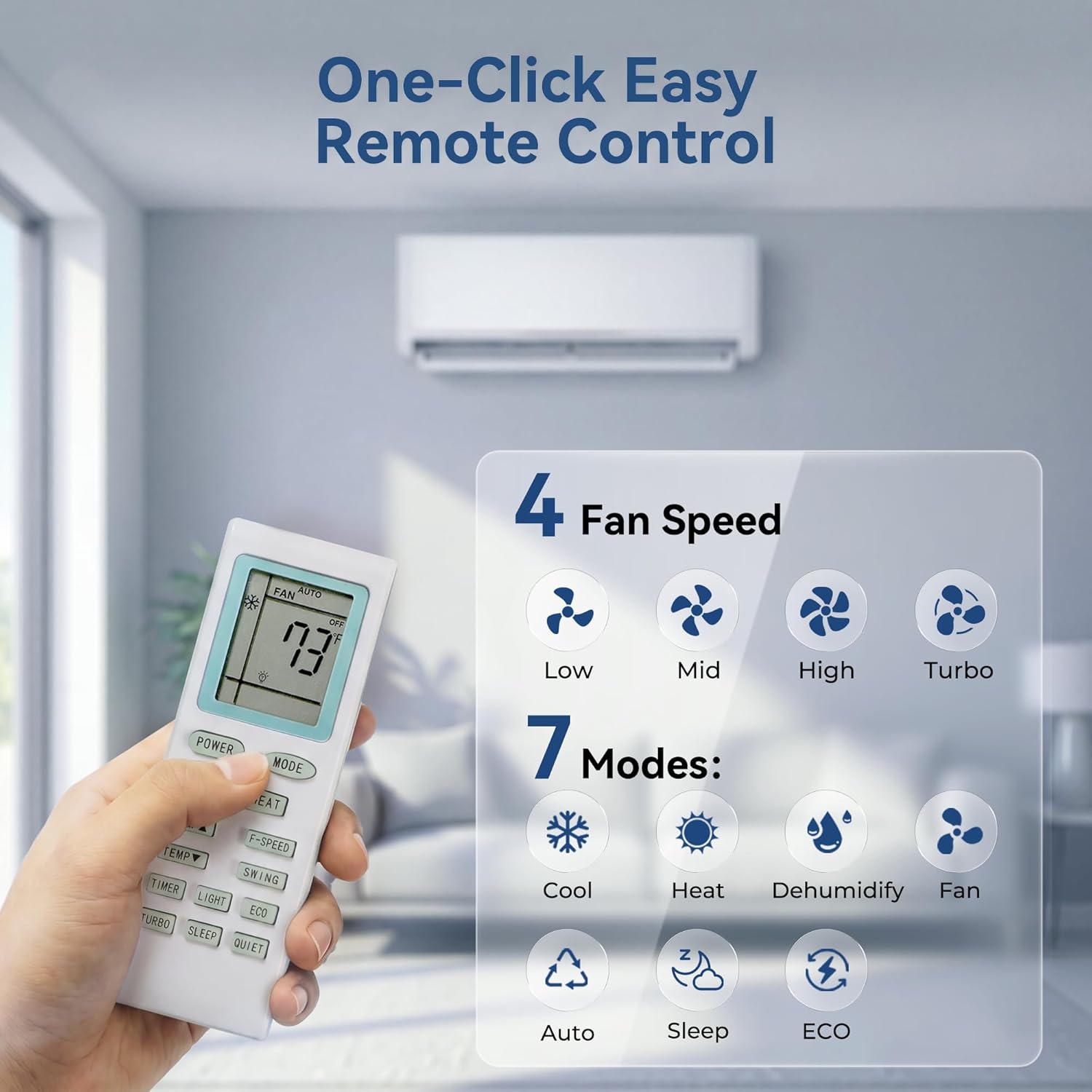
Image: The remote control displaying buttons for fan speed (Low, Mid, High, Turbo) and operating modes (Cool, Heat, Dehumidify, Fan, Auto, Sleep, ECO).
3.2 Operating Modes
- Cool Mode: Provides rapid cooling, achieving desired temperatures quickly.
- Heat Mode: Delivers fast heating, maintaining comfort even in cold climates.
- Dehumidify Mode: Reduces humidity in the room without significant temperature change.
- Fan Mode: Circulates air without cooling or heating.
- Auto Mode: Automatically selects cooling or heating based on the ambient temperature and your set preference.
- Sleep Mode: Adjusts temperature and fan speed for quiet, energy-efficient operation during sleep.
- ECO Mode: Optimizes energy consumption for efficient operation.
3.3 Fan Speed Settings
Select from four fan speeds: Low, Mid, High, and Turbo, to customize airflow intensity.
3.4 Timer Function
The 24-hour programmable timer allows you to set specific on/off times for automated operation.
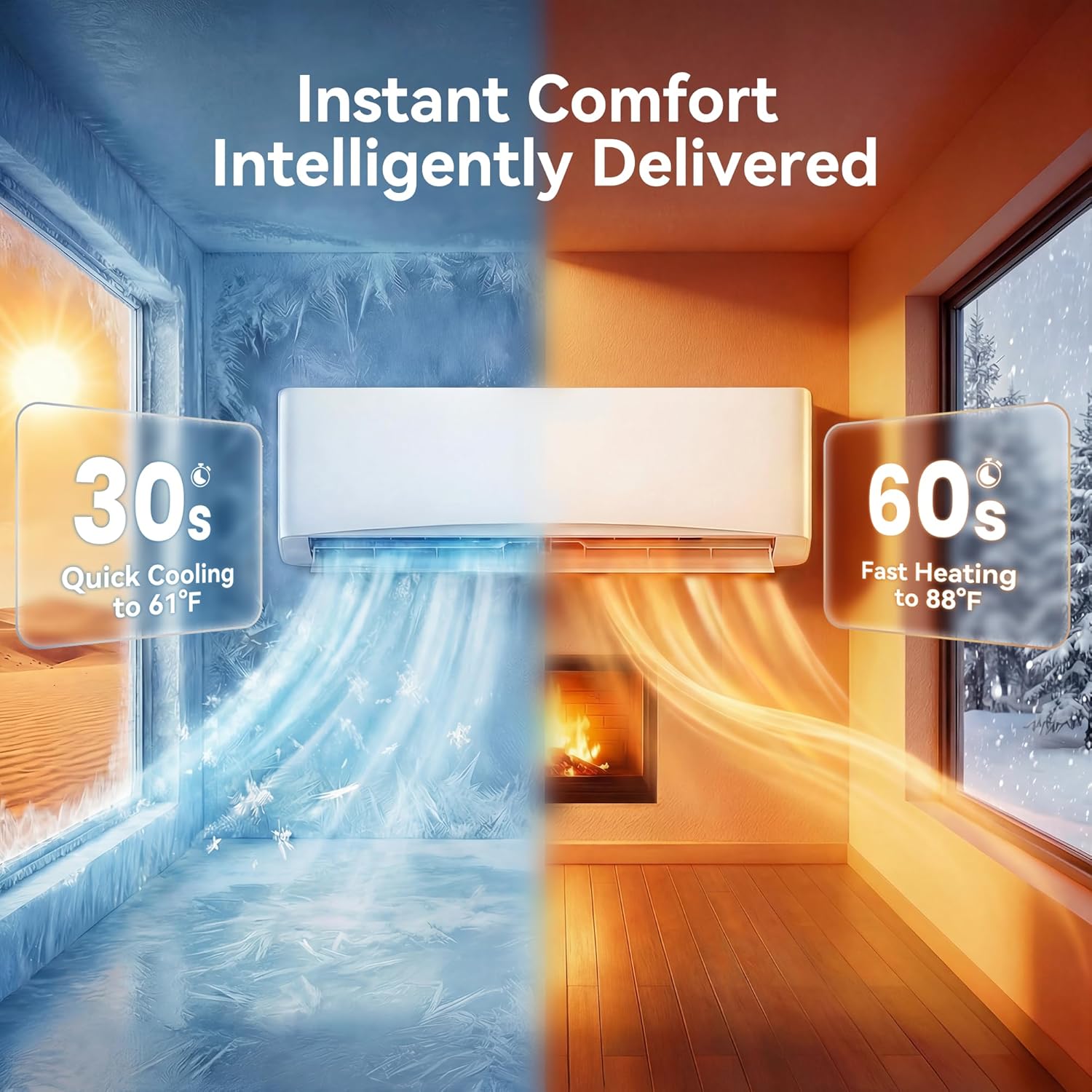
Image: Illustration of the unit's rapid cooling (30 seconds to 61°F) and fast heating (60 seconds to 88°F) capabilities.
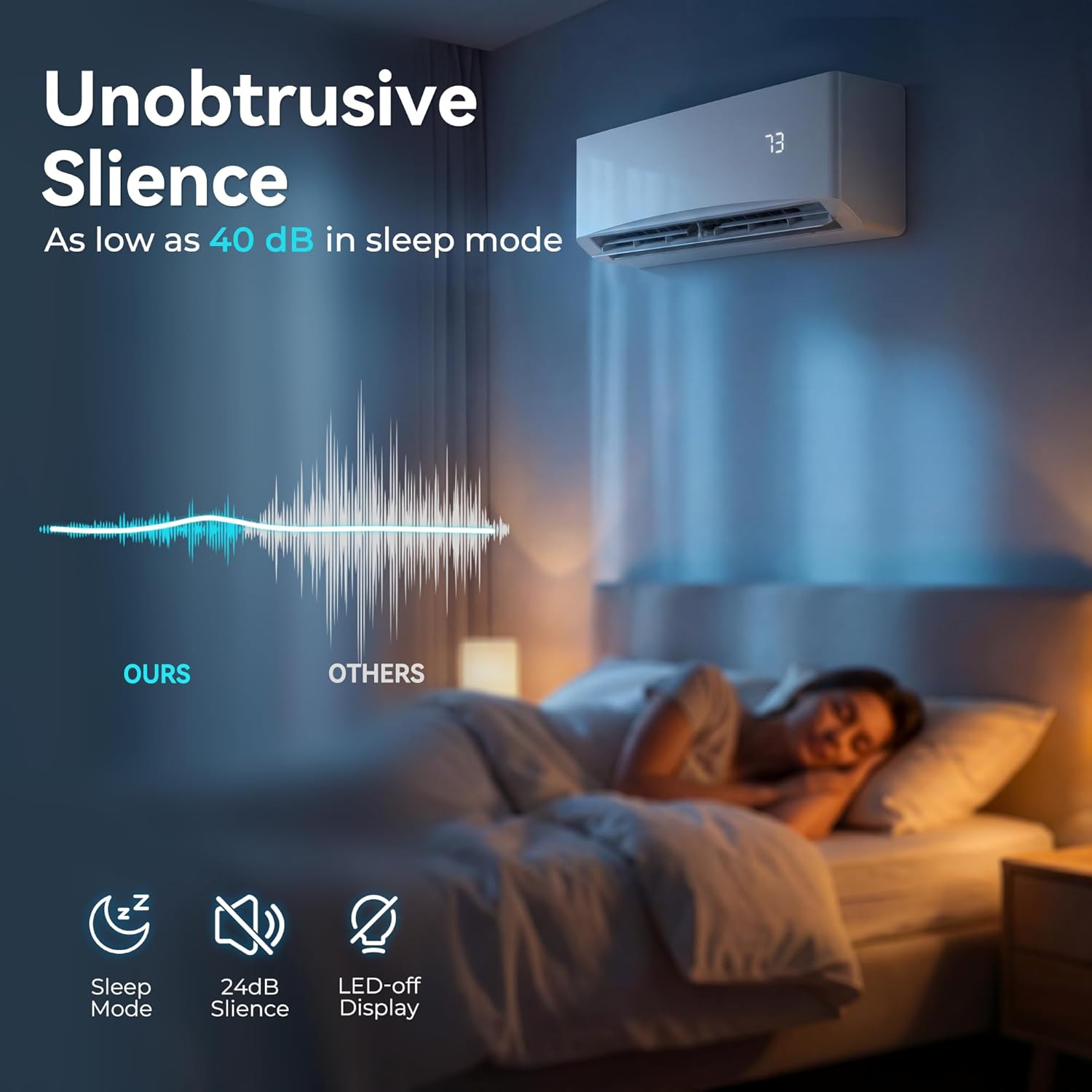
Image: Demonstrates the quiet operation of the unit, highlighting its low noise level (as low as 40 dB) in sleep mode for undisturbed rest.
Video: A demonstration of the LifePlus Mini Split Air Conditioner, showcasing its features and operation.
4. Maintenance
Regular maintenance ensures the longevity and efficient operation of your Kinetheme Mini Split system.
4.1 Self-Cleaning Function
The unit features a self-cleaning function that automatically maintains internal cleanliness, ensuring efficient air circulation and preventing mold and bacteria buildup. Activate this function as recommended in the detailed manual.
4.2 Auto-Defrost System
The auto-defrost system allows the outdoor unit to operate effectively even in temperatures as low as -4°F (-20°C), preventing ice buildup and ensuring stable heating performance.
4.3 Filter Cleaning
While the unit has a self-cleaning function, periodic manual cleaning of the air filters is recommended to maintain optimal air quality and efficiency. Refer to the full instruction manual for filter removal and cleaning procedures.

Image: Visual representation of the unit's self-cleaning technology, which helps maintain efficiency and fresh air circulation.
5. Troubleshooting
If you encounter issues with your Kinetheme Mini Split system, refer to the troubleshooting section in the comprehensive instruction manual for common problems and solutions. For complex issues or if problems persist, contact professional service.
Common Issues May Include:
- Unit not turning on.
- Insufficient cooling or heating.
- Unusual noises or odors.
- Water leakage from the indoor unit.
- Remote control not responding.
Always ensure the power supply is stable and filters are clean before seeking professional assistance.
6. Specifications
Below are the key technical specifications for the Kinetheme 12000BTU Mini Split AC/Heating System (115V).

Image: Detailed dimensions of both the indoor and outdoor units, along with BTU and voltage information.
| Feature | Specification |
|---|---|
| Brand | Kinetheme |
| Model Name | Kinetheme 12000BTU |
| Capacity | 1 Tons (12000 British Thermal Units) |
| Seasonal Energy Efficiency Ratio (SEER2) | 17 |
| Voltage | 115 Volts |
| Wattage | 1260 watts |
| Noise Level | 41 Decibels (as low as 26 dB in Silent Mode) |
| Refrigerant | R-32 |
| Coverage Area | Up to 750 Square Feet |
| Product Dimensions (Indoor Unit) | 31.5"D x 11.4"W x 7.5"H |
| Item Weight | 78 Pounds (Total) |
| Control Method | Remote Control |
| Special Features | Heating & Cooling Function, Silent Mode, Sleep Mode, Self-Cleaning, Auto-Defrost |
7. Warranty
The Kinetheme 12000BTU Mini Split AC/Heating System comes with a 1-Year Limited Warranty from the date of purchase. This warranty covers defects in materials and workmanship under normal use. Please retain your proof of purchase for warranty claims. For detailed terms and conditions, refer to the warranty information included in your product packaging.
8. Support
For technical assistance, troubleshooting guidance, or warranty inquiries, please contact Kinetheme customer support. Ensure you have your product model number and purchase date available when contacting support.
- Online Support: Visit the official Kinetheme website for FAQs and support resources.
- Email Support: Refer to your product documentation for the customer service email address.
- Phone Support: Refer to your product documentation for the customer service phone number.
Kinetheme is committed to providing 24-hour rapid response and free parts replacement for eligible issues during the warranty period.