
1. Introduction
Thank you for choosing the THERUN W2 Mute Walking Pad Treadmill. This manual provides essential information for the safe and effective use, setup, operation, and maintenance of your new walking pad. Please read this manual thoroughly before initial use and retain it for future reference.
2. Important Safety Information
To reduce the risk of serious injury, read all instructions and warnings before using this walking pad. The manufacturer assumes no responsibility for personal injury or property damage sustained by or through the use of this product.
- Always place the walking pad on a flat, stable surface.
- Ensure adequate clear space around the walking pad (at least 2 feet on all sides).
- Keep children and pets away from the walking pad during operation.
- Wear appropriate athletic footwear while using the walking pad.
- Do not use the walking pad if you feel dizzy, lightheaded, or experience any pain. Consult a physician before starting any new exercise program.
- Do not operate the walking pad if it is damaged or malfunctioning.
- Always unplug the walking pad from the power outlet when not in use or before cleaning/maintenance.
- The maximum user weight capacity for this model is 265 lbs. Do not exceed this limit.
3. Package Contents
Verify that all components are present in the package:
- THERUN W2 Mute Walking Pad Treadmill
- Remote Control
- Power Cord
- User Manual (this document)
4. Setup
The THERUN W2 Mute Walking Pad Treadmill requires minimal assembly. Follow these steps for initial setup:
- Unpacking: Carefully remove the walking pad and all accessories from the packaging. Retain packaging for future storage or transport.
- Placement: Place the walking pad on a firm, level surface. Ensure there is at least 2 feet of clear space around the unit for safe operation.
- Power Connection: Connect the power cord to the walking pad's power input, then plug the other end into a grounded electrical outlet.
- Initial Inspection: Before first use, inspect the walking belt for any signs of damage or misalignment. Ensure the remote control has batteries installed (if not pre-installed).

Image: The THERUN W2 Mute Walking Pad Treadmill in use under a standing desk, demonstrating its compact design for home or office environments.
5. Operating Instructions
The THERUN W2 Mute Walking Pad Treadmill is designed for quiet and efficient exercise. It features a 2-in-1 design, allowing use as an under-desk walking pad or a standalone walking/jogging pad.
5.1 Powering On/Off
- To power on, ensure the walking pad is plugged in and press the power button on the remote control. The LED display will illuminate.
- To power off, press and hold the power button on the remote control until the display turns off. For complete power disconnection, unplug the unit from the wall outlet.
5.2 Using the Remote Control
The remote control allows you to start, stop, and adjust the speed of the walking pad.
- Start/Stop: Press the 'Start' button to begin movement. Press the 'Stop' button to halt the belt.
- Speed Adjustment: Use the '+' button to increase speed and the '-' button to decrease speed. The speed range is 0.6 MPH to 3.8 MPH.
5.3 LED Display Functions
The integrated LED display provides real-time workout data:
- Time: Displays the duration of your workout.
- Calories: Estimates calories burned during your session.
- Steps: Counts the number of steps taken.
- Speed: Shows the current speed of the walking belt.
- Distance: Tracks the total distance covered.

Image: A user jogging on the THERUN W2 Mute Walking Pad Treadmill, highlighting its use for active workouts.
6. Maintenance
Regular maintenance ensures the longevity and optimal performance of your THERUN W2 Mute Walking Pad Treadmill.
6.1 Cleaning
- Always unplug the walking pad before cleaning.
- Wipe down the surface of the walking pad with a damp cloth after each use to remove sweat and dust.
- Do not use abrasive cleaners or solvents, as these can damage the finish.
6.2 Walking Belt Lubrication
While the W2 Mute features a low-maintenance design, periodic lubrication of the walking belt may be required to ensure smooth operation and prevent wear. Refer to the included user manual for specific lubrication instructions and recommended lubricant type, if applicable.
6.3 Storage
The compact design of the THERUN W2 Mute allows for easy storage.
- Ensure the walking pad is powered off and unplugged.
- The unit can be stored vertically or horizontally in a small space, such as under a bed or in a corner.

Image: Demonstrates the compact storage options for the THERUN W2 Mute Walking Pad Treadmill, showing it stored vertically against a wall and horizontally under a bed.
7. Troubleshooting
If you encounter issues with your walking pad, refer to the following common problems and solutions:
| Problem | Possible Cause | Solution |
|---|---|---|
| Walking pad does not power on. | Power cord not properly connected; Power outlet malfunction; Remote control battery low. | Ensure power cord is securely plugged into both the unit and a working outlet. Check remote control batteries and replace if necessary. |
| Walking belt slips or hesitates. | Belt tension too loose; Belt requires lubrication. | Refer to the maintenance section for belt tension adjustment and lubrication instructions. |
| Unusual noise during operation. | Loose components; Foreign object under belt; Motor issue. | Stop the unit immediately. Inspect for loose screws or foreign objects. If noise persists, contact customer service. |
| Remote control not responding. | Low battery; Obstruction between remote and unit. | Replace remote control batteries. Ensure no objects are blocking the signal path. |
If the problem persists after attempting these solutions, please contact THERUN customer service for assistance.
8. Specifications
Detailed specifications for the THERUN W2 Mute Walking Pad Treadmill:
- Brand: THERUN
- Model Name: W2 MUTE
- Product Dimensions: 42"D x 18.7"W x 4.3"H
- Item Weight: 32 Pounds
- Material: Alloy Steel
- Maximum Speed: 3.8 Miles per Hour
- Minimum Speed: 0.6 Miles per Hour
- Special Feature: Quiet Operation (<25dB)
- Target Audience: Adult
- Maximum Horsepower: 2.5 HP (Brushless Motor)
- Assembly Required: No
- Display Type: LED
- Maximum Weight Recommendation: 265 Pounds
- Running Belt: 5-layer anti-slip, 35.5" length, 15" width
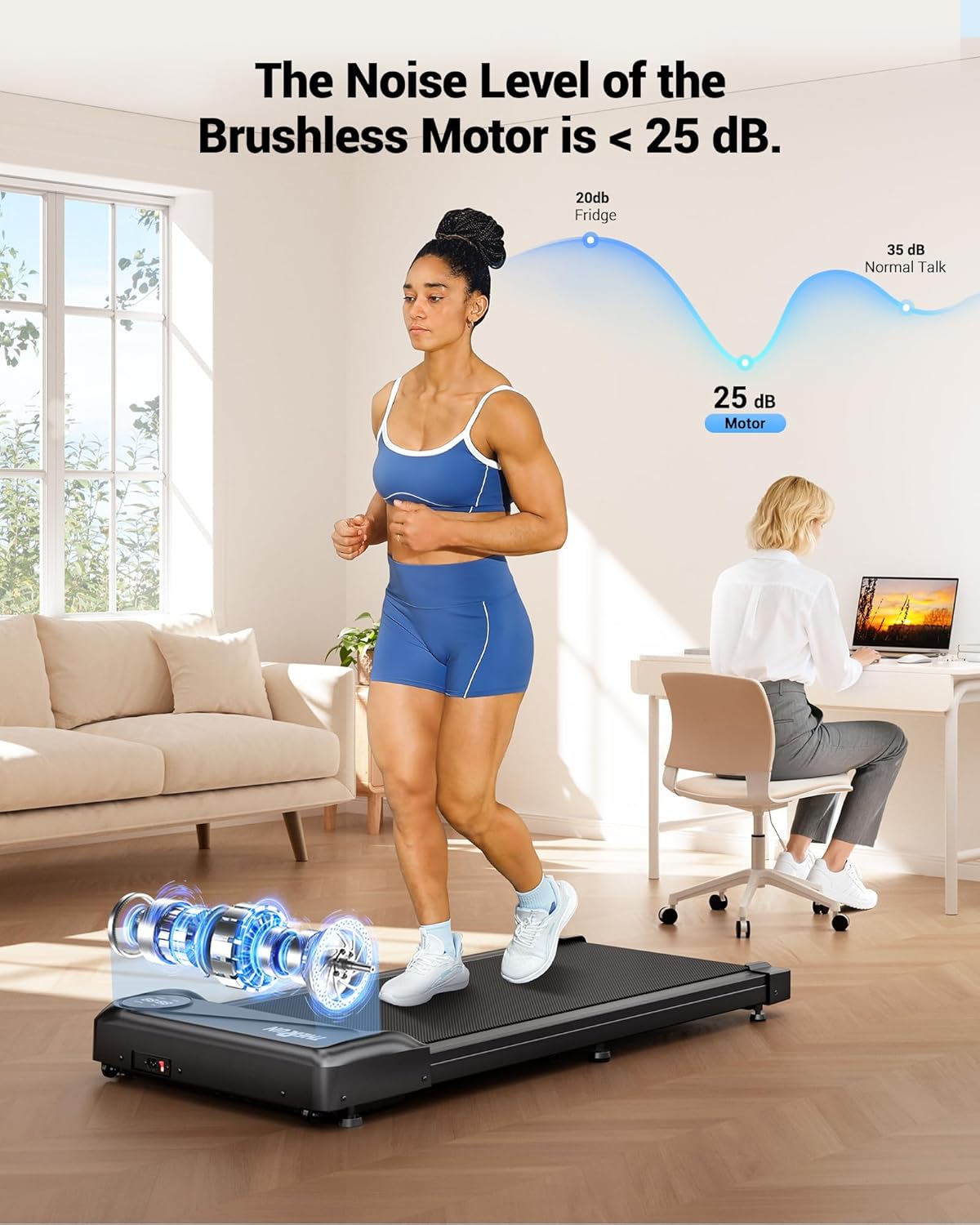
Image: An illustration highlighting the quiet operation of the THERUN W2 Mute's 2.5HP brushless motor, indicating a noise level below 25 dB.
9. Warranty and Support
9.1 Warranty Information
The THERUN W2 Mute Walking Pad Treadmill comes with a 1-Year Warranty from the date of purchase. This warranty covers manufacturing defects and workmanship under normal use. It does not cover damage caused by misuse, accident, unauthorized modification, or improper maintenance.
9.2 Customer Support
For any questions, technical support, or warranty claims, please contact THERUN Professional Customer Service. Our team is available to assist you with any issues or inquiries regarding your walking pad.
Please refer to the product packaging or the official THERUN website for the most current contact information.


