
Important Safety Instructions
WARNING: To reduce the risk of burns, fire, electric shock, or injury to persons, read all instructions before operating this appliance.
- Always unplug the treadmill from the electrical outlet immediately after using and before cleaning, adjusting, or servicing.
- Do not operate under a blanket or pillow. Excessive heating can occur and cause fire, electric shock, or injury to persons.
- Close supervision is necessary when this appliance is used by, on, or near children, invalids, or disabled persons.
- Use this appliance only for its intended use as described in this manual. Do not use attachments not recommended by the manufacturer.
- Never operate this appliance if it has a damaged cord or plug, if it is not working properly, if it has been dropped or damaged, or dropped into water. Contact customer service for examination and repair.
- Do not carry this appliance by supply cord or use cord as a handle.
- Keep the cord away from heated surfaces.
- Never operate the appliance with the air openings blocked. Keep the air openings free of lint, hair, and the like.
- Never drop or insert any object into any opening.
- Do not use outdoors.
- Do not operate where aerosol (spray) products are being used or where oxygen is being administered.
- To disconnect, turn all controls to the off position, then remove plug from outlet.
- Connect this appliance to a properly grounded outlet only. See grounding instructions.
- This appliance is not intended for use by persons with reduced physical, sensory or mental capabilities, or lack of experience and knowledge, unless they have been given supervision or instruction concerning use of the appliance by a person responsible for their safety.
- Children should be supervised to ensure that they do not play with the appliance.
- Maximum user weight: 264 lbs (119.75 kg).
Product Overview
The SQUATZ 2-in-1 Walking Pad Treadmill with Vibration Plates (Model SQWPV15BK) is designed for home or office use, offering both walking/running functionality and vibration therapy. Its compact design allows for easy storage and use in various settings.

Image: The SQUATZ 2-in-1 Walking Pad Treadmill in use, demonstrating its compact design suitable for both home and office environments.
Key Features
- Dual Functionality: Combines a walking pad treadmill with integrated vibration plates.
- Quiet Operation: Equipped with a 1.0 HP brushless motor, operating at ≤45 dB for minimal noise.
- Compact Design: Ideal for under-desk use or small spaces, with dimensions of 42.5"D x 20.6"W x 3.3"H.
- Spacious Walking Surface: A 39.3" x 14.9" platform with a non-slip, multi-layer running belt.
- Smart Controls: Includes a remote control and an LED display for tracking workout metrics.
- Workout Programs: Features 12 preset modes for varied exercise routines.
- Durability: Constructed with PP and Powder Coated Steel, supporting users up to 264 lbs (119.75 kg).
- No Assembly Required: Ready to use out of the box.
Components Included
- Walking Pad Treadmill
- Remote Controller
- Silicone Oil
- L Spanner
- Power Cable with US / Canada Plug

Image: Internal view highlighting the powerful low-noise 1.0 HP motor and shock absorber system, indicating a speed range of 0.5-3.7 MPH.
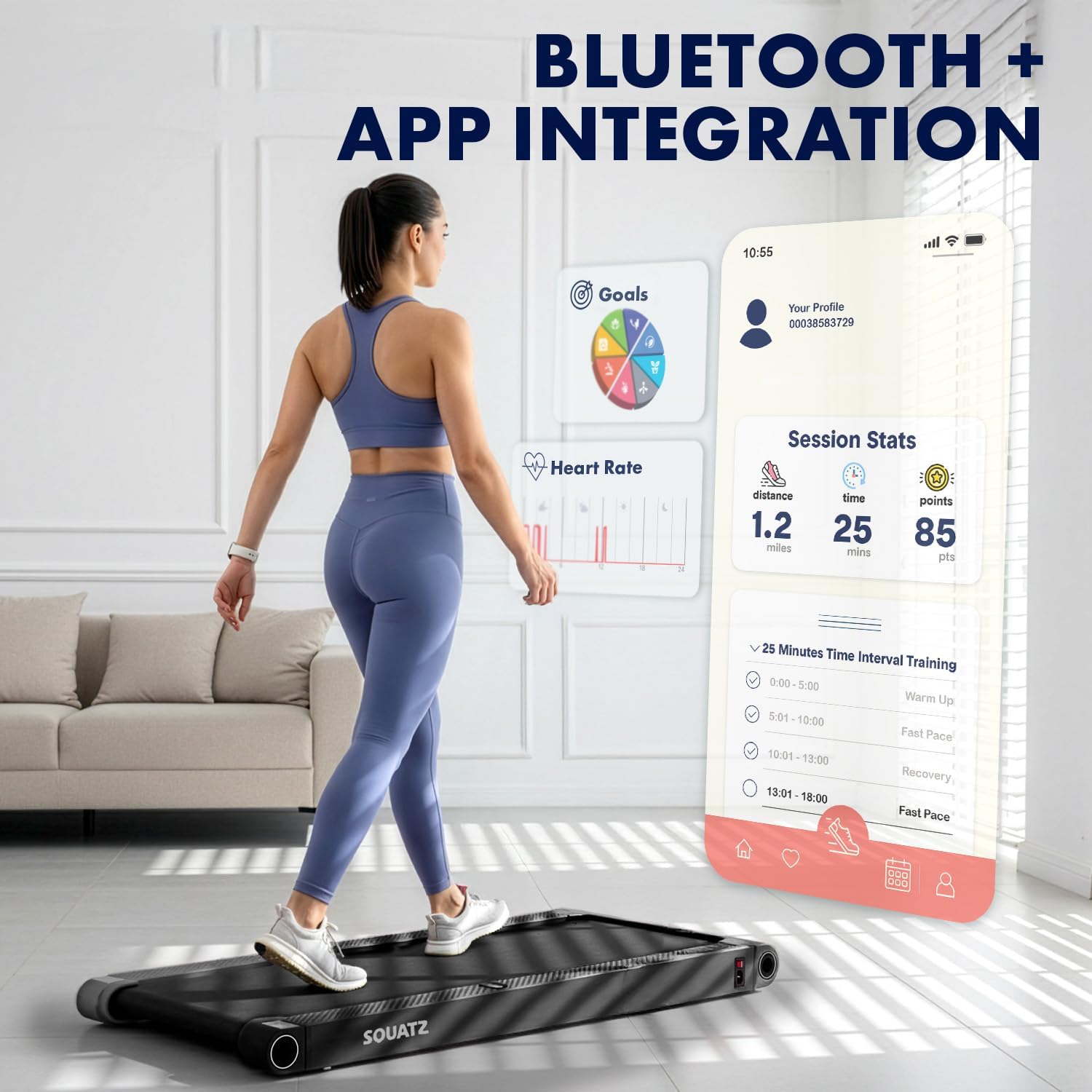
Image: Detail of the anti-slip, multi-layer running belt, designed to support up to 264 lbs, with a walking surface area of 39.3 inches in length and 15 inches in width.

Image: The walking pad demonstrating its compact design, easily stored under furniture. Dimensions are shown as 42.5" length, 21.6" width, and 4.3" height, emphasizing its space-saving nature.
Setup
Unpacking
- Carefully remove the walking pad and all components from the packaging.
- Inspect the unit for any signs of damage during transit. If damaged, do not use and contact customer support.
- Ensure all included components (Remote Controller, Silicone Oil, L Spanner, Power Cable) are present.
Placement
- Place the walking pad on a flat, stable, and non-slip surface.
- Ensure there is adequate clear space around the unit for safe operation, especially at the rear for emergency dismount.
- Avoid placing the unit on thick carpets, which may obstruct ventilation or affect performance.
Power Connection
- Connect the power cable to the walking pad's power input port.
- Plug the power cable into a properly grounded electrical outlet (120V AC, 60Hz).
- Ensure the power switch on the walking pad is in the "OFF" position before plugging in.
- Turn the power switch to the "ON" position. The LED display should illuminate.
Operating Instructions
Remote Control Functions
The remote control allows you to manage all functions of the walking pad, including starting/stopping, adjusting speed, and selecting modes.

Image: The remote control and the integrated LED display panel, which tracks real-time progress including time, speed, step count, distance, and current vibration mode.
- Power Button: Turns the unit ON/OFF.
- Start/Stop Button: Initiates or pauses the walking belt.
- Speed +/- Buttons: Adjusts the walking/running speed.
- Mode Button: Cycles through different display metrics or preset programs.
- Vibration Button: Activates or adjusts the vibration plate intensity (if applicable).
Walking and Running Mode
- Ensure the walking pad is powered on and the LED display is active.
- Step onto the walking belt carefully.
- Press the "Start" button on the remote control. The belt will begin moving at a low speed (e.g., 0.5 MPH).
- Use the "Speed +" and "Speed -" buttons to adjust your desired pace. The maximum speed is 3.7 MPH.
- To stop, press the "Stop" button. The belt will gradually slow down and stop.

Image: Illustrates the three primary modes of operation: Walking Mode (0.5 MPH minimum speed), Running Mode (3.7 MPH maximum speed), and Vibration Mode, where a user is shown performing squats on the pad.
Vibration Plate Mode
The integrated vibration plates can be used for balance, warm-ups, low-impact movements, or recovery. There are 4 adjustable vibration modes.
- Ensure the walking pad is powered on.
- Step onto the designated vibration plate area.
- Press the "Vibration" button on the remote control to activate the vibration function.
- Continue pressing the "Vibration" button to cycle through the 4 available intensity levels (Gentle, Moderate, Strong, Intense).
- To turn off the vibration, cycle through all modes or press the power button to turn off the unit.

Image: Depicts the "Vibration Fitness Machine" feature, showing four distinct vibration modes: Gentle, Moderate, Strong, and Intense, each illustrated with a user engaging with the vibration plates.
Preset Programs
The walking pad includes 12 preset programs designed to vary speed and intensity automatically. Refer to the full user manual for detailed program descriptions.
- While the unit is in standby or operating, press the "Mode" button to cycle through available programs.
- Once a program is selected, press "Start" to begin the programmed workout.
Maintenance
Regular maintenance ensures the longevity and optimal performance of your walking pad.
Cleaning
- Always unplug the power cord before cleaning.
- Wipe down the surface of the walking pad with a damp cloth. Do not use abrasive cleaners or solvents.
- Keep the area around the motor clean and free of dust and debris to ensure proper ventilation.
Belt Lubrication
The walking belt requires periodic lubrication to reduce friction and extend its lifespan. Use the provided silicone oil.
- Unplug the walking pad from the power outlet.
- Loosen the belt tension by turning the rear roller adjustment bolts counter-clockwise using the L spanner. Do not loosen completely.
- Lift the edge of the walking belt and apply a small amount of silicone oil evenly onto the center of the deck, underneath the belt.
- Tighten the belt tension by turning the adjustment bolts clockwise until the belt is snug but not overly tight.
- Plug in the walking pad and run it at a low speed (e.g., 1 MPH) for 5 minutes to distribute the lubricant.
- Lubricate every 3 months or after 50 hours of use, whichever comes first.
Belt Adjustment
If the walking belt shifts to one side or slips during use, it may need adjustment.
- Belt Shifts to the Left: With the walking pad running at a low speed (e.g., 1 MPH), turn the left rear roller adjustment bolt clockwise 1/4 turn using the L spanner. Check alignment after 1-2 minutes. Repeat if necessary.
- Belt Shifts to the Right: With the walking pad running at a low speed (e.g., 1 MPH), turn the right rear roller adjustment bolt clockwise 1/4 turn using the L spanner. Check alignment after 1-2 minutes. Repeat if necessary.
- Belt Slips: If the belt feels like it's slipping, it may be too loose. Turn both left and right rear roller adjustment bolts clockwise 1/4 turn simultaneously. Test the belt and repeat if necessary, ensuring not to overtighten.
Troubleshooting
Refer to this section for common issues and their solutions. If the problem persists, contact customer support.
| Problem | Possible Cause | Solution |
|---|---|---|
| Treadmill does not power on. | Power cord not properly connected; Power switch off; Outlet malfunction. | Ensure power cord is securely plugged into both the unit and a working outlet. Check power switch is ON. Test outlet with another device. |
| Walking belt does not move. | Unit not started; Emergency stop engaged; Motor issue. | Press the "Start" button on the remote. Ensure no safety features are activated. If problem persists, contact support. |
| Walking belt slips during use. | Belt tension too loose; Belt requires lubrication. | Adjust belt tension as described in the Maintenance section. Apply silicone oil if due for lubrication. |
| Walking belt shifts to one side. | Belt alignment issue. | Adjust belt alignment as described in the Maintenance section. |
| Unusual noise from the unit. | Loose components; Lack of lubrication; Foreign object. | Inspect for loose parts. Lubricate the belt. Check for any objects under the belt or near the motor. |
| E05 Error Code | Motor overload or sensor malfunction. | Turn off the unit, unplug it for 5 minutes, then plug back in and restart. Ensure user weight does not exceed 264 lbs. If the error persists, contact customer support. |
Specifications
| Brand | SQUATZ |
| Model Number | SQWPV15BK |
| Product Dimensions (L x W x H) | 42.5" x 20.6" x 3.3" (108 cm x 52.3 cm x 8.4 cm) |
| Walking Surface Dimensions | 39.3" x 14.9" (100 cm x 37.8 cm) |
| Item Weight | 11 Kilograms (24.25 lbs) |
| Material | PP, Powder Coated Steel |
| Motor Horsepower | 1.0 HP |
| Speed Range | 0.5 - 3.7 Miles per Hour |
| Maximum Weight Recommendation | 119.75 Kilograms (264 lbs) |
| Number of Programs | 12 Preset Programs |
| Metrics Measured | Time, Speed, Step Count, Distance, Vibration Mode (via LED Display) |
| Power Source | Electric (AC 120V, 60Hz) |
| Assembly Required | No |
| UPC | 842893184098 |
Warranty Information
The SQUATZ 2-in-1 Walking Pad Treadmill (Model SQWPV15BK) comes with a 1 Year Warranty from the date of purchase. This warranty covers manufacturing defects in materials and workmanship under normal use.
The warranty does not cover damage caused by improper use, neglect, accident, alteration, or unauthorized repair. Please retain your proof of purchase for warranty claims.
Customer Support
For technical assistance, warranty claims, or any questions regarding your SQUATZ Walking Pad, please contact our customer support team.
- Online Support: Visit the official SQUATZ website for FAQs and support resources.
- Email Support: Refer to your product packaging or the official SQUATZ website for the most current email contact information.
- Phone Support: Refer to your product packaging or the official SQUATZ website for the most current phone contact information.
When contacting support, please have your model number (SQWPV15BK) and proof of purchase readily available.
