
1. Introduction
The Baseus EnerFill FC51 Bipow2 Pro is a high-capacity portable power bank designed to charge your electronic devices on the go. Featuring a 20000mAh battery, a digital display, and an integrated USB-C cable, it offers convenience and fast charging capabilities for up to three devices simultaneously.
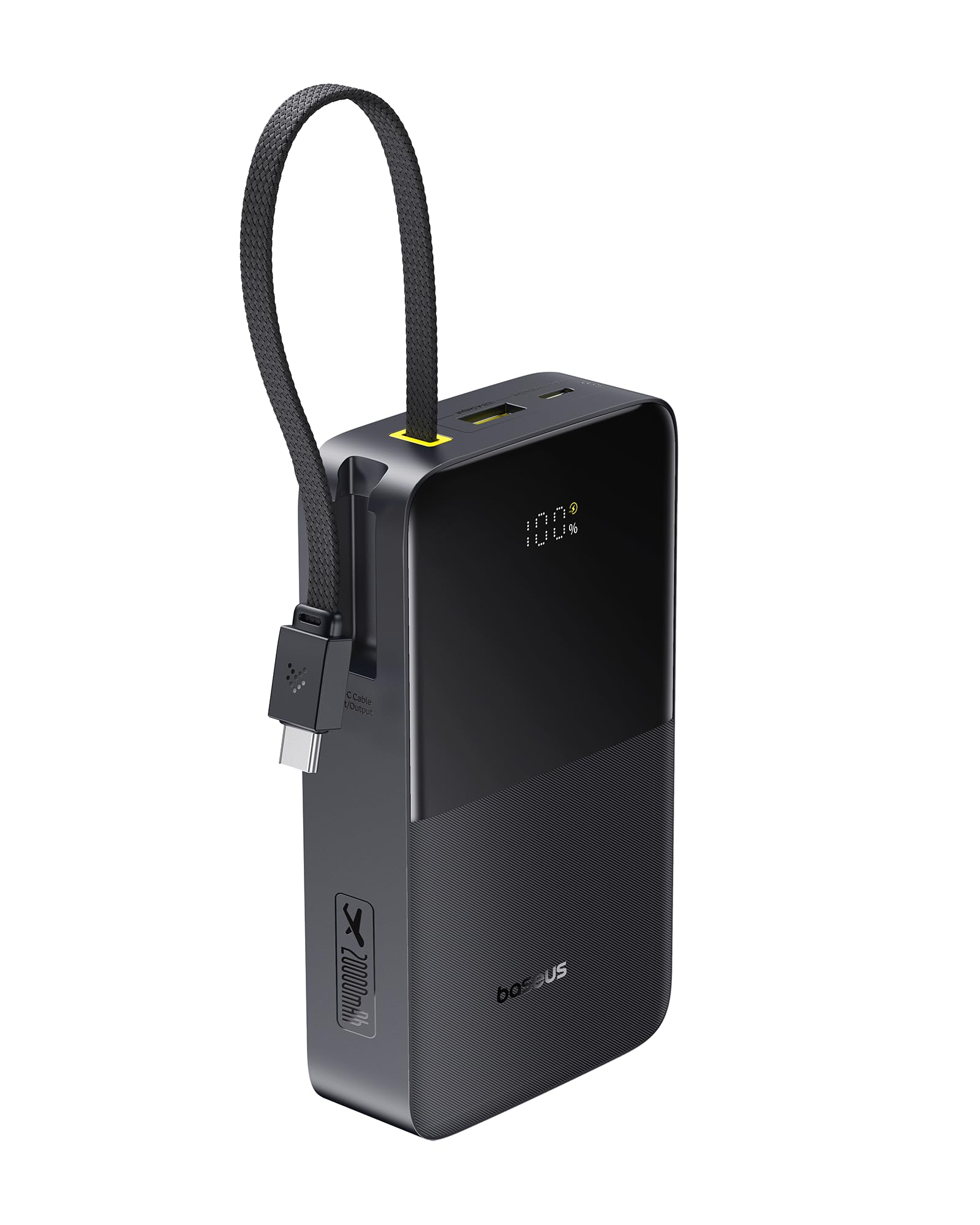
Image 1: Baseus EnerFill FC51 Bipow2 Pro Power Bank. This image shows the power bank from an angled perspective, highlighting its digital display, integrated USB-C cable, and textured finish.
2. Product Features
- High Capacity: 20000mAh (73Wh) lithium-ion battery, suitable for air travel.
- Integrated USB-C Cable: Built-in USB-C cable for both charging the power bank and charging devices, eliminating the need for extra cables.
- Digital Display: Clear digital screen indicates the remaining battery percentage.
- Fast Charging Output: Supports up to 22.5W wired fast charging.
- Multiple Device Charging: Capable of charging up to three devices simultaneously via USB-A, USB-C port, and the integrated USB-C cable.
- Compact and Portable: Weighs approximately 356g with dimensions of 12.2 x 6.9 x 3.2 cm (4.80 x 2.72 x 1.26 inches).
- Durable Design: Features a braided integrated cable tested for over 10,000 bends and abrasion resistance.

Image 2: Portable Power with Built-in Cable. This image illustrates the power bank's integrated USB-C cable, showing its length (22 cm / 8.66 inches) and the device's compact dimensions.

Image 3: Durable Braided Cable. This image highlights the robust, braided design of the integrated USB-C cable, emphasizing its durability with a '10,000+ Bends Tested' graphic.
3. Setup
3.1 Initial Charging of the Power Bank
- For first use, fully charge the power bank.
- Connect the integrated USB-C cable to a compatible USB-C power adapter (not included) or use a separate USB-C to USB-C cable with the power bank's USB-C port.
- The digital display will show the charging progress. Once it reaches 100%, the power bank is fully charged.
3.2 Checking Battery Level
The digital display on the power bank shows the current battery percentage. Briefly press the power button (if available) to activate the display and check the charge level.
4. Operating Instructions
4.1 Charging Your Devices
The power bank offers multiple output options:
- Using the Integrated USB-C Cable: Connect the integrated USB-C cable directly to your USB-C compatible device.
- Using the USB-A Output Port: Connect your device's USB-A charging cable to the USB-A port on the power bank.
- Using the USB-C Output Port: Connect your device's USB-C charging cable to the dedicated USB-C port on the power bank.
The power bank will automatically begin charging your device. The digital display will show the power bank's remaining charge.

Image 4: Max. 22.5W Wired Charging. This image shows the power bank connected to a smartphone via its integrated cable, indicating a maximum output of 22.5W.

Image 5: Charge Up to 3 Devices. This image demonstrates the power bank simultaneously charging a smartphone, a smartwatch, and a portable fan using its various output ports and integrated cable.
4.2 Simultaneous Charging
You can charge up to three devices at once using the USB-A port, the USB-C port, and the integrated USB-C cable. The total output for simultaneous charging is 5V⎓2.4A.
5. Maintenance
5.1 Cleaning
Wipe the power bank with a soft, dry cloth. Do not use liquid cleaners or abrasive materials, as they may damage the surface or internal components.
5.2 Storage
- Store the power bank in a cool, dry place away from direct sunlight and extreme temperatures.
- For long-term storage, it is recommended to keep the power bank charged to approximately 50-75% to preserve battery health. Recharge it every 3-6 months if not in use.
5.3 Battery Longevity
To maximize the lifespan of the power bank's battery:
- Avoid fully discharging the battery frequently.
- Avoid exposing the device to high temperatures.
- Use appropriate chargers and cables.
6. Troubleshooting
6.1 Power Bank Not Charging
- Ensure the charging cable and adapter are securely connected.
- Verify that the power adapter is functional and providing power.
- Try a different charging cable or adapter.
6.2 Devices Not Charging
- Check if the power bank has sufficient charge.
- Ensure the device's charging cable is properly connected to both the power bank and the device.
- Try a different charging port on the power bank or a different cable.
- Confirm that your device is compatible with the power bank's output specifications.
6.3 Slow Charging
- Ensure your device supports fast charging and that you are using a compatible cable.
- Charging multiple devices simultaneously may reduce the charging speed for individual devices.
- Environmental factors (e.g., high temperature) can affect charging efficiency.
7. Specifications
| Feature | Specification |
|---|---|
| Model Name | PPBD2PP-2022 |
| Battery Capacity | 20000mAh (73Wh) |
| Battery Cell Composition | Lithium-ion |
| USB-C Input | 5V⎓3A; 9V⎓2A; 12V⎓1.5A (Max 18W) |
| USB-A Output | 5V⎓2.4A; 9V⎓2A; 12V⎓1.5A; 10V⎓2.25A(SCP) |
| Integrated USB-C Cable Output | 5V⎓2.4A; 9V⎓2.22A; 12V⎓1.5A; 10V⎓2.25A(SCP) |
| Simultaneous Output | 5V⎓2.4A |
| Total Output Power | 22.5W Max |
| Number of Ports | 3 (1x USB-A, 1x USB-C, 1x Integrated USB-C Cable) |
| Dimensions (L x W x H) | 12.2 x 6.9 x 3.2 cm (4.80 x 2.72 x 1.26 inches) |
| Weight | 356 Grams |
| Color | Cosmic Black |
| External Test Certification | Anatel02914-25-14894 |
Note: Performance data is based on Baseus laboratory results. Actual performance may vary depending on device, usage, and environmental conditions.

Image 6: 20,000mAh Capacity. This image visually represents the power bank's 20,000mAh capacity, showing estimated charges for an iPhone 16 Pro (3 charges) and Samsung Galaxy S25 (2 charges).
8. Safety Information
- Do not disassemble, modify, or repair the device.
- Do not expose the power bank to fire, water, or extreme temperatures.
- Avoid dropping or subjecting the device to strong impacts.
- Keep out of reach of children.
- Use only certified charging cables and adapters.
- If the power bank swells, leaks, or shows any abnormal behavior, discontinue use immediately and contact customer support.
9. Warranty and Support
For warranty information and customer support, please refer to the documentation included with your purchase or visit the official Baseus website. Keep your proof of purchase for warranty claims.


