
Introduction
This manual provides essential information for setting up, operating, maintaining, and troubleshooting your new OPPO A6 5G smartphone. Please read this guide thoroughly to ensure optimal performance and longevity of your device.
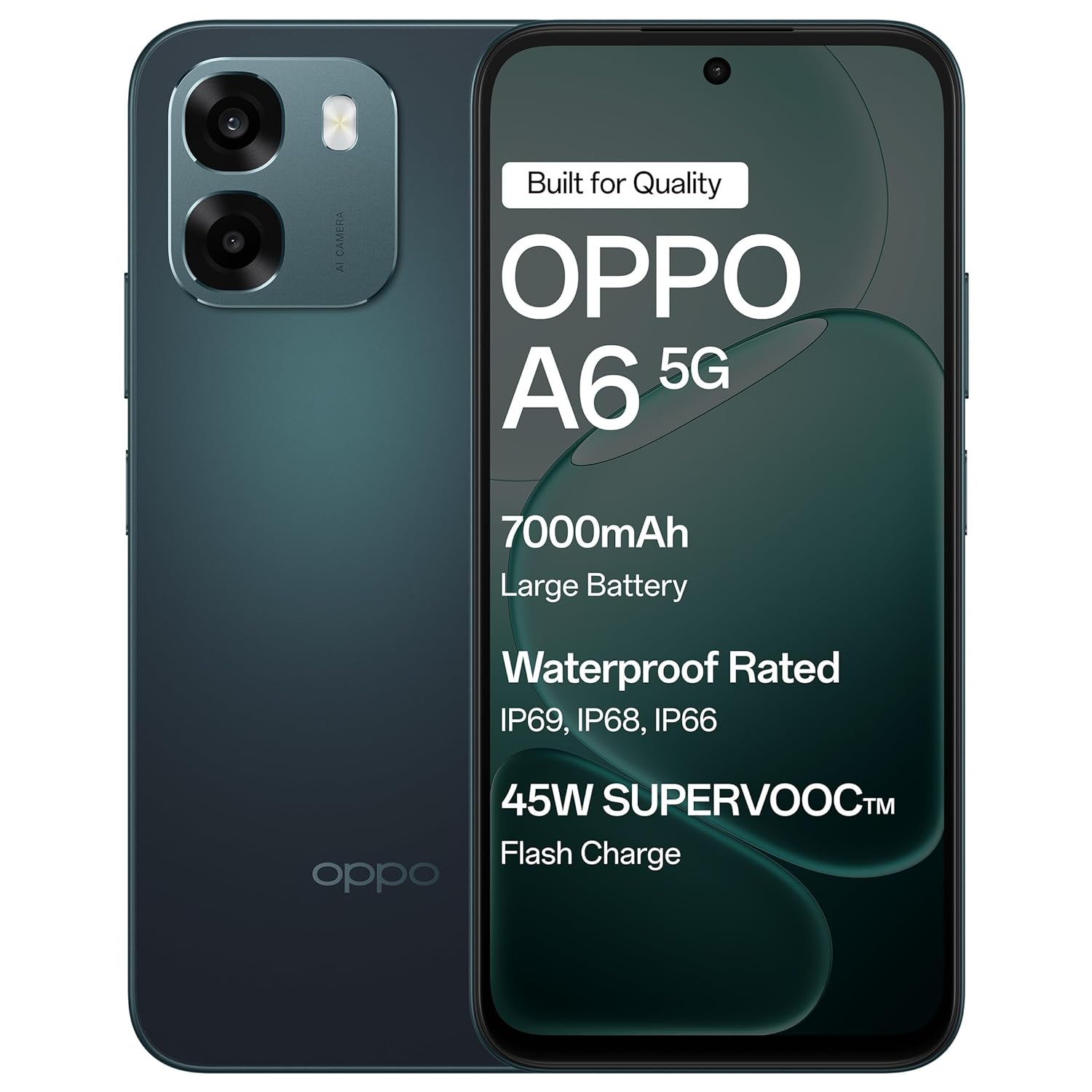
The OPPO A6 5G smartphone in Sapphire Blue, featuring its sleek design.
Setup
1. Unboxing and Initial Inspection
Carefully remove all items from the packaging. Verify that all components are present and undamaged.
Box Contents:
- OPPO A6 5G Smartphone
- Phone Case
- Power Adapter
- USB Cable
- SIM Tray Ejector
- Screen Protector (pre-applied or in box)
2. Inserting the SIM Card
- Locate the SIM card tray on the side of the device.
- Insert the SIM tray ejector tool into the small hole next to the tray and press gently until the tray pops out.
- Place your Nano-SIM card(s) into the designated slots on the tray. Ensure the gold contacts face downwards. This device supports Dual SIM.
- Carefully reinsert the SIM tray into the phone until it clicks into place.
3. Initial Charging and Power On
- Connect the USB cable to the power adapter and then to the phone's USB Type-C port. Plug the power adapter into a wall outlet.
- Allow the phone to charge for at least 30 minutes before first use, or until the battery indicator shows sufficient charge.
- Press and hold the Power button (usually on the right side) until the OPPO logo appears.
- Follow the on-screen instructions to complete the initial setup, including language selection, Wi-Fi connection, and Google account setup.

The OPPO A6 5G supports 45W SUPERVOOC Flash Charge, allowing for rapid battery replenishment.
Operating Your Device
1. Basic Navigation
- Touchscreen Gestures: Tap to select, swipe to scroll, pinch to zoom.
- Power Button: Press to lock/unlock the screen. Press and hold to power off or restart.
- Volume Buttons: Adjust media volume, call volume, or notification volume.
2. Display Features
The OPPO A6 5G features a large 6.75-inch LCD display with a 120Hz adaptive refresh rate, providing smooth visuals and enhanced readability even in sunlight.

The 120Hz Ultra Bright Display ensures smooth and vibrant visuals.
3. Camera Usage
Your device is equipped with a 50MP AI Dual Camera system for capturing high-quality photos and videos.
- Main Camera: 50MP sensor for detailed everyday photos.
- Depth Sensor: 2MP for enhanced portrait shots.
- Front Camera: 8MP for clear selfies.
- Modes: Utilize Night mode for low-light conditions, Portrait mode for artistic depth effects, and Dual-View Video for simultaneous front and rear camera recording.

The 50MP Ultra-Clear Camera captures every detail effortlessly.

Explore various camera modes such as Underwater Photography, AI Night Mode, and Portrait Mode.
4. Audio and Speakers
Experience enhanced audio with dual stereo speakers and an Ultra Volume Mode, providing louder and clearer sound for media consumption and calls.

Dual Stereo Speakers with Ultra Volume Mode deliver immersive sound.
5. Performance and Gaming
The MediaTek Dimensity 6300 5G processor ensures smooth performance for daily tasks, streaming, and gaming. AI GameBoost 2.0 optimizes your gaming experience.

AI GameBoost 2.0 provides a smooth and confident gaming experience.

The MediaTek Dimensity 6300 Mobile Platform ensures better and smoother performance.
6. Battery Management
The device is equipped with a massive 7000mAh battery for extended usage. Utilize 45W SUPERVOOC charging for quick power-ups. The phone also supports reverse wired charging to share power with other devices.

The 7000mAh large battery provides power throughout your day.

Reverse Wired Charging allows you to share power with other devices when needed.
7. Network Connectivity
The OPPO A6 5G supports 5G cellular technology, Wi-Fi, and Bluetooth. AI LinkBoost 3.0 enhances network stability and reduces lag.

AI LinkBoost 3.0 provides a levelled-up network with zero lag.
Maintenance
1. Cleaning Your Device
- Use a soft, lint-free cloth to wipe the screen and back panel.
- Avoid using harsh chemicals or abrasive materials.
- For stubborn smudges, slightly dampen the cloth with water or a screen cleaner designed for electronics.
2. Software Updates
Regularly check for and install software updates to ensure your device has the latest features, security patches, and performance improvements. Go to Settings > About device > Up to date to check for updates.
3. Battery Care
- Avoid extreme temperatures, as they can degrade battery life.
- Do not leave the phone charging for excessively long periods after it reaches 100%.
- Use only the provided charger and cable for optimal charging performance and safety.
4. Storage Management
Periodically clear unnecessary files, apps, and media to maintain optimal performance. Your device has 128GB of internal storage, with support for external flash memory up to 128GB.
5. Water and Dust Resistance
The OPPO A6 5G features IP69 water and dust resistance. This means it is protected against high-pressure, high-temperature water jets and can withstand immersion in water at 1.5 meters for 30 minutes. While resistant, it is not waterproof. Avoid intentional submersion and exposure to saltwater or other liquids.
The OPPO A6 5G offers IP69 Water and Dust Resistance, making it a durable device.
6. Fluency Protection
The device is designed with 60-Month Fluency Protection, ensuring sustained smooth performance over an extended period.

Enjoy 5 years of flawless flow with 60-Month Fluency Protection.
Troubleshooting
Common Issues and Solutions
- Device Not Turning On: Ensure the battery is charged. Connect to the charger and wait a few minutes before attempting to power on again. If unresponsive, press and hold the Power button and Volume Up button simultaneously for about 10-15 seconds to force a restart.
- Charging Problems: Check if the charger and USB cable are securely connected. Try a different power outlet. Inspect the charging port for any debris.
- Network Connectivity Issues: Verify that your SIM card is correctly inserted and active. Check if Airplane Mode is off. Restart the device. If issues persist, contact your mobile network provider.
- Apps Crashing or Freezing: Close and reopen the app. Clear the app's cache (Settings > Apps > [App Name] > Storage > Clear cache). If the problem continues, uninstall and reinstall the app.
- Slow Performance: Close unused background apps. Clear cache and temporary files. Restart the device regularly. Ensure sufficient storage space is available.
Factory Reset (Last Resort)
If severe software issues persist, a factory reset may be necessary. This will erase all data on your phone. Backup all important data before proceeding.
- Go to Settings > System settings > Backup and reset > Reset phone.
- Select Erase all data.
- Confirm your decision and enter your screen lock password if prompted.
Specifications
| Feature | Detail |
|---|---|
| Brand | OPPO |
| Model | A6 5G |
| Operating System | Android 15 |
| RAM | 6 GB |
| Internal Storage | 128 GB |
| Expandable Memory | Up to 128 GB (Flash Memory Supported Size Maximum) |
| Screen Size | 6.75 Inches |
| Display Type | LCD |
| Refresh Rate | 120 Hz |
| Rear Camera | 50 MP (Main) + 2 MP (Depth) |
| Front Camera | 8 MP |
| Battery Capacity | 7000 mAh |
| Charging | 45W SUPERVOOC Fast Charging, Reverse Wired Charging |
| SIM Card Slot | Dual SIM |
| Connector Type | USB Type C |
| Headphones Jack | 3.5 mm |
| Water Resistance Level | IP69 Water Resistant |
| Cellular Technology | 5G |
| Wireless Connectivity | Bluetooth, Wi-Fi |
| Item Weight | 216 Grams |
| Item Dimensions | 16.7 x 7.9 x 0.9 Centimeters |
| Model Year | 2026 |
| Country of Origin | India |
Warranty Information
Your OPPO A6 5G smartphone comes with a limited warranty:
- Handset: 12 Months from the date of purchase.
- Adapter & Cable: 6 Months from the date of purchase.
Please retain your proof of purchase for warranty claims. The warranty covers manufacturing defects and does not cover damage caused by misuse, accidents, unauthorized repairs, or normal wear and tear.
Support
For further assistance, technical support, or service inquiries, please contact OPPO customer service:
- Manufacturer: OPPO MOBILES INDIA PVT LTD.
- Address: 5th FLOOR, Tower B, BUILDING, N-8, DLF Cyber City, DLF Phase 2, Gurugram, Haryana 122002, India.
- Customer Service Tel: 18001032777
- Online Support: Visit the official OPPO website for FAQs, support articles, and service center locations.


