Introduction
This manual provides detailed instructions for the assembly, operation, and maintenance of your GAOMON 43 Inch Wooden Indoor Dog Crate Side Table. Please read all instructions carefully before assembly and use to ensure safe and proper functionality. Keep this manual for future reference.
Safety Information
- Always assemble the crate on a soft, clean surface to prevent scratches.
- Ensure all screws and fasteners are securely tightened before allowing your pet to use the crate. Periodically check for loose connections.
- Do not allow children to climb on or play inside the crate.
- Place the crate on a level surface to prevent tipping.
- Do not use the crate if any parts are damaged or missing. Contact customer service for replacement parts.
- This product is designed for indoor use only.
- Ensure your pet's collar or tags cannot get caught on any part of the crate.
- Never leave your pet unattended for extended periods, especially during initial use.
Package Contents
Before beginning assembly, verify that all components listed below are present and undamaged. If any parts are missing or damaged, please contact GAOMON customer service.
- Wooden Top Panel
- Wooden Base Panel
- Side Panels (Metal bars with wooden frames)
- Front Doors (Metal bars with wooden frames)
- Back Panel (Metal bars with wooden frames)
- Adjustable Food Bowls (2)
- Assembly Hardware (screws, bolts, L-wrench, etc.)
- Instruction Manual
Setup and Assembly Instructions
Assembly is designed to be straightforward with numbered parts and clear instructions. It is recommended to have a second person assist with assembly for easier handling of larger components.
- Prepare the Area: Clear a spacious, soft, and clean area for assembly to prevent damage to the product or your floor.
- Identify Parts: Unpack all components and identify them using the provided parts list and diagrams. All parts are typically numbered for easy identification.
- Assemble the Base: Attach the side panels and back panel to the wooden base panel using the designated screws and fasteners. Ensure all connections are snug but do not overtighten initially.
- Install Front Doors: Secure the front doors to the main structure. The sliding door mechanism should be installed according to the specific diagram in your included manual. Ensure the door slides smoothly and the security lock engages properly.
- Attach Top Panel: Place the wooden top panel onto the assembled frame and secure it with the remaining screws. Ensure it is flush and stable.
- Install Food Bowls: Attach the adjustable food bowls to the metal bars inside the crate at a suitable height for your dog.
- Final Tightening: Once all components are in place, carefully go back and tighten all screws and fasteners to ensure the crate is stable and secure.
- Inspect: Perform a final inspection to ensure there are no sharp edges, loose parts, or gaps that could harm your pet.

Figure 1: Product Dimensions and Recommended Dog Size. The crate measures 43 inches in length, 29.9 inches in width, and 33 inches in height. It is suitable for dogs up to 220 lbs.

Figure 2: Key Features including waterproof desktop, security door lock, and adjustable base.
Operating Instructions
Using the Doors
- Sliding Door: The main front door operates on a smooth sliding mechanism. To open, gently slide the door along its track. To close, slide it back until the security lock aligns and engages.
- Side Door: The crate features an additional hinged side door for flexible placement and easy pet entry/exit. To open, unlatch the lock and swing the door outwards. Ensure it is securely latched when closed.
- Security Lock: Always ensure the security locks on both doors are properly engaged when your pet is inside to prevent accidental escapes.
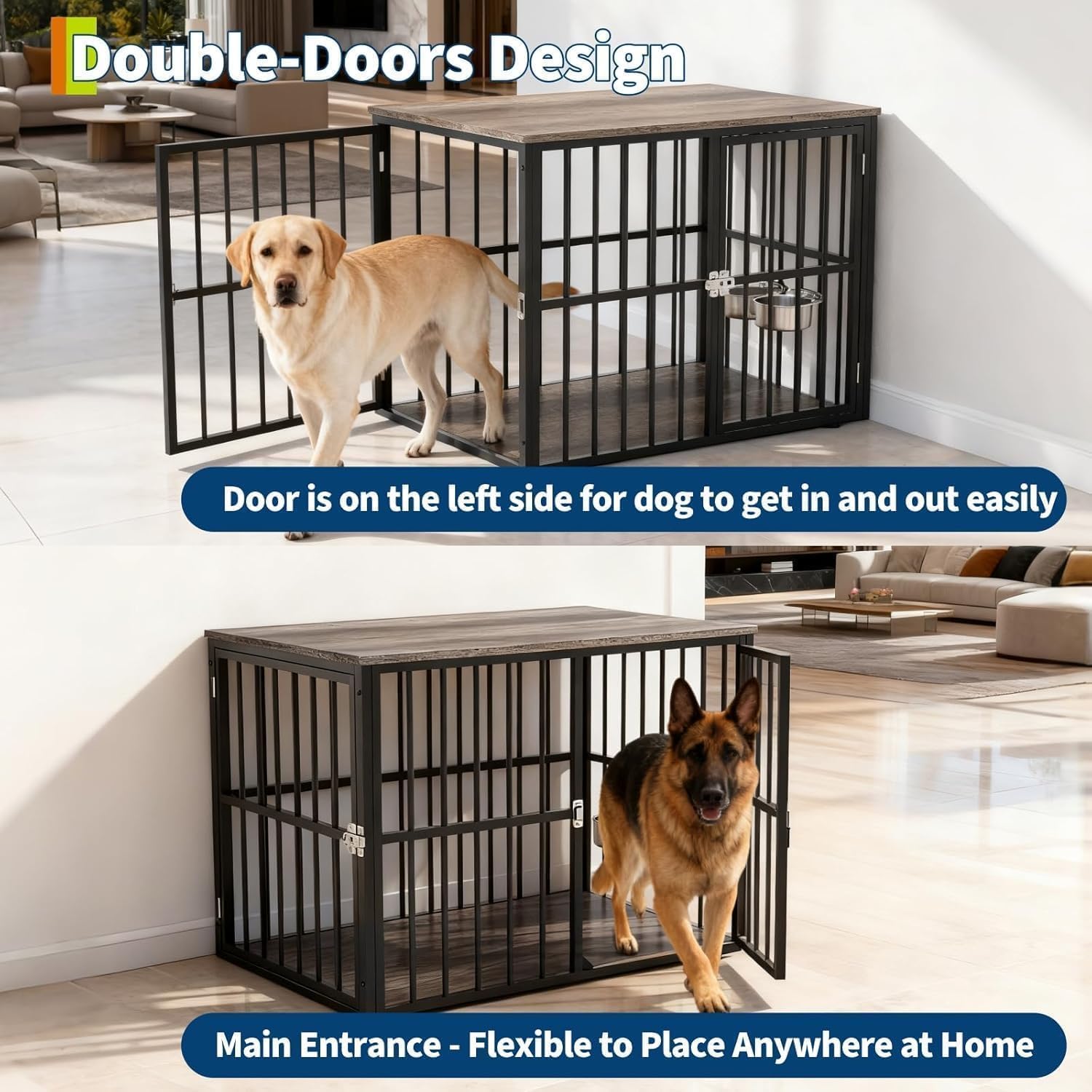
Figure 3: Double-Door Design for easy access and flexible placement.
Adjustable Food Bowls
- The two stainless steel food bowls can be attached to the metal bars at various heights to suit your dog's comfort.
- To adjust, simply unhook the bowls, reposition them to the desired height, and re-hook them securely onto the bars.
- The bowls are removable for easy cleaning and refilling.
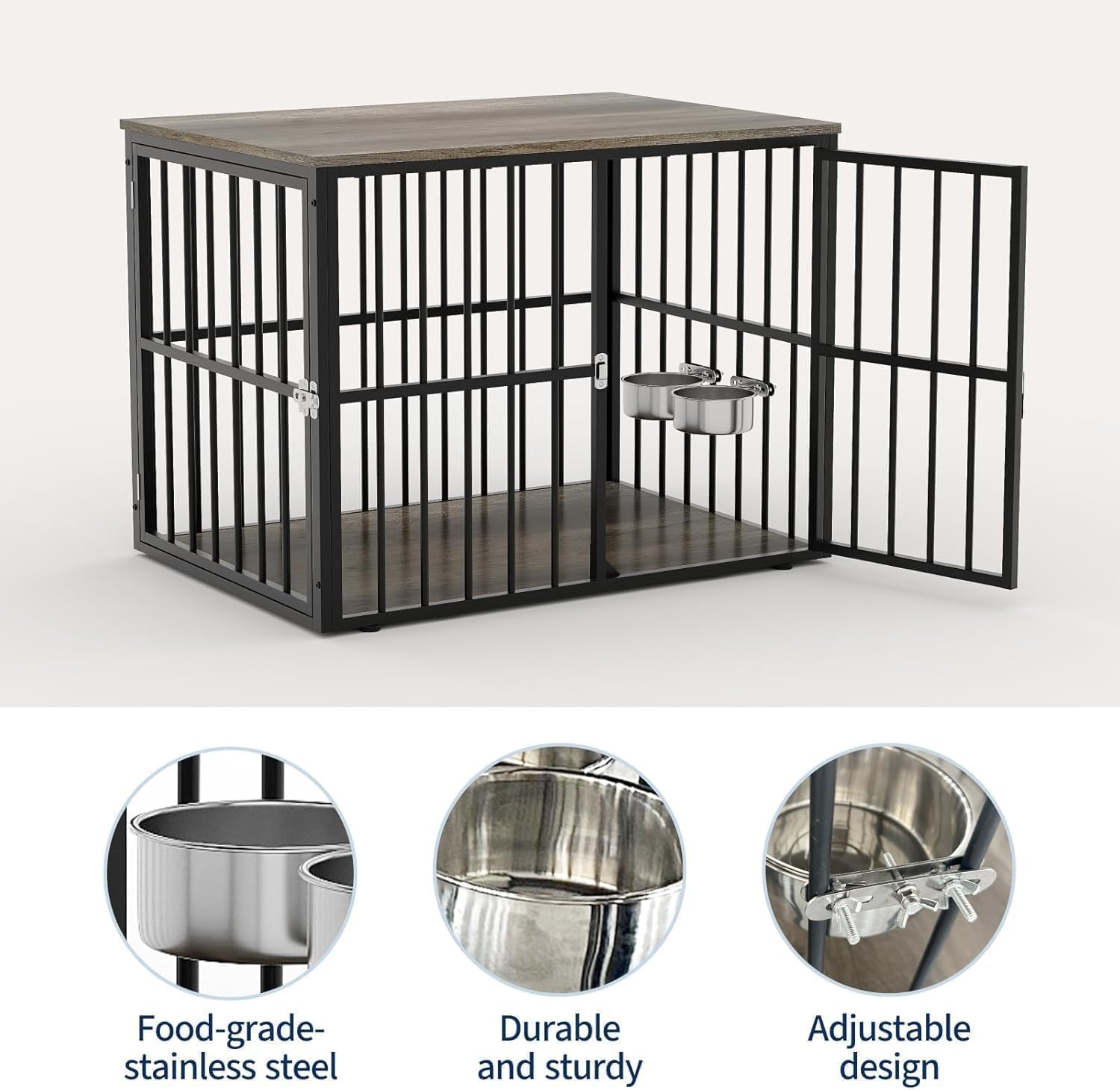
Figure 4: Adjustable and Removable Food Bowls.
Multi-functional Use
This dog crate is designed to serve as both a comfortable pet den and a functional piece of furniture. The sturdy wooden top can be used as a coffee table, console table, or sideboard. Ensure items placed on top do not exceed the weight capacity and are stable.

Figure 5: Crate functioning as a side table with a dog inside.

Figure 6: Interior space of the crate with a Golden Retriever.
Maintenance
- Cleaning the Crate: The wooden surfaces can be wiped clean with a damp cloth and mild detergent. Avoid harsh chemicals that could damage the finish or be harmful to your pet. The metal bars can be cleaned with a pet-safe cleaner.
- Cleaning Food Bowls: The stainless steel food bowls are removable and dishwasher safe for thorough cleaning.
- Checking Fasteners: Periodically check all screws and bolts to ensure they remain tight. Retighten as necessary to maintain the crate's stability and safety.
- Inspect for Damage: Regularly inspect the crate for any signs of wear, damage, or chewing. Replace any damaged parts immediately to ensure your pet's safety.
- Adjustable Base: If the crate is uneven, adjust the leveling feet on the base to ensure stability.
Troubleshooting
| Problem | Possible Cause | Solution |
|---|---|---|
| Crate feels wobbly or unstable. | Loose fasteners; uneven floor. | Ensure all screws and bolts are securely tightened. Adjust the leveling feet on the base. |
| Door does not slide smoothly or gets stuck. | Obstruction in the track; misaligned door. | Check the sliding track for debris. Ensure the door is properly aligned in its runners. |
| Pet is chewing on the crate. | Anxiety; boredom; teething (for puppies). | Provide appropriate chew toys. Ensure your pet has enough exercise and mental stimulation. Consult a veterinarian or trainer if chewing persists. |
| Food bowls are not secure. | Improperly hooked; damaged hooks. | Ensure bowls are fully hooked onto the metal bars. Check hooks for damage and replace if necessary. |
Specifications
- Model: UqLSdFSmPfAWNHK6o8BDpA5F
- Brand: GAOMON
- Product Dimensions (L x W x H): 43.31 x 29.92 x 33.07 inches
- Item Weight: 70.11 Pounds
- Material: Metal, Wood
- Color: Brown-JJGL
- Recommended Pet Size: Medium to Large Dogs (up to 220 lbs)
- Specific Uses: Indoor
- Special Feature: Easy Assembly, Multi-functional, Chew-Resistant
Customer Support
If you have any questions, require assistance with assembly, or need replacement parts, please contact GAOMON customer service. Our responsive team is available to provide support and help you get the most from your new crate.
Please refer to your purchase documentation or the GAOMON official website for specific contact details.


