
Introduction
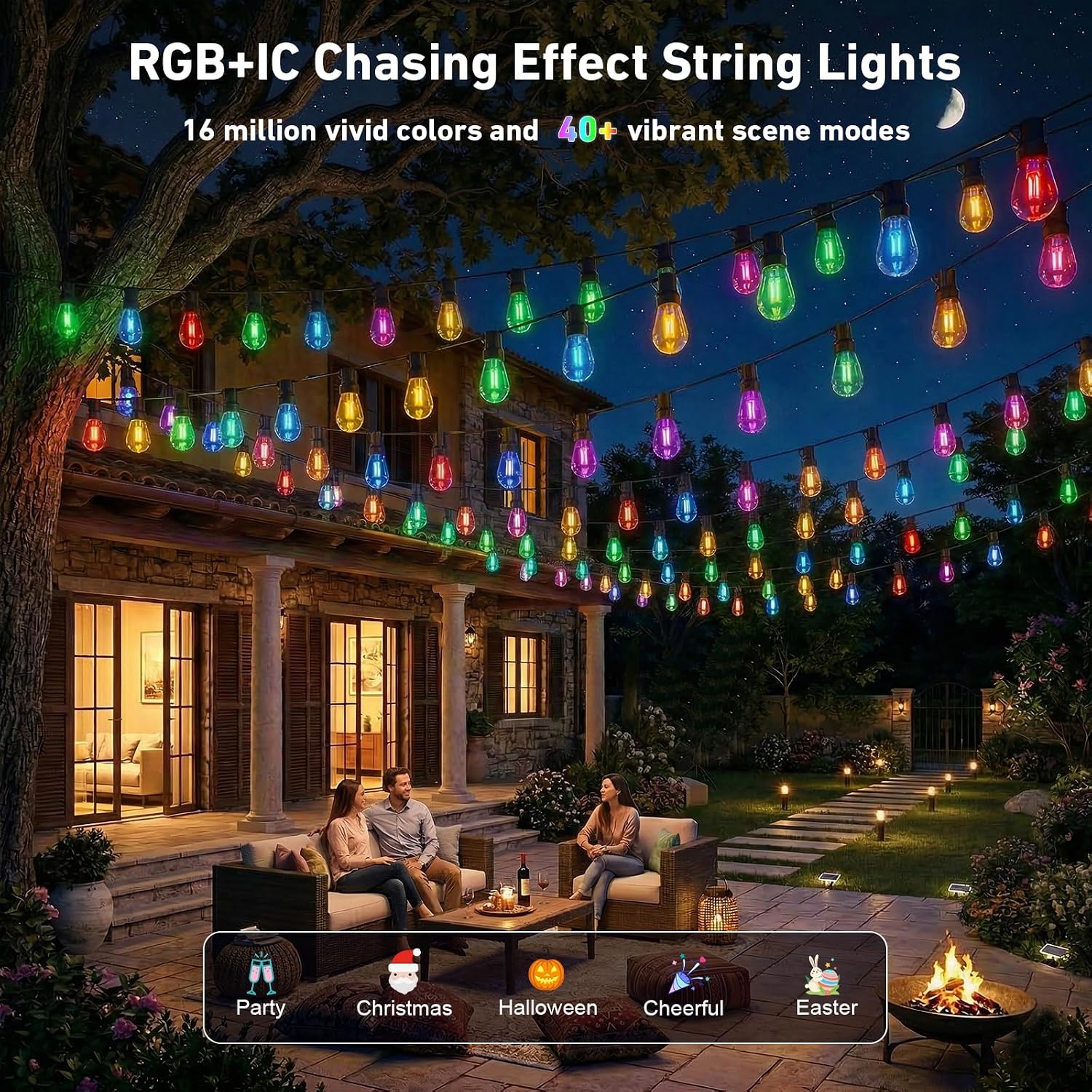
Thank you for choosing the AILBTON RGB+IC 400FT Outdoor String Lights. These lights feature advanced RGB+IC technology, offering over 16 million colors and dynamic lighting effects. Designed for outdoor use, they are IP67 waterproof and shatterproof, making them suitable for various environments and occasions. This manual provides detailed instructions for installation, operation, and maintenance to ensure optimal performance and longevity of your string lights.
Safety Information
- Always ensure the power supply is disconnected before installation or maintenance.
- Use only the provided power adapter. Do not attempt to modify the power cord or plug.
- Ensure all connections are secure and waterproof caps are properly sealed to maintain IP67 rating.
- Do not submerge the lights or power adapter in water.
- Avoid installing lights near heat sources or flammable materials.
- Keep out of reach of children and pets.
- If any damage is observed, discontinue use immediately and contact customer support.
Package Contents
Please check the package to ensure all items are present:
- AILBTON RGB+IC 400FT Outdoor String Lights (1 unit)
- Remote Controller (1 unit)
- Power Adapter (1 unit)
- Mounting Clips and Screws (quantity may vary)
- User Manual (this document)
Setup
- Unpack the Lights: Carefully remove the string lights from the packaging. Untangle the string gently to avoid damage.
- Plan Installation: Determine the desired path for your string lights. Consider the length (400FT) and ensure the power adapter can reach a suitable outdoor power outlet. The lights are designed for outdoor use and can withstand temperatures from -4°F to 140°F.
- Mounting: Use the provided mounting clips and screws to secure the string lights along your desired path. Ensure the clips are spaced evenly to support the weight of the lights and prevent sagging. For temporary installations, zip ties or hooks can also be used.
- Connect to Power: Connect the string lights to the power adapter, ensuring a tight and secure connection. Plug the power adapter into a grounded outdoor electrical outlet.
- Initial Power-On: Once connected, the lights should illuminate. If not, check all connections and the power source.


Operating Instructions
Your AILBTON RGB+IC string lights can be controlled via the included remote control or a dedicated smartphone application. Ensure the lights are powered on before attempting to control them.
A. App Control
- Download the App: Search for "AILBTON Smart" or a compatible smart home app (e.g., Tuya Smart, Smart Life) in your device's app store (iOS App Store or Google Play Store).
- Register/Log In: Create an account or log in to your existing account.
- Add Device: Follow the in-app instructions to add your string lights. This typically involves ensuring Bluetooth is enabled on your phone and the lights are in pairing mode (often indicated by flashing lights).
- Control Functions: Once paired, you can access various features:
- Color Selection: Choose from over 16 million colors.
- Scene Modes: Select from preset dynamic lighting effects or create custom scenes.
- Brightness Adjustment: Adjust the intensity of the lights.
- Timer Function: Schedule lights to turn on/off at specific times.
- Music Sync: Activate the music synchronization feature (see section C).

B. Remote Control
The included IR remote control offers quick access to essential functions:
- Power Button: Turn lights On/Off.
- Color Buttons: Select static colors (e.g., Red, Green, Blue, White).
- Brightness +/-: Adjust light brightness.
- Mode Buttons: Cycle through various dynamic lighting modes.
- Speed +/-: Adjust the speed of dynamic lighting modes.

C. Music Sync Feature
The string lights feature a built-in microphone that allows them to synchronize with music or ambient sounds. This feature is primarily controlled via the smartphone app:
- Activate Music Mode: Open the app and navigate to the music sync section.
- Adjust Sensitivity: Use the app to adjust the microphone sensitivity to best match your environment and music volume.
- Enjoy: The lights will now react to sounds, creating a dynamic light show.
Maintenance
- Cleaning: Disconnect power before cleaning. Wipe the bulbs and cord with a soft, damp cloth. Do not use harsh chemicals or abrasive cleaners.
- Storage: If storing the lights for an extended period, ensure they are clean and dry. Coil the string neatly to prevent tangling and store in a cool, dry place away from direct sunlight.
- Inspection: Periodically inspect the string lights for any signs of wear, damage to the cord, or loose connections. Address any issues promptly.
Troubleshooting
| Problem | Possible Cause | Solution |
|---|---|---|
| Lights do not turn on. | No power, loose connection, faulty adapter. | Check if the power adapter is securely plugged into a working outlet. Ensure all connections along the string are tight. Try a different outlet. |
| Remote control not working. | Battery depleted, obstruction, remote out of range. | Replace the remote control battery. Ensure there are no obstructions between the remote and the light's receiver. Operate within the specified range. |
| App cannot connect to lights. | Bluetooth off, lights not in pairing mode, app issue. | Ensure Bluetooth is enabled on your smartphone. Restart the app and try pairing again. Power cycle the string lights (unplug and plug back in). |
| Lights are tangled during unpacking. | Packaging or handling during shipment. | Gently untangle the lights section by section. Avoid pulling forcefully to prevent damage to the wiring. |
Specifications
- Model: 400FT
- Brand: AILBTON
- Light Type: RGB+IC LED String Lights
- Length: 400 Feet
- Color Options: 16 Million RGB Colors, Tunable Whites (2700K-6500K)
- Waterproof Rating: IP67
- Bulb Type: Shatterproof Plastic (ST38 style)
- Power Source: Corded Electric
- Connectivity: Bluetooth (for app control)
- Operating Temperature: -4°F to 140°F (-20°C to 60°C)
- Special Features: Color Changing, Shock-resistant, Timer, Music Sync, Smart App Control, Remote Control
- Included Components: String Lights, Remote Controller, Power Adapter, Mounting Clips
Warranty and Support
Warranty: This product comes with a 90-day manufacturer's warranty from the date of purchase, covering defects in materials and workmanship under normal use. This warranty does not cover damage caused by misuse, accidents, unauthorized modifications, or improper installation.
Customer Support: For technical assistance, warranty claims, or any questions regarding your AILBTON RGB+IC 400FT Outdoor String Lights, please contact our customer support team. Refer to the product packaging or the retailer's website for specific contact details.