
Introduction
This manual provides essential information for the proper installation, use, and maintenance of your URBAN ARMOR GEAR (UAG) Monarch Pro Case for the Samsung Galaxy S26 Plus. Please read these instructions carefully to ensure optimal performance and protection for your device.
What's in the Box
- URBAN ARMOR GEAR Monarch Pro Phone Case
Setup: Case Installation
Follow these steps to correctly install your UAG Monarch Pro case onto your Samsung Galaxy S26 Plus:
- Prepare your device: Ensure your Samsung Galaxy S26 Plus is clean and free of dust or debris.
- Align the case: Hold the phone with the screen facing up. Align the top edge of the phone with the top edge of the case.
- Insert the phone: Gently push the phone into the case, starting from the top. Ensure all corners and edges of the phone are securely seated within the case's protective frame.
- Verify fit: Check that all buttons (power, volume) are aligned with the case's tactile buttons and that all ports (charging, speakers) are accessible through the precise cutouts.
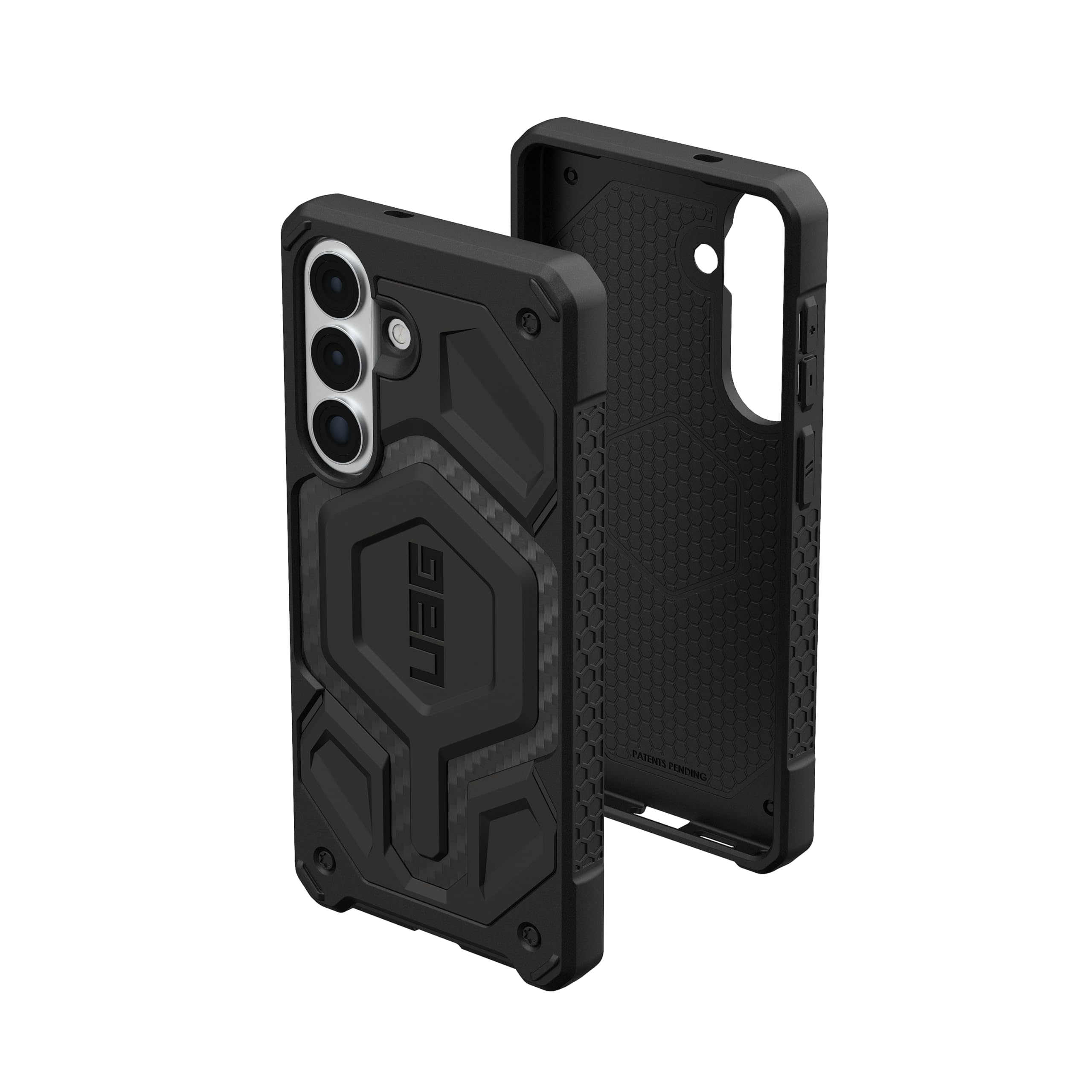
Image: The UAG Monarch Pro Carbon Fiber case securely installed on a Samsung Galaxy S26 Plus, showcasing its precise fit and design.
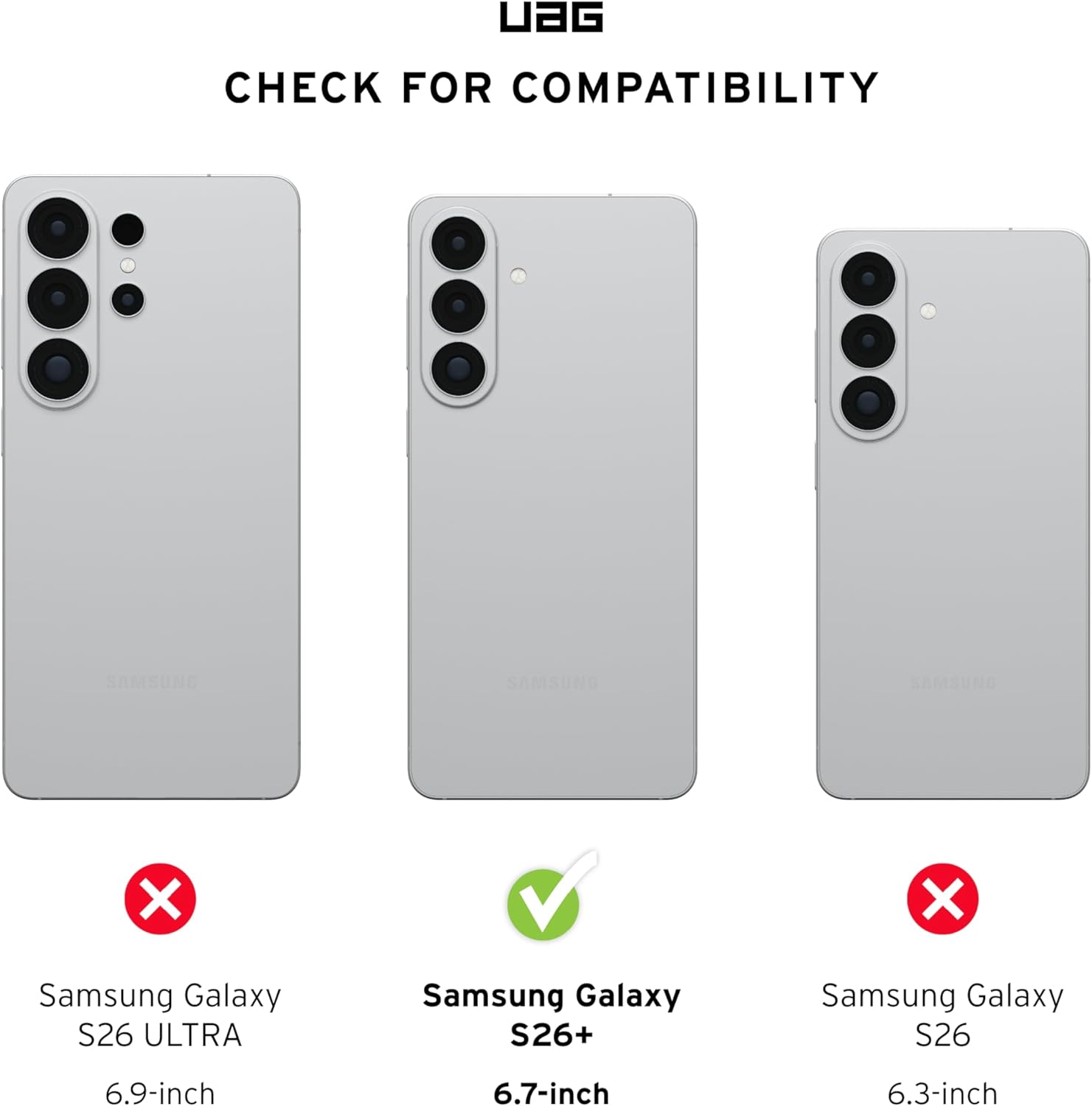
Image: Side view of the UAG Monarch Pro case on a Samsung Galaxy S26 Plus, demonstrating the alignment of the tactile buttons and the contoured grip.
Operating Features
The UAG Monarch Pro case is engineered with several features to enhance your Samsung Galaxy S26 Plus experience:
Video: An overview of the UAG Monarch Pro series for Galaxy S26 Plus, highlighting its design and protective qualities.
Multi-layer Protection
The case features a robust five-layer construction designed for superior impact resistance. This includes a signature armor frame, a shock-resistant core, carbon fiber inlay, a polycarbonate shear plate, alloy metal hardware, and an impact-resistant rubber surround. This design ensures comprehensive protection against drops and impacts.

Image: Visual representation of the case's 25 ft. (7.6 meters) drop protection, exceeding military drop-test standards (MIL STD 810G 516.6).
Video: Official UAG Galaxy S26 Launch Video, demonstrating the multi-layer protection and rugged design of the case series.
Magnetic Charging Compatibility
A powerful built-in magnet module allows for seamless attachment and faster wireless charging. This case is compatible with MagSafe accessories, most third-party wireless chargers, and magnetic mounts. Samsung Pay functionality remains unaffected.
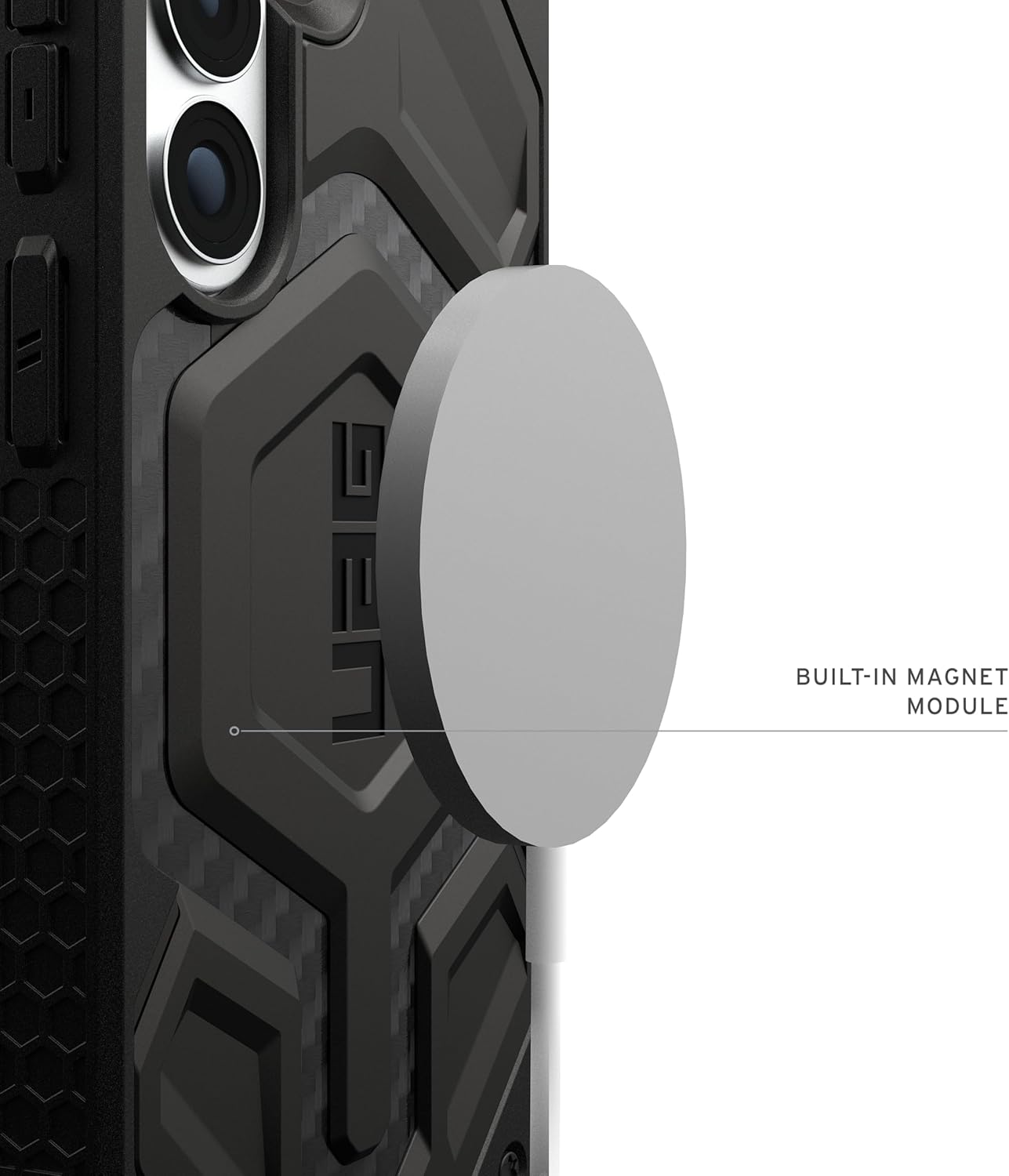
Image: Close-up view of the UAG Monarch Pro case highlighting the integrated magnetic module for wireless charging and accessory attachment.
Contoured Perimeter Edge & Enhanced Functionality
The case features an anti-slip traction grip along its perimeter for a secure and comfortable hold. A soft, raised screen lip and an elevated camera bezel provide additional protection against scratches and impacts to the screen and camera lenses. Precise cutouts ensure full access to the touchscreen, ports, and camera. The oversized tactile buttons offer a responsive and satisfying click. Built-in lanyard anchor points are included for convenient carrying (lanyard not included).

Image: Detail of the UAG Monarch Pro case, illustrating the raised camera bezel for lens protection and the design of the oversized, tactile buttons.
Maintenance
To keep your UAG Monarch Pro case in optimal condition:
- Cleaning: Wipe the case regularly with a soft, damp cloth to remove dust and smudges. For tougher dirt, use a mild soap solution and rinse thoroughly. Ensure the case is completely dry before re-installing your phone.
- Avoid harsh chemicals: Do not use abrasive cleaners, solvents, or harsh chemicals, as these can damage the case material and finish.
- Inspect regularly: Periodically check the case for any signs of wear or damage. While highly durable, extreme impacts can cause minor cosmetic changes.
Troubleshooting
If you encounter any issues with your UAG Monarch Pro case, consider the following:
- Difficulty with wireless charging: Ensure your phone is correctly centered on the wireless charger. The built-in magnet should assist with alignment. If issues persist, try removing the case to confirm the charger functions correctly with the bare phone.
- Buttons not responding: Verify that the phone is fully seated within the case and that the case's buttons are correctly aligned with the phone's buttons. Re-install the case if necessary.
- Loose fit: The case is designed for a precise fit. If it feels loose, ensure it is the correct model for your Samsung Galaxy S26 Plus. Refer to the compatibility image below.

Image: Compatibility chart showing the UAG Monarch Pro case is designed specifically for the Samsung Galaxy S26 Plus (6.7-inch model).
Specifications
| Feature | Detail |
|---|---|
| Brand | URBAN ARMOR GEAR |
| Model | Monarch Pro |
| Compatible Phone Models | Samsung Galaxy S26 Plus |
| Color | Carbon Fiber |
| Material | Thermoplastic Polyurethane (TPU), Polycarbonate (PC), Alloy Metal, Carbon Fiber |
| Drop Protection | 25 ft. (7.6 meters), Meets 5X Military drop-test standards (MIL STD 810G 516.6) |
| Magnetic Charging | Compatible with MagSafe, most 3rd party wireless chargers, and mounts |
| Item Weight | 0.06 kg |
| Item Dimensions | 6.48 x 3.24 x 0.56 inches |
| Model Number | 214514114242 |
| UPC | 840283926983 |
Warranty and Support
URBAN ARMOR GEAR products are designed for durability and protection. For specific warranty information or technical support, please visit the official URBAN ARMOR GEAR website or contact their customer service directly. Keep your proof of purchase for any warranty claims.
For general inquiries or further assistance, please refer to the manufacturer's official support channels.
