
1. Important Safety Instructions
Before operating the JAGJOG Treadmill Model JT62, please read and understand all instructions to ensure safe and effective use. Keep this manual for future reference.
- User Weight Limit: Do not exceed the maximum user weight capacity of 400 lbs (181 kg).
- Clearance: Maintain a minimum clearance of 6 feet (1.8 meters) behind the treadmill and 2 feet (0.6 meters) on each side during operation.
- Safety Key: Always attach the safety key clip to your clothing before starting the treadmill. In case of an emergency or if you fall, the safety key will detach, stopping the treadmill.
- Footwear: Always wear appropriate athletic footwear while using the treadmill.
- Children and Pets: Keep children and pets away from the treadmill, especially when it is in operation. This equipment is not intended for use by children without adult supervision.
- Medical Advice: Consult a physician before beginning any exercise program, especially if you have pre-existing health conditions.
- Power Source: Connect the treadmill to a properly grounded outlet. Do not use extension cords.
- Inspection: Before each use, inspect the treadmill for any loose parts, damage, or wear. Do not use if damaged.
Emergency Stop: In an emergency, pull the safety key from the console or press the red STOP button on the console.
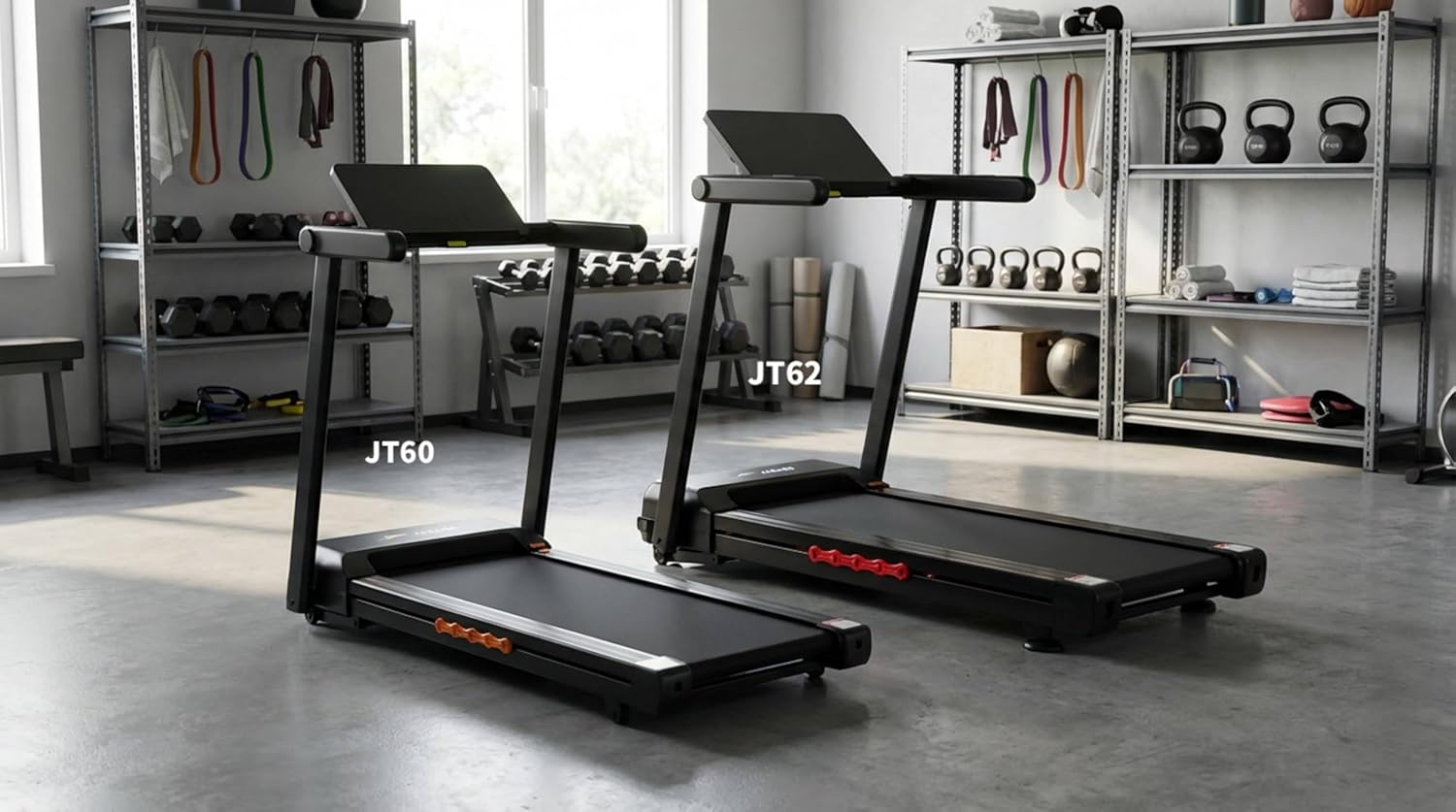
Figure 1: Included components and safety lock. Always engage the safety lock before use.
2. Setup and Initial Use
The JAGJOG Treadmill Model JT62 is designed for quick setup, arriving 90% pre-assembled.
2.1 Unpacking and Placement
- Carefully remove the treadmill from its packaging.
- Place the treadmill on a flat, stable surface. Ensure adequate clearance around the unit as described in the safety section.
- Unfold the treadmill according to the instructions in the included user manual. The design allows for easy unfolding and locking into position.
2.2 Included Components
Verify that all components are present:
- JAGJOG Treadmill Model JT62
- User Manual (this document)
- Tool Kit (for minor adjustments)
- Safety Lock Key
- Power Cord
2.3 Power Connection
Connect the power cord to the treadmill and then to a grounded electrical outlet. Ensure the power switch is in the OFF position before plugging in.

Figure 2: Treadmill folding mechanism and compact storage dimensions.
3. Operating Your Treadmill
3.1 Powering On and Safety Key
- Ensure the treadmill is properly plugged in and the power switch is ON.
- Attach the safety key clip to your clothing and place the magnetic end of the safety key into the designated slot on the console. The treadmill will not operate without the safety key in place. If the display shows an "E07" error, ensure the safety key is correctly engaged.
3.2 Console Overview and Controls
The 18-inch LED touchscreen console provides responsive dual control (touch and physical buttons) for all functions.

Figure 3: Treadmill console displaying speed, distance, time, calories, incline, and heart rate.
- Start/Stop: Press to begin or end a workout.
- Speed +/-: Adjust the running belt speed from 1 MPH to 10 MPH.
- Incline +/-: Adjust the automatic incline from 0% to 18%.
- Mode/Program: Select from various workout modes or pre-set programs.
- Heart Rate Monitor: Grip the sensors on the handlebars to display your real-time heart rate.
3.3 Workout Programs
The treadmill includes 12 advanced HIIT (High-Intensity Interval Training) programs designed for varied fitness goals. Select a program using the console controls.

Figure 4: Visual representation of the 12 HIIT programs and auto-incline function.
3.4 Smart App Connectivity
Connect your treadmill via Bluetooth to compatible fitness applications for an immersive training experience. The app allows for tracking progress, accessing virtual routes, and additional workout options.
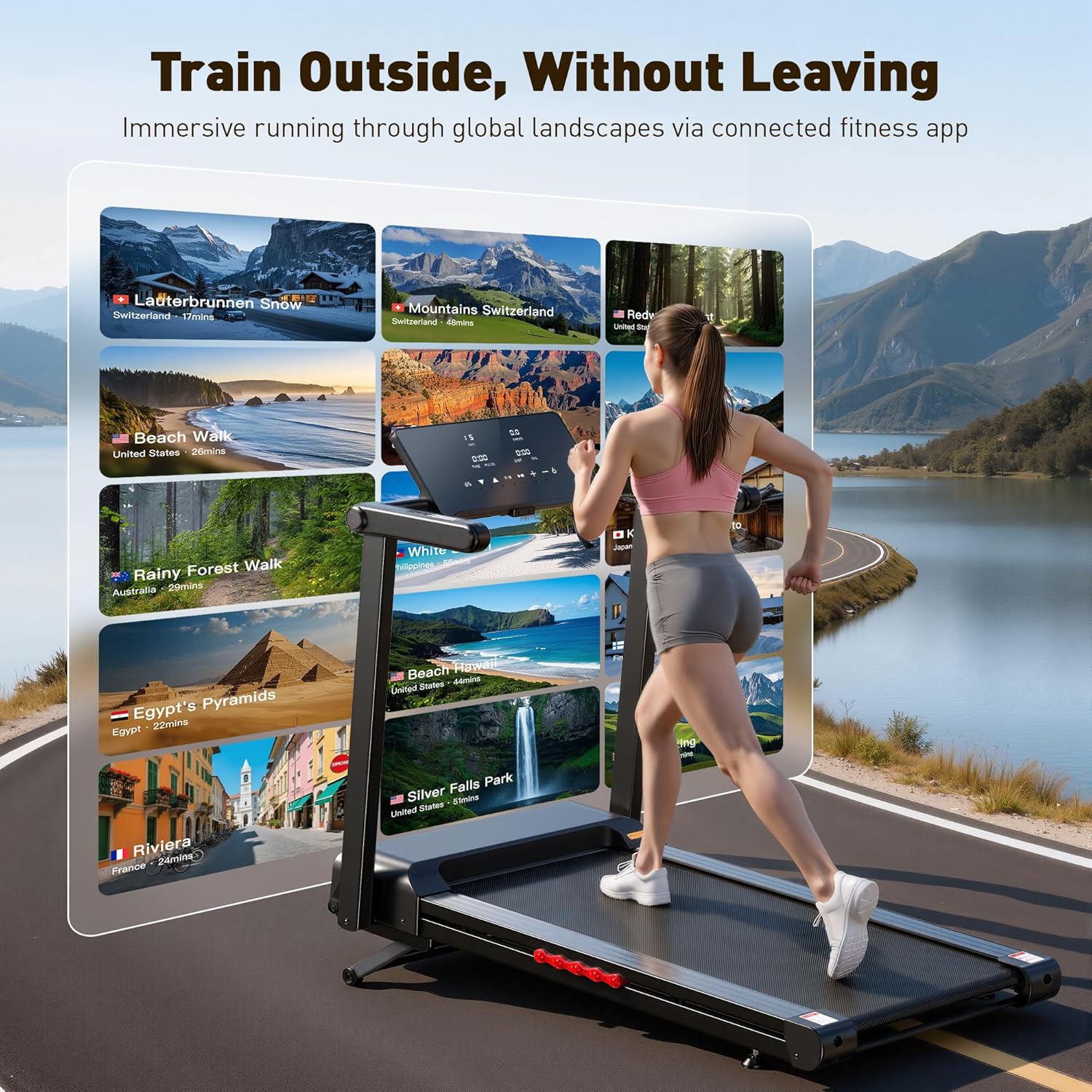
Figure 5: Immersive training experience through smart app connectivity.
4. Maintenance and Care
Regular maintenance ensures the longevity and optimal performance of your JAGJOG Treadmill.
4.1 Cleaning
- Daily: Wipe down the console and handlebars with a soft, damp cloth after each use to remove sweat and dust.
- Weekly: Clean the running deck and motor cover to prevent dust buildup. Ensure the treadmill is unplugged before cleaning.
4.2 Running Belt Lubrication
The running belt requires periodic lubrication to reduce friction and extend its lifespan. Use the provided lubricating oil or a silicone-based treadmill lubricant.
- Unplug the treadmill from the power outlet.
- Loosen the rear roller bolts slightly to lift the belt.
- Apply a small amount of lubricant evenly under the center of the running belt.
- Tighten the rear roller bolts.
- Plug in the treadmill and run it at a low speed (e.g., 2 MPH) for 5 minutes to distribute the lubricant.
Refer to the detailed instructions in the included user manual for specific lubrication frequency and procedure.
4.3 Running Belt Alignment
The JAGJOG Treadmill features an auto-align running belt, which minimizes the need for manual adjustments. However, if the belt appears to be shifting to one side, consult the detailed instructions in the included user manual for minor adjustments using the provided tool kit.
5. Troubleshooting Guide
This section addresses common issues you might encounter with your treadmill.
| Problem | Possible Cause | Solution |
|---|---|---|
| Treadmill does not power on. | Power cord not connected, power switch off, circuit breaker tripped. | Ensure power cord is securely plugged in. Check power switch. Reset household circuit breaker if necessary. |
| Running belt does not move. | Safety key not in place, emergency stop button pressed. | Ensure safety key is correctly inserted. Release the emergency stop button. |
| "E07" error displayed. | Safety key not properly engaged. | Ensure the magnetic end of the safety key is fully seated in its slot on the console. |
| Unusual noise during operation. | Loose components, belt lubrication needed, belt misalignment. | Inspect for loose bolts and tighten. Refer to maintenance section for belt lubrication. If noise persists, contact customer support. |
| Running belt slips or hesitates. | Belt tension too loose, belt lubrication needed. | Refer to the user manual for instructions on adjusting belt tension. Lubricate the belt as per maintenance guidelines. |
If you encounter an issue not listed here or if the problem persists after attempting the solutions, please contact JAGJOG customer support.
6. Product Specifications
| Feature | Specification |
|---|---|
| Brand | JAGJOG |
| Model Name | JT62 |
| Motor Horsepower | 4.5 HP (Peak) |
| Speed Range | 1 - 10 MPH |
| Maximum Incline | 18% (Auto Incline) |
| Running Deck Dimensions | 17" W x 47" L |
| Display | 18" Wide LED Touchscreen |
| Workout Programs | 12 HIIT Programs |
| Connectivity | Bluetooth (Smart App Compatible) |
| Metrics Measured | Speed, Distance, Time, Calories, Incline, Heart Rate |
| Maximum User Weight | 400 lbs |
| Product Dimensions (Unfolded) | 57" D x 28" W x 45" H |
| Folded Size | 57.1" x 28.2" x 8.6" |
| Item Weight | 106 lbs |
| Material | Alloy Steel |
| Assembly Required | No (90% Pre-Assembled) |

Figure 6: JAGJOG Treadmill in use, demonstrating stability and design features.

Figure 7: Close-up of the extra-wide 18-inch running surface.

Figure 8: The 18-level auto-incline feature.
7. Warranty and Customer Support
7.1 Warranty Information
The JAGJOG Treadmill Model JT62 comes with a 1-year limited warranty from the date of purchase. This warranty covers manufacturing defects in materials and workmanship under normal use. It does not cover damage resulting from misuse, accident, unauthorized modification, or improper maintenance.
Please retain your proof of purchase for warranty claims.
7.2 Customer Support
For technical assistance, warranty claims, or any questions regarding your JAGJOG Treadmill, please contact JAGJOG customer support. Refer to the contact information provided on the product packaging or the official JAGJOG website.