
1. Product Overview
The Greadio Portable CD Player Model CD40 is a versatile audio device designed for enjoying music, audiobooks, and language lessons. It supports various disc formats and offers multiple playback options, including AUX and TF card modes. This manual provides detailed instructions for its setup, operation, and maintenance.

Image: Greadio Portable CD Player Model CD40, showcasing its compact design.
2. Setup Guide
2.1 Initial Activation and HOLD Switch
Before using the CD player, ensure the side switch is set to "ON". This activates the control buttons. If the buttons are unresponsive, check if the switch is accidentally set to "HOLD". The HOLD function locks all buttons to prevent accidental presses during transport.

Image: A child interacting with the CD player, illustrating the HOLD switch for button lock. The image also shows a TF card slot.
2.2 Connecting Headphones or External Speakers
The Greadio CD40 does not have built-in speakers. You must connect headphones or external speakers to hear audio. Use the provided 3.5mm AUX cable for external speakers or the included earphones.
- Insert the 3.5mm jack of your headphones or AUX cable into the headphone port on the CD player.
- If using external speakers, connect the other end of the AUX cable to the input port of your speakers.
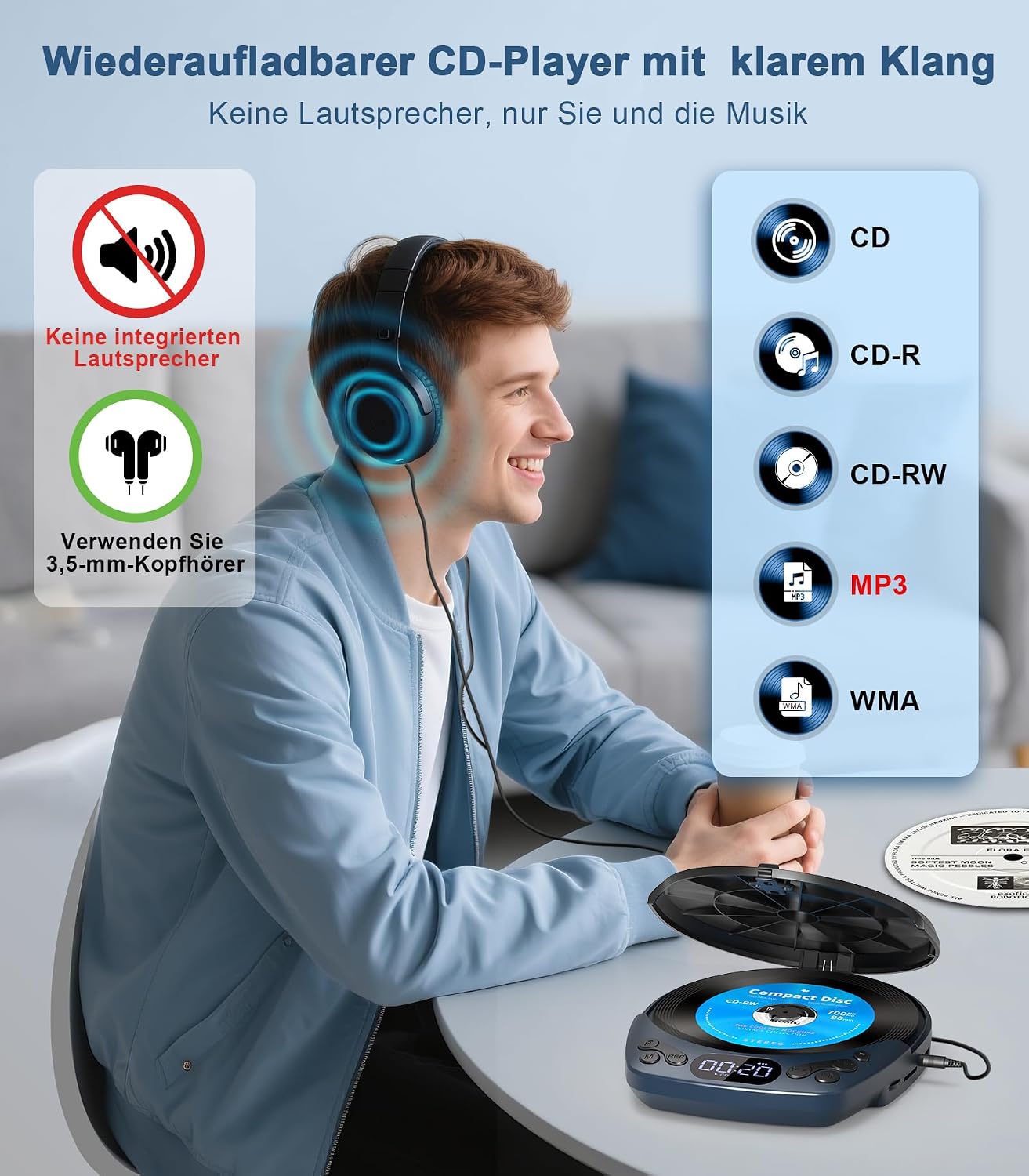
Image: A person wearing headphones connected to the Greadio CD Player, demonstrating the use of external audio output. The image also highlights supported formats: CD, CD-R, CD-RW, MP3, WMA.
2.3 Charging the Battery
The CD player features a built-in 1200 mAh rechargeable battery, providing up to 11 hours of playback. Use the provided USB cable to charge the device.
- Connect the USB cable to the charging port on the CD player.
- Plug the other end into a 5V 1A USB power adapter (not included) or a computer's USB port.
- The charging indicator will show the charging status.

Image: The Greadio CD Player being charged via USB-C, with indicators for 5V 1A USB-C charging, 11 hours playback time, and 1200mAh rechargeable battery.
2.4 Loading a CD
- Gently open the CD compartment cover.
- Place the CD onto the spindle with the label side facing up.
- Close the CD compartment cover firmly until it clicks.
2.5 Inserting a TF Card
The player supports TF (MicroSD) cards for playing audiobooks or voice lessons without Wi-Fi or a screen.
- Locate the TF card slot on the side of the player.
- Insert the TF card gently until it clicks into place.
- The player will automatically switch to TF card mode or allow selection via a mode button.
2.6 Connecting to a Car Stereo (AUX Mode)
Use the provided AUX cable to connect the CD player to your car's audio system.
- Connect one end of the AUX cable to the headphone jack of the CD player.
- Connect the other end of the AUX cable to your car stereo's AUX input.
- Switch your car radio to AUX mode.
- Turn on the CD player and enjoy music through your car speakers.

Image: The Greadio CD Player placed in a car, connected to the car's audio system via an AUX cable, demonstrating its use as a car CD player.
3. Operating Instructions
3.1 Basic Playback Controls
- Play/Pause: Press the PLAY/PAUSE button to start or pause playback.
- Stop: Press the STOP button to stop playback.
- Next Track: Press the NEXT button to skip to the next track.
- Previous Track: Press the PREVIOUS button to go back to the beginning of the current track or to the previous track if pressed again.
- Volume Control: Use the VOLUME +/- buttons to adjust the audio level.
3.2 Supported Formats and Anti-Shock System
The player supports CD, CD-R, CD-RW, MP3, and WMA formats. It features a 60-second anti-shock system for CDs and 120-second for MP3/WMA discs, ensuring smooth playback even during movement.

Image: The Greadio CD Player in a car, illustrating its anti-skip protection (30s for CD, 60s for MP3) for uninterrupted playback while traveling.
3.3 Programmable Playback
You can program up to 99 tracks to play in a specific order.
- While in STOP mode, press the PROG button.
- Use the NEXT/PREVIOUS buttons to select your desired track.
- Press PROG again to confirm and add the track to the program list.
- Repeat for up to 99 tracks.
- Press PLAY to start programmed playback.
3.4 Snooze Function
The snooze function allows you to set a playback timer from 5 to 120 minutes.
- Refer to the user manual for specific button presses to activate and adjust the snooze timer.
4. Maintenance
To ensure the longevity and optimal performance of your Greadio Portable CD Player, follow these maintenance guidelines:
- Cleaning: Use a soft, dry cloth to clean the exterior of the player. Do not use abrasive cleaners or solvents. For the optical lens, use a specialized CD lens cleaner if necessary, following its instructions carefully.
- Storage: Store the player in a cool, dry place away from direct sunlight, extreme temperatures, and high humidity.
- Handling CDs: Always handle CDs by their edges to avoid fingerprints and scratches. Store them in their cases when not in use.
- Battery Care: For best battery life, avoid fully discharging the battery frequently. Charge it regularly, even if not in constant use.
5. Troubleshooting
| Problem | Possible Cause | Solution |
|---|---|---|
| Buttons are unresponsive. | The HOLD switch is activated. | Slide the side switch from "HOLD" to "ON". |
| No sound from the player. |
|
|
| CD skipping or playback interruption. |
|
|
| Player does not turn on. |
|
|
6. Specifications
| Feature | Detail |
|---|---|
| Model Number | CD40 |
| Brand | Greadio |
| Supported Audio Formats | CD, CD-R, CD-RW, MP3, WMA |
| Connectivity Technology | Auxiliary, TF/SD Card |
| Battery | 1200 mAh Rechargeable (up to 11 hours playback) |
| Anti-Shock Protection | 60 seconds (CD), 120 seconds (MP3/WMA) |
| Special Features | Programmable Memory, Portable, Rechargeable, HOLD Key Lock, Snooze Function |
| Included Components | CD Player, AUX Cable, USB Cable, Earphones, User Manual |
| Dimensions (L x W x H) | 15.5 x 3 x 13.2 cm |
| Weight | 235 Grams |
7. Warranty & Support
Greadio is committed to providing quality products and dedicated customer service. For any questions, technical assistance, or warranty inquiries regarding your CD40 Portable CD Player, please contact Greadio customer support.
Refer to the contact information provided in the packaging or on the official Greadio website for the most up-to-date support channels.
Greadio strives for continuous innovation and customer satisfaction, offering support and product improvements based on user feedback.

