
BITZEE 6077030
BITZEE Aquarium Interactive Fish Tank Toy & Digital Pet Instruction Manual
Model: 6077030
Introduction
Welcome to the world of Bitzee Aquarium! This interactive digital pet tank allows you to nurture and play with up to 30 virtual fish characters. The Bitzee Aquarium responds to your touch, offering a unique screen-free play experience. This manual provides essential information for setting up, operating, and maintaining your Bitzee Aquarium.
The Bitzee Aquarium includes a large display, interactive food pellets, and customizable LED lights. It is designed for children aged 5 and up.
Package Contents
Before you begin, please ensure all items are present:
- 1 Bitzee Aquarium unit
- 5 Interactive Food Pellets
- 1 Quick Start Guide
- 1 Instruction Sheet
- 3 AA Batteries (pre-installed or included separately)
Refer to the included 'Quick Start Guide' and 'Instruction Sheet' for additional detailed directions.
Setup
Battery Installation
The Bitzee Aquarium requires 3 AA batteries. These are typically included. If not, or if replacement is needed:
- Locate the battery compartment on the underside of the Bitzee Aquarium.
- Using a Phillips head screwdriver (not included), unscrew the battery compartment cover.
- Insert 3 new AA batteries, ensuring correct polarity (+/-).
- Replace the cover and secure it with the screw.
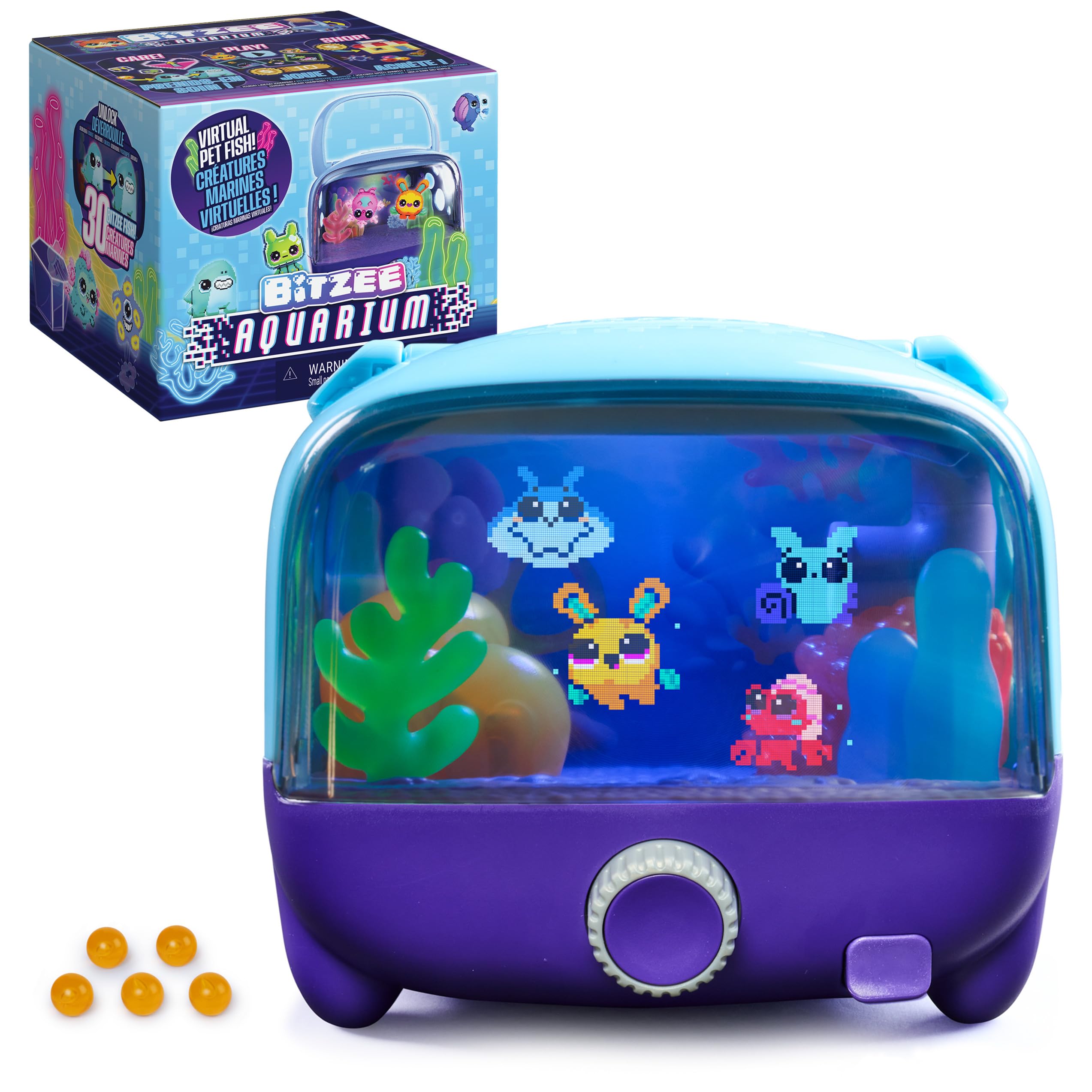 Image: A hand interacting with the Bitzee Aquarium screen, demonstrating its touch responsiveness.
Initial Power On
Once batteries are installed, locate the power switch (usually on the back or bottom) and slide it to the "ON" position. The display will light up, and your virtual fish will appear.
Operating Instructions
Interacting with Your Digital Pets
The Bitzee Aquarium is designed for responsive play. You can interact with your virtual fish in several ways:
- Touch Interaction: Dip a finger into the tank or tap the display to get a reaction from your pets.
- Dial Control: Turn and push the dial located on the front of the unit to navigate menus, select actions, and play games.
 Image: A hand tapping the Bitzee Aquarium screen, illustrating the touch interaction feature.
Nurturing and Feeding
Your digital pets require care to grow. To feed them:
- Locate the feeding slot on the top of the Bitzee Aquarium.
- Drop one of the included interactive food pellets into the slot.
- Observe as the pellet appears on the display, and your virtual fish will react.
Nurture your pets from baby to adult to unlock new characters.
 Image: A hand dropping a food pellet into the Bitzee Aquarium, showing the feeding mechanism and a virtual shark.
Unlocking Characters
The Bitzee Aquarium features 30 unique aquatic characters, including sea snails, sharks, seahorses, and mermaids. By nurturing your pets from baby to adult, you will unlock new characters to add to your collection.
 Image: A visual representation of three Bitzee characters evolving from their baby to adult stages.
Playing Games and Customization
Engage in mini-games to earn coins. These coins can be spent in the Bitzee Shop to unlock additional games, customize your aquarium's lighting, and discover surprise eggs and treasure chests.
- Mini-Games: Pop bubbles and play other games to earn in-game currency.
- Shop: Use earned coins to purchase new content.
- Lighting Customization: Personalize the ambient LED lights to change the mood and appearance of your aquarium.
 Image: The Bitzee Aquarium displaying various LED light colors, demonstrating the customization feature.
 Image: A hand operating the dial on the Bitzee Aquarium, showing a mini-game in progress where a character collects coins.
Multiple Pets
You can interact with a single character or have up to 4 characters displayed in the aquarium at once.
 Image: The Bitzee Aquarium displaying four different pixelated characters, illustrating the ability to play with multiple pets.
Official Product Videos
Video: An official product video titled "Bitzee Aquarium - Dive in!" from Spin Master, Inc., demonstrating various interactive features of the Bitzee Aquarium.
Video: An official product video titled "Bitzee Aquarium - Reacts to Your Touch!" from Spin Master, Inc., highlighting the touch-responsive nature of the Bitzee Aquarium.
Maintenance
To ensure the longevity of your Bitzee Aquarium:
- Keep the unit clean by wiping it with a soft, dry cloth.
- Avoid exposing the unit to extreme temperatures or direct sunlight.
- Do not immerse the unit in water.
- Remove batteries if the toy will not be used for an extended period.
Troubleshooting
If you encounter any issues with your Bitzee Aquarium, please try the following steps:
- No Power: Ensure batteries are correctly installed and are not depleted. Replace with fresh AA batteries if necessary.
- Unresponsive Screen: Try turning the unit off and then on again. If the issue persists, replace the batteries.
- General Malfunction: Refer to the included 'Instruction Sheet' for specific troubleshooting tips. If the problem continues, contact customer support.
Specifications
| Feature | Detail |
|---|---|
| Brand Name | BITZEE |
| Model Name | Bitzee |
| Model Number | 6077030 |
| Toy Figure Type | Interactive Gaming Figure |
| Age Range | 5 years and up (Manufacturer Minimum Age: 60 months) |
| Item Dimensions (L x W x H) | 5.5" x 5.25" x 5" |
| Item Weight | 8.32 ounces |
| Material Type | Plastic |
| Power Source | Battery (3 AA batteries included) |
| Number of Characters | 30 Virtual Fish |
Warranty
According to manufacturer information, this product does not come with a warranty.
Support
For further assistance, questions, or to report issues, please refer to the contact information provided in the included 'Instruction Sheet' or visit the official Spin Master website.
Manufacturer: Spin Master
Related documents6077030

Ask a question about this manual
Ask about setup, troubleshooting, compatibility, parts, safety, or missing instructions. Manuals+ will review the question and use this page’s manual context to help answer it.