
1. Introduction
This manual provides detailed instructions for the assembly, operation, and maintenance of your IRONCK Bakers Rack with Power Outlet, Model HK-BR-10. Please read this manual thoroughly before assembly and use to ensure safe and efficient operation of the product.
2. Safety Information
Observe the following safety precautions to prevent injury or damage to the product:
- Ensure all parts are securely fastened before use.
- Do not exceed the maximum weight capacity of 110 lbs for the central countertop and storage cabinets.
- Keep liquids away from the power outlets to prevent electrical hazards.
- Do not attempt to modify the electrical components.
- Place the rack on a stable, level surface to prevent tipping.
- Use the included anti-tip hardware to secure the rack to a wall, if applicable, to prevent accidental overturning.
3. Product Overview
The IRONCK Bakers Rack is designed to provide versatile storage and functionality for your kitchen or dining area. Key features include:
- Integrated Power Outlets: Features 2 AC outlets and 2 USB ports with an individual on/off switch.
- LED Lighting: Smart remote-controlled LED light with multiple color options, dynamic modes, and adjustable brightness.
- Ample Storage: A 47.24" W × 15.75" D desktop, magnetic cabinet doors, side shelves, goblet holder, and wine basket.
- Durable Construction: Made from high-quality engineered wood and metal frames, designed to be waterproof, scratch-resistant, and easy to clean.
Product Dimensions

Image: Detailed diagram illustrating the overall dimensions and internal measurements of the bakers rack.
Key Features Visuals

Image: Built-in charging station with 2 AC outlets, 2 USB ports, and a safety on/off switch.

Image: Bakers rack featuring smart remote-controlled LED lighting with multiple color and dynamic mode options.

Image: Detailed view of the wine rack, integrated goblet holder, and a convenient pull-out storage basket.

Image: Storage cabinet with magnetic doors, providing enclosed space for items.
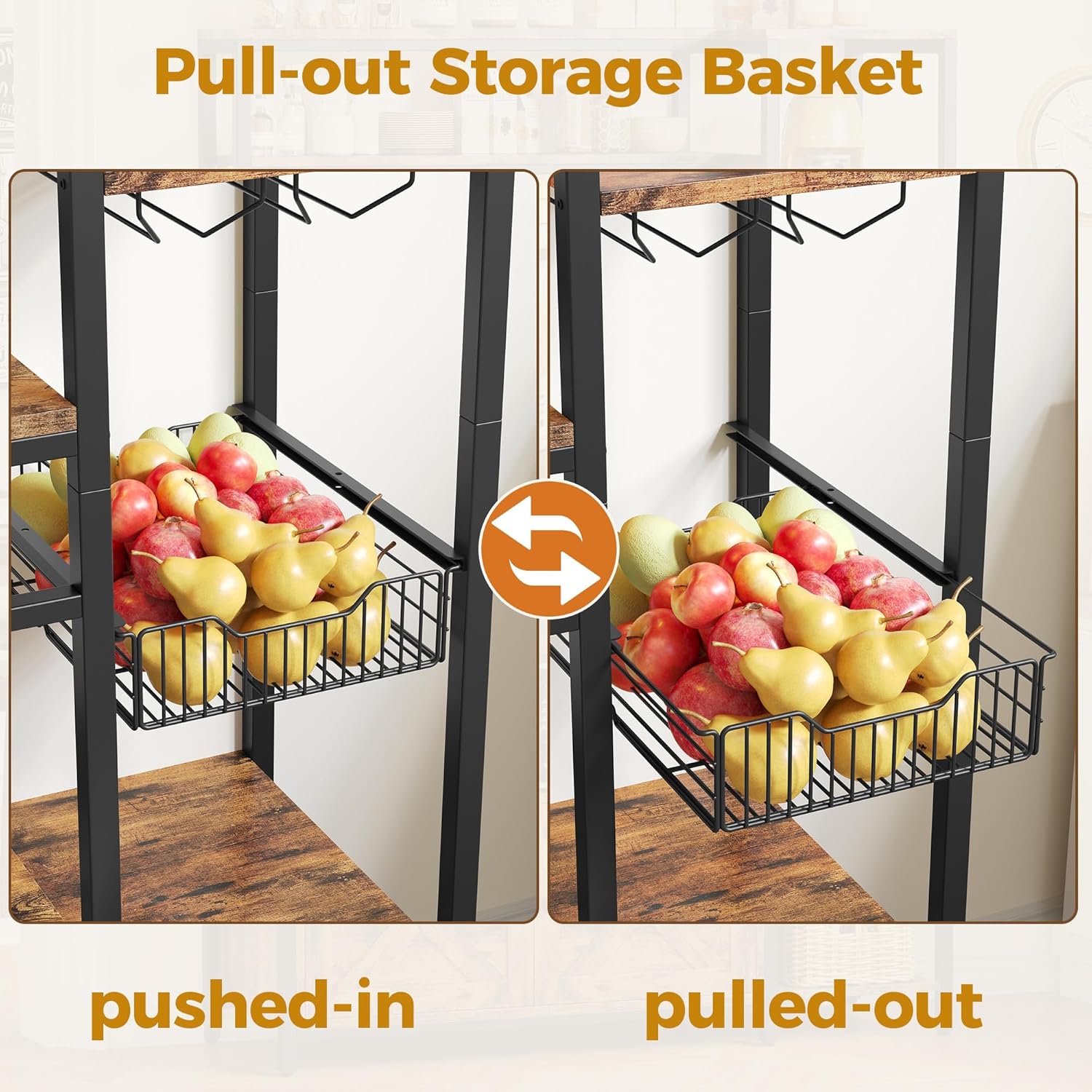
Image: Demonstration of the pull-out storage basket, showing its functionality when pushed in and pulled out.

Image: Construction details highlighting the vintage brown finish, heavy-duty metal frames, mesh shelf design, and adjustable foot pads for stability.
Product Video
Video: An overview of the IRONCK Bakers Rack, showcasing its features and design in a kitchen setting.
4. Setup and Assembly
The IRONCK Bakers Rack requires assembly. Follow these general steps:
- Unpack Components: Carefully unpack all parts and hardware from the packaging. Verify that all components listed in the included instruction manual are present.
- Review Instructions: Read the detailed, illustrated instruction manual provided with your product. Each part is numbered, and all necessary hardware (including a mini screwdriver) is supplied.
- Assemble Frame: Begin by assembling the metal frame components according to the manual's diagrams.
- Attach Shelves and Panels: Secure the engineered wood shelves, cabinet panels, and other storage elements to the frame.
- Install Electrical Components: Carefully install the power outlet unit and LED light strip as directed. Ensure all connections are secure.
- Final Adjustments: Once assembled, place the rack in its desired location. Use the adjustable foot pads to level the rack on uneven floors.
- Secure to Wall (Optional but Recommended): For added stability and safety, especially in homes with children or pets, use the provided anti-tip hardware to secure the rack to a wall.
Note: Assembly can be time-consuming for one person. Having an additional person assist may expedite the process.
5. Operating Instructions
5.1 Power Outlet Usage
- Locate the integrated power strip on the rack. It includes 2 standard AC outlets and 2 USB charging ports.
- Plug your appliances (e.g., microwave, coffee maker) into the AC outlets and your devices into the USB ports.
- Use the red individual on/off switch to control power to all connected devices. Flip the switch to the 'ON' position to supply power and to the 'OFF' position to cut power, saving energy and enhancing safety.
- Maximum power capacity is 1500W. Do not overload the power strip.
5.2 LED Light Operation
- The LED light strip is controlled by the included remote control.
- Point the remote control towards the LED light receiver.
- Use the remote to:
- Turn the light ON/OFF.
- Select from 7 static color options.
- Choose from various dynamic modes (e.g., flashing, fading).
- Adjust the brightness level to your preference.
5.3 Storage Features
- Desktop: Utilize the spacious 47.24" W × 15.75" D desktop for larger appliances like microwaves or coffee makers.
- Cabinet: Store items behind the magnetic cabinet doors to keep them dust-free and out of sight.
- Side Shelves: Organize smaller items, spices, or decorative pieces on the open side shelves.
- Wine Rack: Securely store wine bottles in the dedicated wine rack section.
- Goblet Holder: Hang wine glasses or other stemware from the integrated goblet holder.
- Pull-out Basket: Use the wire pull-out basket for easy access to fruits, vegetables, or other frequently used items.
6. Maintenance
To maintain the appearance and longevity of your bakers rack:
- Cleaning: Wipe surfaces with a dry cloth. For stubborn marks, a slightly damp cloth followed by a dry cloth can be used. Avoid harsh chemicals or abrasive cleaners.
- Spills: Promptly wipe up any spills to prevent water damage, especially on the engineered wood surfaces.
- Fasteners: Periodically check all screws and fasteners to ensure they remain tight. Retighten as necessary.
- Electrical Components: Keep the power outlets and LED light clean and dry. Do not immerse in water.
7. Troubleshooting
If you encounter issues with your IRONCK Bakers Rack, refer to the following common solutions:
- Rack is Unstable:
- Ensure all assembly screws are tightened.
- Adjust the foot pads at the bottom of the legs to level the rack on uneven floors.
- Verify the rack is placed on a flat, stable surface.
- Consider securing the rack to a wall using the anti-tip hardware.
- Power Outlets Not Working:
- Check if the main power cord is securely plugged into a functional wall outlet.
- Ensure the individual on/off switch on the power strip is in the 'ON' position.
- Verify that the appliance or device plugged in is working correctly.
- Do not exceed the maximum power capacity (1500W).
- LED Light Not Responding to Remote:
- Check if the remote control's battery needs replacement.
- Ensure there are no obstructions between the remote and the LED light receiver.
- Verify the LED light's power connection is secure.
- Magnetic Cabinet Doors Not Closing Properly:
- Check for any obstructions preventing the doors from closing fully.
- Ensure the magnetic catches are properly aligned and securely installed.
If problems persist, please contact customer support.
8. Specifications
| Feature | Detail |
|---|---|
| Model Number | HK-BR-10 |
| Brand | IRONCK |
| Material | Engineered Wood, Metal |
| Color | Vintage Brown |
| Product Dimensions (D x W x H) | 15.75"D x 47.24"W x 66.93"H |
| Item Weight | 76.02 Pounds |
| Number of Shelves | 6 |
| Weight Capacity (Central Countertop/Cabinets) | 110 Pounds |
| Power Outlets | 2 AC Outlets, 2 USB Ports (1500W Max) |
| Power Cord Length | 4.92 Feet |
| Special Features | Scratch Resistant, Space Saving, LED Light, Goblet Holder, Wine Basket, Magnetic Cabinet Doors, Adjustable Foot Pads |
| Assembly Required | Yes |
| Care Instructions | Wipe with Dry Cloth |
| UPC | 722385212969 |
9. Warranty Information
IRONCK products are manufactured to high-quality standards. For specific warranty details regarding your Bakers Rack (Model HK-BR-10), please refer to the warranty card included in your packaging or visit the official IRONCK website. Warranty coverage typically includes defects in materials and workmanship under normal use.
10. Customer Support
If you have any questions, require assistance with assembly, or need to report missing/damaged parts, please contact IRONCK customer support. You can typically find contact information (email, phone, or support portal) on the official IRONCK website or within the product packaging.
Please have your model number (HK-BR-10) and purchase information ready when contacting support.
