
1. Product Overview
The Roborock Qrevo S Pro is an advanced robot vacuum and mop designed for comprehensive floor care. It features a multifunctional dock that automates dust emptying, mop self-cleaning, and water refilling, providing a hands-free cleaning experience. Equipped with powerful suction and dual spinning mops, it effectively cleans various floor types, including carpets, marble, wood, and tile.
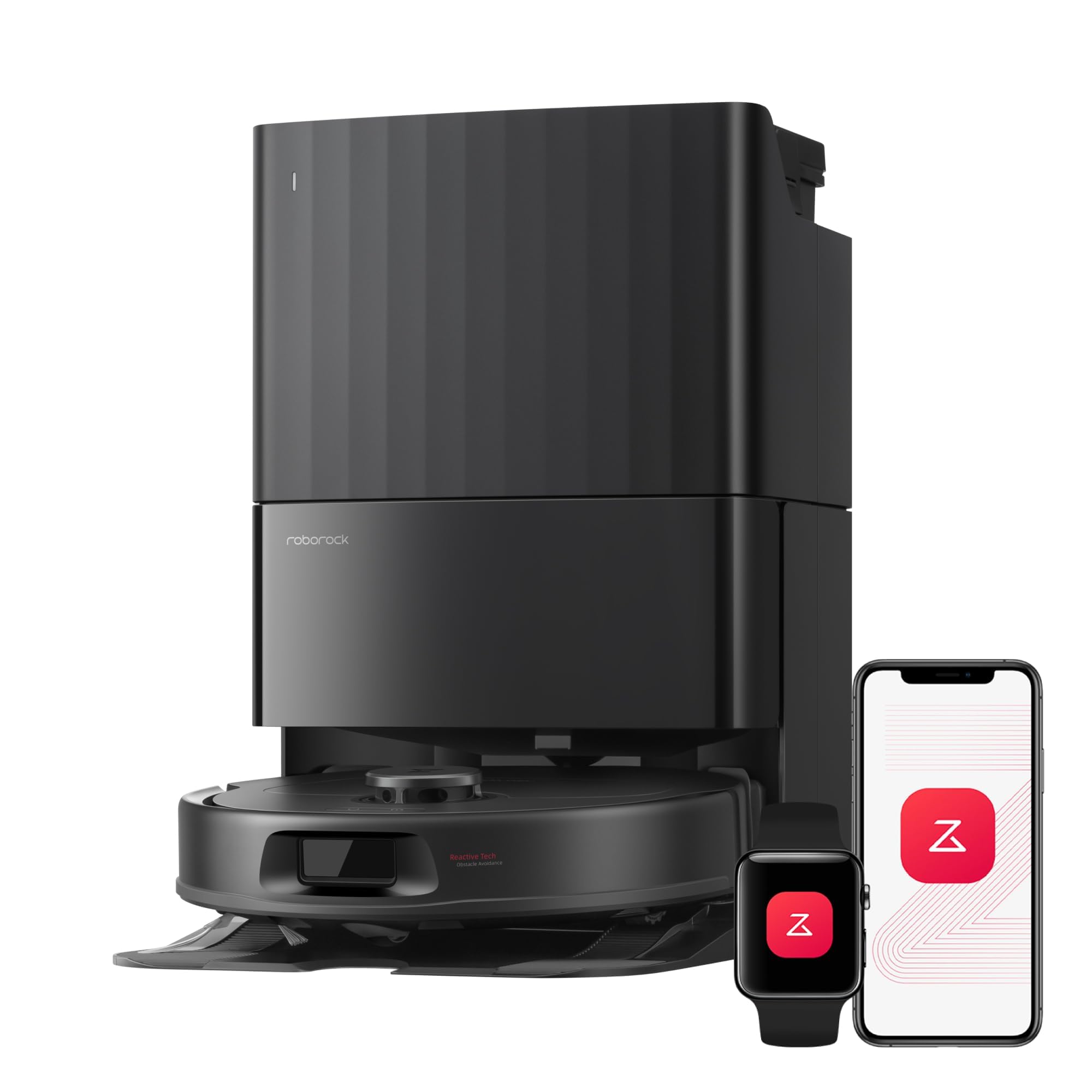
Image 1.1: Roborock Qrevo S Pro Robot Vacuum and Mop with its multifunctional dock.
Key Features:
- Multifunctional Dock: Features 167°F high-temperature mop self-cleaning, 113°F warm air drying, auto dust emptying into a 2.7L bag, and auto water refilling.
- Powerful Suction: Delivers 18,500Pa suction for effective removal of dust, crumbs, pet hair, and debris from various surfaces.
- Anti-Tangle System: Includes a zero-tangle side brush and an all-rubber main brush to minimize hair wrap, ideal for homes with pets.
- Dual Spinning Mops: Rotates at up to 200 RPM with 30 levels of water flow options to tackle everyday stains and spills.
- Smart Obstacle Avoidance: Utilizes Reactive Tech to navigate around obstacles like shoes and toys.
- LiDAR Navigation & Mapping: PreciSense LiDAR creates accurate maps for efficient route planning and supports multi-floor mapping.
- Custom Carpet Cleaning: Automatically adapts to carpet types with boosted suction and 10mm mop lifting.
- App Control: Compatible with the Roborock app, Amazon Alexa, Siri, and Google Home for customized cleaning routines and settings.
2. Initial Setup
2.1 Unpacking and Components
Carefully unpack all items from the box. Ensure the following components are present:
- Robot Vacuum (1)
- Multifunctional Dock (1)
- Dock Base (1)
- Power Cable (1)
- Rotating Mop Module Set (1)
- User Manual (1)
2.2 Dock Placement
Place the multifunctional dock on a hard, level surface against a wall. Ensure there is adequate clear space around the dock for the robot to maneuver:
- At least 0.5 meters (1.6 feet) on both sides.
- At least 1.5 meters (4.9 feet) in front.
Connect the power cable to the dock and plug it into a power outlet. Ensure the dock is in an area with good Wi-Fi signal (2.4 GHz only).

Image 2.1: The multifunctional dock with its various features, including auto tank refilling and auto dust emptying.
2.3 First Use Preparation
- Remove all protective films and packaging materials from the robot and the dock.
- Fill the clean water tank on the dock with clean water.
- Place the robot onto the dock to charge. Ensure it is properly aligned.
- Download the Roborock app from your device's app store and follow the in-app instructions to connect your robot to Wi-Fi.
3. Operating Instructions
3.1 Cleaning Modes
The Roborock Qrevo S Pro offers various cleaning modes to suit your needs:
- Vacuum Mode: Utilizes 18,500Pa suction to remove dry debris.
- Mop Mode: Engages the dual spinning mops for wet cleaning.
- Vacuum & Mop Mode: Performs both vacuuming and mopping simultaneously.

Image 3.1: Illustration of the robot's powerful 18,500 Pa suction capability.

Image 3.2: The dual spinning mops effectively cleaning a floor surface.
3.2 App Control and Mapping
Use the Roborock app to access advanced features and customize your cleaning experience:
- Multi-Floor Mapping: The robot automatically recognizes and creates maps for up to four different floors.
- No-Go Zones: Define areas the robot should avoid, such as pet feeding zones or children's play areas.
- SmartPlan 2.0: AI-powered system that adapts cleaning settings based on your home layout, floor types, and cleaning history.
- Scheduling: Set custom cleaning routines for automated cleaning.
- Voice Control: Integrate with Amazon Alexa, Siri, or Google Home for hands-free operation.

Image 3.3: The Roborock app interface showing various control and mapping options.
3.3 Navigation and Obstacle Avoidance
The robot uses PreciSense LiDAR navigation for real-time 360° scanning and efficient route planning. Reactive Tech obstacle avoidance helps it detect and steer clear of common household items.

Image 3.4: The robot navigating around various obstacles using its Reactive Tech system.
3.4 Carpet Cleaning Strategy
For carpeted areas, the robot employs specific strategies:
- Carpet Boost: Automatically increases suction power when a carpet is detected.
- 10mm Mop Lifting: The mops lift by 10mm to prevent wetting carpets during mopping cycles.
- Customized Cleaning Modes: Adjust cleaning settings for different carpet types via the app.

Image 3.5: The robot demonstrating its carpet cleaning capabilities, including mop lifting and boosted suction.
4. Maintenance
Regular maintenance ensures optimal performance and extends the lifespan of your Roborock Qrevo S Pro.
4.1 Dock Maintenance
- Mop Self-Cleaning: The dock automatically cleans the mops with 167°F hot water after each use.
- Warm Air Drying: Mops are dried with 113°F warm air to prevent odors and mildew.
- Auto Dust Emptying: The robot empties dust into a sealed 2.7L bag in the dock, which typically lasts 7-9 weeks. Replace the dust bag when full.
- Auto Water Refilling: The dock refills the robot's water tank from its 4L clean water tank. Ensure the clean water tank is filled and the dirty water tank is emptied regularly.

Image 4.1: The dock performing 167°F high-temperature mop self-cleaning.

Image 4.2: The dock automatically emptying the robot's dustbin into a sealed bag.
4.2 Robot Maintenance
- Anti-Tangle Brush: Regularly check and clean the zero-tangle side brush and all-rubber main brush to remove any wrapped hair or debris.
- Omni-Directional Wheel: The enhanced omni-directional wheel features a built-in brush to reduce maintenance. Clean as needed.
- Filter: The filter is washable. Clean it periodically according to the app's recommendations or when visibly dirty.

Image 4.3: Close-up of the robot's anti-tangle brush system.
5. Troubleshooting
If you encounter issues with your Roborock Qrevo S Pro, refer to the following table for common problems and solutions.
| Problem | Possible Cause | Solution |
|---|---|---|
| Robot does not turn on | Low battery; Power button not pressed; Robot stuck. | Charge the robot; Press and hold the power button; Free the robot from obstructions. |
| Robot cannot connect to Wi-Fi | Incorrect Wi-Fi password; Router issues; Robot too far from router; Only 2.4 GHz supported. | Verify password; Restart router; Move robot closer; Ensure 2.4 GHz network is used. |
| Poor cleaning performance | Dustbin full; Brushes tangled; Filter clogged; Mops dirty. | Empty dustbin; Clean main/side brushes; Clean/replace filter; Ensure mops are clean. |
| Robot gets stuck frequently | Obstacles on floor; Sensors dirty; Robot operating in a confined space. | Clear floor of small items; Clean sensors; Use No-Go Zones for problematic areas. |
| Dock not emptying dust or cleaning mops | Dust bag full; Water tanks empty/full; Dock base clogged. | Replace dust bag; Fill clean water tank, empty dirty water tank; Clean dock base. |
For more detailed troubleshooting, refer to the Roborock app or the official Roborock support website.
6. Technical Specifications
| Feature | Specification |
|---|---|
| Brand | roborock |
| Model Name | Roborock Qrevo S Pro |
| Suction Power | 18,500Pa |
| Mop Self-Cleaning Temperature | 167°F (75°C) |
| Mop Drying Temperature | 113°F (45°C) |
| Dust Bag Capacity | 2.7 Liters (up to 65 days without manual emptying) |
| Clean Water Tank Capacity | 4 Liters |
| Battery Life | 180 minutes |
| Battery Type | Lithium Ion |
| Navigation System | LiDAR Navigation |
| Obstacle Avoidance | Reactive Tech |
| Connectivity | 2.4 GHz Wi-Fi only |
| Control Methods | App Control, Button Control, Voice Control |
| Noise Level | 55 dB (Mop-only mode) / 60 dB (general operation) |
| Dimensions (L x W x H) | 13.38"L x 19.17"W x 20.51"H |
| Item Weight | 25.6 pounds |
| UPC | 195043008264 |
7. Warranty and Support
7.1 Manufacturer Warranty
The Roborock Qrevo S Pro comes with a 1-year warranty for quality-related issues from the date of purchase. Please retain your proof of purchase for warranty claims.
7.2 Customer Support
For technical assistance, warranty claims, or general inquiries, please contact Roborock customer support through the following channels:
- Roborock App: Access support resources directly within the application.
- Official Website: Visit the Roborock official website for FAQs, troubleshooting guides, and contact information.
- Email Support: Refer to your product packaging or the official website for the appropriate support email address.
Please have your product model number (Roborock Qrevo S Pro) and purchase details ready when contacting support.