
Introduction
Thank you for choosing the Generic Z2 Electric Compressed Air Duster. This powerful and versatile tool is designed for efficient cleaning across various applications, from electronics to outdoor equipment. Featuring a high-performance brushless motor and a rechargeable battery system, the Z2 provides a cost-effective and durable solution for your cleaning needs. Please read this manual thoroughly before use to ensure safe and optimal operation.
Safety Instructions
To prevent injury or damage to the device, always follow these safety precautions:
- Do not store or use the device near liquefied petroleum gas or flammable materials (e.g., solvents, paint thinners). Short circuits can cause explosions or fires.
- Keep the device away from water and moisture.
- Do not operate the device with wet hands.
- Ensure the device is fully charged before first use.
- Keep out of reach of children.
- Do not attempt to disassemble or modify the device.
- Use only the provided charging cable and accessories.
- Avoid directing airflow directly at people or animals.
Package Contents
Verify that all items are present in the package:
- Generic Z2 Electric Compressed Air Duster Unit
- 5 x Nozzles (various shapes for different applications)
- 1 x USB-C Charging Cable
- 1 x Storage Bag
- User Manual (this document)

Image: The Z2 Electric Compressed Air Duster shown with its included accessories, including multiple nozzles and a charging cable.
Product Overview
The Z2 Electric Compressed Air Duster features a compact design with powerful internal components and user-friendly controls.
- High-Performance Brushless Motor: Delivers strong airflow up to 41 m/s.
- Integrated Battery System: Two 2000 mAh lithium batteries (total 150W) provide extended operation.
- LED Auxiliary Lighting: Illuminates dark areas for precise cleaning.
- Digital Display: Shows battery level and current gear setting.
- Multiple Nozzles: Interchangeable nozzles for various cleaning tasks.
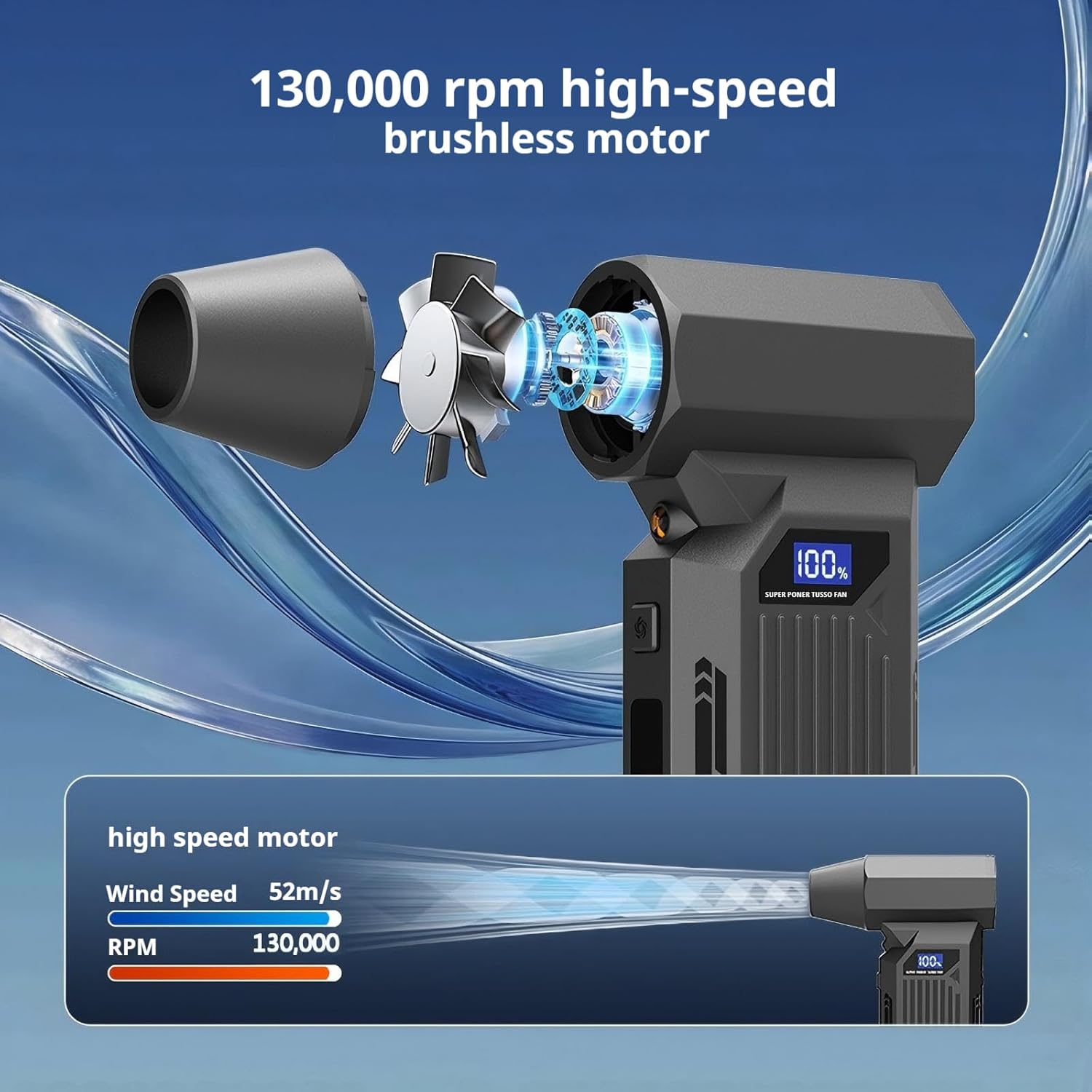
Image: An internal view highlighting the high-speed brushless motor and the powerful airflow it generates, reaching up to 52m/s.
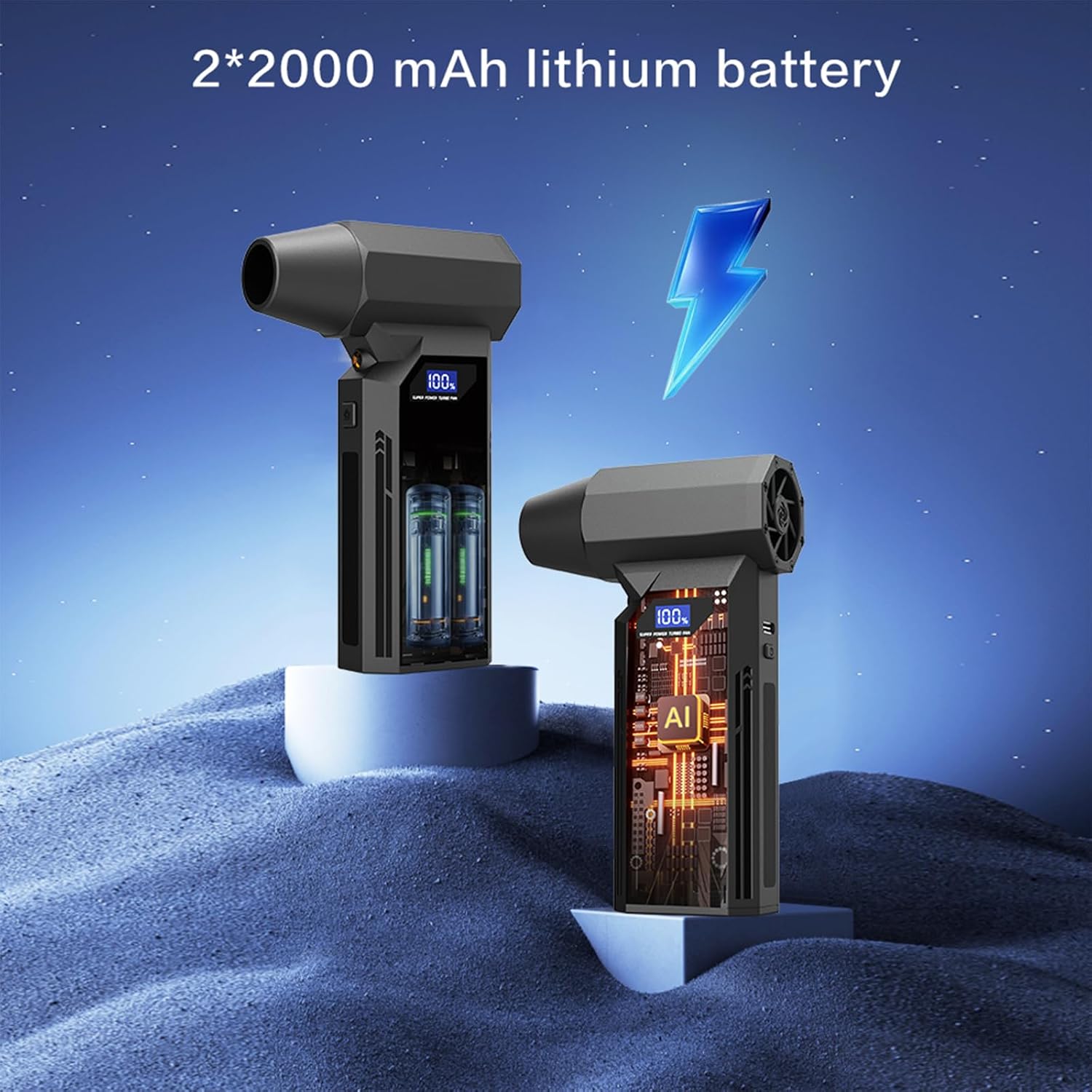
Image: A visual representation of the two 2000 mAh lithium batteries that power the device, indicating its rechargeable nature.
Setup
- Initial Charge: Before first use, fully charge the device using the provided USB-C cable. Refer to the "Charging" section for details.
- Attach Nozzle: Select the appropriate nozzle for your cleaning task. Align the nozzle with the air outlet and push it firmly until it clicks into place. Ensure it is securely attached before operation.
Operating Instructions
The Z2 air duster offers three adjustable speed settings for various cleaning intensities.
- Power On/Off: Press and hold the power button for a few seconds to turn the device on or off. The digital display will illuminate.
- Adjust Speed: Briefly press the power button to cycle through the three speed settings (Gear 1, Gear 2, Gear 3). The current gear will be indicated on the digital display.
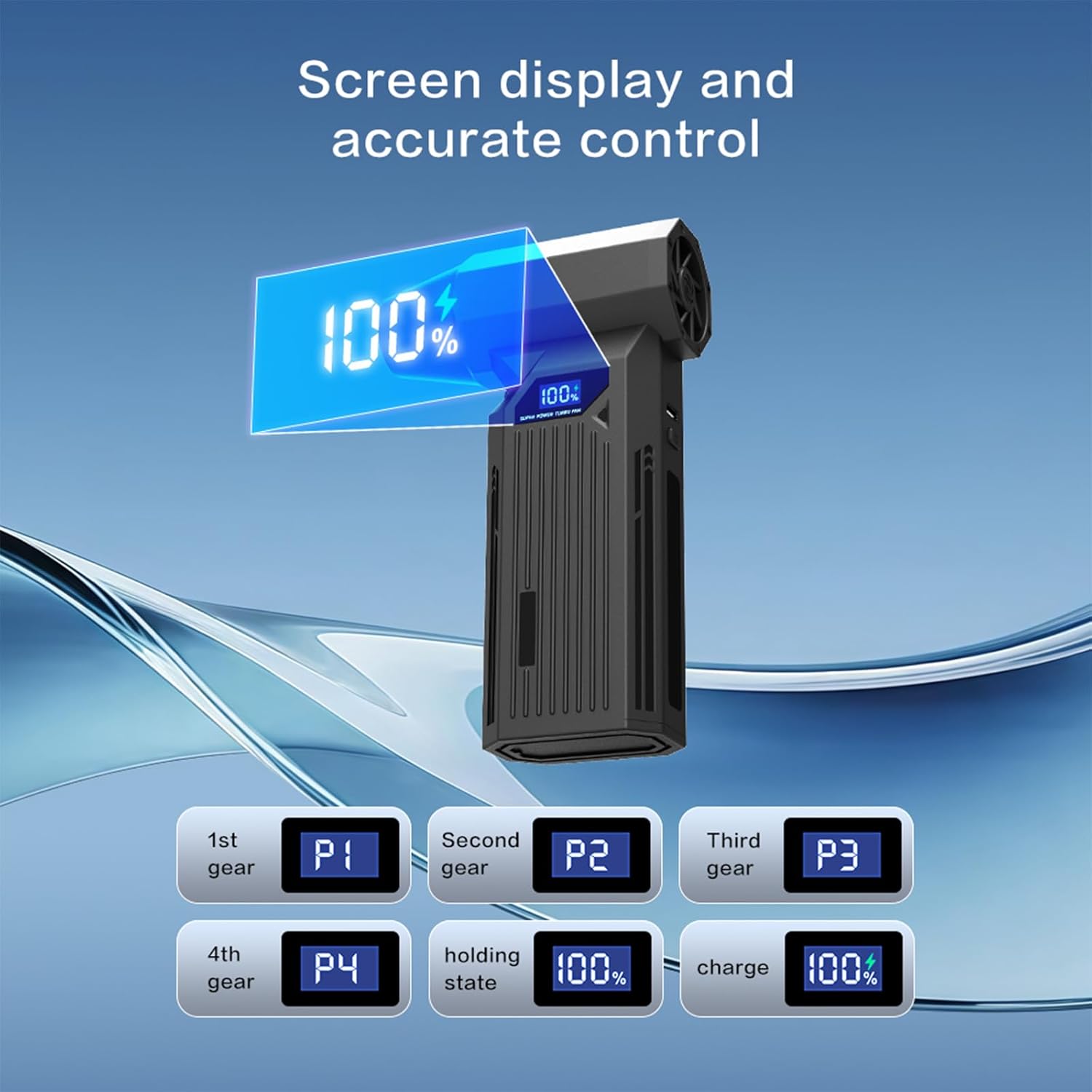
Image: The digital screen displaying various operational modes, including different gear settings (P1, P2, P3, P4) and charging status.
- LED Light: Some models may feature an auxiliary LED light. Consult your device for a dedicated light button or a combination press with the power button to activate it.

Image: The LED auxiliary lighting feature in action, demonstrating its utility for cleaning in dimly lit spaces such as car interiors, computer cases, and dark corners.
- Cleaning: Direct the airflow towards the area to be cleaned. Use lower speeds for delicate surfaces and higher speeds for stubborn dust and debris.
- After Use: Turn off the device and detach the nozzle if necessary for storage.
Charging
The Z2 Electric Compressed Air Duster is equipped with a rechargeable battery system.
- Charging Port: Locate the Type-C charging port on the device.
- Connect Charger: Connect the provided USB-C cable to the device and plug the other end into a compatible USB power adapter (not included).
- Charging Indicator: The digital display will show the charging status. A full charge typically takes approximately 2.5 hours.
- Battery Life: On the lowest speed setting, the device can operate for up to 60 minutes on a full charge.
- Note: It is recommended to fully charge the device before its first use to optimize battery performance.
Maintenance
Regular maintenance ensures the longevity and optimal performance of your air duster.
- Cleaning the Exterior: Wipe the exterior of the device with a soft, dry cloth. Do not use harsh chemicals or abrasive cleaners.
- Nozzle Cleaning: Detach nozzles and clean them as needed. Ensure they are dry before reattaching.
- Storage: Store the device and its accessories in the provided storage bag in a cool, dry place, away from direct sunlight and extreme temperatures.
- Battery Care: For long-term storage, charge the battery to about 50-70% every few months to maintain battery health.
Troubleshooting
| Problem | Possible Cause | Solution |
|---|---|---|
| Device does not turn on. | Battery is depleted. | Charge the device fully using the USB-C cable. |
| Weak airflow. | Low battery or incorrect speed setting. | Charge the device. Increase the speed setting. |
| Nozzle detaches during use. | Nozzle not securely attached. | Ensure the nozzle is pushed firmly onto the air outlet until it clicks. |
| Device overheats. | Prolonged continuous use. | Turn off the device and allow it to cool down before resuming use. |
Specifications
| Feature | Detail |
|---|---|
| Model | Z2 |
| Brand | Generic |
| Motor Type | Brushless Motor |
| Max Airflow Speed | Up to 41 m/s (approx. 130,000 RPM) |
| Speed Settings | 3 Gears |
| Battery Capacity | 2 x 2000 mAh Lithium Batteries (Total 150W system) |
| Charging Time | Approx. 2.5 hours (via Type-C) |
| Max Runtime | Up to 60 minutes (at lowest speed) |
| Product Dimensions | 6.1 cm (Width) x 13.2 cm (Height) |
| Item Weight | 0.7 pounds (approx. 317 grams) |
| Accessories | 5 Nozzles, 1 USB-C Cable, 1 Storage Bag |
Warranty and Support
The Generic Z2 Electric Compressed Air Duster comes with a 24-month warranty from the date of purchase. This warranty covers manufacturing defects and issues related to product quality under normal use.
For any questions regarding the product, installation, or usage, please contact our customer support team. We offer 24-hour customer support to assist you with any concerns. Please refer to your purchase documentation for contact details.


