
1. Introduction
The APEXEL 30x Telephoto Lens is designed to enhance your smartphone photography by bringing distant subjects closer with clarity and detail. This professional external camera attachment features advanced optical technology and a robust build, making it ideal for various outdoor observations and photography scenarios. This manual provides detailed instructions for setting up, operating, maintaining, and troubleshooting your telephoto lens.
2. Package Contents
Please verify that all items listed below are included in your package:
- 30X Telephoto Lens
- Mini Tripod JJ028
- 37mm Smartphone Stretch Clamp
- 46mm Front Lens Cap
- 37mm Rear Lens Cap
- 37mm Silicone Eyecup
- EVA Spacers (2mm/3mm/4mm) - 3 pieces each
- Cleaning Cloth
- User Manual

Image: A visual representation of the package contents, including the telephoto lens, mini tripod, phone adapter, lens caps, eyecup, cleaning cloth, and EVA pads.
3. Product Overview
Familiarize yourself with the main components of your APEXEL 30x Telephoto Lens and Mini Tripod.
3.1 30X Telephoto Lens Components
- Tripod Mount Ring: For landscape and portrait shooting.
- Focus Ring: Adjust to set the focus distance.
- 46mm Filter Size: Compatible with 46mm filters (not included).
- 46mm Front Cap: Protects the objective lens.
- 37mm Rear Cap: Protects the eyepiece lens.
- Tripod Mount Ring Locking Knob: Turn to tighten or loosen.
- Brand Logo: APEXEL.
- 1/4"-20 Thread Hole: For attaching to a tripod.
- Monocular Ready Eyepiece Mount: For direct observation as a monocular.

Image: Detailed diagram labeling the parts of the 30X Telephoto Lens, including the focus ring, tripod mount, and lens caps.
3.2 Mini Tripod JJ028 Components
- 1/4"-20 Screw: Connects to the lens's thread hole.
- 360° Ball Head: Allows full 360-degree rotation.
- Ball Head Locking Knob: Adjusts the angle freely.
- Twist Lock: Adjusts the tripod height.
- Extendable Center Tube: Two sections for height adjustment.

Image: Detailed diagram labeling the parts of the Mini Tripod JJ028, including the 1/4"-20 screw, ball head, and twist lock.
3.3 37mm Phone Mount Components
- Locking Knob: Turn to tighten or loosen the phone clamp.
- Adjustable Range: 7-10cm (2.8-3.9 in.) for phone width.
- Slider: Slides to fit different phone models and align with the main camera lens.
- Lens Round Hole: Aligns with the main camera lens.
- 37mm Threaded Mount: Attaches the telephoto lens.

Image: Detailed diagram labeling the parts of the 37mm Phone Mount, including the locking knob, slider, and threaded mount.
4. Setup Instructions
Follow these steps for quick installation of your APEXEL 30x Telephoto Lens:
- Step 1: Fill Gap with EVA Pads. If there is a gap between your phone lens and the clamp, use the appropriate thickness of EVA pads (2mm, 3mm, or 4mm) to ensure a snug fit and prevent shifting. This is especially important if your phone camera protrudes.
- Step 2: Pull Clamp. Pull apart the stretching clamp of the phone mount and insert your smartphone.
- Step 3: Position Phone. Loosen the top screw on the phone mount and push the slider to align the lens round hole with your phone's main camera lens.
- Step 4: Secure Phone. Tighten the top fixed screw, securing the phone in the focus hole position.
- Step 5: Attach Telephoto Lens. Screw the 30X Telephoto Lens into the 37mm threaded mount on the phone clamp.
- Step 6: Attach Tripod. Screw the mini tripod into the 1/4"-20 thread hole on the telephoto lens.
- Step 7: Adjust and Focus. Open the tripod, rotate the focus ring on the telephoto lens to get a clear picture, and the installation is complete.

Image: A visual step-by-step guide demonstrating how to install the telephoto lens and tripod onto a smartphone.

Image: Illustration showing how to use EVA spacers to fill gaps and ensure the phone camera is flush with the clip, especially for protruding cameras.
5. Operating Instructions
5.1 Photography with Telephoto Lens
- Focusing: Rotate the focus ring on the telephoto lens slowly until the image on your phone screen is clear. The optimal focusing distance is from 3 meters to infinity.
- Stability: For best results and to avoid blurring, always use the included tripod, especially for long-range shots. Consider using your phone's 2-second delay timer to minimize camera shake.
- Zoom: The lens provides 30x optical zoom. You may use your phone's native digital zoom (e.g., 2.0-2.4x) in conjunction with the telephoto lens to eliminate any potential black edges and further enhance magnification without significant quality loss.
- Lighting: Prioritize shooting in well-lit environments. The large aperture objective lens (40mm) provides better imaging performance in low light, but good ambient light is always recommended.
- Versatile Use: The lens is suitable for capturing distant subjects in various scenarios such as birdwatching, sports events, concerts, moon photography, and landscape photography.

Image: A smartphone attached to the telephoto lens, demonstrating its ability to capture clear images of distant subjects like a squirrel across a lake.

Image: A comparison showing the difference between naked-eye observation of a distant landscape and the detailed view captured with the 30x telephoto lens.

Image: An effect comparison demonstrating the superior image quality and detail when using the 40mm large diameter telephoto lens compared to a phone's native zoom or a smaller caliber lens for concert photography.

Image: A collage showing the versatility of the telephoto lens for capturing games, birdwatching, the moon, concerts, and animal watching.
5.2 Using as a Monocular
The 30x Telephoto Lens can also be used as a standalone monocular for direct observation. Simply attach the 37mm silicone eyecup to the eyepiece end of the lens. This is useful for birdwatching, travel, and general observation without needing your phone.

Image: An illustration demonstrating how to attach the 37mm eyecup to the telephoto lens to transform it into a monocular for direct observation.
5.3 Smartphone Camera Settings
To ensure optimal performance and avoid issues like unwanted macro mode activation, adjust your smartphone's camera settings as follows:
For iOS (iPhone 13 and newer):
- Go to Settings.
- Navigate to Camera.
- Turn on Macro Control.
- Disable the macro function of your iPhone when using the telephoto lens.
For Samsung Galaxy (S22, S23 Ultra):
- Open the camera app.
- Tap the close-up focus enhancement icon. When illuminated yellow, it is activated.
- Tap again to turn it off.

Image: Screenshots illustrating how to disable macro control on iOS (iPhone 13 and newer) and focus enhancement on Samsung Galaxy S22/S23 Ultra for optimal telephoto lens use.
6. Compatibility
The APEXEL 30x Telephoto Lens is designed for wide compatibility with most smartphones and tablets. The phone mount accommodates devices with a width between 71mm and 105mm (2.8-4.1 inches).
- Compatible Devices: Includes most iPhone models (e.g., iPhone 16, 15, 14, 13 Pro Max), Samsung Galaxy S series, Google Pixel, and most Android devices.
- Not Compatible: Not suitable for small-sized iPhone Mini/SE series and some Samsung models like S25, S24, S23, S22 due to size constraints or camera placement.
- Multi-Camera Phones: The mount is designed to align with the primary camera lens on single or multi-camera phones. Refer to the diagram below to identify the primary lens on common phone models.

Image: A visual guide indicating the primary lens on various iPhone (X/XS/XS Max, 11, 11 Pro/Pro Max, 12/12 Mini, 13/13 Mini, 14/14 Plus, 16, 12/13/14/15/16 Pro/Pro Max) and Samsung Galaxy (S21, S21+, S21 Ultra, S22, S22+, S22 Ultra, S23 Ultra, S25 Ultra) models.

Image: An illustration detailing the compatible width range (71-105mm) for smartphones with the lens mount and reiterating the use of EVA pads for proper fit.
7. Maintenance
- Cleaning the Lens: Use the provided cleaning cloth to gently wipe the lens surfaces. For stubborn smudges, use a specialized lens cleaning solution and a microfiber cloth. Avoid using abrasive materials or harsh chemicals.
- Storage: When not in use, always attach the front and rear lens caps to protect the optical elements from dust and scratches. Store the lens and accessories in a dry, cool place, away from direct sunlight and extreme temperatures.
- Handling: Handle the lens with care to avoid dropping or impacting it, which could damage the internal optical components.
8. Troubleshooting
Here are solutions to common issues you might encounter:
Q1: Why are photos easily blurred when shooting with a high-powered lens?
A1: Blurring is typically caused by handheld shaking, low light conditions, or inaccurate focusing. It is recommended to fix the phone with a tripod, manually rotate the focus ring slowly to adjust until the picture is clear, and prioritize shooting in a well-lit environment.
Q2: What should I do if I always feel out of focus after installing the lens?
A2: The depth of field of high-magnification lenses is shallow, making it easy to lose focus with slight movement. Ensure that the phone and the lens fit perfectly, with the main camera aligned with the center of the lens. Refer to this manual to maintain a stable shooting distance.
Q3: The lens is easy to loosen or fall off when mounted on the cell phone, how to solve it?
A3: This may occur if the size of the cell phone does not match the fixture (e.g., excessive camera protrusion, a thick phone case, or a small phone). Ensure your phone model is in the official compatibility list. Use silicone spacers (EVA pads) to fill any gaps and tighten the fixture screws securely.
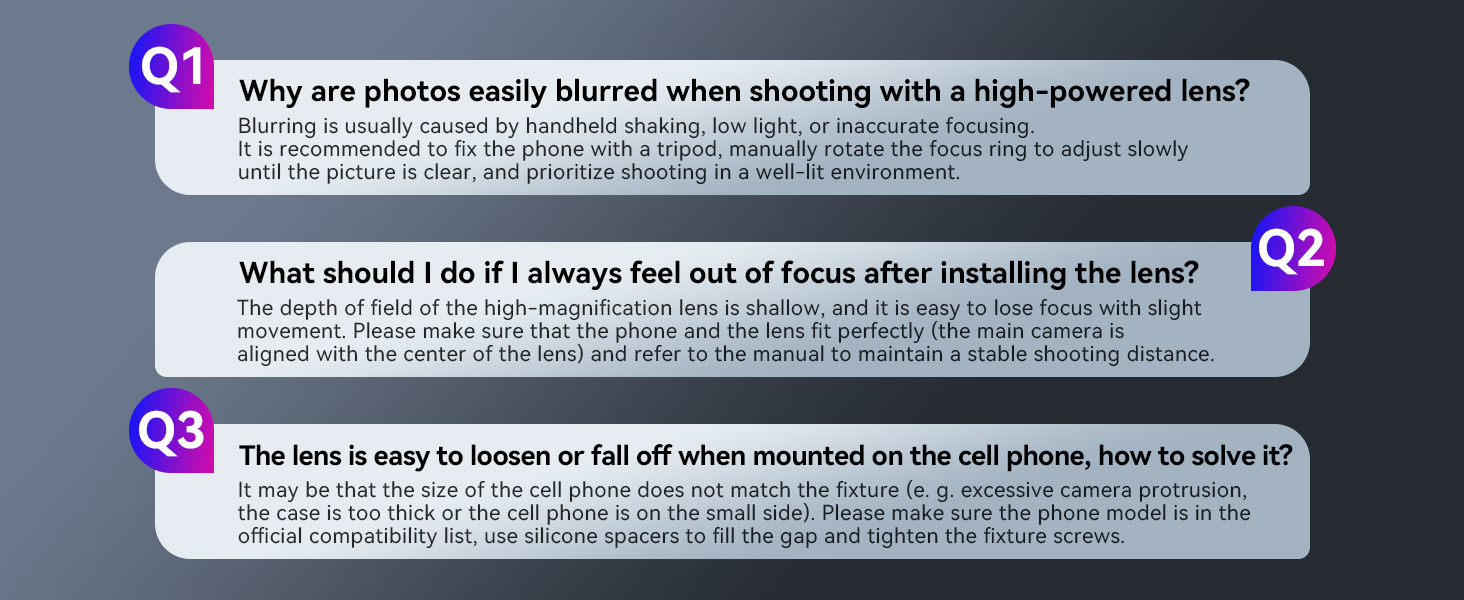
Image: A visual representation of common questions and answers regarding blurring, focusing, and lens stability issues.
9. Specifications
| Feature | Detail |
|---|---|
| Brand | APEXEL |
| Model Name | APEXEL 30x Telephoto Lens |
| Manufacturer Part Number | APL_30XJJ028 |
| Lens Type | Telephoto |
| Zoom Ratio | 30x |
| Optical Design | 7-element, 10-glass A-grade with multi-layer coating |
| Objective Lens Diameter | 40mm |
| Eyepiece Diameter | 37mm |
| Filter Size | 46mm |
| Focus Type | Manual Focus |
| Optimal Focusing Distance | 3m to ∞ |
| Compatible Mountings | iPhone, Samsung, Pixel, most Android smartphones (71-105mm width) |
| Lens Dimensions | φ5x18cm / φ2x7in. |
| Lens Weight | 355g / 12.5oz. |
| Tripod Dimensions (Folded) | 21-32cm / 8.3-12.6 in. |
| Tripod Dimensions (Extended) | 24-34cm / 9.4-13.4 in. |
| Tripod Weight | 176g / 6.2oz. |
| Phone Mount Dimensions | 8.7x7.9x3cm / 3.4x3.1x1.2in. |
| Phone Mount Weight | 32.7g / 1.2oz. |
| Water Resistance Level | Not Water Resistant |
| Image Stabilization | No image stabilization (relies on tripod/user stability) |
10. Warranty and Support
Warranty: The APEXEL 30x Telephoto Lens comes with a 1-year warranty from the date of purchase. This warranty covers manufacturing defects and material flaws under normal use. It does not cover damage caused by misuse, accidents, unauthorized modifications, or improper storage.
Customer Support: For technical assistance, warranty claims, or any questions regarding your APEXEL product, please contact APEXEL customer support through the retailer where you purchased the product or visit the official APEXEL website for contact information.
Online Resources: For additional tips, tutorials, and product information, please visit the APEXEL official store page: APEXEL Store on Amazon.
11. Video Demonstration
Watch this video for a demonstration of how the APEXEL telephoto lens works with different phone models and how to identify the main camera.
Video: A demonstration showing the APEXEL telephoto lens being used with various smartphone models, highlighting how to identify and align with the main camera lens.


