
1. Introduction
Thank you for choosing the Yixinxin 4K 64MP Underwater Camera UKUP019DY. This camera is designed to capture high-quality photos and videos in various environments, including underwater. Featuring 4K UHD video recording, 64MP high-resolution photos, a waterproof and dustproof design up to 33 feet (10 meters), and a convenient dual-screen display, it is ideal for snorkeling, diving, and other outdoor adventures. This manual provides essential information for setting up, operating, and maintaining your camera.
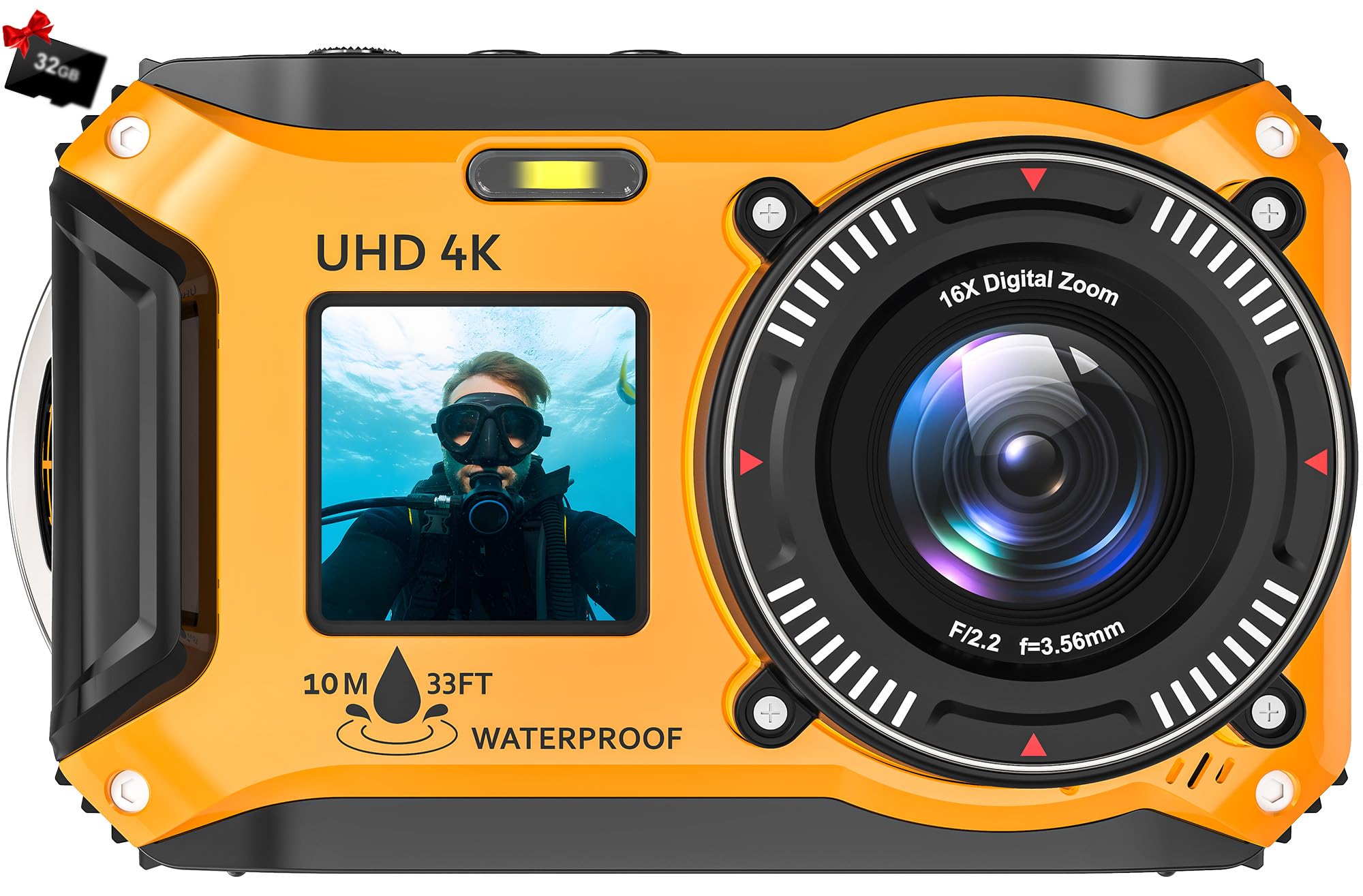
Image 1.1: The Yixinxin 4K 64MP Underwater Camera UKUP019DY, showcasing its robust design.
2. Package Contents
Please check the package contents to ensure all items are present:
- Yixinxin 4K 64MP Underwater Camera UKUP019DY
- Rechargeable Lithium-Ion Battery (1500mAh)
- 32GB TF Card (pre-installed or included separately)
- USB Charging Cable
- Wrist Strap
- User Manual
3. Product Features
- 4K UHD Video and 64MP High-Resolution Photos: Capture every moment with stunning 4K video and detailed 64-megapixel images.
- 33FT Waterproof & Dustproof Design: Designed for underwater use up to 33 feet (10 meters) and protected against dust, making it suitable for various outdoor conditions. The camera also floats for easy retrieval in water.
- Autofocus Macro Shooting & 16X Digital Zoom: Achieve precise focus for close-up shots from 3.97 inches (10 cm) and zoom in on distant subjects with 16X digital zoom.
- HD Dual-Screen Design: Features a 2.8-inch rear IPS HD screen and a 1.4-inch front IPS HD screen for easy framing of selfies and video recording.
- Long Battery Life: Equipped with a 1500mAh battery, providing up to 100 minutes of continuous 4K video recording. Supports memory cards up to 128GB.

Image 3.1: Overview of key features including waterproof depth, anti-shake, 16X zoom, and macro photography.

Image 3.2: Illustration of the camera's waterproof capability up to 33 feet (10 meters).

Image 3.3: The camera's HD dual-screen design, showing the 2.8-inch rear and 1.4-inch front screens.
4. Setup
4.1. Battery Installation
- Open the battery compartment cover, usually located on the side or bottom of the camera. Ensure the lock is disengaged.
- Insert the 1500mAh Lithium-Ion battery according to the polarity indicators (+/-).
- Close the battery compartment cover securely and engage the lock to maintain waterproof integrity.

Image 4.1: Illustration of battery installation into the camera, highlighting the 1500mAh battery.
4.2. Memory Card Installation
- Locate the memory card slot, often near the battery compartment.
- Insert the 32GB TF card (or another compatible card up to 128GB) into the slot until it clicks into place. Ensure the card is oriented correctly.
- Close any covers securely.
4.3. Charging the Battery
- Connect the camera to a power source using the provided USB cable.
- The charging indicator light will typically illuminate during charging and turn off or change color when fully charged.
- A full charge provides approximately 100 minutes of 4K video recording.
5. Operating Instructions
5.1. Power On/Off
- To power on: Press and hold the Power button until the screen illuminates.
- To power off: Press and hold the Power button again until the screen turns off.
5.2. Taking Photos
- Turn on the camera.
- Frame your shot using either the front or rear screen.
- Half-press the Shutter button to activate autofocus. The focus frame will typically turn green when focus is achieved.
- Fully press the Shutter button to capture the photo.

Image 5.1: Demonstration of the camera's autofocus feature, showing a clear, focused image after half-pressing the shutter.
5.3. Recording Videos
- Switch the camera to video mode (refer to your camera's specific mode button or menu).
- Press the Shutter button to start recording. A recording indicator (e.g., red dot or timer) will appear on the screen.
- Press the Shutter button again to stop recording.
5.4. Using Dual Screens
The camera features both a rear (2.8-inch) and a front (1.4-inch) screen. You can switch between screens or use the front screen for selfies and vlogging. Consult your camera's specific buttons or menu options for screen switching functionality.
5.5. Zoom Function
Use the zoom buttons (often marked 'W' for Wide and 'T' for Telephoto) to adjust the 16X digital zoom. Press 'T' to zoom in and 'W' to zoom out.
5.6. Underwater Use
Before submerging the camera, ensure all compartment covers (battery, memory card, USB port) are securely closed and locked to maintain its waterproof seal. The camera is floatable, making it easier to retrieve if dropped in water.
6. Maintenance
6.1. Cleaning
- After underwater use, rinse the camera with fresh water to remove salt, sand, or chlorine.
- Wipe the camera dry with a soft, lint-free cloth.
- Clean the lens and screens with a specialized lens cleaning cloth. Avoid abrasive materials.

Image 6.1: The camera's dustproof design, illustrating its resilience against environmental elements like wind and sand.
6.2. Storage
- Store the camera in a cool, dry place away from direct sunlight and extreme temperatures.
- If storing for an extended period, remove the battery.
6.3. Battery Care
- Charge the battery fully before first use.
- Avoid completely draining the battery frequently to prolong its lifespan.
- Use only the provided or approved charging accessories.
7. Troubleshooting
| Problem | Possible Cause | Solution |
|---|---|---|
| Camera does not power on | Battery is low or not inserted correctly. | Charge the battery. Reinsert the battery, ensuring correct polarity. |
| Photos are blurry | Autofocus failed, camera shake, or dirty lens. | Ensure half-press for autofocus. Hold the camera steady. Clean the lens. |
| Memory card error | Card not inserted correctly, incompatible card, or card is full/corrupted. | Reinsert the card. Use a compatible TF card (up to 128GB). Format the card (this will erase data). |
| Water leakage | Compartment covers not properly sealed. | Immediately remove the camera from water. Open all compartments and allow to dry completely. Ensure all seals are clean and covers are securely locked before next use. If leakage persists, discontinue use. |
8. Specifications
| Feature | Specification |
|---|---|
| Brand | Yixinxin |
| Model Name | UKUP019DY |
| Image Sensor Technology | CMOS |
| Effective Still Resolution | 64 Megapixels |
| Photo Sensor Size | 1/2.7-inch |
| Video Capture Resolution | 2160p (4K UHD) |
| Optical Zoom | 1X |
| Digital Zoom | 16X |
| Screen Size | 2.8 inches (rear), 1.4 inches (front) |
| Display Type | LCD (IPS HD) |
| Connectivity Technology | USB |
| Battery Type | Lithium-Ion |
| Battery Capacity | 1500mAh |
| Recording Capacity | 100 minutes (4K video) |
| Memory Storage Capacity | Up to 128GB (TF card) |
| Image Stabilization | No |
| Self-Timer | No |
| Audio Recording | No |
| Video Output Ports | 1 |
| Color | Yellow |
| GTIN / UPC | 717504970127 |
9. Warranty and Support
For warranty information and customer support, please refer to the documentation included with your purchase or contact the retailer. Keep your proof of purchase for any warranty claims.