
Introduction
This manual provides essential information for the safe and efficient operation and maintenance of your TopMate ES12 3 Wheel Electric Scooter. Please read it thoroughly before using the scooter and keep it for future reference.
Setup and Assembly
Your TopMate ES12 scooter is designed for quick and easy assembly. Follow these steps to prepare your scooter for use.
1. Unfolding the Scooter
The scooter comes largely pre-assembled and folded. To unfold, gently lift the handlebar stem and extend the main frame until it locks into place. Ensure all locking mechanisms are secure before proceeding.

Image: A man demonstrates the one-step folding mechanism of the scooter, showing it being unfolded from a compact state.
Video: A person demonstrates the folding and unfolding process of a mobility scooter, highlighting its compact nature and ease of storage.
2. Attaching Components
Install the front fenders, headlights, and front wheel as shown. Secure the rear fenders and connect the brake lights. Place the seat onto the seat post, ensuring it is firmly seated. The armrests slide into designated slots on either side of the seat. Use the provided knobs to secure them at your desired width. Finally, install the storage bag.
Video: This video demonstrates the assembly steps for a mobility scooter, including securing the front fenders, headlights, front wheel, rear fenders, connecting brake lights, and installing the storage bag.
3. Attaching the Basket
The detachable basket can be attached to the front of the scooter for convenient storage.

Image: The TopMate ES12 scooter featuring a large capacity detachable basket, shown filled with fruits and vegetables, highlighting its dual-use functionality.
Operating Instructions
1. Powering On/Off and Battery Installation
To power on the scooter, ensure the battery is correctly inserted and locked. Connect the scooter's power plug to the battery. Use the battery key to rotate to the "ON" position. The display will light up, indicating the scooter is ready for use.
Video: This video provides instructions on how to insert and remove the battery, and how to turn a TopMate mobility scooter on and off (demonstrated on a similar ES35P model).
2. Speed Adjustment and Reverse
The scooter features three adjustable speed levels (3-7-15 MPH). Use the controls on the handlebar to select your desired speed. A dedicated reverse button allows for easy maneuvering in tight spaces.
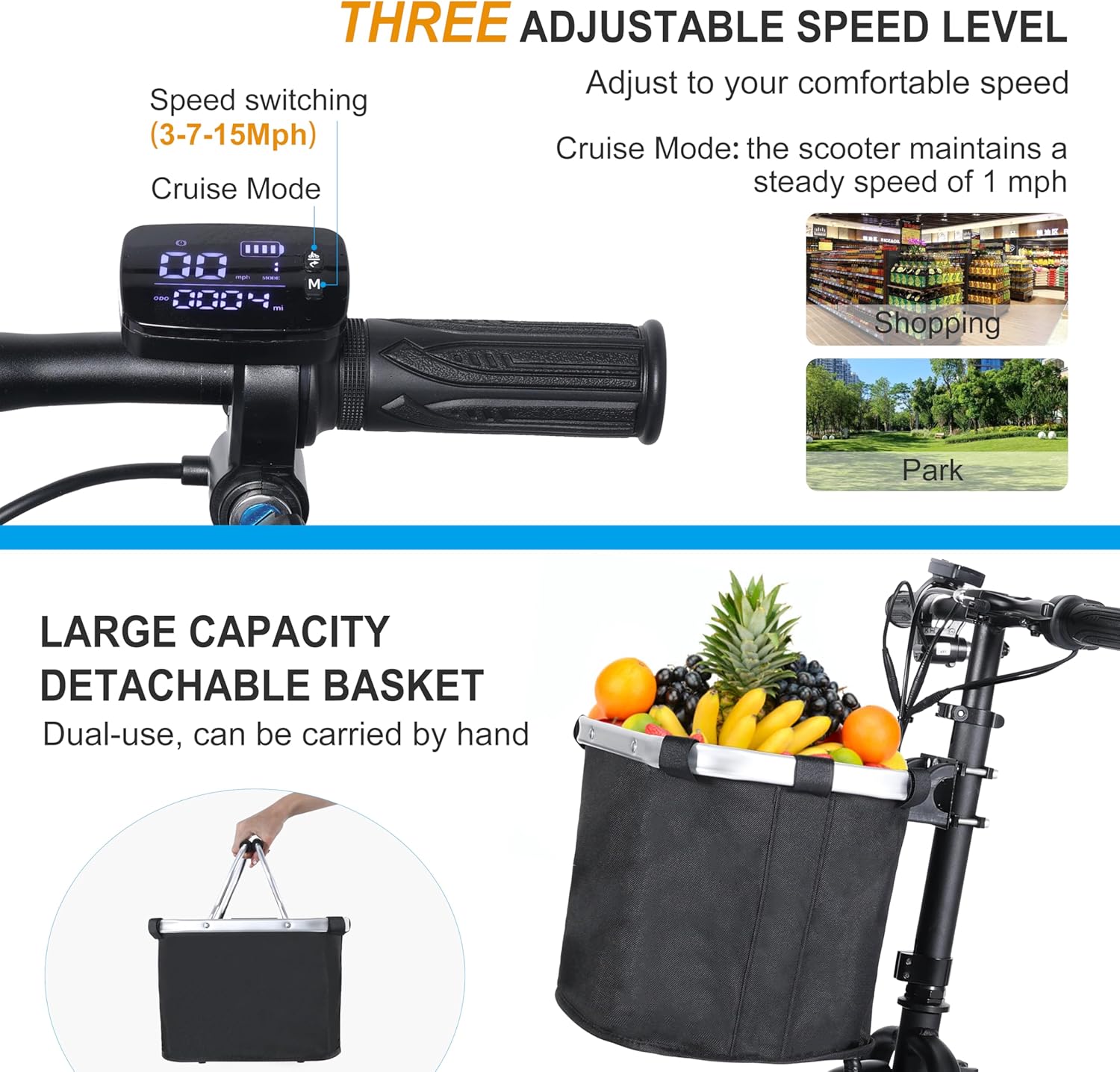
Image: The scooter's handlebar display indicates three adjustable speed levels (3-7-15 Mph) and a cruise mode, suitable for various environments like shopping or parks.
Video: This video demonstrates the daily use of a TopMate electric mobility scooter, including speed adjustment and reverse function (demonstrated on a similar ES35 model).
3. Safe Riding Practices
Always ensure the motor is engaged and the brakes are functioning correctly before riding. The scooter is equipped with dual drum and parking brakes for quick stopping. Front headlights and rear reflectors enhance visibility for night riding. The 10-inch tires provide excellent traction on various surfaces, including grassland, city roads, gravel roads, and dirt roads.

Image: An elderly man comfortably rides the TopMate ES12 scooter, demonstrating its 10-inch road tires' adaptability to different surfaces like grassland, city roads, gravel roads, and dirt roads.
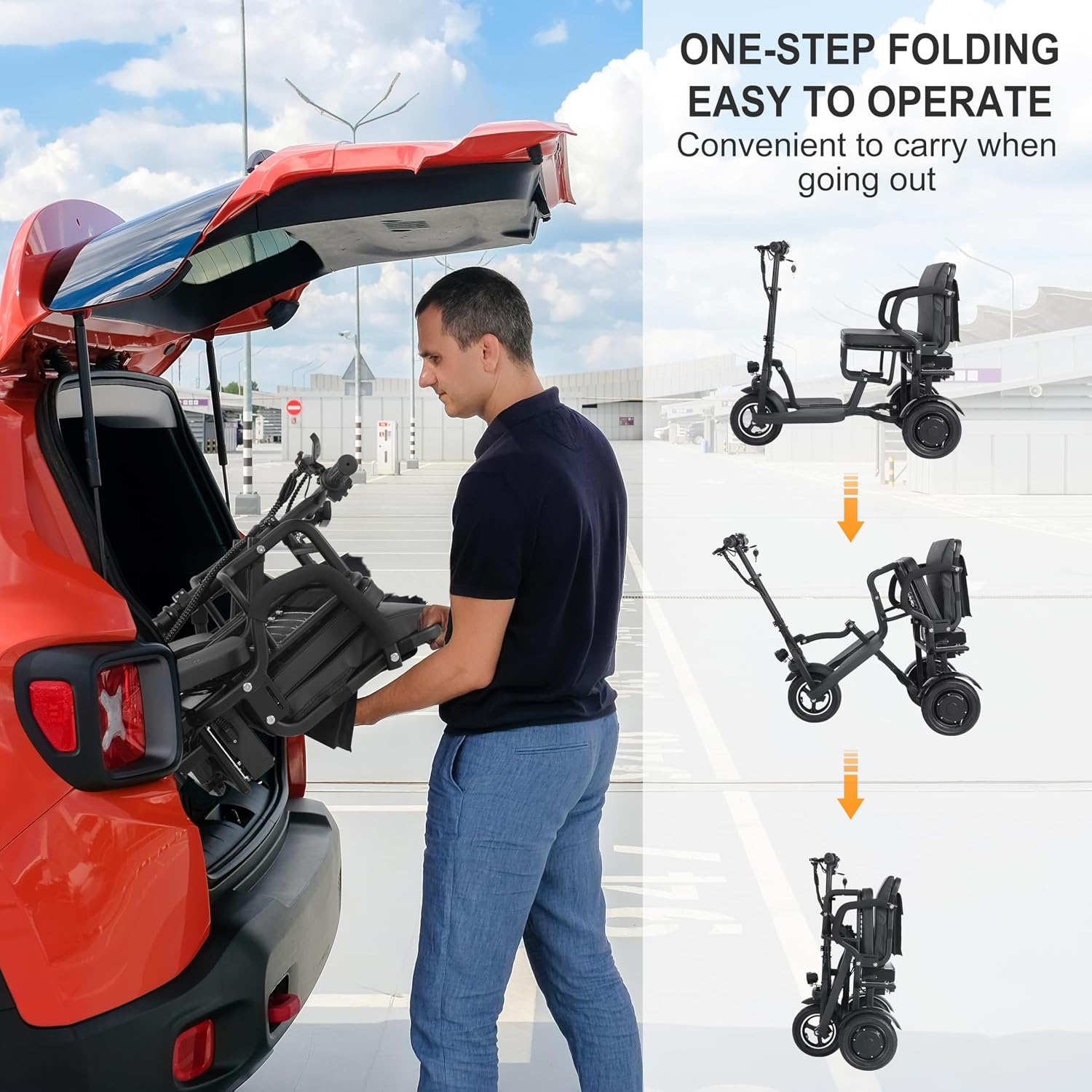
Image: The TopMate ES12 scooter is shown with an exploded view of its powerful 36V 250W motor, highlighting its 15 MPH max speed and 12 NM torque, capable of handling slopes up to 10 degrees.
Maintenance and Charging
1. Battery Charging and Care
The scooter features a removable 36V 10.4Ah lithium battery. It can be charged directly while installed in the scooter or removed for charging. Charging time is typically 5-6 hours for a full charge, providing a range of 17-20 miles.

Image: The removable lithium battery of the TopMate ES12 scooter is shown with two charging methods: directly on the scooter or removed for charging, detailing its 36V 10.4Ah capacity, 17-20 mile range, and 5-6 hour charging time.
Video: This video highlights the features and benefits of the lithium battery used in a mobility scooter, including its removal and charging process.
2. General Care
Regularly inspect tires for wear and proper inflation. Keep the scooter clean and dry. Store in a cool, dry place when not in use. Avoid exposing the scooter to extreme temperatures or direct sunlight for prolonged periods.
Troubleshooting
If you encounter any issues with your TopMate ES12 scooter, please refer to the following common troubleshooting tips:
- Scooter not turning on: Ensure the battery is fully charged, correctly inserted, and the key is turned to the "ON" position. Check all cable connections.
- Reduced range or power: The battery may need a full charge. Over time, battery capacity can decrease; consider battery replacement if performance significantly degrades.
- Unusual noises: Inspect wheels, brakes, and motor for any obstructions or loose parts. Contact customer support if the noise persists.
- Brake issues: Check brake cables for tension and wear. Ensure brake levers are not stuck.
For issues not listed here, please contact TopMate customer support.
Specifications
| Feature | Detail |
|---|---|
| Product Dimensions | 107D x 84W x 55H Centimetres |
| Material | Aluminum |
| Model Name | ES12 |
| Wheel Size | 10 Inches |
| Maximum Weight Recommendation | 136 Kilograms (300 lbs) |
| Brake Style | Drum |
| Maximum Speed | 15 Miles per Hour |
| Power Source | Battery Powered |
| Battery Type | 36V 10.4Ah Removable Lithium Battery |
| Charging Time | 5-6 Hours |
| Range per Charge | 17-20 Miles |
| Motor | 36V 250W (Peak 500W) |
| Torque | 12 NM |
| Climbing Ability | Up to 10 degrees |
| Special Features | Quick Folding, Lightweight & Space-Saving, Removable Battery, Ergonomic Seat with Integrated Storage, Detachable Basket |
| Is Assembly Required? | No (95% pre-assembled) |
Warranty Information
The TopMate ES12 3 Wheel Electric Scooter comes with a 2-year warranty. Please retain your proof of purchase for any warranty claims. The warranty covers manufacturing defects and malfunctions under normal use. It does not cover damage caused by misuse, accidents, unauthorized modifications, or normal wear and tear.
For detailed warranty terms and conditions, please refer to the documentation included with your product or contact TopMate customer support.
Customer Support
If you have any questions, require technical assistance, or need to make a warranty claim, please contact TopMate customer support through the retailer where you purchased the product or visit the official TopMate store on Amazon:
Visit the TopMate Store on Amazon
Please have your model number (ES12) and proof of purchase ready when contacting support.