
1. Product Overview
The Tonfarb A20 is a versatile digital voice recorder designed for high-quality audio capture and playback. It features advanced noise reduction, voice-activated recording, and extensive storage capacity, making it suitable for various applications such as lectures, meetings, interviews, and personal notes.

Image: Tonfarb A20 Digital Voice Recorder, showcasing its sleek design and compact size.
Key Features:
- PCM Recording & Automatic Noise Reduction: Equipped with dual noise reduction microphones for 1536 kbps PCM HD audio.
- 136GB Memory & Long Battery Life: 8GB built-in storage plus a 128GB TF card, offering up to 9000 hours of recording. 1100mAh battery provides up to 68 hours of continuous recording.
- One-Click Record and Save: Instant recording activation from a powered-off state.
- Easy-to-Use Interface: Simple navigation with a clear LCD screen and voice-activated recording (VOR).
- Portable and Durable Design: Lightweight (97 grams) with a sleek metal casing.
- Additional Functions: A-B repeat, MP3 player, password protection, timed recording, segment recording.
What's in the Package:

Image: The package contents, including the voice recorder, cables, TF card, and user manual.
- Digital Voice Recorder x 1
- 128GB TF Memory Card (pre-installed) x 1
- USB-C Cable x 1
- Line-in Cable x 1
- Mic Cable x 1
- User Manual x 1
2. Setup Guide
2.1 Charging the Device
Before first use, fully charge the device. Connect the provided USB-C cable to the recorder's USB-C port and the other end to a compatible USB power adapter (not included) or a computer's USB port. The battery indicator on the screen will show charging status.

Image: The voice recorder connected via USB-C cable for charging, highlighting its 1100mAh battery.
2.2 Power On/Off
- To power on: Slide the ON/OFF switch to the 'ON' position.
- To power off: Slide the ON/OFF switch to the 'OFF' position.
2.3 Initial Settings
Upon first power-on or after a factory reset, you may need to configure basic settings:
- Language: Navigate to 'Settings' and select 'Language' to choose your preferred language.
- Date & Time: Set the correct date and time for accurate file timestamps.
- Password Protection: For security, consider setting a password. Navigate to 'Settings' > 'Password Set'.

Image: The voice recorder screen showing the password input interface, emphasizing data security.
3. Operating Instructions
3.1 Recording Audio
- One-Click Recording: To start recording instantly, even when the device is off, slide the 'REC/SAVE' button upwards to the 'REC' position. The device will power on and begin recording.
- Saving a Recording: To stop recording and save the file, slide the 'REC/SAVE' button downwards to the 'SAVE' position.
- Voice Activated Recording (VOR): This feature allows the recorder to start recording automatically when sound is detected and pause when silence occurs. Activate VOR through the device's settings menu. You can set voice decibel levels at 5 different levels.

Image: Close-up of the voice recorder showing the 'One Click Recording/Save' switch on the side.

Image: The voice recorder screen displaying the Voice Activated Recording (VOR) icon, indicating the feature is active.
3.2 Playback
- Direct Playback: Use the built-in speaker for immediate playback.
- Headphone Playback: Connect headphones to the 3.5mm jack for private listening.
- A-B Repeat: During playback, press the 'A/B' button to mark a starting point (A) and an ending point (B) to repeatedly play a specific segment.

Image: The voice recorder screen illustrating the A-B repeat function, useful for reviewing specific audio sections.
3.3 File Management & Transfer
Connect the recorder to your computer using the USB-C cable to transfer recordings. The device will appear as a removable storage drive, allowing you to easily copy, move, or delete files.

Image: The voice recorder connected to a laptop via USB-C, demonstrating file transfer capabilities.
3.4 Additional Recording Modes
- Timed Recording: Schedule recordings to start and stop at specific times.
- Segment Recording: Automatically save recordings in segments of predefined lengths (e.g., 30, 60, 90, 120 minutes).

Image: The voice recorder screen displaying the timed recording feature, allowing users to schedule recordings.

Image: The voice recorder screen showing options for segment recording durations (30, 60, 90, 120 minutes).
3.5 MP3 Player Functionality
The device can also function as an MP3 player. Transfer MP3 files to the device's storage, and select the 'Music' option from the main menu to browse and play your audio files.
Video: A quick start guide demonstrating how to record and playback audio on the Tonfarb A20 Digital Voice Recorder, including basic controls and speaker usage.
Video: An unfiltered audio test of the Tonfarb A20 Digital Voice Recorder, demonstrating its sound capture capabilities in various noise reduction settings.
4. Maintenance
4.1 Battery Care
- To prolong battery life, avoid fully discharging the device frequently.
- Charge the device regularly, especially if it will be stored for an extended period.
- Use only the provided USB-C cable for charging.
4.2 Storage Management
- Regularly transfer important recordings to a computer or cloud storage to prevent data loss and free up space.
- The device supports WAV and MP3 formats. Choose the appropriate format based on your quality and storage needs.
- The included 128GB TF card can be replaced with another compatible microSD card if more storage is required.

Image: Icons representing MP3 and WAV recording formats, indicating the device's versatility.
4.3 Cleaning
Wipe the device with a soft, dry cloth. Avoid using liquid cleaners or abrasive materials that could damage the screen or casing.
5. Troubleshooting
- Device not powering on: Ensure the battery is charged. Connect to a power source and try again.
- Cannot record: Check if the 'REC/SAVE' switch is in the 'REC' position. Ensure there is sufficient storage space on the device or TF card.
- Poor audio quality: Ensure microphones are not obstructed. Adjust noise reduction settings. If using an external microphone, ensure it is properly connected.
- Playback issues: Check volume settings. Ensure headphones are properly connected if used.
- File transfer problems: Ensure the USB-C cable is securely connected to both the device and the computer. Try a different USB port or cable.
- Recording limits: Note that some devices may have file number limits per directory. If you encounter this, consider formatting the card or transferring files.
- 24/7 Recording: The device may not support continuous 24/7 recording even when plugged into a charger, as it might power off after a certain period.
6. Specifications
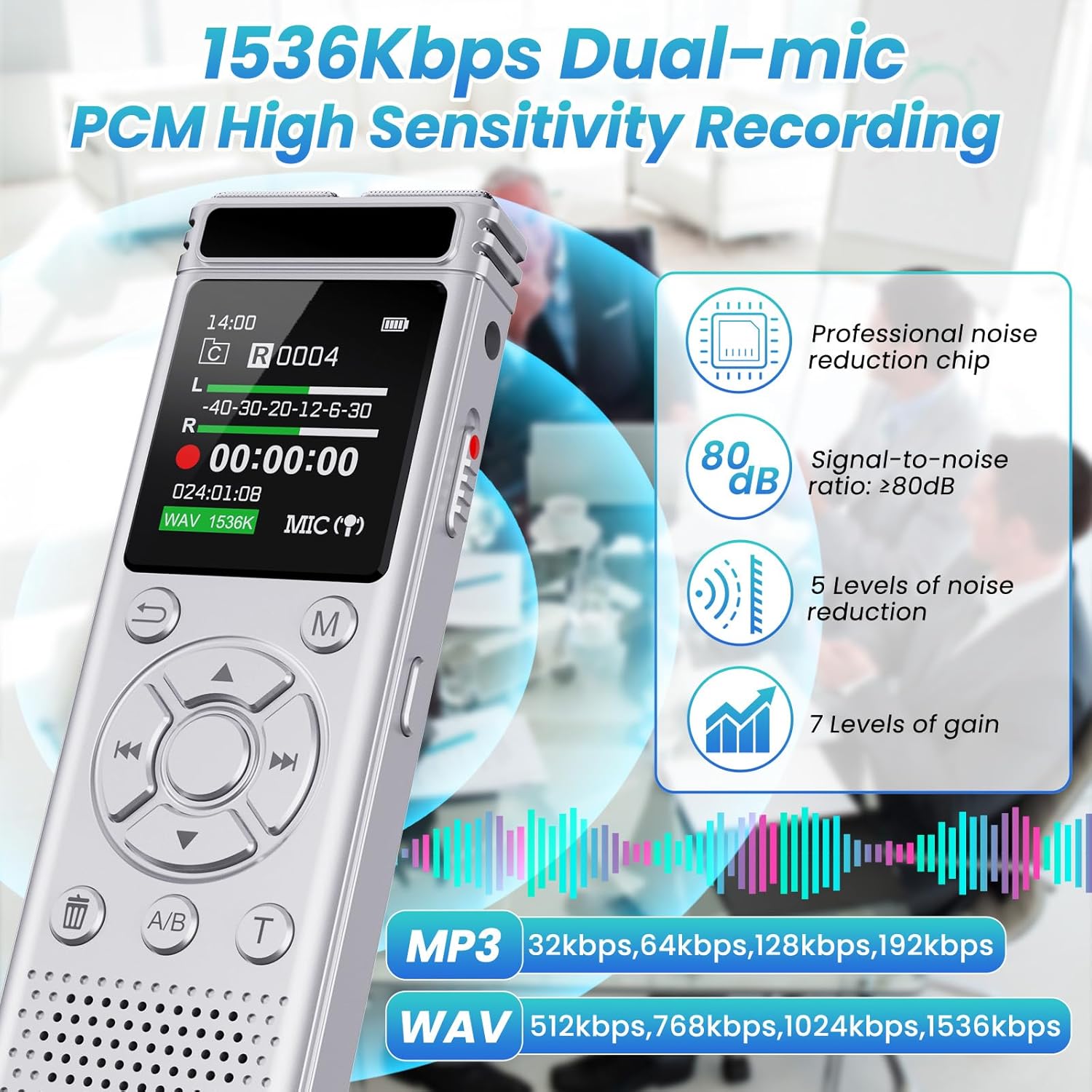
Image: The voice recorder displaying its physical dimensions, battery capacity, and memory details.
| Feature | Detail |
|---|---|
| Model Number | A20 |
| Memory Storage Capacity | 136 GB (8GB built-in + 128GB TF card) |
| Battery Capacity | 1100mAh rechargeable lithium battery |
| Battery Average Life | 68 Hours (continuous recording) |
| Recording Formats | MP3 Audio, WAV, WMA |
| Microphone Form Factor | Built-In (Dual Noise Reduction) |
| Microphone Operation Mode | Mono, Noise Cancellation |
| Hardware Interface | USB Type C |
| Headphones Jack | 3.5 millimeters |
| Screen Size | 1.44 Inches |
| Product Dimensions | 0.47"D x 1.45"W x 4"H |
7. Warranty and Support
7.1 Warranty Information
The Tonfarb A20 Digital Voice Recorder comes with a 2-year warranty from the date of purchase. This warranty covers manufacturing defects and malfunctions under normal use. Please retain your proof of purchase for warranty claims.
7.2 Customer Support
For technical assistance, troubleshooting, or warranty inquiries, please contact Tonfarb customer support through the retailer where you purchased the product or visit the official Tonfarb website for contact information.