
1. Introduction
The PhiloDeco 12000 BTU Mini Split Air Conditioner and Heater is a versatile climate control system designed for year-round comfort. This unit functions as an air conditioner, heat pump, dehumidifier, and fan, providing a comprehensive solution for spaces up to 750 square feet. Key features include Wi-Fi connectivity for remote operation, automatic defrost, self-diagnostics, a 24-hour timer, wind oscillation, sleep mode, and ECO mode for energy efficiency. Its inverter technology contributes to energy savings and quiet operation.

Figure 1.1: The PhiloDeco Mini Split offers 4-in-1 functionality: cooling down to 60°F, heating up to 90°F, dehumidification (42 pints per day), and 6 adjustable wind speeds.
2. Safety Information
Read all safety warnings and instructions carefully before installation and operation. Failure to follow these instructions may result in electric shock, fire, property damage, or personal injury.
- Professional Installation Required: This mini split system requires professional installation by a qualified technician. Do not attempt to install the unit yourself.
- Electrical Safety: Ensure the power supply matches the unit's specifications (115V). Do not use extension cords. All electrical work must comply with local and national electrical codes.
- Ventilation: Ensure proper ventilation around the outdoor unit to prevent overheating.
- Child Safety: Keep children away from the unit and remote control. Do not allow children to operate the appliance.
- No User-Serviceable Parts: Do not attempt to repair or modify the unit. Refer all servicing to qualified service personnel.
- Refrigerant: This unit contains refrigerant. Handle with care and ensure proper disposal according to environmental regulations.
3. Package Contents
Verify that all components are present and undamaged upon receipt. The system typically ships in two separate packages.
- Indoor Unit
- Outdoor Unit
- Multi-function Remote Control
- Complete Installation Kit (includes necessary lines and accessories for standard installation)
4. Setup and Installation
The PhiloDeco Mini Split Air Conditioner and Heater requires professional installation. Consult a certified HVAC technician for proper setup to ensure optimal performance and safety. The installation kit provided is for standard installations.
4.1 Placement Considerations
Before installation, consider the following:
- Indoor Unit: Ensure adequate space for air circulation and maintenance. Avoid placing near heat sources or direct sunlight.
- Outdoor Unit: Position on a stable, level surface with sufficient clearance for airflow. Avoid areas prone to excessive dust or debris.
- Drainage: Ensure proper drainage for condensate from both indoor and outdoor units.

Figure 4.1: Dimensions of the indoor and outdoor units. Outdoor unit: 30.98" W x 11.42" D x 19.61" H. Indoor unit: 30.59" W x 9.84" D x 7.91" H. These dimensions are crucial for planning installation space.
5. Operating Instructions
This section details how to operate your PhiloDeco Mini Split using the remote control and the mobile application.
5.1 Remote Control Overview
The multi-function remote control allows direct access to all operating modes and features.

Figure 5.1: The remote control displays current settings and provides buttons for various modes and features, including Auto, Cooling, Dry, Sleep, Fan, Heating, and ECO modes, along with 7 wind speeds and additional functions like Mute, Turbo, and Child-Lock.
- POWER Button: Turns the unit ON or OFF.
- MODE Button: Cycles through operating modes: Auto, Cooling, Dry, Sleep, Fan, Heating, ECO.
- TEMP UP/DOWN Buttons: Adjusts the desired temperature.
- FAN Button: Adjusts fan speed (Auto, Low, Low-Mid, Mid, Mid-High, High, Gentle).
- TURBO Button: Activates rapid cooling or heating for quick temperature changes.
- TIMER Button: Sets the 24-hour ON/OFF timer.
- SWING Buttons: Controls vertical and horizontal louver movement for air distribution.
- SLEEP Button: Activates Sleep Mode for quiet operation and energy saving during sleep.
- DISPLAY Button: Turns the indoor unit's display ON or OFF.
- I FEEL Button: Activates the 'I FEEL' function, which senses the temperature at the remote's location for more precise comfort.
- MUTE Button: Silences operational beeps.
- CHILD-LOCK Button: Locks the remote control to prevent accidental changes.
5.2 Wi-Fi and App Control
The unit can be controlled remotely via the SmartLife-SmartHome mobile application.
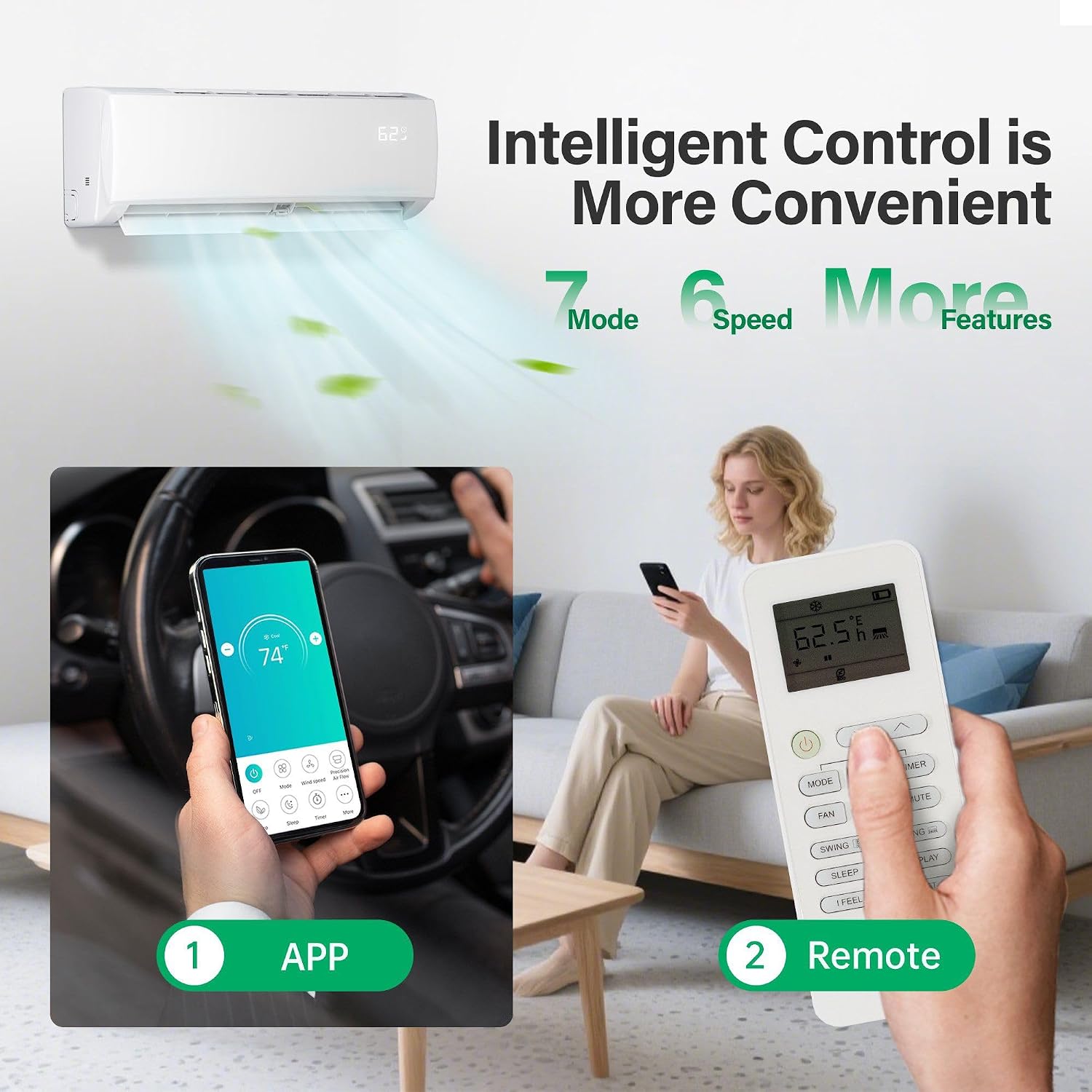
Figure 5.2: The PhiloDeco Mini Split can be controlled via a mobile application (left) or the included remote control (right), offering convenient temperature management from anywhere.
- Download the SmartLife-SmartHome application from your mobile device's app store.
- Follow the in-app instructions to register an account and add your PhiloDeco Mini Split unit. This typically involves putting the unit into pairing mode and connecting it to your home Wi-Fi network.
- Once connected, you can adjust settings, change modes, set schedules, and monitor the unit from your smartphone or tablet.
5.3 Operating Modes
- Auto Mode: The unit automatically selects the appropriate operating mode (cooling, heating, or fan) based on the ambient temperature and your set temperature.
- Cooling Mode: Provides cooling to lower the room temperature. Ideal for warm conditions.
- Heating Mode: Provides heating to raise the room temperature using the heat pump function. Effective in cold conditions.
- Dry (Dehumidification) Mode: Reduces humidity in the room without significant temperature change.
- Fan Mode: Circulates air without cooling or heating. Fan speed can be adjusted.
- Sleep Mode: Optimizes temperature and fan speed for comfortable sleep while reducing energy consumption and noise. The display can be turned off in this mode.
- ECO Mode: Operates the unit at an energy-efficient setting to minimize power consumption.
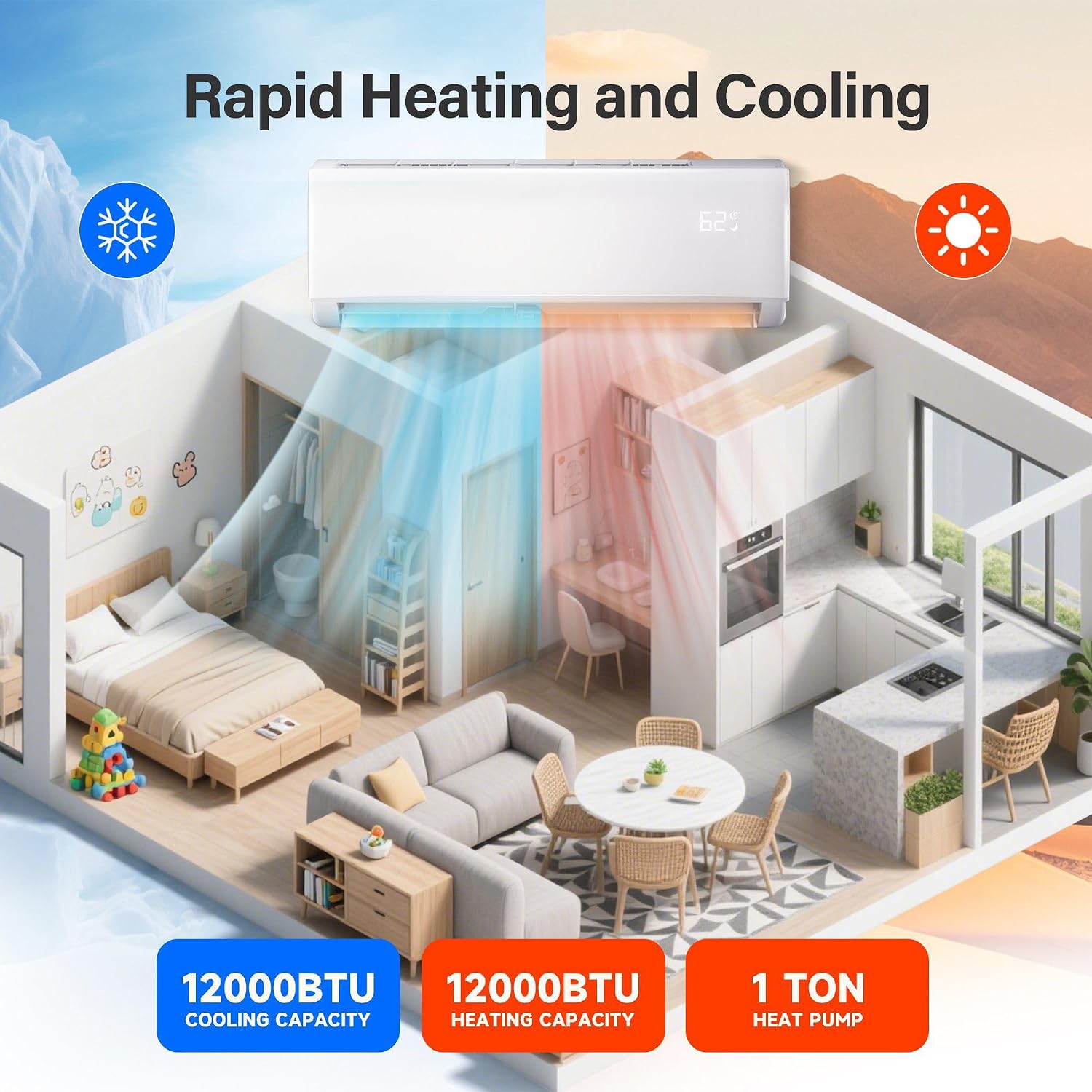
Figure 5.3: The PhiloDeco Mini Split provides both rapid heating and cooling capabilities, with a 12000 BTU cooling capacity and a 12000 BTU heating capacity (1 Ton Heat Pump).
5.4 Special Features
- Ultra-quiet Operation: Operates at 29 decibels at low speeds, ensuring a quiet environment.
- 24-Hour Timer: Program the unit to turn ON or OFF automatically at set times.
- Auto Defrost: Improves energy efficiency and extends unit lifespan by automatically defrosting the outdoor coil when necessary.
- Self-Diagnostics: The system can detect and display error codes to assist in troubleshooting.
- Wind Oscillation: Automatic up-down and left-right swing of the louvers for even air distribution.

Figure 5.4: The unit features a Sleep Mode for quiet operation, producing only 29dB of noise, comparable to falling leaves (10dB) and significantly quieter than a quiet office (40dB) or speech (55dB).
6. Maintenance
Regular maintenance ensures efficient operation and extends the lifespan of your unit. Always turn off the power supply before performing any maintenance.
6.1 Air Filter Cleaning
The air filter should be cleaned regularly, typically every two weeks, or more frequently depending on usage and air quality.
- Open the front panel of the indoor unit.
- Carefully remove the air filters.
- Wash the filters with lukewarm water and a mild detergent. Rinse thoroughly.
- Allow the filters to air dry completely before reinstalling them. Do not expose to direct sunlight or heat.
- Reinsert the dry filters and close the front panel.
6.2 General Cleaning
- Wipe the indoor unit's exterior with a soft, damp cloth. Do not use harsh chemicals or abrasive cleaners.
- Keep the area around the outdoor unit clear of debris, leaves, and other obstructions to ensure proper airflow.
- Periodically check the condensate drain line for blockages.
7. Troubleshooting
If you encounter issues with your PhiloDeco Mini Split, refer to the following basic troubleshooting steps. For complex problems or error codes, contact customer support.
- Unit Not Turning On: Check the power supply, circuit breaker, and remote control batteries.
- Insufficient Cooling/Heating: Ensure air filters are clean, doors/windows are closed, and the set temperature is appropriate for the desired mode. Check for obstructions around the outdoor unit.
- Unusual Noises: Minor noises during operation are normal. If you hear loud or unusual noises, turn off the unit and contact support.
- Water Leakage: Check if the condensate drain line is blocked or improperly installed.
- Remote Control Not Working: Replace batteries. Ensure there are no obstructions between the remote and the indoor unit.
8. Specifications
Detailed technical specifications for the PhiloDeco 12000 BTU Mini Split Air Conditioner & Heater.
| Feature | Specification |
|---|---|
| Brand | PHILODECO |
| Model Name/Number | FT12000BTU |
| Cooling Power | 12000 BTU |
| Heating Capacity | 12000 BTU (Heat Pump) |
| Seasonal Energy Efficiency Ratio (SEER2) | 17 |
| Heating Seasonal Performance Factor (HSPF2) | 9.5 |
| Voltage | 115V (110 volts_of_alternating_current) |
| Noise Level (Low Speed) | 29 dB |
| Coverage Area | Up to 750 sq. ft. |
| Indoor Unit Dimensions (D x W x H) | 9.84"D x 30.59"W x 7.91"H |
| Outdoor Unit Dimensions (D x W x H) | 11.42"D x 30.98"W x 19.61"H |
| Item Weight | 62 pounds |
| Control Method | Remote, App (SmartLife-SmartHome) |
| Special Features | Inverter Compressor, Auto Defrost, Self-Diagnostics, 24-Hour Timer, Sleep Mode, ECO Mode, Wi-Fi Enabled |

Figure 8.1: The 17 SEER2 rating of the PhiloDeco Mini Split indicates significant energy savings, up to 36% compared to a 14 SEER2 unit.
9. Warranty and Support
PhiloDeco provides comprehensive support for your mini split system.
- Warranty: A 5-year limited warranty is provided from the date of purchase.
- Return Policy: A 30-day no-excuses return policy is available.
- Technical Support: Lifetime technical support is offered for the product.
- Contact: For any future problems or technical assistance, please refer to the after-sales service email provided in your physical user manual.