
1. Introduction
Thank you for choosing the Viamotion Walking Pad Treadmill. This compact and portable treadmill is designed to help you maintain an active lifestyle from the comfort of your home or office. Featuring an adjustable incline, a sturdy handle bar, and quiet operation, it offers a convenient way to walk or jog. Please read this manual thoroughly before use to ensure proper setup, operation, and maintenance.
2. Safety Information
- Always place the treadmill on a flat, stable surface.
- Ensure adequate clearance around the treadmill during operation.
- Do not exceed the maximum weight capacity of 265 pounds.
- Keep children and pets away from the treadmill during operation.
- Always hold onto the handle bar for stability, especially when starting or stopping.
- Wear appropriate athletic footwear.
- If you feel dizzy, lightheaded, or experience any pain, stop exercising immediately.
- Unplug the treadmill when not in use or before cleaning/maintenance.
3. What's in the Box
Your Viamotion Walking Pad Treadmill package includes:
- Walking Pad with Handle Bar
- Remote Control
- Power Cord
- Lubricant
- User Manual
4. Setup
The Viamotion Walking Pad Treadmill comes largely pre-assembled. Follow these steps for quick setup:
4.1 Unpacking and Initial Placement
Carefully remove the treadmill from its packaging. Place it on a level surface where you intend to use it. Ensure the power cord can reach an outlet without being stretched.
4.2 Handle Bar Assembly
The handle bar is pre-attached and folds up. Lift the handle bar into its upright position. Secure it by tightening the quick-release levers on both sides until the bar is firm and stable.

Image: Hand tightening the quick-release lever to secure the handle bar.
4.3 Phone/Tablet Stand Attachment
Attach the phone/tablet stand to the top of the handle bar using the provided screws and screwdriver. Ensure it is securely fastened.

Image: Illustration of attaching the phone/tablet stand to the handle bar.
4.4 Adjustable Incline Setup
The treadmill features a 4-degree adjustable incline. To activate the incline, locate the elevation stands at the rear of the treadmill. Manually adjust these stands to raise the rear of the walking pad, creating the desired incline. Ensure both sides are set evenly for stability.

Image: The Viamotion Walking Pad Treadmill with an arrow indicating the 0-4 degree incline adjustment.
5. Operating Instructions
5.1 Powering On/Off
Plug the power cord into a grounded electrical outlet. Locate the red power switch on the side of the treadmill and flip it to the 'ON' position. The LED display will illuminate.
5.2 Using the Remote Control
The treadmill is operated via the included remote control. Ensure the remote has working batteries (2 AAA batteries, not always included).
- Power Button: Press to turn the treadmill on or off.
- Start/Pause Button (Play/Pause icon): Press to start or pause the walking belt.
- Speed Adjustment (+/-): Use the '+' button to increase speed and the '-' button to decrease speed. The speed range is 0.6 to 3.8 MPH.
- Mode Button (M): Press to cycle through different display metrics (Time, Distance, Calories) or to set preset workout goals (e.g., 30 minutes, 5 miles, 100 calories).

Image: The treadmill's LED display and remote control.
5.3 Display Metrics
The clear LED display continuously tracks and shows the following exercise data:
- Time: Duration of your workout.
- Speed: Current walking/running speed in MPH.
- Distance: Total distance covered.
- Calories: Estimated calories burned.
5.4 Usage Modes
The treadmill supports various modes of use:
- Working Mode: 0.6-1.5 MPH, ideal for use under a standing desk.
- Walking Mode: 1.5-3.0 MPH, suitable for brisk walking.
- Running Mode: 3.0-3.8 MPH, for light jogging.

Image: Visual representation of the three usage modes.
6. Maintenance
6.1 Lubrication
Regular lubrication of the running belt is crucial for optimal performance and longevity. Use the provided lubricant.
- Lift one side of the running belt.
- Apply a small amount of lubricant to the running board underneath the belt.
- Repeat on the other side.
- Run the treadmill at a low speed for a few minutes to spread the lubricant evenly.
Frequency:
- Less than 3 hours/week: Every 5 months
- 3-7 hours/week: Every 3 months
- More than 7 hours/week: Every 2 months
6.2 Cleaning
Wipe down the treadmill with a damp cloth after each use. Avoid using abrasive cleaners or solvents.
7. Storage
The Viamotion Walking Pad Treadmill features a convenient foldable design for easy storage.
- Ensure the treadmill is powered off and unplugged.
- Loosen the quick-release levers on the handle bar.
- Gently fold the handle bar down towards the deck.
- The treadmill can then be stored upright against a wall or slid under a bed or sofa, occupying less than 0.5 square meters of space.
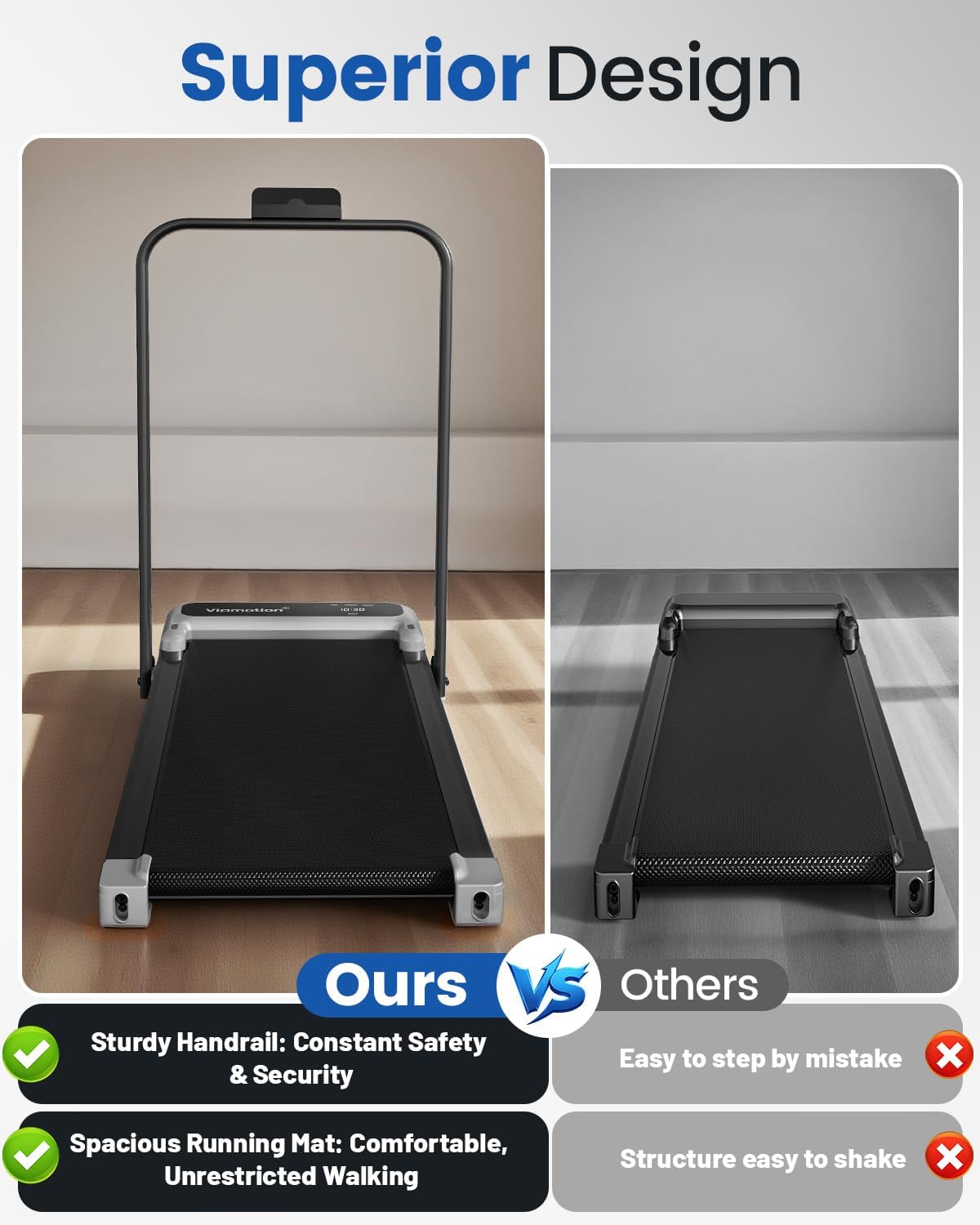
Image: The treadmill in its folded state, being stored under a sofa.
8. Specifications
| Feature | Detail |
|---|---|
| Brand | Viamotion |
| Model Name | Incline Walking pad |
| Color | Silver |
| Product Dimensions | 45.53"D x 21.17"W x 40.47"H |
| Item Weight | 18 Kilograms |
| Material | Plastic |
| Maximum Speed | 3.8 Miles per Hour |
| Maximum Horsepower | 2.5 Horsepower |
| Maximum Incline Percentage | 4% (Manual) |
| Maximum Weight Recommendation | 265 Pounds |
| Special Features | Adjustable Speed, Handle Bar, Manual Incline, Portable, Quiet Operation |
| Power Source | Corded Electric |
| Assembly Required | No (Minimal setup) |
9. Troubleshooting
- Treadmill not turning on: Check if the power cord is securely plugged into both the treadmill and the wall outlet. Ensure the red power switch on the side is in the 'ON' position.
- Belt not moving: Ensure the remote control batteries are functional. Press the 'Start' button on the remote. If the belt still doesn't move, check for any obstructions.
- Unusual noise: Ensure the treadmill is on a flat surface. Check if the running belt requires lubrication (refer to Maintenance section). Tighten any loose bolts.
- Remote control not responding: Replace the batteries in the remote control. Ensure there are no obstructions between the remote and the treadmill's sensor.
10. Warranty and Support
The Viamotion Walking Pad Treadmill comes with a one-year motor warranty. For any questions, concerns, or warranty claims, please contact our professional local customer service team. We are committed to ensuring your shopping experience is worry-free.
Please refer to the warranty card included in your package for detailed terms and conditions.
