
Supreme Trimmer ST5190
Supreme Trimmer T-Shaper ST5190 Cordless Hair Trimmer User Manual
Model: ST5190
1. Product Overview
The Supreme Trimmer T-Shaper ST5190 is a cordless beard and hair trimmer designed for precise grooming. It features a quiet yet powerful DC motor, making it suitable for various hair types and sensitive skin. Its lightweight and ergonomic design ensures comfort and control for detailed trimming, lining, and debulking.

Image: The Supreme Trimmer T-Shaper ST5190, showcasing its sleek design and T-blade.
2. Safety Information
Please read all instructions carefully before using the trimmer to ensure safe operation and to prevent injury or damage.
- Keep the appliance dry. Do not use it near water or in wet conditions.
- Do not immerse the trimmer in water or any other liquid.
- Keep out of reach of children.
- Always inspect the blades before use. Do not use if blades are damaged or broken.
- Use only the charging cable provided with the trimmer.
- Unplug the trimmer before cleaning.
- Do not attempt to repair the appliance yourself. Contact customer support for assistance.
3. Package Contents
Your Supreme Trimmer T-Shaper ST5190 package includes:
- Supreme Trimmer T-Shaper ST5190
- 8 Trimming Guides
- USB Charging Cord
- Cleaning Brush
- Mini Oil Bottle
- Clear Blade Cover
- Red Blade Guard
- Travel Pouch

Image: The Supreme Trimmer T-Shaper ST5190 shown with included accessories like scissors and a wooden comb.
4. Product Features
- Sensitive Skin Friendly: Quiet yet powerful DC motor, suitable for all hair types and sensitive skin.
- Zero-Gap DLC Blade: Precision-engineered Diamond-Like Carbon (DLC) blade for smooth, snag-free cutting and sharp lines. Replaceable (model TBD52, sold separately).
- 120-Minute Cordless Use: Upgraded lithium battery provides up to 2 hours of runtime.
- Travel-Ready & Lightweight: Weighs 4.5 oz, compact, portable, and supports worldwide voltage (100-240V).
- LED Light Battery Indicator: Provides clear indication of battery status.
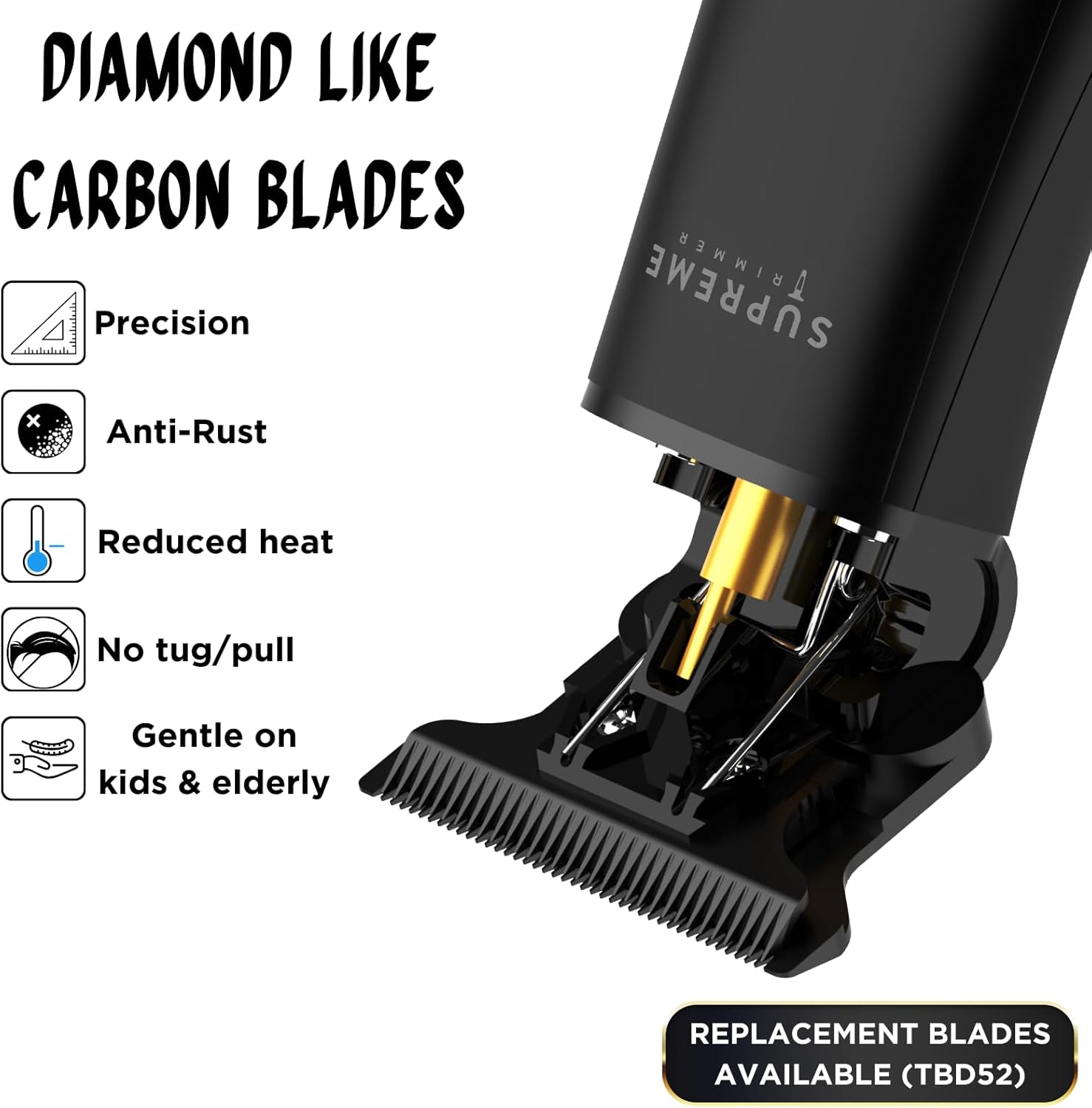
Image: Close-up of the Diamond-Like Carbon (DLC) blades, highlighting precision, anti-rust, reduced heat, no tug/pull, and gentleness.

Image: Two views of the trimmer demonstrating its ergonomic and lightweight design.
5. Setup
- Unpack: Carefully remove all components from the packaging.
- Inspect: Check the trimmer and all accessories for any signs of damage.
- Initial Charge: Before first use, fully charge the trimmer for optimal battery performance. Refer to the 'Charging' section for details.
- Blade Check: Ensure the blade is securely attached and clean.
6. Charging
The T-Shaper ST5190 features a lithium battery providing up to 120 minutes of cordless use.
- Connect the USB charging cord to the trimmer's charging port.
- Plug the other end of the USB cable into a compatible USB power adapter (not included) or a USB port.
- The LED light indicator will show the charging status. A full charge typically takes approximately 2 hours.
- Once fully charged, disconnect the trimmer from the power source.

Image: The trimmer connected to its two-prong charger, indicating its rechargeable and worldwide voltage compatibility.
7. Operating Instructions
General Trimming
- Ensure the trimmer is charged.
- Select the desired trimming guide (comb attachment) and securely attach it to the blade. For zero-gap trimming, do not use a guide.
- Press the power button to turn on the trimmer.
- Hold the trimmer at a slight angle against the skin and move it slowly against the direction of hair growth.
- For detailed work or lining, use the trimmer without a guide, holding the blade flat against the skin for precise edges.
- After use, turn off the trimmer and clean it as described in the 'Maintenance and Cleaning' section.

Image: Trimmer being used to shape a beard.

Image: Trimmer being used to define a neckline.

Image: Trimmer being used for detailing on the back of the head.
8. Maintenance and Cleaning
Regular cleaning and maintenance will prolong the life of your trimmer and ensure optimal performance.
- Turn Off: Always ensure the trimmer is turned off and unplugged before cleaning.
- Remove Hair: Use the provided cleaning brush to brush away any loose hairs from the blades and the trimmer head.
- Oil Blades: Apply a few drops of the included mini oil bottle to the blades after every few uses. Turn on the trimmer for a few seconds to distribute the oil evenly. This helps maintain blade sharpness and reduces friction.
- Wipe Body: Wipe the body of the trimmer with a clean, dry cloth. Do not use harsh chemicals or abrasive cleaners.
- Storage: Store the trimmer and its accessories in the travel pouch in a cool, dry place.
9. Troubleshooting
| Problem | Possible Cause | Solution |
|---|---|---|
| Trimmer does not turn on. | Battery is depleted. | Charge the trimmer fully. |
| Trimmer is not cutting effectively. | Blades are dull or clogged with hair. | Clean and oil the blades. Consider replacing the blade (model TBD52). |
| Trimmer makes unusual noise. | Blades need oiling or are misaligned. | Oil the blades. If noise persists, contact customer support. |
| Trimmer pulls hair. | Blades are dull, dirty, or not properly oiled. | Clean and oil the blades. Ensure blades are sharp. |
10. Specifications
- Model: ST5190
- Power Source: Battery Powered; Corded/Cordless
- Battery Type: Lithium-Ion
- Run Time: Up to 120 minutes
- Charging Time: Approximately 2 hours
- Blade Material: DLC Coated
- Minimum Cutting Length: 0.5 millimeters
- Connector Type: USB
- Item Weight: 15 ounces
- Material Type: Acrylonitrile Butadiene Styrene
- Color: Black
- Manufacturer: Supreme Trimmer
- UPC: 810161310012
11. Warranty and Support
For warranty information or technical support, please refer to the documentation included with your purchase or visit the official Supreme Trimmer website. If you encounter any issues not covered in this manual, please contact Supreme Trimmer customer service for assistance.
You can visit the Supreme Trimmer Store on Amazon for more product information and support resources.
Related documentsST5190

Ask a question about this manual
Ask about setup, troubleshooting, compatibility, parts, safety, or missing instructions. Manuals+ will review the question and use this page’s manual context to help answer it.