
Introduction
Thank you for choosing the Boytond Q58 Ultra Open Ear Earbuds. These earbuds are designed to provide a comfortable and immersive audio experience while keeping you aware of your surroundings. This manual will guide you through the setup, operation, and maintenance of your new earbuds to ensure optimal performance.
Product Overview
The Boytond Q58 earbuds feature an innovative open-ear design, ensuring comfort for extended wear without blocking ambient sounds. They are lightweight and designed for a secure fit.
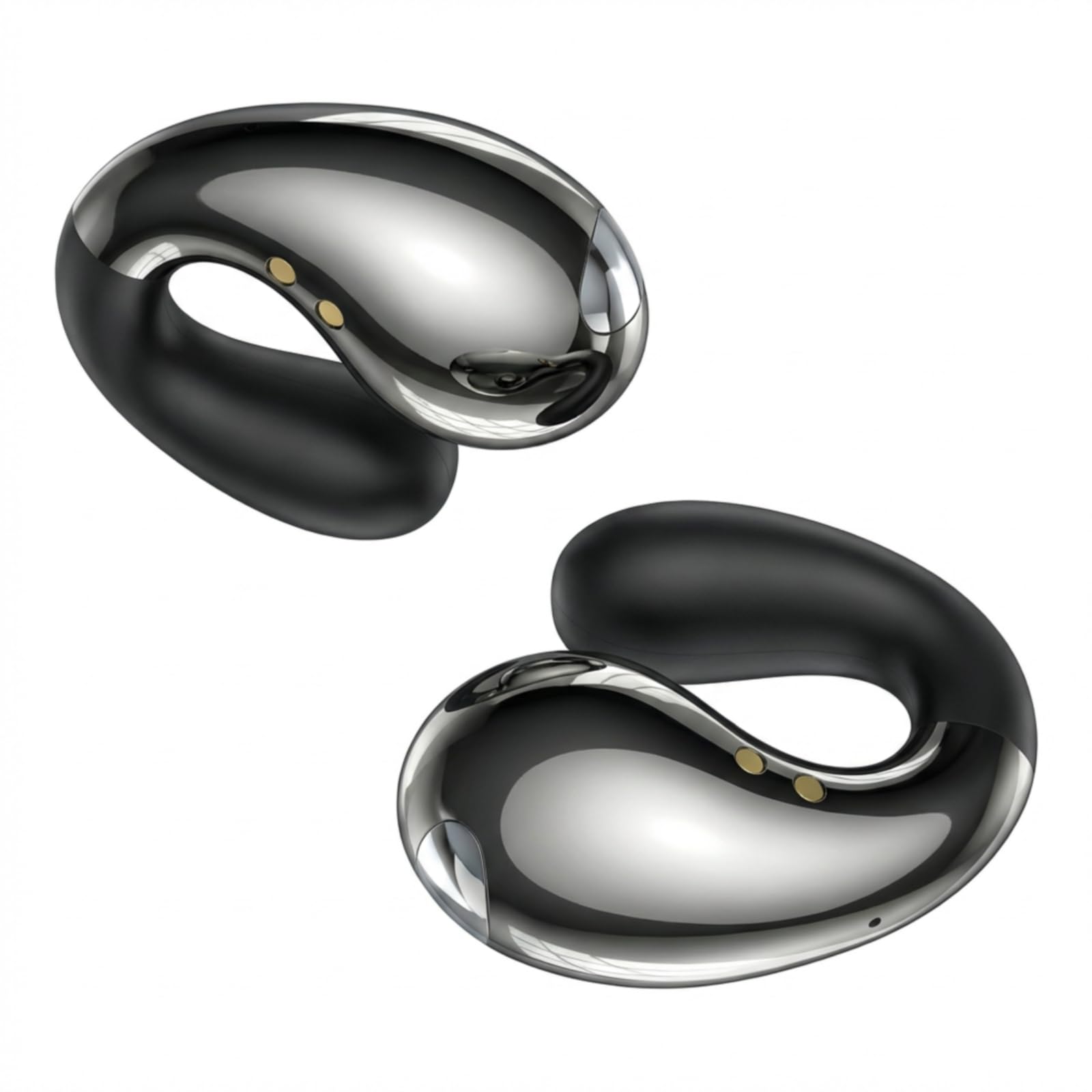
Image: Boytond Q58 Ultra Open Ear Earbuds in their charging case.
Key Features:
- Open-Ear Design: Allows you to hear your music and your surroundings simultaneously.
- Lightweight Comfort: Each earbud weighs only 5g, designed for pressure-free wear.
- Bluetooth 5.3: Provides stable and fast wireless connectivity.
- Touch Control: Intuitive touch sensors for managing audio and calls.
- Waterproof: Suitable for various activities, including exercise.

Image: A close-up of a single Boytond Q58 earbud, highlighting its ergonomic and lightweight design.
Setup
1. Charging the Earbuds and Case
Before first use, fully charge the earbuds and the charging case. Connect the charging case to a USB power source using the provided USB-C cable. The digital display on the case will show the battery percentage.

Image: The Boytond Q58 charging case connected to a power source, showing the digital battery display at 100%.
- Earbud Playtime: Up to 10 hours on a single charge.
- Total Playtime with Charging Case: Up to 50 hours.
- Fast Charging: 5 minutes of charge provides 1 hour of playback.
2. Pairing with Your Device
- Open the charging case. The earbuds will automatically enter pairing mode.
- On your device (smartphone, tablet, laptop), enable Bluetooth.
- Search for available Bluetooth devices and select "Boytond Q58" (or similar name).
- Once connected, you will hear a confirmation tone, and the earbuds will be ready for use.

Image: Boytond Q58 earbuds seamlessly connected to both a smartphone and a laptop, demonstrating multi-device compatibility.
Operating Instructions
Wearing the Earbuds
Gently clip the earbuds onto your ears. The flexible design allows for adjustment to ensure a comfortable and secure fit for various ear shapes and sizes. Ensure the sound outlet is positioned correctly towards your ear canal for optimal audio.

Image: A woman wearing the Boytond Q58 Ultra Open Ear Earbuds, demonstrating their discreet and comfortable fit.
Touch Controls
The Boytond Q58 earbuds feature intuitive touch controls on each earbud for easy management of music and calls.

Image: A diagram illustrating the touch control areas on the Boytond Q58 earbuds.
| Action | Control |
|---|---|
| Answer Call | Tap either headset x1 |
| Hang Up Call | Tap either headset x1 |
| Pause Music | Tap either headset x1 |
| Play Music | Tap either headset x1 |
| Previous Song | Tap either headset x3 |
| Next Song | Tap either headset x2 |
Maintenance
To ensure the longevity and optimal performance of your Boytond Q58 earbuds, follow these maintenance guidelines:
- Cleaning: Regularly wipe the earbuds and charging case with a soft, dry, lint-free cloth. Do not use harsh chemicals or abrasive materials.
- Storage: When not in use, store the earbuds in their charging case to protect them from dust and damage.
- Avoid Extreme Conditions: Do not expose the earbuds to extreme temperatures, humidity, or direct sunlight for prolonged periods.
- Water Resistance: While waterproof, avoid submerging the earbuds in water for extended periods. Dry them thoroughly if they get wet.
Troubleshooting
If you encounter any issues with your Boytond Q58 earbuds, please refer to the following common solutions:
| Problem | Solution |
|---|---|
| Earbuds not pairing | Ensure earbuds are charged. Turn off and on Bluetooth on your device. Forget the device in Bluetooth settings and re-pair. |
| No sound from one earbud | Place both earbuds back in the case, close it, then reopen to reset. Check device audio balance settings. |
| Charging issues | Ensure the charging cable is securely connected. Clean charging contacts on earbuds and case. Try a different USB port or cable. |
| Poor sound quality | Ensure earbuds are properly positioned on your ears. Move closer to your connected device to avoid interference. |
| Touch controls unresponsive | Ensure your fingers are clean and dry. Try resetting the earbuds by placing them in the case and closing it. |
If the issue persists, please contact customer support for further assistance.
Specifications
| Feature | Detail |
|---|---|
| Brand | Boytond |
| Model Number | S30i |
| Ear Placement | Open Ear |
| Form Factor | On Ear |
| Noise Control | None |
| Control Method | Touch |
| Battery Average Life | 10 Hours (earbuds), 50 Hours (with charging case) |
| Water Resistance Level | Waterproof |
| Connectivity Technology | Wireless (Bluetooth) |
| Bluetooth Version | 5.3 |
| Compatible Devices | Smartphones, Tablets, Laptops, Desktops, Bluetooth-enabled Devices |
Official Product Video
Video: An official product video showcasing the Boytond Q58 Ultra Open Ear Earbuds, highlighting their lightweight design, comfortable fit, and aesthetic appeal. The video demonstrates the earbuds being worn during daily activities, emphasizing their seamless integration into a user's lifestyle.
Warranty and Support
Boytond products come with a standard manufacturer's warranty. For detailed warranty information, product support, or to report any issues, please refer to the contact information provided with your product packaging or visit the official Boytond website.
For additional assistance, you may also refer to the seller's support channels.