
Introduction
The Ultrapods Pro True Wireless Headphones are designed to provide a high-quality audio experience with convenience and freedom of movement. These earbuds feature Hi-Res sound technology, extended battery life, and intuitive touch controls. This manual provides essential information for setting up, operating, and maintaining your Ultrapods Pro headphones.
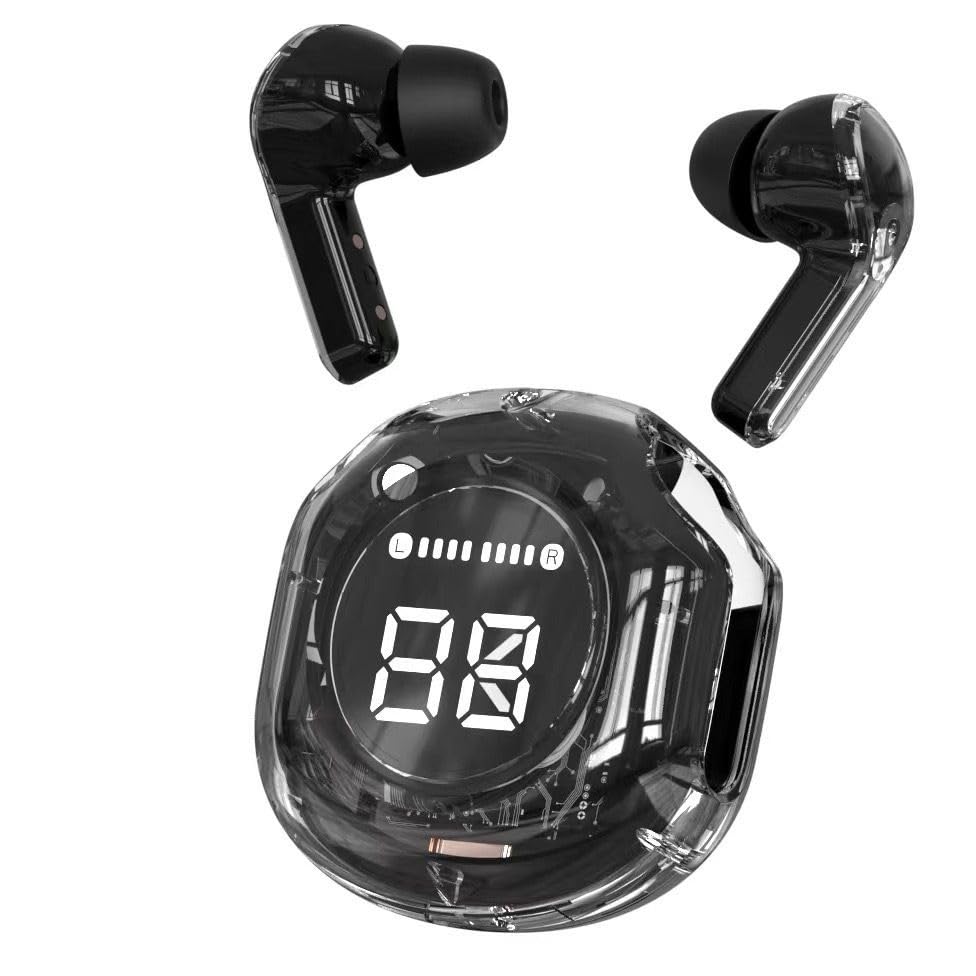
Image: Ultrapods Pro True Wireless Headphones and their charging case.
Package Contents
Please check the package for the following items:
- Ultrapods Pro Wireless Earbuds (2 units)
- Charging Case with LED Display
- USB Type-C Charging Cable
- User Manual

Image: Retail packaging box for Ultrapods Pro, showing the earbuds and charging case.
Product Overview
The Ultrapods Pro consist of two true wireless earbuds and a portable charging case. The charging case features a clear design and an LED display to show battery status.
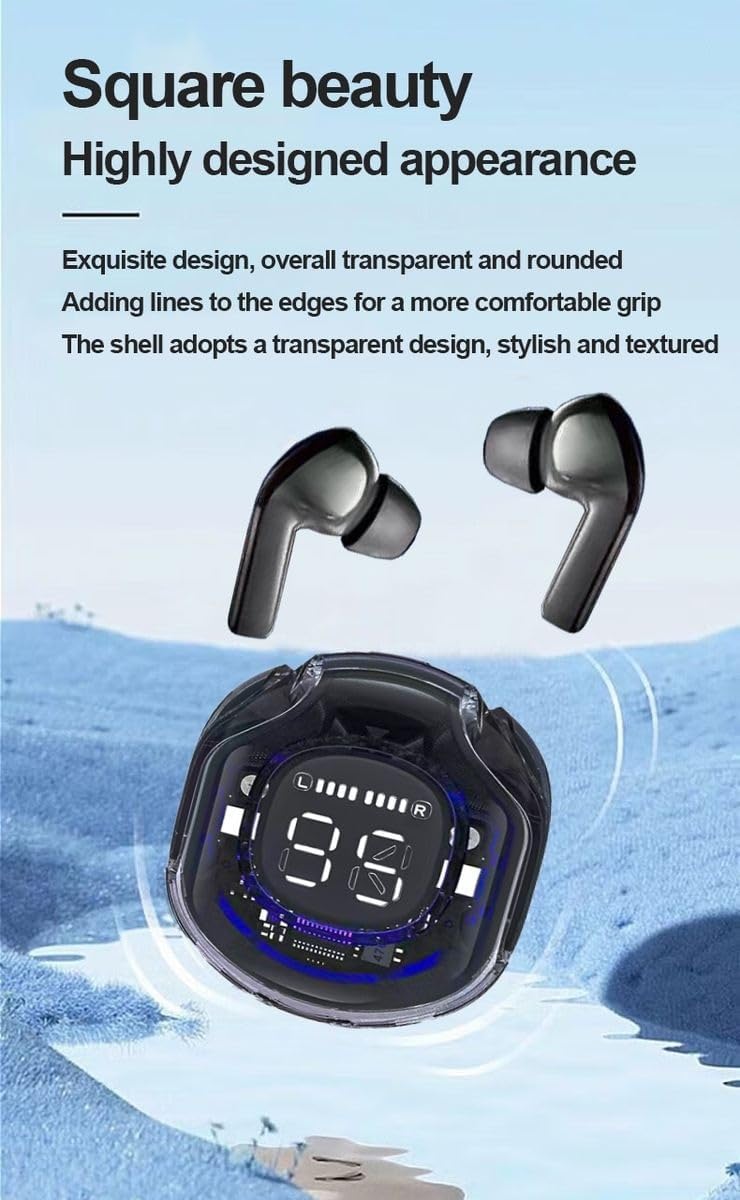
Image: Close-up of Ultrapods Pro earbuds and the charging case, highlighting the digital LED display.
Earbud Components:
- Touch Control Area: For managing music playback, calls, and voice assistant.
- Microphone: For calls and voice commands.
- Charging Contacts: Located at the bottom of each earbud.
Charging Case Components:
- Earbud Charging Slots: Securely hold and charge the earbuds.
- LED Digital Display: Shows the battery level of the charging case and individual earbuds.
- USB Type-C Charging Port: For recharging the case.
Setup
1. Charging the Earbuds and Case
Before first use, fully charge the Ultrapods Pro and their charging case.
- Place the earbuds into the charging case. Ensure the charging contacts align.
- Connect the provided USB Type-C cable to the charging port on the case and to a USB power source (e.g., wall adapter, computer).
- The LED display on the case will indicate the charging status. A full charge typically takes approximately 2 hours.
- Once fully charged, disconnect the charging cable. The case can provide multiple charges to the earbuds on the go.

Image: Ultrapods Pro earbuds securely placed inside their charging case.
2. Pairing with a Bluetooth Device
The Ultrapods Pro use Bluetooth 5.3 for a stable and efficient wireless connection.
- Open the charging case. The earbuds will automatically enter pairing mode.
- On your device (smartphone, tablet, laptop), enable Bluetooth and search for available devices.
- Select "Ultrapods Pro" from the list of found devices.
- Once connected, you will hear a confirmation tone, and the earbuds will be ready for use.
- The connection range is approximately 10 meters (33 feet) in an open environment.
Operating Instructions
The Ultrapods Pro feature intuitive touch controls on each earbud.
Music Playback:
- Play/Pause: Single tap on either earbud.
- Next Track: Double tap on the right earbud.
- Previous Track: Double tap on the left earbud.
- Volume Up: Triple tap on the right earbud.
- Volume Down: Triple tap on the left earbud.
Call Management:
- Answer/End Call: Single tap on either earbud.
- Reject Call: Press and hold either earbud for 2 seconds.
Voice Assistant:
- Activate Voice Assistant: Press and hold either earbud for 3 seconds (e.g., Siri, Google Assistant).
Maintenance
Proper maintenance ensures the longevity and optimal performance of your Ultrapods Pro.
- Cleaning: Regularly clean the earbuds and charging case with a soft, dry, lint-free cloth. Do not use harsh chemicals or abrasive materials.
- Charging Contacts: Ensure the charging contacts on both the earbuds and the case are clean and free of debris to ensure proper charging.
- Storage: When not in use, store the earbuds in their charging case to protect them from dust and damage. Store in a cool, dry place.
- Water Resistance: The earbuds are water-resistant, but not waterproof. Avoid submerging them in water or exposing them to heavy rain. Dry them thoroughly if they get wet.
Troubleshooting
If you encounter issues with your Ultrapods Pro, refer to the following common solutions:
| Problem | Solution |
|---|---|
| Earbuds not pairing |
|
| No sound or low volume |
|
| Charging case not charging |
|
| Earbuds not charging in case |
|
Specifications
| Feature | Detail |
|---|---|
| Brand | Generic |
| Model Name | Ultrapods Pro |
| Model Number | Up-pro |
| Connectivity | Bluetooth 5.3, Wireless |
| Bluetooth Range | 10 Meters |
| Audio Driver Type | Dynamic Driver |
| Audio Driver Size | 13.4 Millimeters |
| Frequency Response | 20 Hz |
| Sensitivity | 95 dB |
| Impedance | 32 Ohms |
| Noise Control | Passive Noise Cancellation |
| Battery Life (with case) | Up to 40 Hours |
| Earbud Charge Time | Approx. 2 Hours (via case) |
| Case Charge Time | Approx. 2 Hours (via USB-C) |
| Control Type | Touch Control, Digital Display |
| Ear Placement | In Ear (Half In-ear shape) |
| Color | Black (Clear carrying case) |
| Material | Plastic, Metal, Silicone |
| Item Weight | 45 Grams (Earbuds + Case) |
| Water Resistance | Water Resistant |
| Compatible Devices | Computers, Laptops, Smartphones, Tablets |
| Specific Uses | Calls, Gaming, Music, Sports, Travel |
Warranty
The Ultrapods Pro True Wireless Headphones come with a 1-month warranty from the date of purchase. This warranty covers manufacturing defects. Please retain your proof of purchase for any warranty claims. The warranty does not cover damage caused by misuse, accidents, unauthorized modifications, or normal wear and tear.
Support
For further assistance, technical support, or warranty inquiries, please contact the seller or the manufacturer. Refer to your purchase documentation for contact details.


