
1. Product Overview
The RECOIL IC4A is a waterproof Bluetooth 4-channel amplifier designed for various outdoor and marine applications, including boats, UTVs, Jeeps, golf carts, and motorcycles. It features Bluetooth 5.0 for wireless audio streaming and a 3.5mm AUX input for wired connections. The amplifier delivers 65W RMS per channel at 2Ω or 45W x 4 at 4Ω, providing robust audio performance. Its IPX7 rating ensures protection against water immersion and dust, making it suitable for harsh environments. An included wired remote knob allows for convenient control of volume, track selection, play/pause, and input switching.
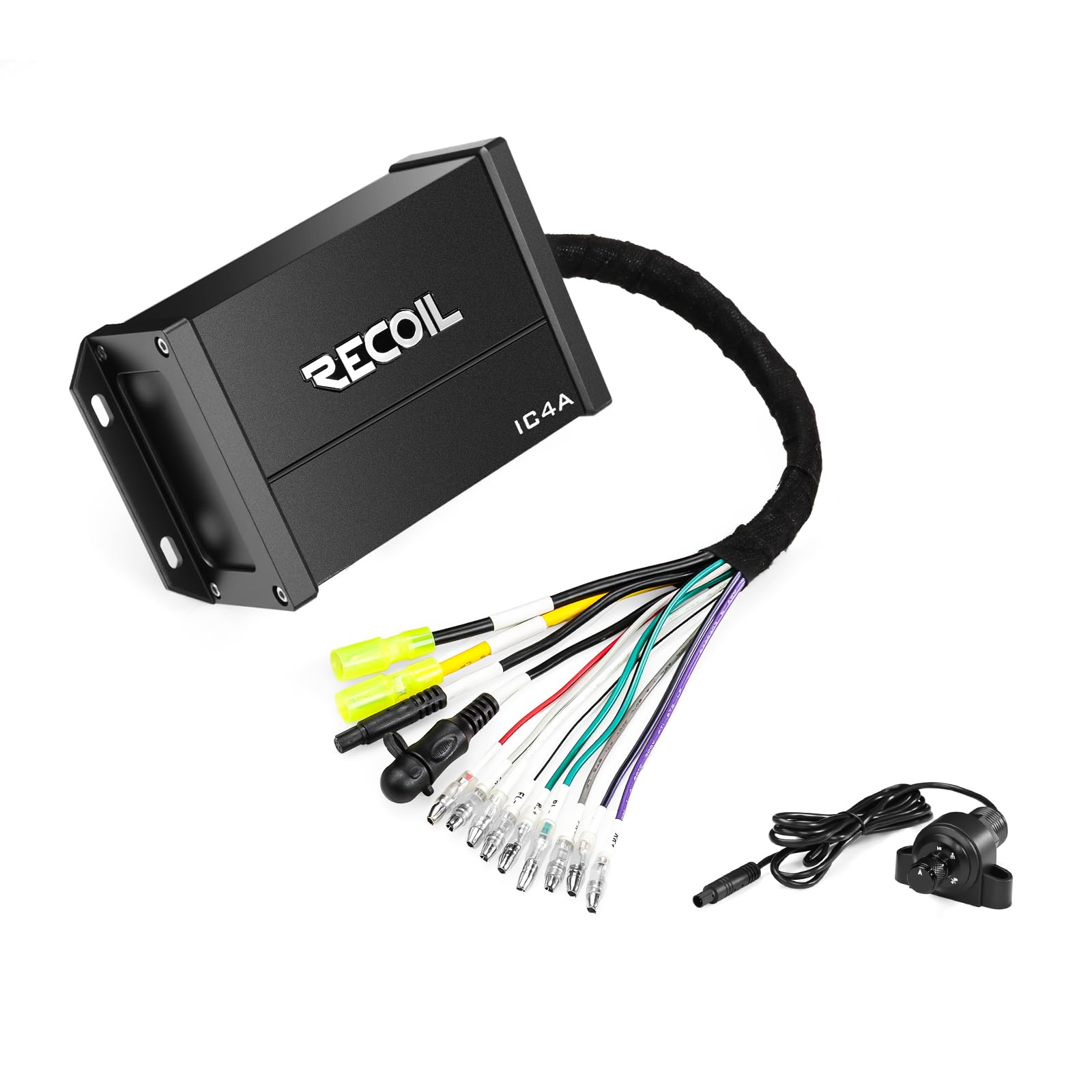
Figure 1: RECOIL IC4A Amplifier with IPX7 Waterproof and Bluetooth 5.0 features.
2. What's in the Box
Verify that all components are present before beginning installation.
- RECOIL IC4A Waterproof Bluetooth 4-Channel Amplifier
- Wired Remote Control Knob
- Power and Speaker Wiring Harness
- 3.5mm AUX Input Cable
- Mounting Hardware (Surface mount bracket, flush mount ring, handlebar clamp for 7/8" to 1-1/4" bars, screws, washers, nuts)
- Inline Fuse Holder with Fuse
- User Manual (this document)

Figure 2: Included components of the RECOIL IC4A amplifier kit.
3. Setup and Installation
Proper installation is crucial for optimal performance and longevity of your amplifier. If you are unsure about any steps, consult a professional installer.
3.1 Mounting the Amplifier
Choose a secure location that is protected from direct heat and allows for proper cable routing. The amplifier is IPX7 rated, meaning it can withstand immersion in water up to 1 meter for 30 minutes, but avoiding prolonged exposure is recommended for maximum lifespan.
- Surface Mount: Use the provided bracket and screws to secure the amplifier to a flat surface.
- Flush Mount: If applicable, use the flush mount ring to integrate the amplifier into a panel.
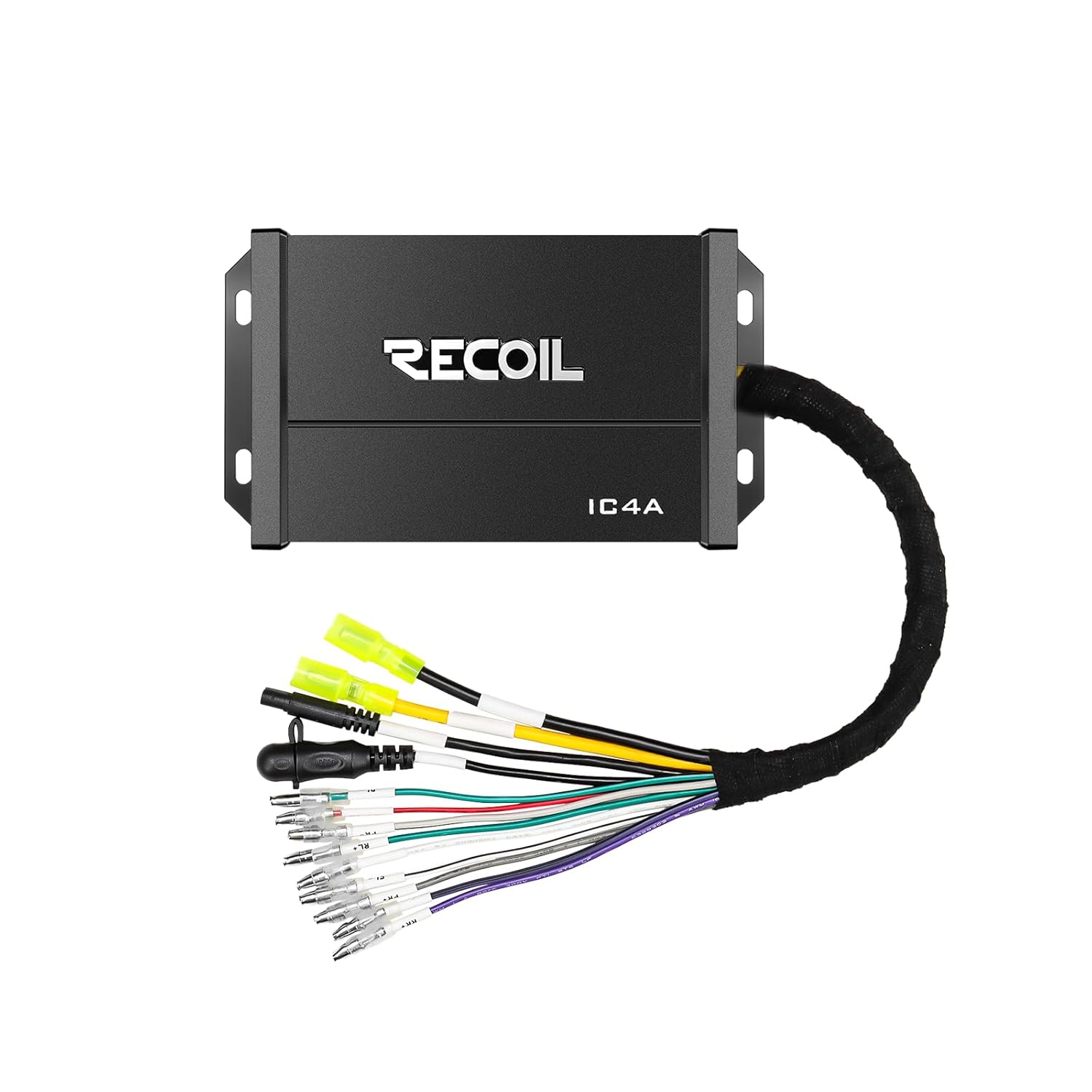
Figure 3: RECOIL IC4A amplifier with wiring harness.
3.2 Wiring Connections
Refer to the wiring diagram below and ensure all connections are secure and properly insulated.
- Power (Red Wire): Connect to a fused +12V constant power source. Use the included inline fuse holder.
- Ground (Black Wire): Connect to a clean, solid chassis ground point.
- Remote Turn-On (Blue Wire): Connect to the remote output of your head unit or an ignition-switched +12V source.
- Speaker Outputs (Color-Coded Wires): Connect to your speakers. Ensure correct polarity (+/-) for each speaker. The amplifier supports 2Ω and 4Ω loads.
- AUX Input (3.5mm Jack): Connect your audio source (e.g., smartphone, MP3 player) using the provided 3.5mm cable.
3.3 Remote Control Installation
The wired remote control can be mounted in a convenient location, such as a handlebar or dashboard.
- Handlebar Mount: Use the provided clamp to secure the remote to handlebars ranging from 7/8" to 1-1/4" in diameter.
- Surface/Flush Mount: The remote can also be surface-mounted or flush-mounted using the appropriate hardware.
- Connect the remote control cable to the designated port on the amplifier.
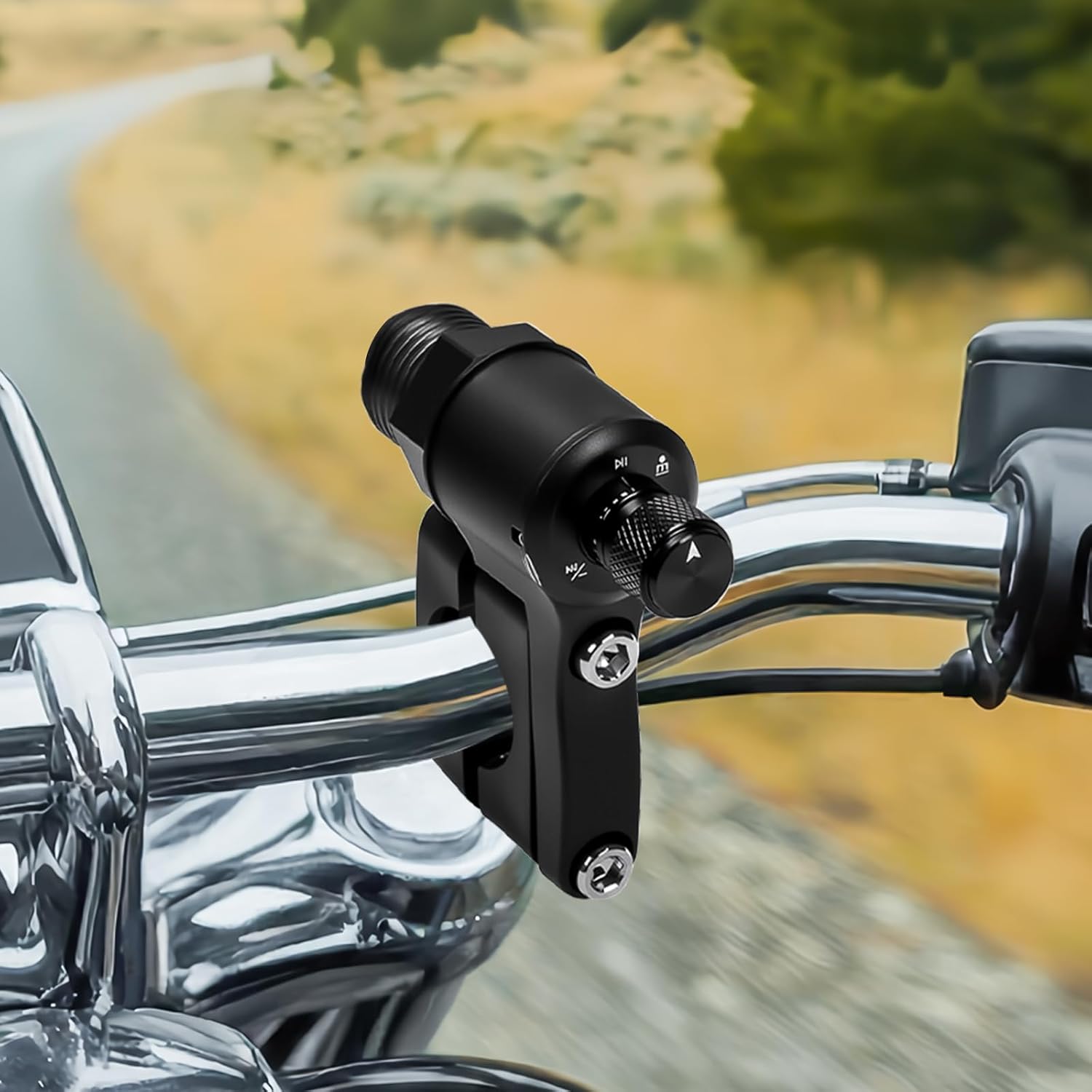
Figure 4: Remote control mounted on a handlebar.
4. Operating Instructions
4.1 Powering On/Off
The amplifier powers on automatically when it receives a +12V signal on the remote turn-on wire (blue). It will power off when this signal is removed.
4.2 Bluetooth Audio Streaming
The IC4A features Bluetooth 5.0 for wireless audio playback.
- Ensure the amplifier is powered on.
- On your mobile device, enable Bluetooth and search for available devices.
- Select "RECOIL IC4A" from the list to pair. A confirmation tone may sound.
- Once paired, you can stream audio wirelessly from your device.

Figure 5: Amplifier with Bluetooth 5.0 capability.
4.3 AUX Input Usage
For wired audio connections, use the 3.5mm AUX input.
- Connect your audio source to the amplifier's 3.5mm AUX input using the provided cable.
- Switch the input source to AUX using the remote control (see Section 4.4).
4.4 Remote Control Functions
The wired remote control provides convenient access to essential audio functions.

Figure 6: Remote control functions diagram.
- BT/AUX Switch: Push and hold for 2 seconds to switch between Bluetooth and AUX input modes.
- Play/Pause: Push once to play or pause audio.
- Volume Up: Turn right and hold.
- Volume Down: Turn left and hold.
- Previous Track: Quick turn left.
- Next Track: Quick turn right.
5. Maintenance
To ensure the longevity and optimal performance of your RECOIL IC4A amplifier, follow these maintenance guidelines:
- Cleaning: Periodically wipe the amplifier and remote control with a soft, damp cloth. Avoid using harsh chemicals or abrasive cleaners.
- Connections: Regularly check all wiring connections for tightness and corrosion, especially in marine or outdoor environments. Loose connections can lead to poor performance or damage.
- Fuse: If the amplifier stops working, check the inline fuse. Replace it only with a fuse of the same type and rating.
- Environmental Protection: While the unit is IPX7 waterproof, minimizing prolonged exposure to extreme conditions (e.g., direct sunlight, heavy rain, saltwater spray) when not in use can extend its lifespan.
6. Troubleshooting
If you encounter issues with your RECOIL IC4A amplifier, refer to the following common problems and solutions:
| Problem | Possible Cause | Solution |
|---|---|---|
| No Power / Amplifier Not Turning On |
|
|
| No Audio Output |
|
|
| Distorted Sound |
|
|
| Bluetooth Disconnection |
|
|
7. Specifications
Key technical specifications for the RECOIL IC4A amplifier:

Figure 7: Power handling specifications.
- Model: IC4A
- Channels: 4-Channel
- RMS Power Output:
- 65 Watts x 4 @ 2 Ohm
- 45 Watts x 4 @ 4 Ohm
- Maximum Output Power: 260 Watts
- Bluetooth Version: 5.0
- Waterproof Rating: IPX7 (Submersible up to 1 meter for 30 minutes)
- Inputs: Bluetooth, 3.5mm AUX
- Mounting Type: Surface Mount, Handlebar Mount
- Included Components: Amplifier, Wired Remote, Wiring Harness, AUX Cable, Mounting Hardware
- Protection Circuitry: Auto-recovery short-circuit, reverse polarity, thermal overload
8. Warranty and Support
8.1 Manufacturer's Warranty
The RECOIL IC4A amplifier is covered by a 1-Year Manufacturer's Warranty from the date of purchase. This warranty covers defects in materials and workmanship under normal use. It does not cover damage resulting from improper installation, accident, misuse, abuse, neglect, unauthorized modification, or normal wear and tear. Please retain your proof of purchase for warranty claims.
8.2 Customer Support
For technical assistance, troubleshooting beyond this manual, or warranty inquiries, please contact RECOIL customer support. Refer to the official RECOIL website or your purchase documentation for the most current contact information.
When contacting support, please have the following information ready:
- Product Model: RECOIL IC4A
- Date of Purchase
- Place of Purchase
- A detailed description of the issue

