
Introduction
Welcome to your new Baseus 100W Power Bank 20000mAh. This portable charger is designed to provide fast and efficient power to your devices, including laptops, tablets, and smartphones, with its 100W Power Delivery and built-in dual USB-C cables. Please read this manual carefully to ensure proper use and maintenance of your device.
Key Features
- 100W PD Fast Charging: Rapidly charges compatible laptops, tablets, and smartphones.
- Built-in Dual USB-C Cables: Integrated cables for convenience, eliminating the need for extra wires.
- 20000mAh High Capacity: Provides multiple charges for phones and tablets, and extends laptop battery life.
- Pass-through Charging: Allows the power bank to be recharged while simultaneously charging other devices.
- Smart Digital Display: Real-time information on battery level and charging status.
- Ergonomic Design: Features a 5D curved body for a comfortable grip and a slim, lightweight profile for portability.
- Advanced Safety: Built with automotive-grade battery cells, an AI temperature control chip, and graphene cooling technology for stable and efficient power delivery.
- TSA-Approved: Suitable for air travel.
What's in the Box
- 1 x Baseus Enerfill FC41 100W 20000mAh Laptop Power Bank Built in Dual Cables
- 1 x Quick Start Guide
- 1 x Safety Manual
- 1 x Emoji Stickers
Product Overview

The Baseus 100W Power Bank 20000mAh, featuring a sleek dark black design with integrated cables.
Official video demonstrating the features and usage of the Baseus Enerfill FC41 100W 20000mAh Power Bank.
Initial Setup
Charging the Power Bank
- Connect the built-in USB-C cable or an external USB-C cable to the power bank's input port.
- Connect the other end of the cable to a compatible power adapter (not included).
- The digital display will show the charging progress. A full charge typically takes approximately 2 hours with a 65W charger.
First Use
For optimal performance, fully charge the power bank before its first use.

The power bank being recharged via a 65W adapter, illustrating its fast recharge capability.
Operating Instructions
Charging Your Devices
The power bank supports charging up to four devices simultaneously using its built-in dual USB-C cables and additional USB-A and USB-C ports.
- Using Built-in USB-C Cables: Extend the integrated USB-C cables from the power bank. Connect one or both to your compatible devices.
- Using External Ports: For devices requiring USB-A or an additional USB-C connection, use your own cables with the available ports.
- The smart digital display will show the current battery level and charging status.
Pass-Through Charging
The power bank supports pass-through charging, allowing you to charge the power bank itself while it simultaneously charges other devices.

Close-up view of the Baseus power bank's dual built-in USB-C cables, highlighting the integrated cable buckle and durable braided design.

The Baseus power bank simultaneously charging a MacBook, iPhone, and AirPods, demonstrating its multi-port charging capability.
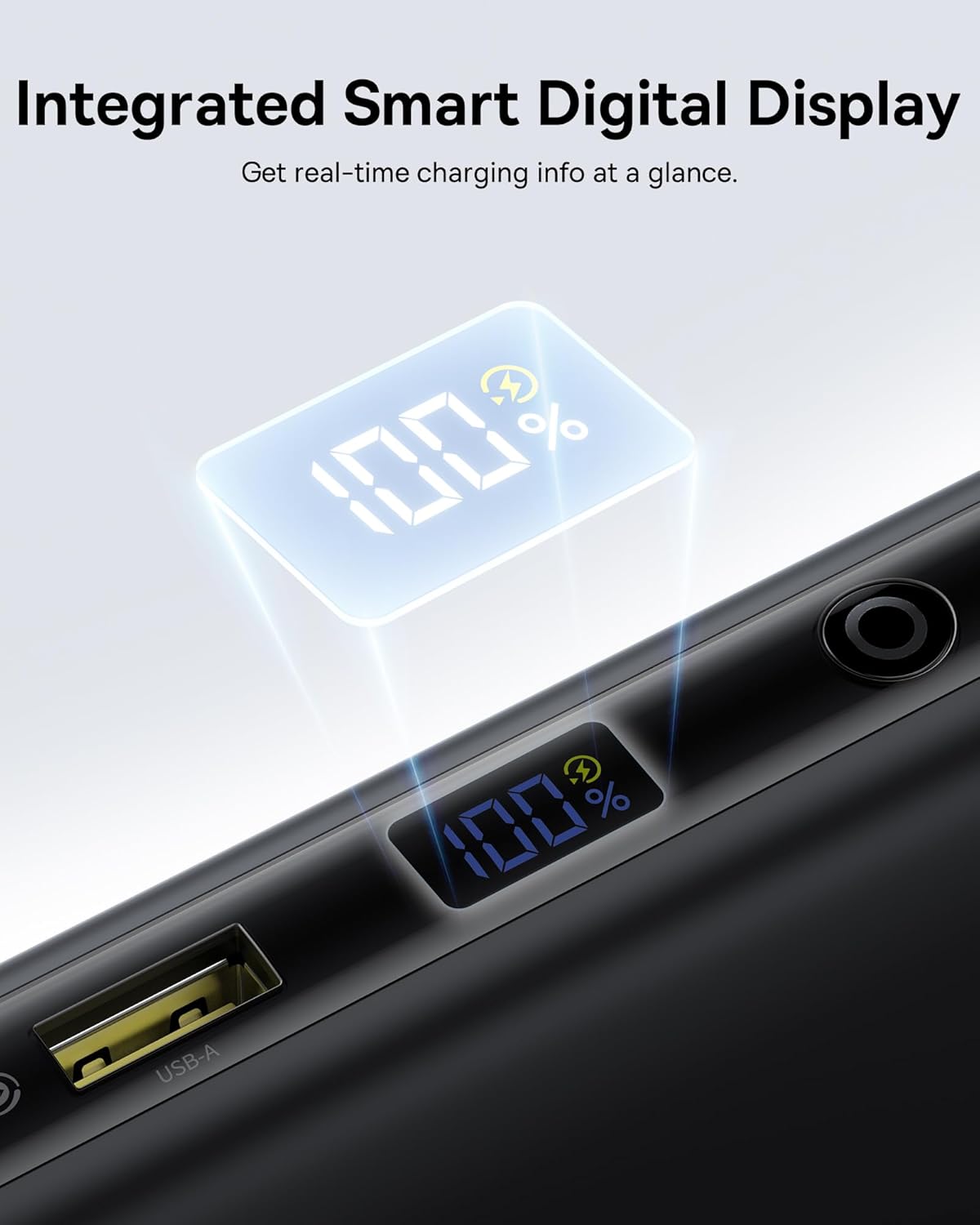
A close-up of the power bank's smart digital display showing the battery percentage.
Care and Maintenance
- Keep the power bank away from extreme temperatures, direct sunlight, and liquids.
- Do not disassemble or attempt to repair the device.
- Clean the surface with a soft, dry cloth. Avoid using harsh chemicals.
- Store in a cool, dry place when not in use for extended periods.
Troubleshooting
Device Not Charging
- Ensure the power bank is sufficiently charged. Check the digital display.
- Verify that the cables are securely connected to both the power bank and your device.
- Confirm that your device is compatible with the power bank's output specifications.
- Try using a different cable or port.
Slow Charging
- Ensure you are using a cable and device that support fast charging protocols (PD, QC).
- Charging multiple devices simultaneously may reduce the charging speed for individual devices.
- Check if the power bank itself is being charged simultaneously (pass-through charging can affect output speed).
Power Bank Not Recharging
- Ensure the charging adapter is functional and provides sufficient power (e.g., 65W for optimal speed).
- Check the charging cable for damage.
- Verify the input port on the power bank is clean and free of debris.
Technical Specifications
| Brand | Baseus |
| Model Number | E0028Q |
| Battery Capacity | 20000 Milliamp Hours |
| Connector Type | USB Type A, USB Type C |
| Power Source | Battery |
| Voltage | 5 Volts |
| Number of Ports | 4 |
| Special Features | 100W Fast Charging, Built In Dual USB-C Cables, Digital Display, Pass-through Charging, TSA-Approved |
| Compatible Devices | Gaming Devices: Steam Deck, ASUS ROG Ally, Nintendo Switch; Cameras & Drones: GoPro, DJI Osmo Action, Insta360, DJI Drones; Audio: AirPods, Galaxy Buds, Apple Watch, Samsung Watch; Laptops: MacBook Air (M1/M2/M3), MacBook Pro 13"/14"/16", Dell / HP / Lenovo / ASUS / Acer (XPS 13 / Inspiron / Spectre / Yoga / ThinkPad / ZenBook / Swift), Surface Laptop, Surface Pro, Pixelbook, Samsung Galaxy Chromebook; Phones: iPhone 17, iPhone 17 Air, iPhone 17 Pro, iPhone 17 Pro Max, iPhone 16, iPhone 16 Plus, iPhone 16 Pro, iPhone 16 Pro Max, iPhone 15, iPhone 15 Plus, iPhone 15 Pro, iPhone 15 Pro Max, iPhone 14, iPhone 14 Plus, iPhone 14 Pro, iPhone 14 Pro Max, iPhone 13, iPhone 13 Pro, iPhone 13 Pro Max, iPhone 13 mini, iPhone 12, iPhone 12 Pro, iPhone 12 Pro Max, iPhone 12 mini, Samsung Galaxy S25 Ultra, S24 Ultra, S23 / S22, Google Pixel 9 / 8 / 7 / 6 / 6 Pro, OnePlus / Motorola / LG / Sony phones; Tablets: iPad Pro / iPad Air / iPad Mini, Samsung Galaxy Tab S9 / S8, Microsoft Surface Go / Surface Pro |
| Item Dimensions (L x W x Th) | 6"L x 3"W x 1"Th |
| Battery Cell Type | Lithium Polymer |
Warranty and Customer Support
This Baseus product comes with a 2-year warranty. Additionally, Baseus offers a 24-Month Full Protection Plan and Lifetime Tech Support. For warranty claims, technical assistance, or any product-related inquiries, please contact Shenzhen Baseus Technology Co., Ltd. customer support. Refer to the included Safety Manual for detailed warranty terms and contact information.


