
Introduction
This manual provides detailed instructions for the setup, operation, and maintenance of your Woneligo Smart Watch, Model B0GGGH3C4Z. Please read this manual thoroughly before using the device to ensure proper function and to maximize your user experience. This smartwatch features Bluetooth 5.3 for calls and notifications, a 1.85" HD touchscreen, Alexa Built-in, 24/7 health tracking, over 100 sport modes, and 3ATM waterproofing.

Image: Woneligo Smart Watch in use, showcasing its display and design.
What's Included
Verify that all items are present in the package:
- Woneligo Smart Watch (Main Unit)
- Silicone Strap
- Braided Strap (Optional, may vary by package)
- User Manual
- Charging Cable
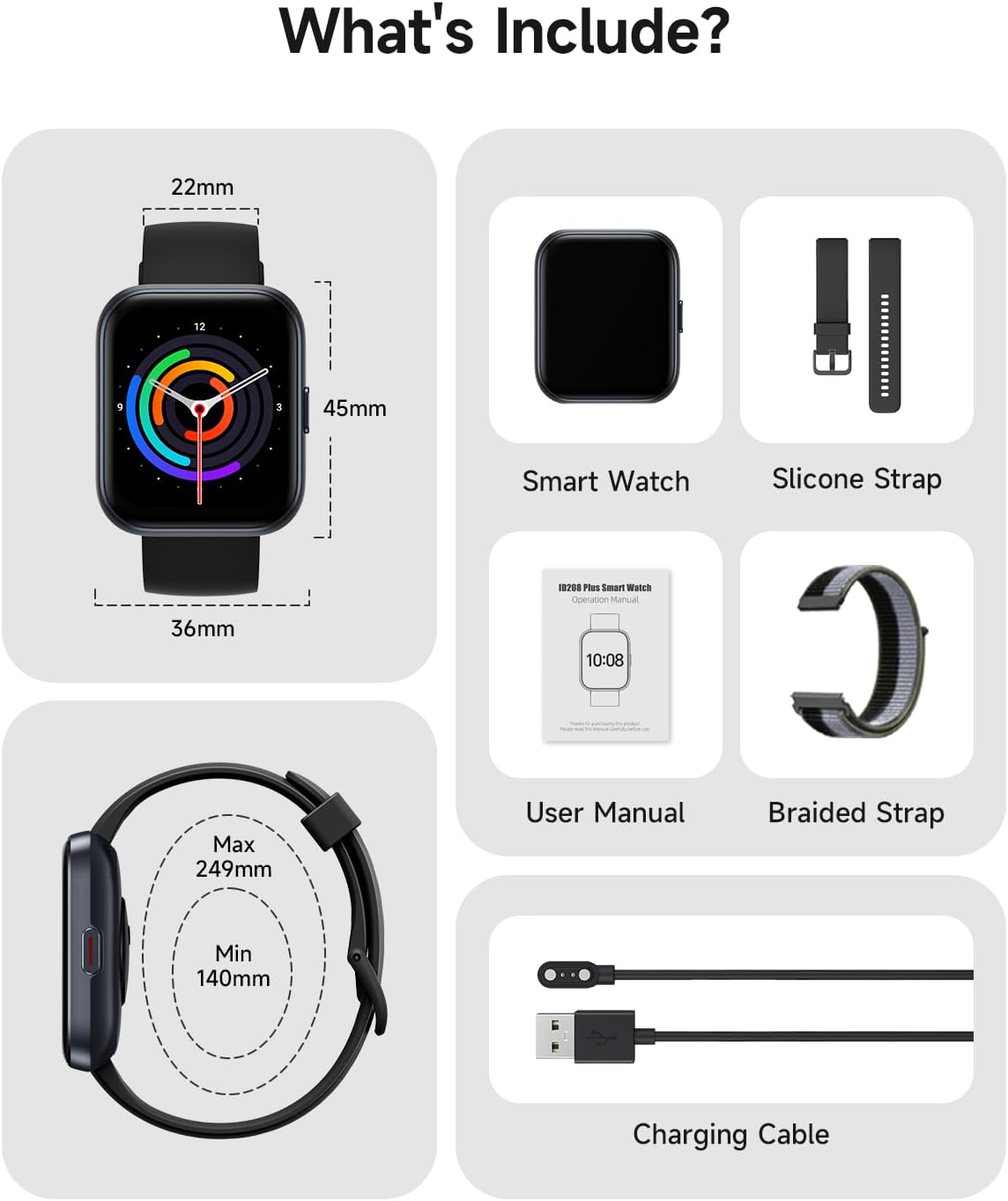
Image: Diagram showing the smart watch dimensions and package contents.
Setup Guide
1. Charging the Smart Watch
Before initial use, fully charge your smartwatch. Connect the magnetic charging cable to the charging contacts on the back of the watch and plug the USB end into a power adapter (not included) or a computer's USB port. The watch display will indicate charging status.

Image: Step 1 of setup, showing the smart watch being charged.
2. Download and Install the "VeryFit" App
Scan the QR code provided in the user manual or search for "VeryFit" in your smartphone's app store (App Store for iOS, Google Play Store for Android). Download and install the application. Follow the in-app instructions to create an account and set up your profile.

Image: Step 2 of setup, showing the VeryFit app download process.
3. Enable Bluetooth on Your Smartphone
Navigate to your smartphone's settings and ensure Bluetooth is enabled. This allows the watch to connect and sync with your phone.
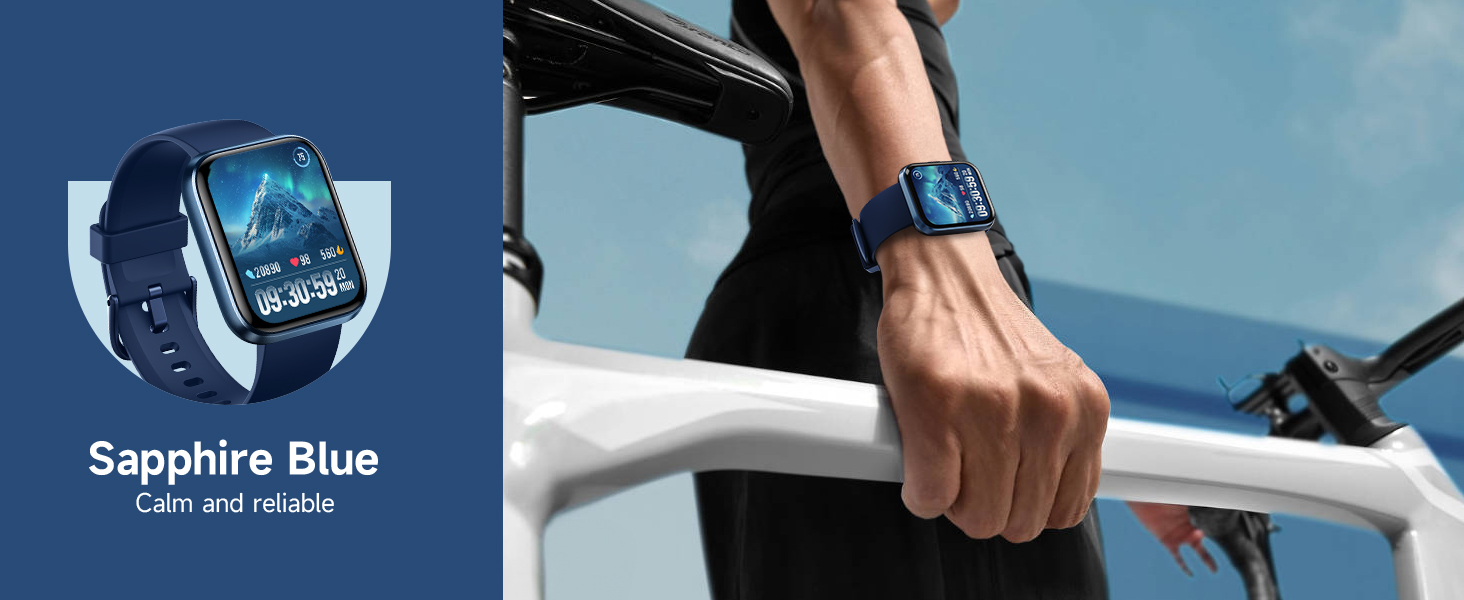
Image: Step 3 of setup, showing Bluetooth enabled on a smartphone.
4. Pair the Smart Watch with the App
Open the "VeryFit" app. Follow the prompts to search for and pair your Woneligo Smart Watch. You may need to confirm the pairing on both your watch and phone. Once paired, the watch will synchronize data and settings with the app.

Image: Step 4 of setup, showing the QR code for pairing the smart watch via the app.
Operating Instructions
Basic Navigation
The Woneligo Smart Watch features a 1.85" full-touch screen for intuitive navigation. Swipe up, down, left, or right to access different menus and functions. Press the side button to return to the home screen or wake the device.

Image: The 1.85" full-touch screen displaying various watch faces.
Call Functions (Answer/Make Calls)
With Bluetooth 5.3 and a built-in DSP chip, you can answer and make calls directly from your wrist. Ensure your watch is connected to your smartphone via Bluetooth. Incoming calls will display on the watch, allowing you to accept or reject them. You can also initiate calls from your watch's contact list or dial pad.

Image: Smart watches displaying incoming call notifications.
Alexa Built-in
Utilize the integrated Alexa voice assistant for quick commands, setting alarms, checking weather, and controlling smart home devices. Activate Alexa by pressing and holding the side button or through the dedicated Alexa app on your watch.

Image: User interacting with the Alexa voice assistant on the smart watch.
Health Tracking
The watch continuously monitors various health metrics:
- Heart Rate: Real-time heart rate monitoring throughout the day.
- Sleep Quality: Tracks sleep stages (light, deep, REM) and provides a sleep score.
- Blood Oxygen (SpO2): Measures blood oxygen levels.
- Stress Levels: Monitors stress and provides reminders to unwind.
- Cycle Monitoring: Predicts periods, ovulation, and symptoms.
Access detailed reports and historical data through the "VeryFit" app.

Image: Visual representation of heart rate, blood oxygen, and sleep tracking features.
Sport Modes
The watch supports over 100 sport modes, including running, swimming, yoga, and HIIT. Select your activity from the watch menu to track duration, calories burned, steps, and other relevant metrics. The 3ATM waterproof rating allows for use during swimming and other water-based activities.
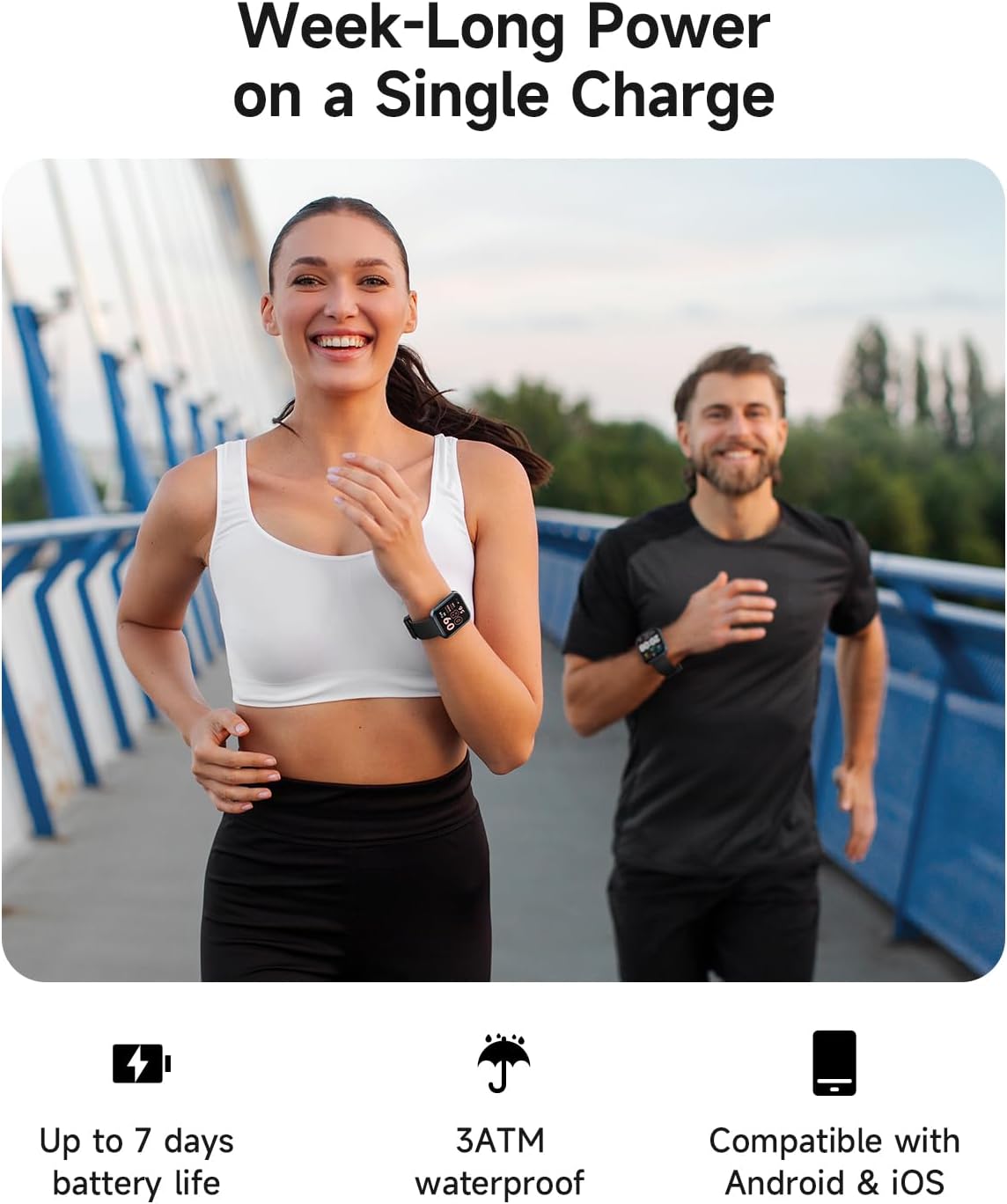
Image: Display of 100+ exercise modes and the 3ATM waterproof capability.
Customizing Watch Faces
Personalize your watch with over 100 available watch faces through the "VeryFit" app. You can also upload your own photos to create custom watch faces.
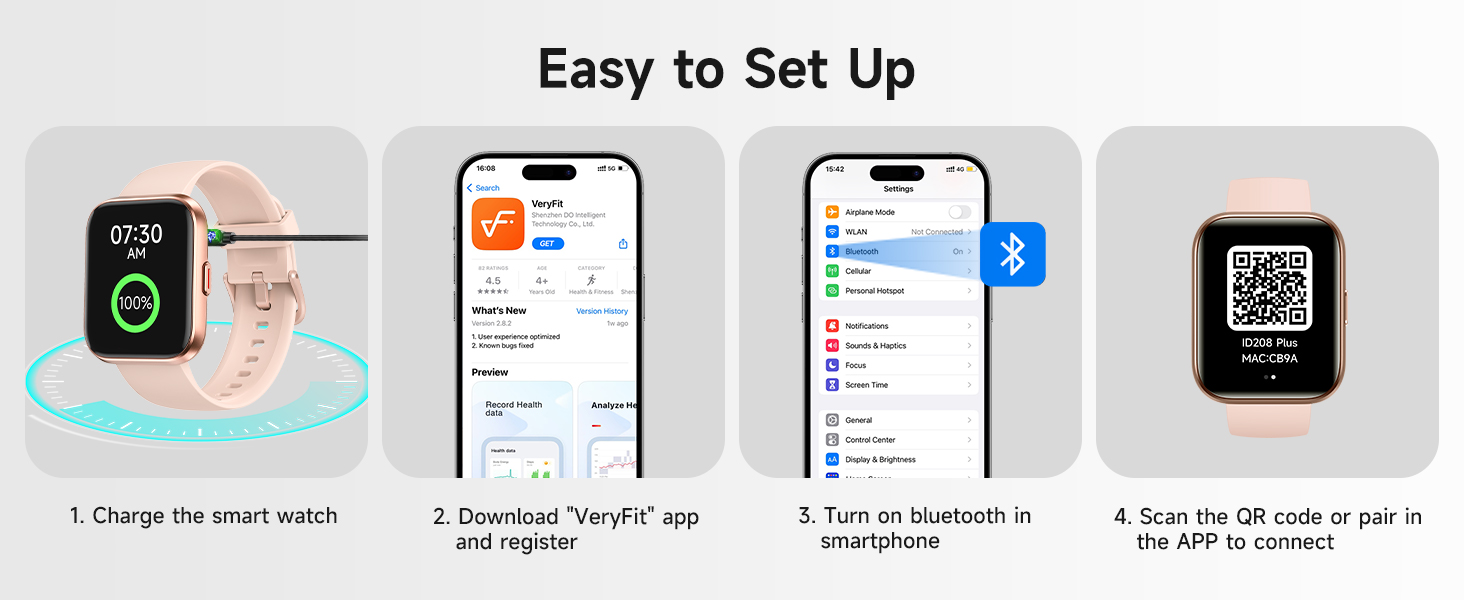
Image: Options for personalized watch faces within the companion app.
Other Features
The Woneligo Smart Watch includes additional functionalities:
- Music Control: Control music playback on your smartphone.
- Camera Shutter: Remotely trigger your phone's camera.
- Weather Alerts: Receive current weather information.
- Sedentary Reminder: Get alerts to move after periods of inactivity.
- Breathe Training: Guided breathing exercises for relaxation.
- Alarm: Set alarms directly from the watch.
- Stopwatch/Timer: Built-in timing functions.
- Find Phone: Locate your paired smartphone.
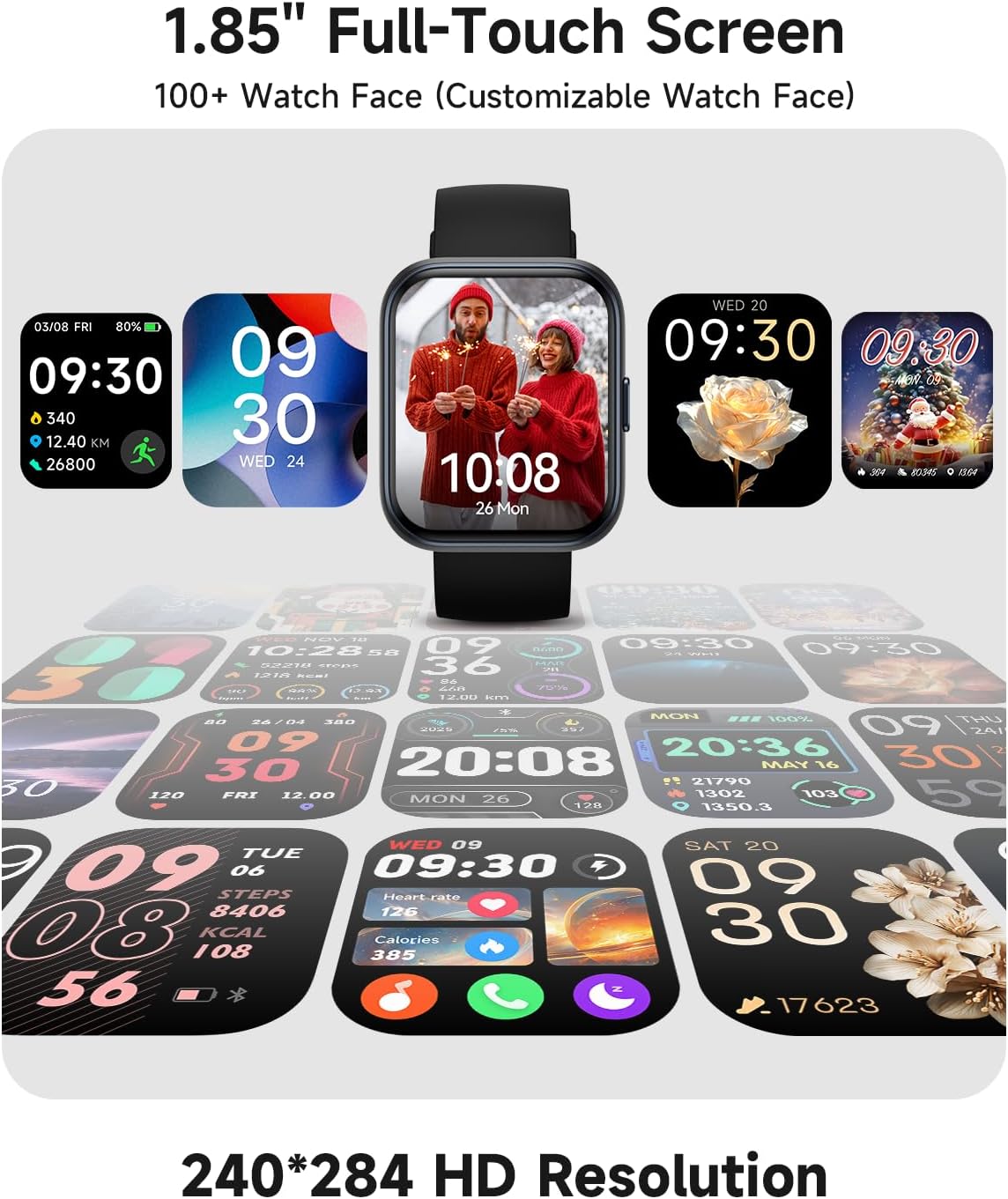
Image: Overview of additional smart watch features.
Maintenance
Water Resistance (3ATM)
The watch is 3ATM waterproof, suitable for daily use, hand washing, rain, and swimming in shallow water. It is not recommended for hot showers, saunas, diving, or high-pressure water activities.
Cleaning
Regularly clean your watch and strap with a soft, dry cloth. If necessary, use a slightly damp cloth and mild soap, then rinse and dry thoroughly. Avoid harsh chemicals or abrasive materials.
Battery Care
To prolong battery life, avoid extreme temperatures. Charge the watch fully before long periods of inactivity. The watch offers up to 7 days of battery life on a single charge with typical use.
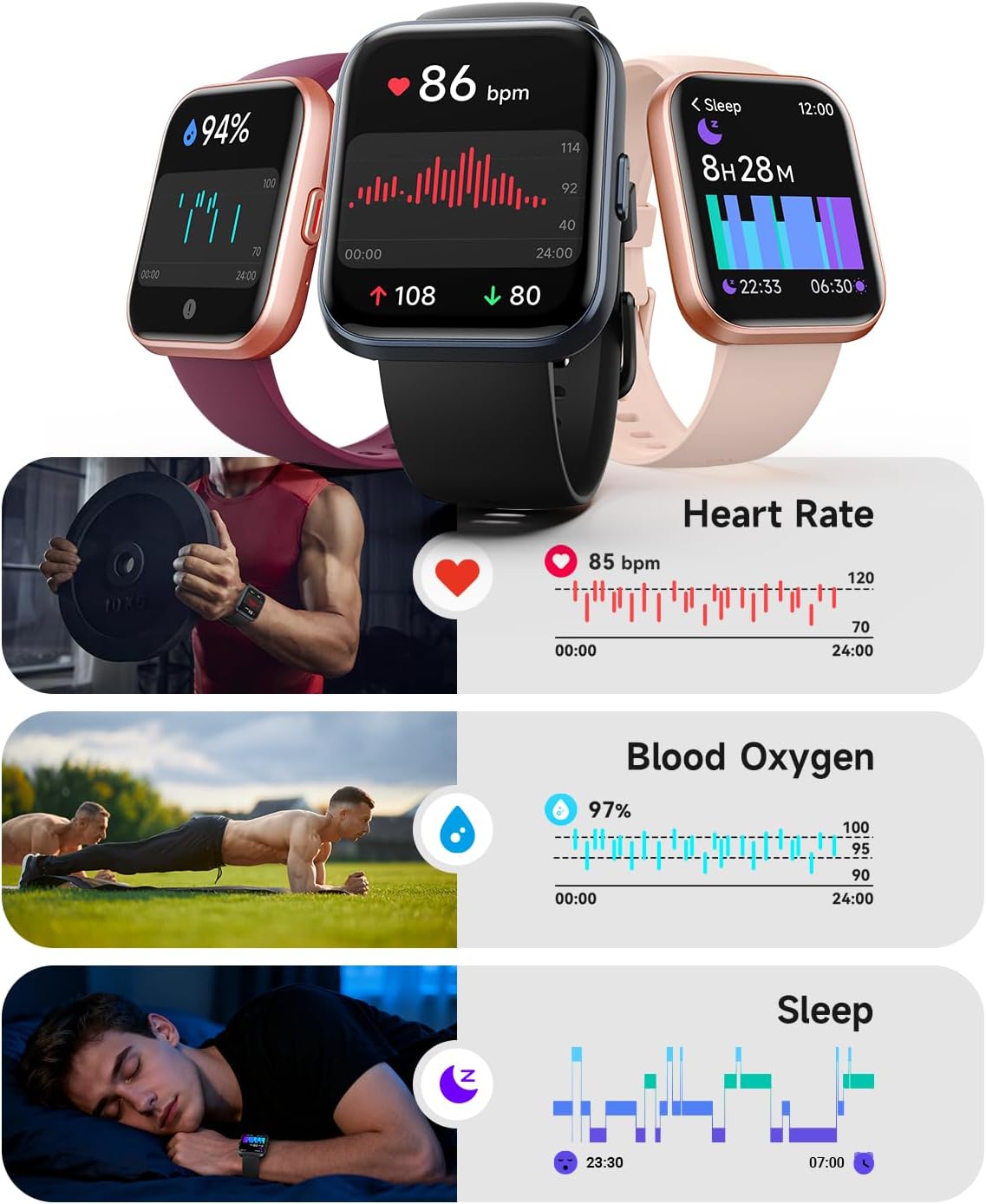
Image: Smart watch features including 7-day battery life and 3ATM waterproofing.
Troubleshooting
| Problem | Solution |
|---|---|
| Watch does not turn on | Ensure the watch is fully charged. Connect it to the charging cable and allow it to charge for at least 30 minutes before attempting to power on. |
| Cannot pair with smartphone |
|
| Inaccurate health data |
|
| Notifications not received |
|
Specifications
| Feature | Detail |
|---|---|
| Model Number | B0GGGH3C4Z |
| Screen Size | 1.85 inches |
| Resolution | 320 x 386 |
| Wireless Communication | Bluetooth 5.3 |
| Water Resistance | 3ATM |
| Battery Life | Up to 7 days (typical use) |
| Compatible Devices | iOS (iPhone), Android Smartphones |
| Supported Applications | Fitness Tracker, Heart Rate Monitor, Sleep Monitor, Voice Assistant, Blood Oxygen Monitor |
| Band Material | Silicone |
Warranty and Support
Woneligo provides a 5-year warranty against manufacturing defects and accidental damage for this product. For any inquiries or assistance, please contact our US-based technical support team. We guarantee a response within 12 hours and aim for solutions within 24 hours.
For support, please visit the official Woneligo website or refer to the contact information provided in your product packaging.

Image: Woneligo's commitment to customer support and warranty.
Official Product Video
Video: Official product video demonstrating the features and usage of the Woneligo Smart Watch.


