
Introduction
This manual provides detailed instructions for the installation, operation, and maintenance of your VASTEND VS-7GC Wireless Backup Camera. This camera is designed to function exclusively with the VASTEND VS-7G system and is not a standalone device. Please read this manual thoroughly before use to ensure proper function and safety.
Safety Information
- Ensure all connections are secure before operating the vehicle.
- Do not attempt to disassemble or modify the camera. This may void the warranty and cause damage.
- Keep the camera and cables away from high temperatures, direct sunlight, and moisture.
- This camera is an aid for reversing and does not replace the driver's responsibility for safe operation of the vehicle.
Package Contents
The VASTEND VS-7GC package includes:
- 1 x VASTEND VS-7GC Wireless Backup Camera (with infrared night vision beads)
- Mounting hardware (screws, brackets)
- Power cable
Note: This package does not include a monitor. The VS-7GC camera is an accessory for the VASTEND VS-7G system.
Product Overview
Familiarize yourself with the components of your VS-7GC camera.
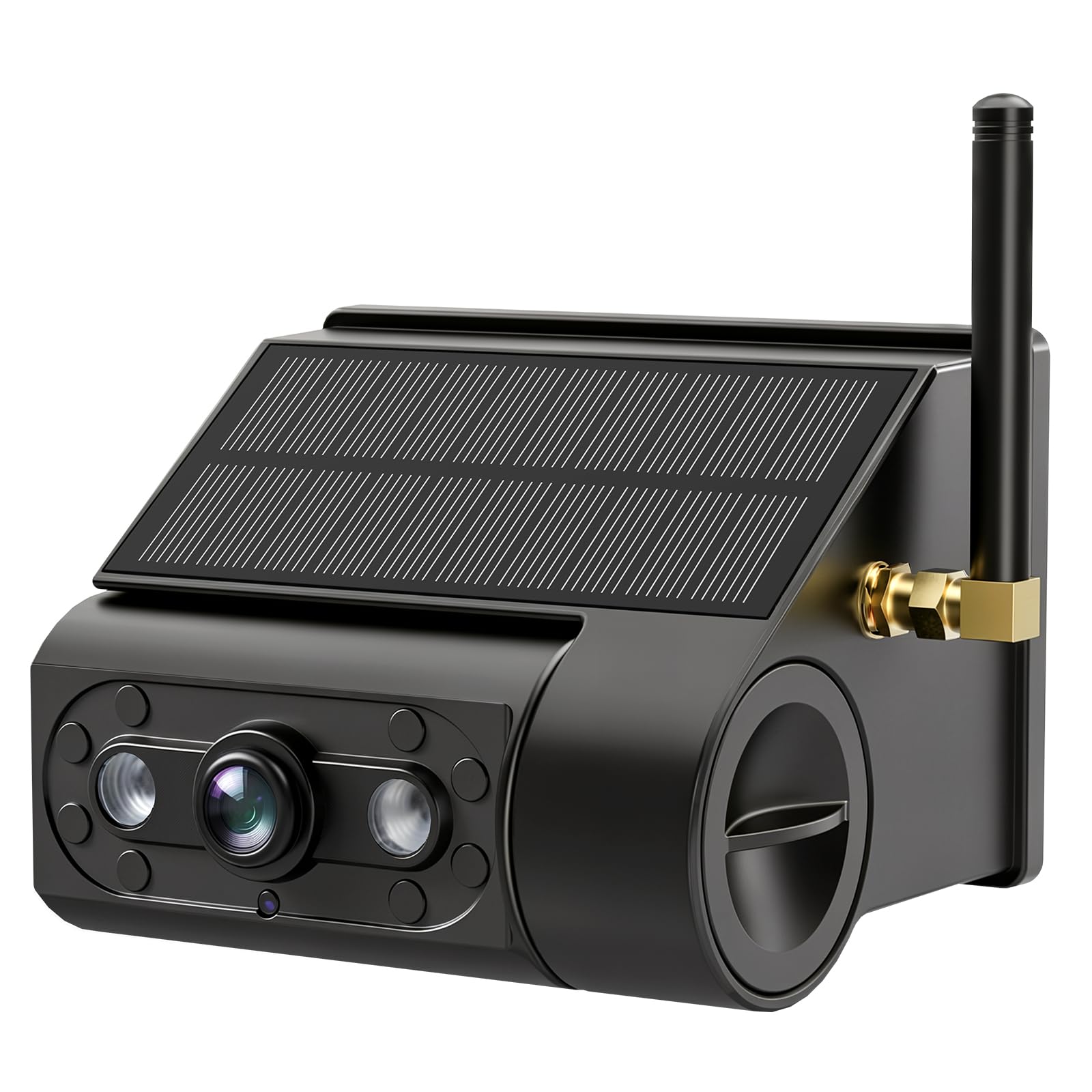
Image: The VASTEND VS-7GC wireless backup camera, showing its compact design and infrared lamp beads for night vision. This camera is black and designed to be mounted at the rear of a vehicle.
- Camera Lens: Captures the video feed.
- Infrared Lamp Beads: Provide illumination for night vision.
- Antenna: For wireless signal transmission to the compatible monitor.
- Power Connector: For connecting the power cable.
Setup and Installation
Follow these steps to install your VS-7GC camera. This camera requires connection to a 12V DC power source, typically from your vehicle's reverse lights.
- Choose Mounting Location: Select a suitable location at the rear of your vehicle, typically above the license plate, ensuring a clear view and protection from elements.
- Secure the Camera: Use the provided screws and brackets to securely mount the camera. Ensure it is angled correctly for optimal viewing.
- Connect Power: Connect the camera's power cable to your vehicle's 12V DC power source. For automatic activation when reversing, connect the positive wire to the reverse light power wire and the negative wire to a ground point.
- Route Cables: Carefully route the power cable to avoid pinching or damage. Use cable ties if necessary.
- Pair with Monitor (VS-7G System): Refer to your VASTEND VS-7G monitor manual for instructions on pairing the camera with the monitor. Ensure both devices are powered on during the pairing process.
Operating Instructions
Once installed and paired with your VASTEND VS-7G monitor, the camera operates as follows:
- Automatic Activation: If connected to the reverse lights, the camera will automatically power on and transmit video to the monitor when the vehicle is put into reverse gear.
- Manual Activation: If connected to a constant power source, the camera can be manually activated via the monitor's controls (refer to VS-7G monitor manual).
- Night Vision: The infrared lamp beads will automatically activate in low-light conditions, providing clear black-and-white video for night vision.
Maintenance
- Cleaning: Regularly clean the camera lens with a soft, damp cloth to ensure a clear view. Avoid abrasive cleaners.
- Cable Inspection: Periodically check all cables for signs of wear, fraying, or damage. Replace damaged cables immediately.
- Mounting Security: Ensure the camera remains securely mounted to prevent vibration or detachment.
Troubleshooting
| Problem | Possible Cause | Solution |
|---|---|---|
| No image on monitor | Camera not powered; Not paired; Loose connection | Check power connection; Re-pair camera with monitor; Secure all cables. |
| Flickering or distorted image | Interference; Weak signal; Damaged cable | Ensure no strong electromagnetic interference; Check antenna position; Inspect cables for damage. |
| Night vision not working | Infrared sensors blocked; Faulty IR beads | Clean camera lens; Contact support if issue persists. |
Specifications
- Model: VS-7GC
- Compatibility: VASTEND VS-7G System (Monitor not included)
- Power Input: 12V DC
- Night Vision: Infrared Lamp Beads
- Dimensions (L x W x H): Approximately 15 x 13 x 6 cm
- GTIN/UPC: 607607864198
Warranty and Support
VASTEND products are designed for reliability and performance. For warranty information, please refer to the documentation included with your complete VASTEND VS-7G system or visit the official VASTEND website. For technical support or assistance, please contact VASTEND customer service.
Please retain your proof of purchase for warranty claims.


