
1. Introduction
This manual provides detailed instructions for installing and operating your BRIKSMAX 2.0 LED Light Kit, specifically designed for the LEGO Art Japanese Cherry Blossom Landscape (Set 31218). This lighting kit enhances your LEGO model, transforming it into a vibrant display piece with custom illumination.
The kit features patented 2.0 enclosed light bricks for soft, eye-friendly illumination and specially designed cable-hider bricks to maintain the aesthetic integrity of your LEGO build. Durable wiring and modular light strips ensure a reliable and straightforward installation process.
2. Package Contents
Before beginning installation, please verify that all components listed below are present in your package. If any parts are missing or damaged, please contact customer support.

Figure 2.1: Package contents for the BRIKSMAX 2.0 Light Kit.
- 27x LED Lights
- 1x USB Cable
- 4x Connection Cables
- 5x Expansion Boards
- 1x Battery Box
- Instruction Manual (this document)
3. Setup and Installation
Follow these steps carefully to install the BRIKSMAX 2.0 Light Kit into your LEGO Art Japanese Cherry Blossom Landscape 31218 set. It is recommended to have your LEGO set fully assembled before starting the light kit installation.
3.1 Preparation
- Ensure your LEGO set is clean and free of dust.
- Familiarize yourself with the light components and the general layout shown in the provided diagrams.
- Prepare a well-lit workspace.
3.2 Connecting the Lights
- Identify the specific areas of your LEGO model where lights are to be installed, as indicated in the detailed instruction diagrams (not included in this general manual, refer to product-specific guide).
- Carefully detach LEGO bricks as needed to insert the LED lights. The patented 2.0 enclosed light bricks are designed for easy integration.
- Connect the LED lights to the expansion boards using the provided connection cables. Ensure connections are firm. The larger plug heads are reversible for easier insertion.
- Utilize the cable-hider bricks to neatly route and conceal wires within the LEGO structure, maintaining a clean appearance.
- Connect the expansion boards to the battery box or USB cable for power.
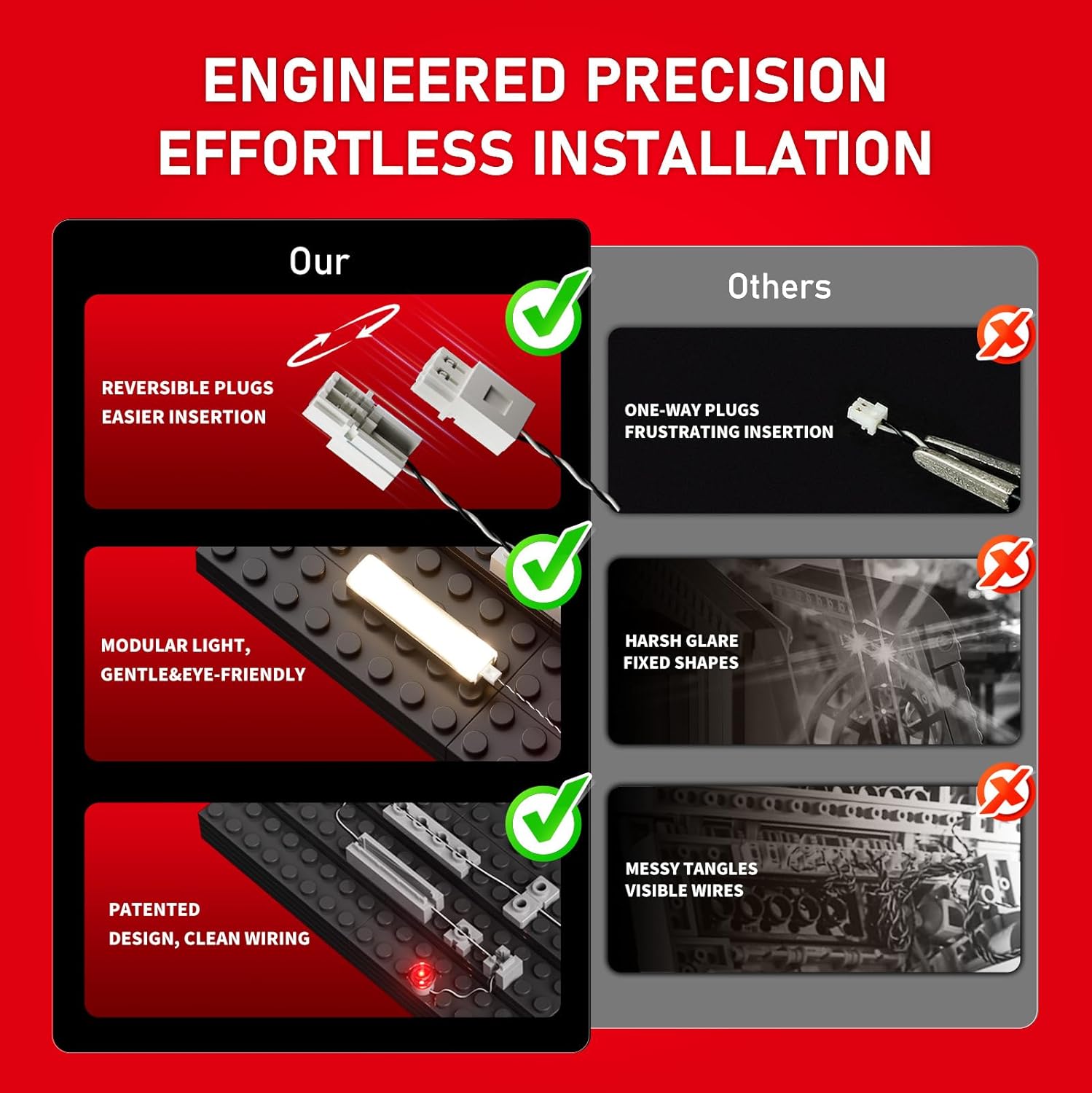
Figure 3.1: Illustration of BRIKSMAX's precision engineering for effortless installation.
Video 3.1: Demonstration of the BRIKSMAX 2.0 Light Kit installation process for the LEGO Art Japanese Cherry Blossom Landscape 31218 set.
4. Operating Instructions
Once the light kit is fully installed and connected to a power source, operating it is straightforward.
- Power On: If using the battery box, ensure batteries are correctly inserted and the switch is in the "ON" position. If using the USB cable, connect it to a compatible USB power adapter (not included) or a USB port.
- Illumination: The LED lights will illuminate, bringing your LEGO Japanese Cherry Blossom Landscape to life.
- Power Off: Disconnect the USB cable or switch the battery box to the "OFF" position when not in use to conserve power.
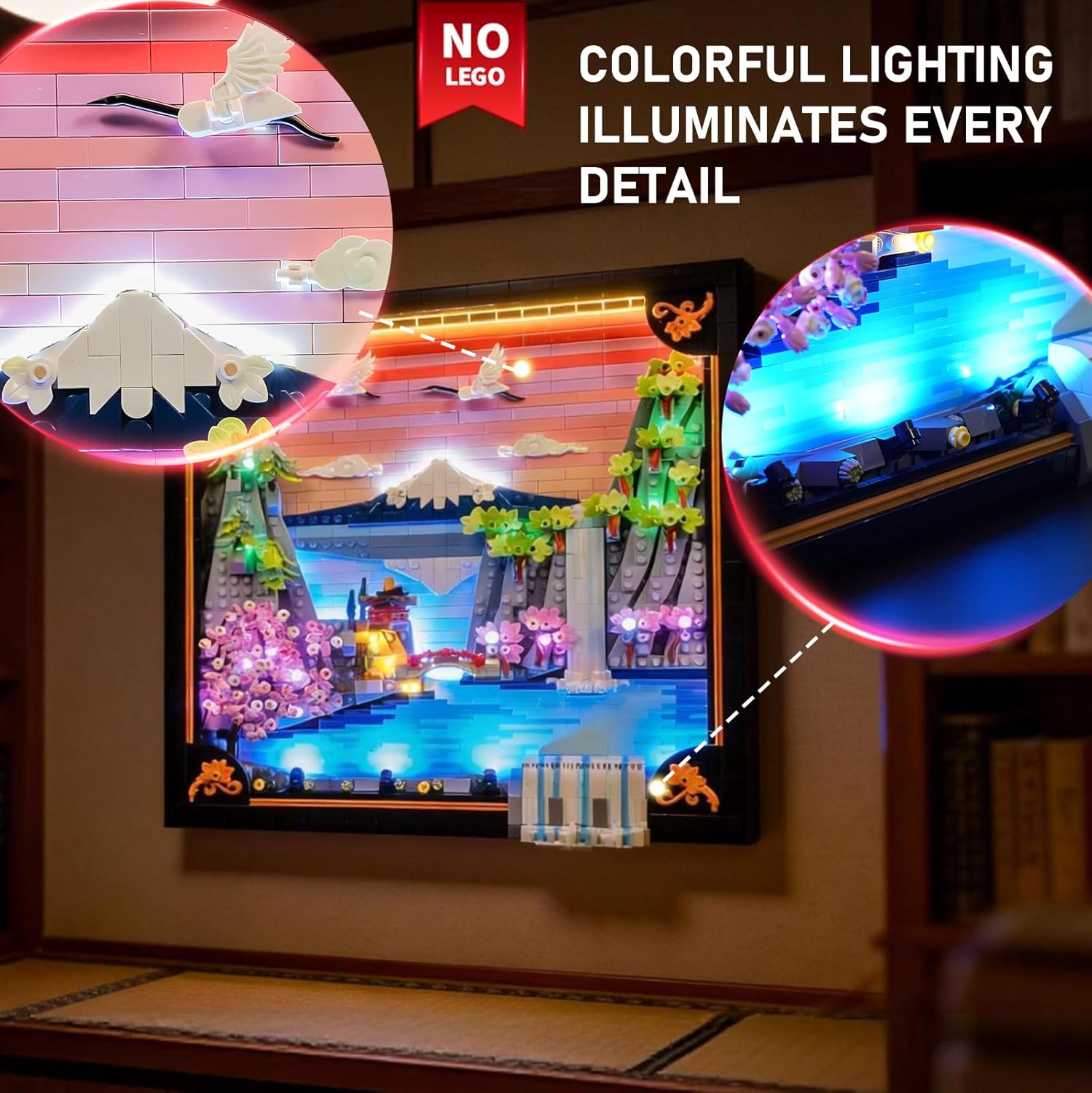
Figure 4.1: The LEGO Art Japanese Cherry Blossom Landscape 31218 illuminated by the BRIKSMAX 2.0 Light Kit.

Figure 4.2: The lighting kit provides illumination from every side of the model.
5. Maintenance
To ensure the longevity and optimal performance of your BRIKSMAX 2.0 Light Kit, follow these maintenance guidelines:
- Cleaning: Gently dust the LED lights and wires with a soft, dry cloth. Avoid using liquid cleaners directly on the electrical components.
- Storage: If disassembling the kit for storage, carefully disconnect all components and store them in a dry, cool place away from direct sunlight.
- Battery Replacement: If using the battery box, replace batteries when lights dim or cease to function. Ensure correct polarity when inserting new batteries.
- Wire Management: Periodically check that wires are not pinched or excessively bent, which could cause damage.
6. Troubleshooting
If you encounter any issues with your BRIKSMAX 2.0 Light Kit, please refer to the following common troubleshooting steps:
| Problem | Possible Cause | Solution |
|---|---|---|
| Lights do not turn on. |
|
|
| Some lights are dim or flickering. |
|
|
| Wires are visible or messy. |
|
|
7. Specifications
| Feature | Detail |
|---|---|
| Brand | BRIKSMAX |
| Model Number (Kit) | BX821 |
| Compatible LEGO Set | LEGO Art Japanese Cherry Blossom Landscape (Set 31218) |
| Material | Plastic |
| Item Weight | 180 Grams |
| Batteries Included | No |
| Power Source | USB or Battery Box (Batteries not included) |
8. Warranty and Support
BRIKSMAX stands behind the quality of its products.
- Warranty: A 1-year warranty is provided on all parts.
- Replacement Parts: Free replacement parts are available for any manufacturing defects or issues within the warranty period.
- Customer Support: For any questions, troubleshooting assistance, or to request replacement parts, please contact BRIKSMAX customer support. You can find contact information on the product packaging or the official BRIKSMAX website.