
1. Important Safety Information
Please read all instructions carefully before using your Antarctic Star Electric Cooler. Keep this manual for future reference. Failure to follow these instructions may result in product damage or personal injury.
- Ensure the power supply voltage matches the cooler's requirements (12/24V DC or 100-240V AC).
- Do not operate the cooler if the power cord is damaged.
- Keep the cooler away from heat sources and direct sunlight.
- Ensure adequate ventilation around the cooler.
- Do not immerse the cooler in water or expose it to heavy rain.
- Unplug the cooler before cleaning or performing any maintenance.
- This appliance is not intended for use by persons (including children) with reduced physical, sensory or mental capabilities, or lack of experience and knowledge, unless they have been given supervision or instruction concerning use of the appliance by a person responsible for their safety.
2. Product Overview
The Antarctic Star 53QT (50L) Electric Cooler is a versatile portable refrigerator and freezer designed for various outdoor and travel scenarios. It features dual-zone capability, intelligent electronic control, and robust construction for reliable performance.
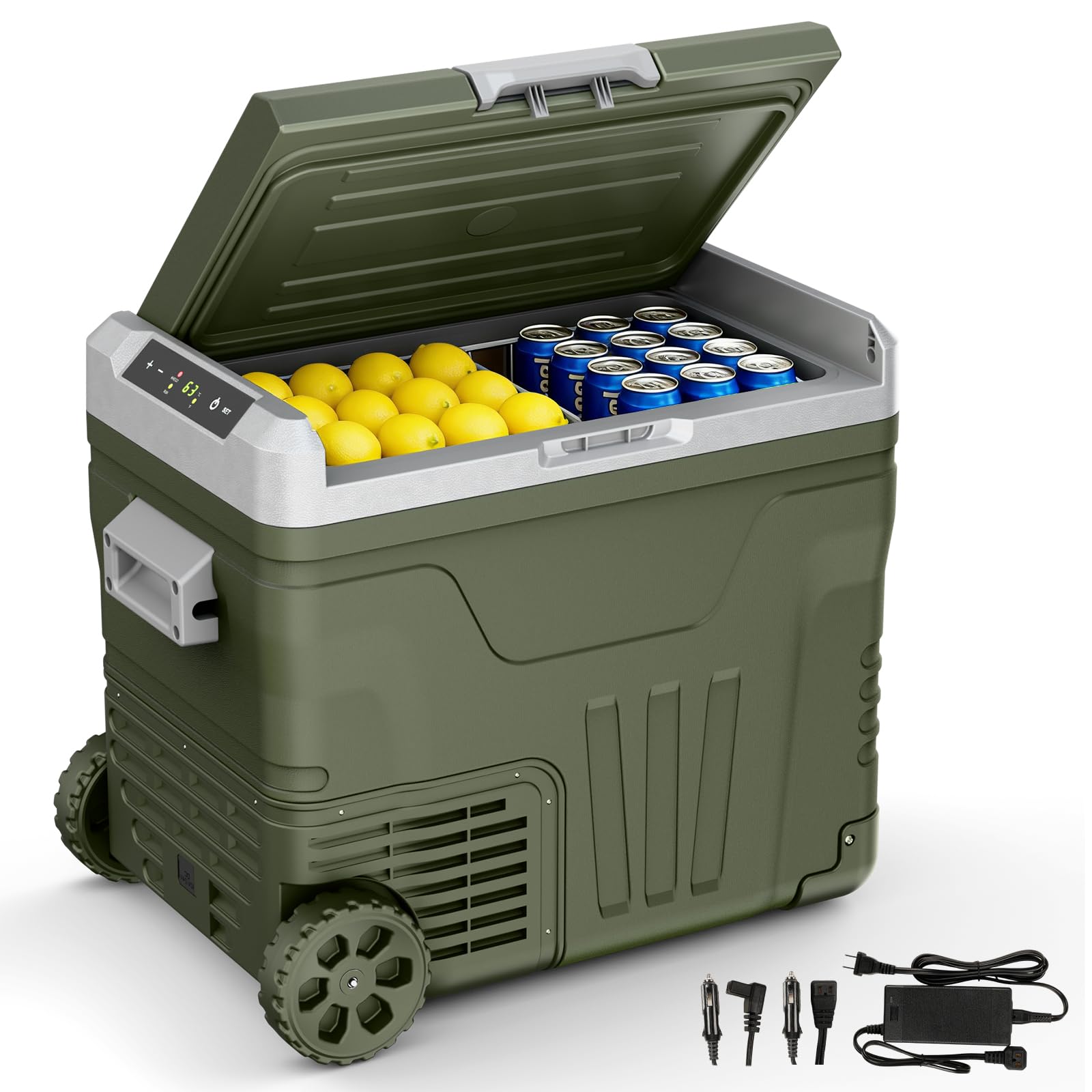
Figure 2.1: Antarctic Star 53QT Electric Cooler (Green)
Key Features:
- Dual Zone High Capacity: 53QT (50L) capacity with separate compartments for refrigeration and freezing.
- Wide Temperature Range: Adjustable from -4°F (-20°C) to 68°F (20°C).
- Intelligent Electronic Control: Digital display for precise temperature adjustment.
- 3-Level Battery Protection: Safeguards vehicle battery from depletion (H/M/L settings).
- Multi-Scenario Design: Equipped with pull rod and wheels for easy transport.
- Dual Mode Compressor: MAX mode for fast cooling, ECO mode for energy saving.
- Child Lock Function: Prevents accidental operation.
- Quiet Operation: Operates at approximately 45 dB.
- Practical Details: Includes LED lighting, drainage plug, and wire baskets.
3. Setup
3.1 Unpacking and Initial Placement
- Carefully remove the cooler from its packaging.
- Inspect the cooler for any signs of damage. If damaged, do not use and contact customer support.
- Place the cooler on a flat, stable surface. Ensure there is at least 6 inches (15 cm) of space around all sides for proper ventilation.
- Allow the cooler to stand upright for at least 6 hours before connecting to power, especially if it was transported horizontally. This allows the compressor oil to settle.
3.2 Power Connection
The cooler can be powered by a 12/24V DC power source (car cigarette lighter) or a 100-240V AC power source (standard home outlet).
- DC Power (12/24V): Connect the DC power cord to the cooler's DC inlet and then to your vehicle's cigarette lighter socket.
- AC Power (100-240V): Connect the AC adapter to the cooler's AC inlet, then plug the adapter into a standard wall outlet.

Figure 3.1: Power connection options including solar panel, power station, home outlet, and 12V/24V car cigarette lighter.
3.3 Battery Protection Settings
The cooler features a 3-level battery protection function (H/M/L) to prevent your vehicle's battery from draining. Select the appropriate level based on your battery type and usage.
- H (High): Recommended for vehicle batteries to prevent deep discharge.
- M (Medium): Suitable for most common use cases.
- L (Low): Allows for longer operation but carries a higher risk of battery discharge.
To adjust the battery protection level:
- With the cooler powered on, press and hold the "SET" button for 3 seconds.
- The current battery protection level (H, M, or L) will flash on the display.
- Press the "SET" button repeatedly to cycle through the levels.
- Stop pressing "SET" when your desired level is displayed. The setting will be saved automatically after a few seconds.
Video 3.1: Demonstrates the features and operation of the Antarctic Star 12 Volt Car Refrigerator, including power connection and control panel usage.
4. Operating Instructions
4.1 Power On/Off
- Press the power button (⏻) to turn the cooler on or off.
4.2 Temperature Setting
The cooler allows temperature adjustment from -4°F (-20°C) to 68°F (20°C).
- Press the "SET" button once. The temperature display will flash.
- Use the "+" or "-" buttons to adjust the desired temperature.
- The setting will be saved automatically after a few seconds of inactivity.

Figure 4.1: Digital control panel for setting temperature and modes.
4.3 MAX and ECO Modes
The cooler offers two compressor modes:
- MAX Mode: Provides rapid cooling for quick temperature reduction. Consumes more power (approx. 60W).
- ECO Mode: Optimizes for energy efficiency, suitable for maintaining temperature over longer periods. Consumes less power (approx. 40W).
To switch between modes, press the "HH/ECO" button. The corresponding indicator light will illuminate.
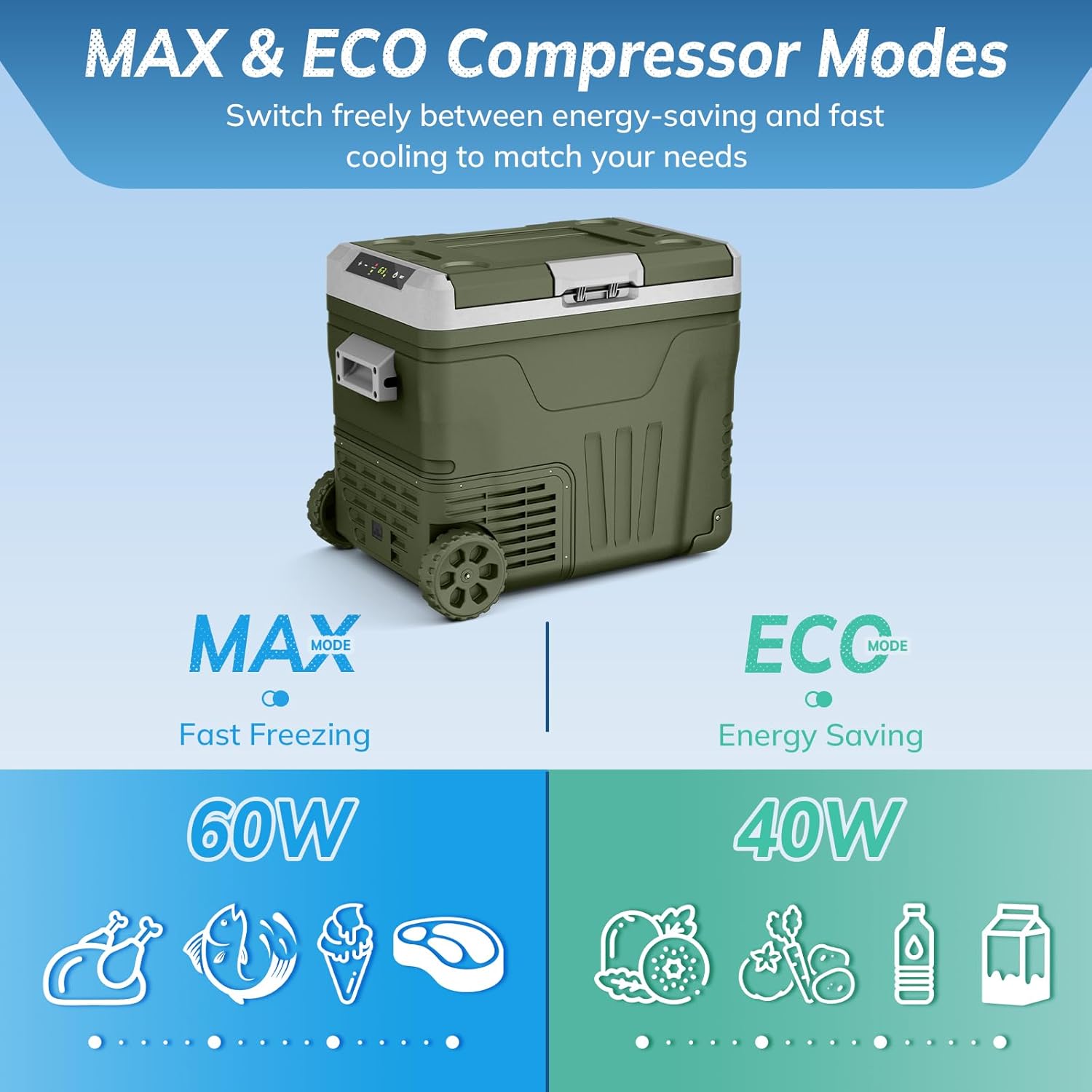
Figure 4.2: Illustration of MAX (Fast Freezing) and ECO (Energy Saving) compressor modes.
4.4 Child Lock Function
The child lock function prevents accidental changes to settings. If no operation is performed for 30 seconds, the control panel will automatically lock. To unlock, press and hold the "SET" button for 3 seconds.
4.5 Dual Zone Operation (53QT Model)
The 53QT model features two distinct zones, allowing you to set different temperatures for each compartment or use one for refrigeration and the other for freezing. The divider can be removed if a single large compartment is preferred.

Figure 4.3: The 53QT cooler interior showing two compartments for flexible storage.
4.6 Portability and Quiet Operation
The cooler is designed with a durable pull rod and large wheels for easy transport. Its advanced compressor ensures quiet operation, typically around 45 dB, minimizing disturbance during use.
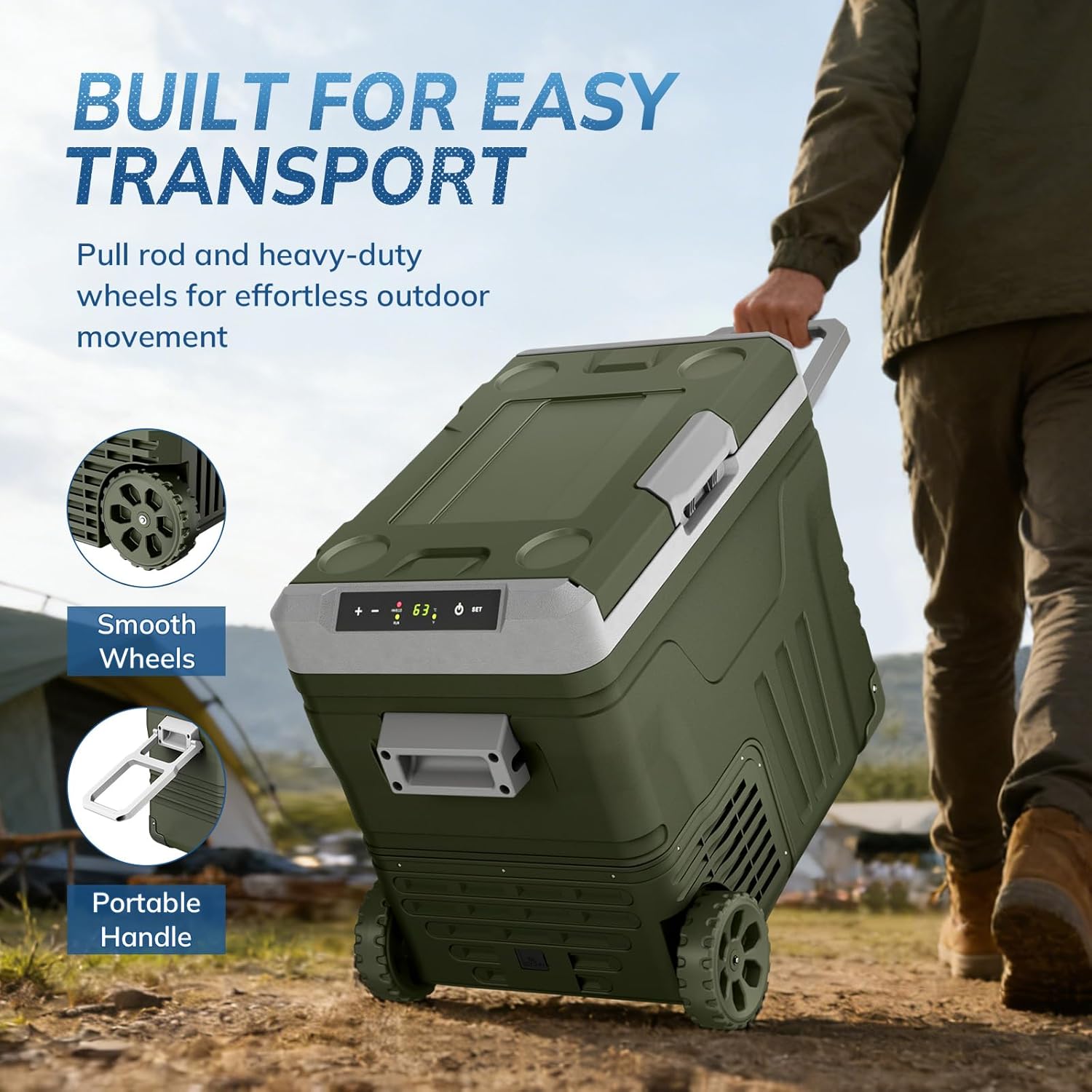
Figure 4.4: The cooler featuring a pull rod and heavy-duty wheels for easy transport.

Figure 4.5: Visual representation of the cooler's low noise level (45 dB) during operation.
5. Maintenance
5.1 Cleaning
- Always unplug the cooler before cleaning.
- Wipe the interior and exterior surfaces with a damp cloth and a mild detergent.
- Do not use abrasive cleaners or harsh chemicals.
- For easy drainage of condensed water, use the drainage plug located at the bottom of the cooler.
- Ensure the cooler is completely dry before reconnecting power or storing.

Figure 5.1: Close-up of the cooler's features, including the water drain cap for easy cleaning.
5.2 Defrosting
The Antarctic Star Electric Cooler features a frost-free defrost system, minimizing ice buildup. If ice does accumulate, turn off the unit and allow the ice to melt naturally. Use the drainage plug to remove water.
5.3 Storage
When storing the cooler for an extended period:
- Ensure the cooler is clean and dry.
- Leave the lid slightly ajar to prevent odors and mold growth.
- Store in a dry, well-ventilated area, away from direct sunlight and extreme temperatures.
6. Troubleshooting
If you encounter issues with your cooler, please refer to the following common troubleshooting steps. For more complex problems, contact customer support.
6.1 Cooler Not Turning On
- Check Power Connection: Ensure the power cord is securely plugged into both the cooler and the power source (DC or AC).
- Verify Power Source: Test the power outlet or cigarette lighter with another device to confirm it is functional.
- Check Fuse: If using DC power, inspect the fuse in the cigarette lighter plug. Replace if blown.
- Battery Protection: If connected to a vehicle battery, the battery protection setting might be too high, causing the unit to shut off to prevent battery drain. Try a lower setting (M or L) if safe for your battery.
6.2 Cooler Not Cooling Effectively
- Temperature Setting: Verify the temperature is set correctly to your desired level.
- Ventilation: Ensure adequate airflow around the cooler. Blocked vents can hinder cooling performance.
- Ambient Temperature: In very high ambient temperatures, it may take longer for the cooler to reach the set temperature.
- Lid Seal: Check that the lid is properly closed and the seal is intact.
- Overloading: Avoid overfilling the cooler, as this can restrict airflow and cooling efficiency.
- Mode Selection: Ensure the cooler is not in ECO mode if rapid cooling is desired. Switch to MAX mode.
6.3 Unusual Noise
- Normal Operation: A low humming sound from the compressor is normal.
- Vibrations: Ensure the cooler is on a stable, flat surface to prevent rattling.
- Fan Obstruction: Check for any obstructions near the fan vents.
7. Specifications
| Feature | Specification |
|---|---|
| Model Number | ZBD-50 |
| Capacity | 53QT (50 Liters) |
| Product Dimensions (D x W x H) | 25.59" x 17.52" x 21.26" |
| Temperature Range | -4℉ to 68℉ (-20℃ to 20℃) |
| Voltage | DC 12V/24V, AC 100-240V |
| Rated Power (MAX/ECO) | 60W / 40W |
| Cooling Method | Compressor |
| Noise Level | <45 dB |
| Item Weight | 33.7 pounds |
| Included Components | Car Fridge; Wheels; 2 Baskets; User Manual |
8. Warranty and Support
8.1 Warranty Information
The Antarctic Star 53QT Electric Cooler (Model ZBD-50) comes with a 1-Year Limited Warranty from the date of purchase. This warranty covers defects in materials and workmanship under normal use.
The warranty does not cover:
- Damage caused by improper installation, misuse, abuse, or neglect.
- Damage caused by unauthorized repairs or modifications.
- Damage caused by accidents, natural disasters, or power surges.
- Normal wear and tear.
Please retain your proof of purchase for warranty claims.
8.2 Customer Support
For technical assistance, warranty claims, or any questions regarding your Antarctic Star Electric Cooler, please contact our customer support team. Refer to the contact information provided with your purchase or visit the official Antarctic Star website for support details.
Note: Specific contact details are not provided in this manual. Please refer to your product packaging or the manufacturer's website for the most current support information.