
1. Product Overview
The Insoma 4 Zones Sprinkler Timer is designed to automate your garden, lawn, and plant watering systems. It features four independent watering zones, allowing for customized scheduling for different areas. The timer includes automatic, manual, and rain delay modes, along with a child lock function for enhanced control and water conservation.
Key Features:
- 4 Independent Watering Zones: Set unique start times, durations, and frequencies for each zone. Zones operate sequentially.
- Automatic Watering Mode: Program schedules with customizable start times, frequencies (every 1H/3H/6H/12H or 1-30 days), and durations (1-360 minutes).
- Manual Watering Mode: Instantly activate watering for 1-360 minutes without altering programmed schedules.
- Rain Delay Mode: Pause watering for 1-15 days to conserve water during rainy periods. Schedules resume automatically.
- Child Lock Function: Prevents accidental changes to settings by children or pets.
- Durable Design: IPX5 waterproof rating, anti-UV coating, rust-resistant materials, and reinforced brass inlet for outdoor use.
- Large LCD Display: Clear display of current time, watering duration, frequency, and battery level.
- Power Source: Requires 4xAA 1.5V alkaline batteries (not included) for over 6 months of continuous use.
2. Setup and Installation
2.1 Battery Installation
- Locate the battery compartment on the back of the timer.
- Open the battery cover.
- Insert 4 new AA 1.5V alkaline batteries, ensuring correct polarity.
- Securely close the battery cover. The timer will power on and the display will activate.
2.2 Connecting to Faucet
Ensure your faucet is turned off before installation.
- Inspect the brass inlet of the timer. Ensure the black sealing ring and two white rubber gaskets are properly seated for a leak-proof connection.
- Attach the brass thread adapter to your outdoor faucet.
- Screw the Insoma Sprinkler Timer onto the brass thread adapter. Hand-tighten until secure. Do not overtighten.
- Connect your garden hoses or irrigation lines to the four independent outlets at the bottom of the timer.
- Slowly turn on your faucet. Check for any leaks. The timer requires water pressure between 7.25 psi and 116 psi to function correctly.

Figure 1: Installation Diagram for Insoma 4 Zones Sprinkler Timer.
Video 1: Demonstrates the process of installing the Insoma Sprinkler Timer onto a faucet.
3. Operating Instructions
The Insoma Sprinkler Timer features a large LCD display and a rotary dial for easy navigation and setting adjustments. Use the 'Zone' button to select the desired watering zone (1-4) before programming.
3.1 Setting Current Time and Clock Format
- Turn the rotary dial to "SET CLOCK".
- Use the "+" and "-" buttons to adjust the hour, minute, and AM/PM (if 12-hour format). Press "OK" to confirm each setting.
- To switch between 12-hour and 24-hour format, navigate to the time setting and press the "OK" button when the hour is flashing.
3.2 Automatic Watering Mode
This mode allows you to set a recurring watering schedule for each zone.

Figure 2: Automatic Watering Cycle Modes.
- Turn the rotary dial to "SET START". Set the desired start time for watering using "+"/"-" and "OK".
- Turn the rotary dial to "HOW LONG". Set the watering duration (1-360 minutes) using "+"/"-" and "OK".
- Turn the rotary dial to "HOW OFTEN". Choose the watering frequency:
- Hour Cycle Mode: Every 1H, 3H, 6H, or 12H.
- Day Cycle Mode: Every 1 day to 30 days.
- Once all settings are configured, turn the rotary dial to "AUTO" to activate the programmed schedule.
3.3 Manual Watering Mode
This allows for immediate watering without affecting your programmed schedule.

Figure 3: Manual Watering Mode in use.
- Turn the rotary dial to "MANUAL".
- Use the "+" and "-" buttons to set the desired watering duration (1-360 minutes).
- Press "OK" to start manual watering.
- To stop manual watering, turn the dial to "OFF" or press "OK" again.
3.4 Rain Delay Mode
Pause your automatic watering schedule for a set number of days to avoid overwatering during rain.
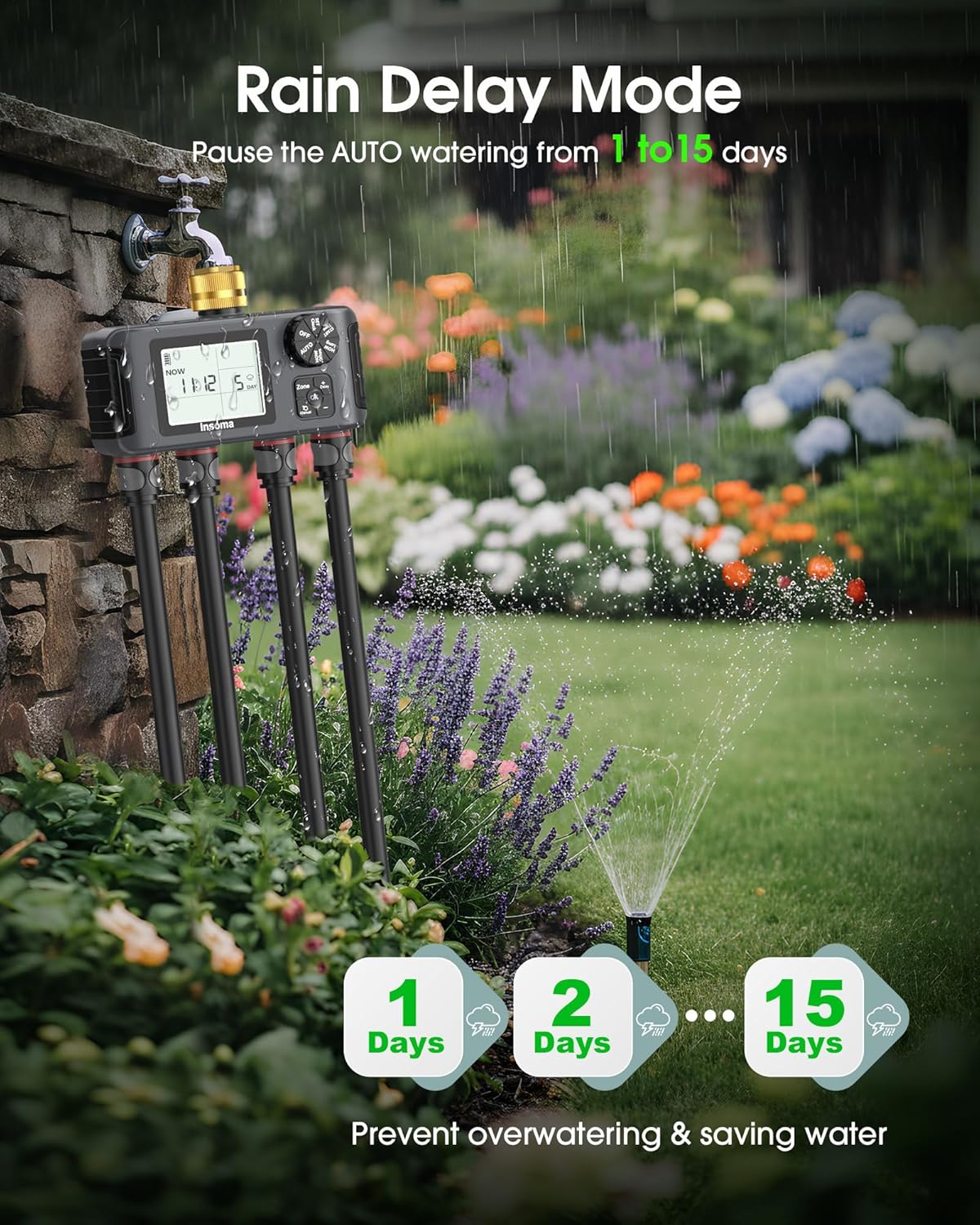
Figure 4: Rain Delay Mode.
- While in "AUTO" mode, press the "Delay" button.
- Use the "+" and "-" buttons to select the number of delay days (1-15 days).
- Press "OK" to confirm. The timer will pause watering for the selected duration and resume automatically afterward.
3.5 Child Lock Mode
Prevent unintended changes to your watering program.
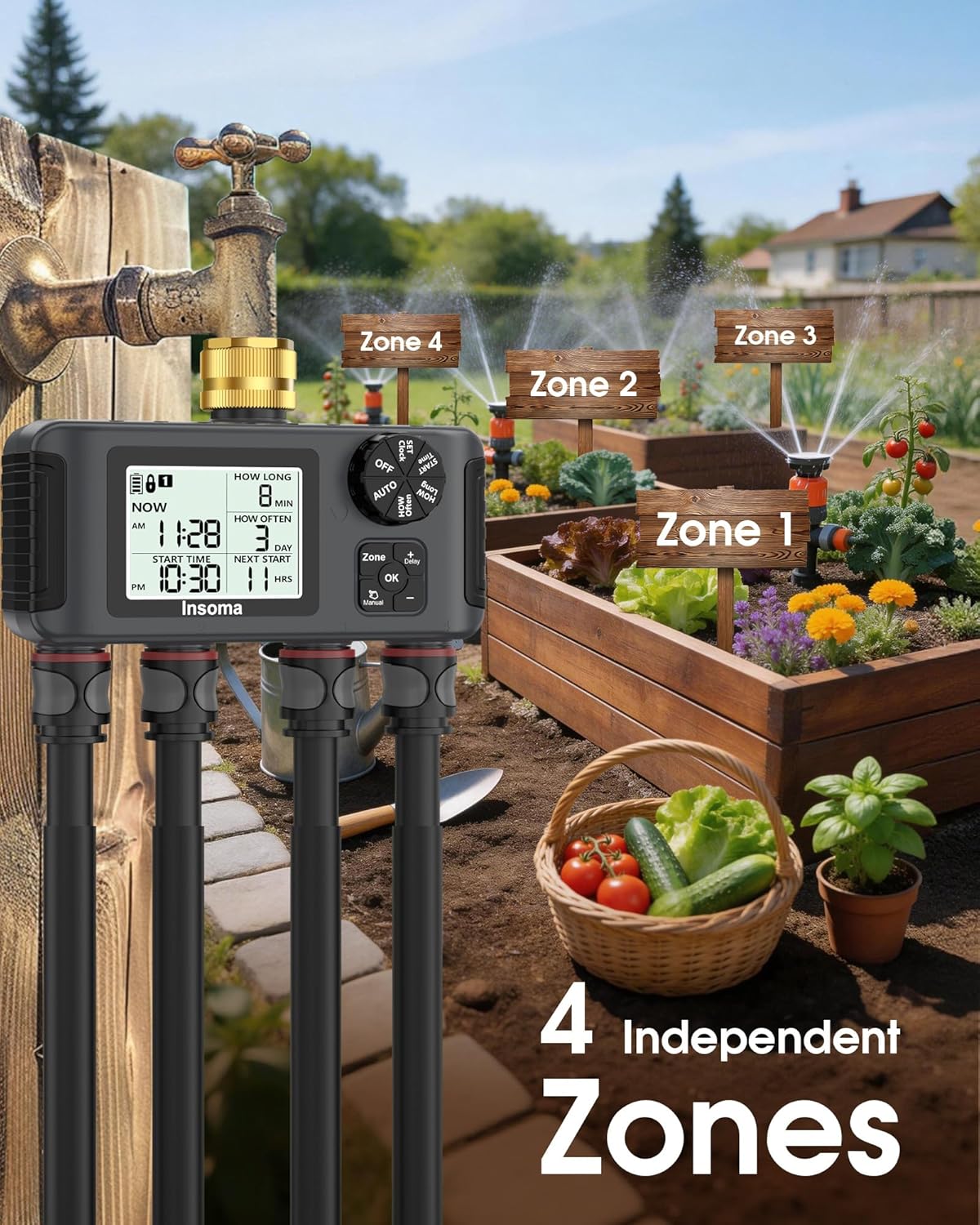
Figure 5: Child Lock Function.
- To activate Child Lock, press and hold the "OK" button for 5 seconds until a lock icon appears on the screen.
- To deactivate, press and hold the "OK" button for 5 seconds again until the lock icon disappears.
3.6 Zone Selection
The timer has 4 independent zones. Press the "Zone" button to cycle through Zone 1, Zone 2, Zone 3, and Zone 4. Each zone can have its own unique watering schedule. Note that the 4 outlets operate sequentially, not simultaneously.

Figure 6: Four Independent Watering Zones.
4. Maintenance
- Battery Replacement: Replace the 4xAA batteries when the low battery indicator appears on the LCD screen. Ensure the battery compartment is sealed tightly after replacement.
- Filter Cleaning: Periodically check and clean the built-in metal filter located in the brass inlet to prevent debris from affecting water flow and timer operation.
- Winter Storage: Before freezing temperatures, disconnect the timer from the faucet and hoses. Drain any remaining water and store the unit indoors in a dry, frost-free location. Remove batteries if storing for extended periods.
- General Cleaning: Wipe the exterior of the timer with a damp cloth. Do not use abrasive cleaners or immerse the unit in water.

Figure 7: Reinforced Brass Inlet and Metal Filter.
5. Troubleshooting
| Problem | Possible Cause | Solution |
|---|---|---|
| Timer not turning on / Display blank | Dead or incorrectly installed batteries. | Replace with 4 new AA alkaline batteries. Ensure correct polarity. |
| Water not flowing / Timer not watering |
|
|
| Water leaking from connections |
|
|
| Timer not responding to button presses | Child Lock is active. | Deactivate Child Lock by holding the "OK" button for 5 seconds. |
6. Specifications
- Model Number: SGW18-T-03-CA
- Brand: Insoma
- Material: Plastic (with Brass Inlet)
- Color: Black
- Product Dimensions: 3.3"D x 8.1"W x 5.6"H
- Number of Zones: 4
- Watering Duration: 1 - 360 minutes
- Watering Frequency: Every 1H/3H/6H/12H or Every 1-30 Days
- Rain Delay: 1 - 15 days
- Water Pressure Range: 7.25 psi - 116 psi
- Power Source: 4 x AA 1.5V Alkaline Batteries (not included)
- Waterproof Rating: IPX5
7. Warranty and Support
For warranty information or technical support, please contact Insoma customer service through the retailer where the product was purchased or visit the official Insoma website. Please have your model number (SGW18-T-03-CA) and purchase details ready when contacting support.


