
Umatoll 12V Electric Wiggle Car Instruction Manual
Model: UT501
1. Important Safety Information
Please read and understand all safety instructions before assembling or operating the Umatoll 12V Electric Wiggle Car. Failure to follow these instructions may result in injury.
- Adult Assembly Required: This product must be assembled by an adult.
- Age Suitability: Suitable for children 3 years and older.
- Maximum Weight Capacity: Do not exceed the maximum weight capacity of 150 lbs (68 kg).
- Choking Hazard: Contains small parts. Keep away from young children during assembly.
- Supervision: Always supervise children while they are using the wiggle car.
- Operating Environment: Use on flat, smooth surfaces. Avoid slopes, stairs, public roads, and wet areas.
- Protective Gear: Always ensure the child wears appropriate safety gear, such as a helmet and knee pads.
2. Product Overview
The Umatoll 12V Electric Wiggle Car offers a unique riding experience with both electric and manual modes, featuring interactive LED displays, customizable lighting, and Bluetooth music connectivity.
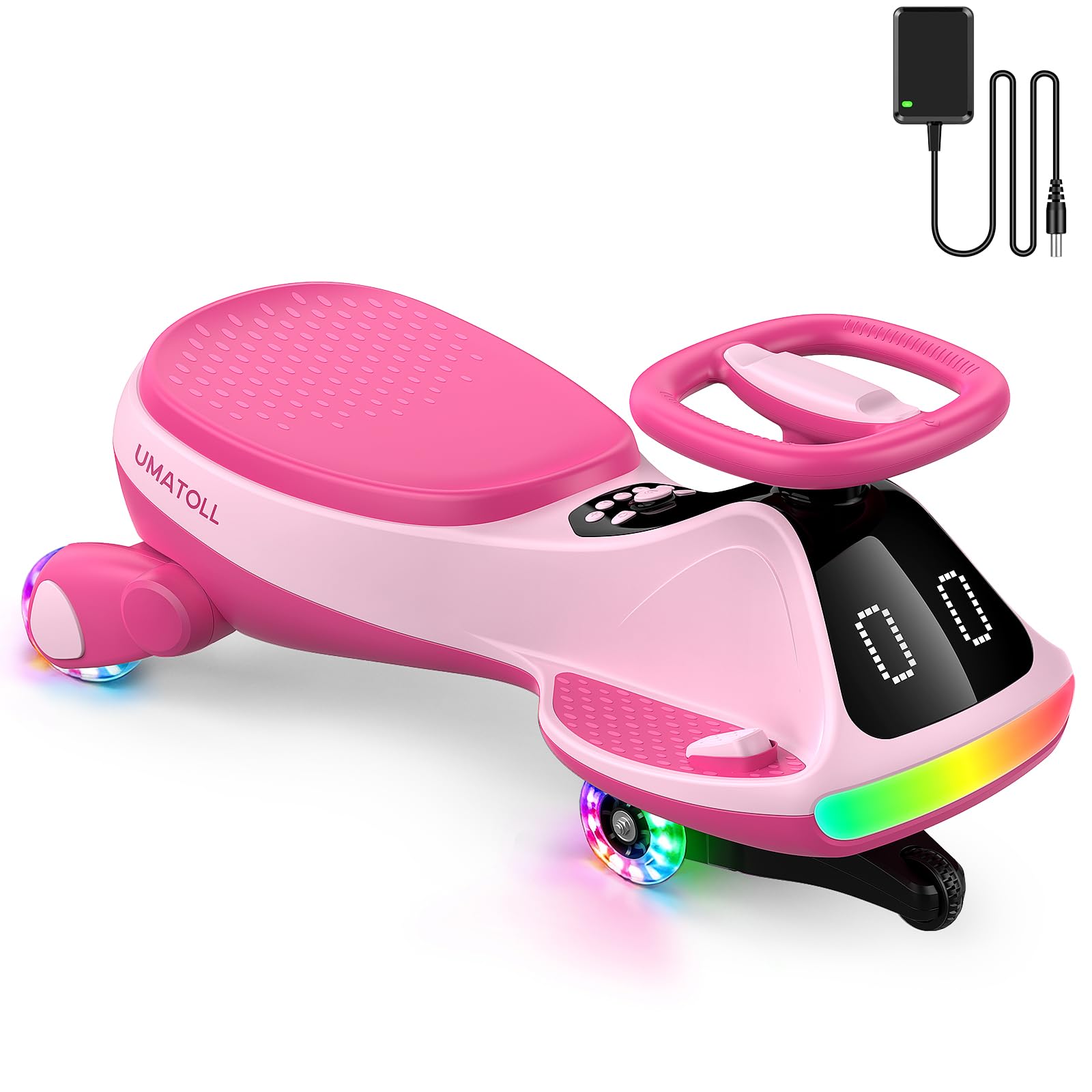
Image: The Umatoll 12V Electric Wiggle Car in pink, showcasing its sleek design and LED display.
Key Features:
- LED Expression Display: Easily switch between various fun expressions.
- Adjustable LED Light Strip: Customize light colors for enhanced fun and visibility.
- Dual-Mode Operation: Electric mode for effortless riding and manual mode for balance development.
- Dual-Speed Selection: Low speed (1.9 mph) and high speed (4 mph).
- Bluetooth Music: Connect your device to play music through the car's speakers.
- Flashing Wheels: Wheels illuminate during use for visual appeal and night safety.
- Safety Design: Double-triangle base for stability and anti-tip protection. Automatic power cut-off when obstructed.
3. Setup and Assembly
The Umatoll 12V Electric Wiggle Car comes partially assembled. Follow these steps to complete the setup.
What's in the Box:
- Electric Wiggle Car (main body)
- Charging Adapter
- User Manual
Assembly Steps:
- Unpack Components: Carefully remove all parts from the packaging and ensure all components are present.
- Handlebar Installation: Insert the handlebar into the designated slot on the main body until it clicks securely into place. Ensure it is firmly attached and does not wobble.
- Initial Charge: Before first use, fully charge the built-in battery. Locate the charging port (refer to the 'Rechargeable Battery' image below) and connect the charging adapter. The indicator light on the charger will typically change color when fully charged.

Image: Rear view of the wiggle car showing the charging port and power switch. Ensure the battery is fully charged before initial use.
4. Operating Instructions
Familiarize yourself with the controls and modes of the wiggle car for an optimal riding experience.
Power On/Off:
- Locate the power switch, usually near the charging port (see 'Rechargeable Battery' image in Setup). Flip the switch to the 'ON' position to power on the car.
- To power off, flip the switch to the 'OFF' position.
Riding Modes:

Image: Illustration of the two riding modes: Manual mode with 360-degree steering and Electric mode activated by a foot pedal.
- Electric Mode: Step on the foot pedal to move forward. This mode provides effortless propulsion.
- Manual Mode: For manual operation, the child can use their feet to propel the car or use body movements to steer and glide, aiding in balance and coordination development.
Speed Selection:

Image: Two children on wiggle cars, demonstrating the two speed options: 1.9 mph (1st gear) and 4 mph (2nd gear). A speed control button is shown on the underside.
- The wiggle car offers two speed options: Low speed (1.9 mph) and High speed (4 mph).
- Adjust the speed using the plug-in button located on the underside of the vehicle. Select the appropriate speed based on the child's skill level and environment.
LED Display and Lighting:

Image: Close-up of the wiggle car's LED display, showing various selectable expressions and an 'Expression Switch' button.

Image: The wiggle car's LED light strip with a 'Light Control' button, demonstrating dynamic rainbow, 7 colors rolling, changing 7 colors, and 7 single color light modes.
- Expression Switch: Use the control panel to cycle through various fun expressions on the front LED display.
- Light Control: Press the light control button to change the LED light strip colors and modes (e.g., dynamic rainbow, 7 colors rolling, single colors).
- Music Rhythm Mode: When Bluetooth music is playing, the display can sync visual effects with the beat.
Bluetooth Music Connectivity:
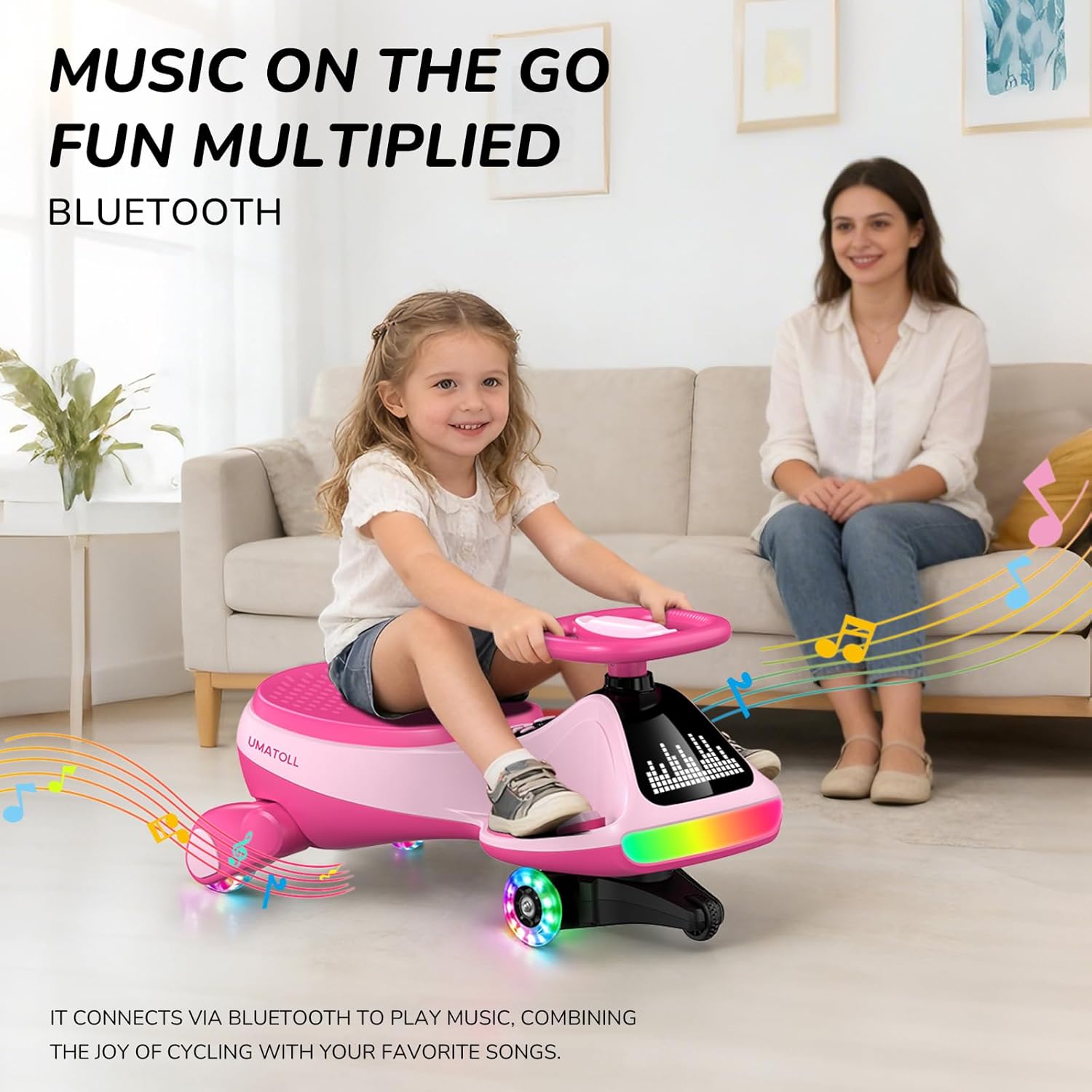
Image: A child happily riding the Umatoll Wiggle Car indoors, with graphic elements indicating Bluetooth music playback.
- Ensure the wiggle car is powered on.
- Activate Bluetooth on your mobile device.
- Search for the wiggle car's Bluetooth name (usually 'Umatoll Car' or similar) and pair.
- Once paired, you can play music from your device through the car's speakers.
5. Maintenance
Proper maintenance ensures the longevity and safe operation of your Umatoll Electric Wiggle Car.
Battery Care:
- The built-in battery should be charged regularly. Do not allow the battery to be fully depleted for extended periods.
- For daily use, store the wiggle car in a cool, dry place to extend battery lifespan.
- Avoid exposing the battery to extreme temperatures.
Cleaning:
- Wipe the car with a damp cloth. Do not use harsh chemicals or abrasive cleaners.
- Ensure no water enters the electronic components.
Storage:
- Store the wiggle car indoors in a dry environment when not in use.
- If storing for an extended period, charge the battery periodically (e.g., once a month) to maintain its health.
6. Troubleshooting
If you encounter issues with your Umatoll Electric Wiggle Car, refer to the following common problems and solutions.
| Problem | Possible Cause | Solution |
|---|---|---|
| Car does not move in electric mode. | Battery is low or depleted. Power switch is off. Obstruction detected. | Charge the battery. Ensure power switch is ON. Remove any obstructions; power will restore after approximately 40 seconds. |
| LED display or lights are not working. | Car is off. Light control button not pressed. | Ensure the car is powered on. Press the light control button to activate or change modes. |
| Cannot connect via Bluetooth. | Bluetooth not enabled on device. Car's Bluetooth not discoverable. | Ensure Bluetooth is enabled on your device. Power cycle the wiggle car to reset Bluetooth. Try pairing again. |
| Car moves slowly or inconsistently. | Low battery. Incorrect speed setting. Overweight load. | Charge the battery. Check the speed setting on the underside of the vehicle. Ensure the rider's weight is within the 150 lbs limit. |
If the problem persists after trying these solutions, please contact Umatoll customer support.
7. Specifications
Detailed technical specifications for the Umatoll 12V Electric Wiggle Car.

Image: Diagram showing the dimensions (28.9"L x 13.3"W x 15"H), maximum weight capacity (150 lbs), and recommended age (3+ years old) for the wiggle car.
| Feature | Detail |
|---|---|
| Model Number | UT501 |
| Brand | Umatoll |
| Recommended Age | 36 months - 12 years |
| Maximum Weight Capacity | 150 pounds (68 kg) |
| Item Dimensions (L x W x H) | 28.9" x 13.3" x 15" (73.4 cm x 33.8 cm x 38.1 cm) |
| Item Weight | 13.2 pounds (6 kg) |
| Material Type | Plastic |
| Speed Options | 1.9 mph (Low), 4 mph (High) |
| Special Features | LED Expression Display, 2-in-1 Electric & Manual Riding Modes, RGB Lights, Bluetooth, Rechargeable Battery |
8. Warranty and Support
For warranty information or customer support, please refer to the contact details provided with your purchase documentation or visit the official Umatoll website. Keep your purchase receipt for warranty claims.
