
1. Introduction
Thank you for choosing the SEDETA 32-inch Corner Electric Standing Desk. This manual provides essential information for the safe assembly, operation, and maintenance of your new desk. Please read it thoroughly before use and retain it for future reference.
This electric standing desk is designed to offer a versatile and ergonomic workspace, allowing seamless transitions between sitting and standing positions. Its compact corner design is ideal for optimizing space in various environments, including home offices, gaming setups, and study areas.

The SEDETA Corner Electric Standing Desk fits efficiently into various room corners.

The desk supports both sitting and standing postures for improved ergonomics.
2. Safety Information
- Ensure all components are securely fastened before use.
- Keep children and pets away from the desk during operation to prevent injury.
- Do not overload the desk. Refer to the specifications for maximum weight capacity.
- Avoid placing liquids directly on the control panel or power strip.
- Do not attempt to disassemble or repair the motor or electrical components yourself. Contact customer support for assistance.
- Ensure the power cord is not pinched or damaged.
- Operate the desk on a level surface to ensure stability.
3. Package Contents
Please check the package carefully to ensure all items are present and undamaged. If any parts are missing or damaged, please contact customer support.
- Desktop (Engineered Wood)
- Desk Legs (Alloy Steel)
- Motor and Control Box
- Control Panel with LED Display
- Storage Drawer
- Built-in Power Strip (2 USB ports, 3 AC outlets)
- 2 Hooks
- Power Cord
- Assembly Hardware and Tools
4. Assembly Instructions
Assembly is required for this desk. Please follow the detailed instructions provided in the separate assembly guide included with your package. Ensure you have adequate space and assistance if needed.
- Unpack all components and verify against the package contents list.
- Attach the desk legs to the desktop using the provided hardware.
- Install the motor and control box according to the assembly guide.
- Mount the control panel to the underside of the desktop in the designated area.
- Connect all electrical cables as instructed.
- Install the storage drawer and hooks.
- Plug the power cord into a suitable electrical outlet.

Desk dimensions and drawer details for assembly reference.
5. Operating Instructions
5.1. Control Panel Functions

The control panel features an LED display, up/down arrows, memory presets, and a reset button.
- LED Display: Shows the current desk height in inches.
- Up/Down Arrows (▲ / ▼): Press and hold to adjust the desk height manually. Release to stop.
- Memory Presets (1, 2, 3): Store and recall preferred desk heights.
- 'S' Button: Used to save memory presets.
- 'RST' Button: Used for resetting the desk (e.g., after power loss or for initial setup).
5.2. Height Adjustment
The desk offers a height adjustment range from 28.3 inches to 46.9 inches.
- Manual Adjustment: Press and hold the Up (▲) or Down (▼) arrow button until the desk reaches your desired height.
- Setting Memory Presets:
- Adjust the desk to your desired height using the Up/Down arrows.
- Press the 'S' button. The LED display will show 'S-'.
- Press one of the number buttons (1, 2, or 3) within 5 seconds. The display will show 'S-1', 'S-2', or 'S-3' to confirm the height is saved.
- Using Memory Presets: Press the corresponding number button (1, 2, or 3) to automatically move the desk to the saved height.

The desk offers a flexible height range for ergonomic comfort.
5.3. Using the Built-in Power Strip
The desk includes a recessed power strip with 3 AC outlets and 2 USB ports for convenient charging and powering your devices.
- Plug your devices directly into the available AC outlets (120V/12A) or USB ports (5V/2A).
- Ensure the total power consumption does not exceed the strip's maximum rating.

The integrated power strip and storage drawer enhance functionality.
5.4. Using the Storage Drawer and Hooks
- The integrated storage drawer provides a convenient space for small office supplies, notebooks, or personal items.
- The two sturdy hooks located underneath the desk can be used to hang headphones, bags, or cables, helping to keep your workspace tidy.
6. Maintenance
- Cleaning: Wipe the desk surface with a soft, damp cloth. Avoid harsh chemicals or abrasive cleaners that may damage the finish.
- Inspection: Periodically check all screws and connections to ensure they are tight. Retighten if necessary.
- Cable Management: Ensure cables are neatly managed and do not interfere with the desk's movement.
- Motor Care: The motor is designed for quiet operation (under 40 dB). Avoid obstructing the motor or lifting mechanism.
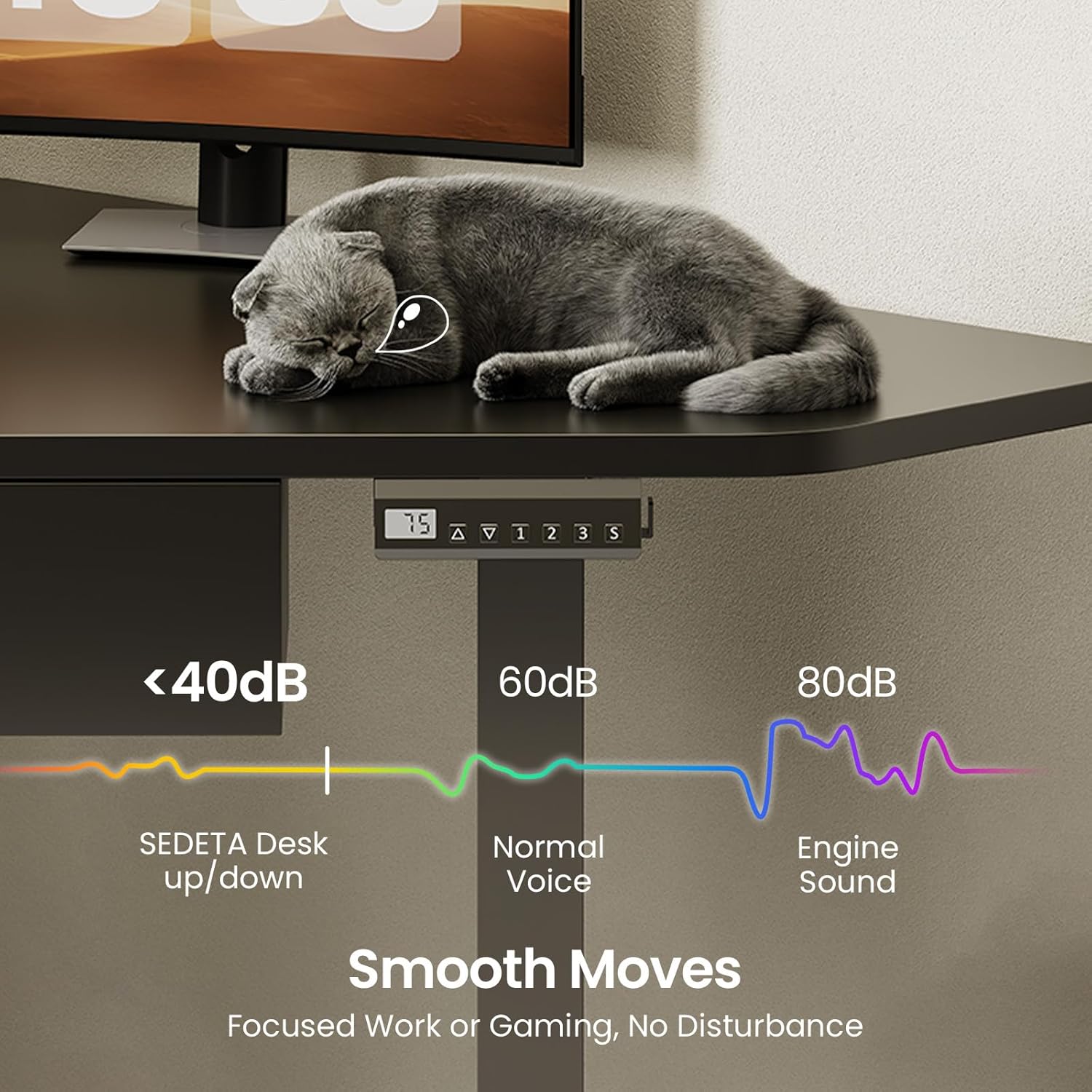
The desk operates quietly, ensuring minimal disturbance.
7. Troubleshooting
| Problem | Possible Cause | Solution |
|---|---|---|
| Desk does not move | Power cord disconnected; Motor overload; Control panel error. | Check power connection; Reduce weight on desk; Press 'RST' button to reset. |
| Desk moves unevenly | Uneven load; Loose connections. | Distribute weight evenly; Check and tighten all assembly screws. |
| Error code on display | Specific system error. | Refer to the assembly guide for specific error codes or contact customer support. |
| Noise during operation | Normal motor sound; Obstruction. | Ensure no objects are interfering with the lifting mechanism. Slight motor sound is normal. |
8. Specifications
| Feature | Detail |
|---|---|
| Brand | SEDETA |
| Model | B0GFK25D9T |
| Shape | Triangular (Corner) |
| Desk Design | Standing Desk |
| Product Dimensions (D x W x H) | 32"D x 32"W x 28.3"H |
| Color | Black |
| Style | Modern |
| Base Material | Alloy Steel |
| Top Material Type | Engineered Wood |
| Minimum Height | 28.3 Inches |
| Maximum Height | 46 Inches |
| Number of Drawers | 1 |
| Special Feature | Electric Standing, Memory Presets, Built-in Power Strip |
| Weight Capacity | 200 lbs (approximate, based on stability tests) |
| Noise Level | < 40 dB |
| Required Assembly | Yes |

The desk is designed for stability and durability, supporting up to 200 lbs.

The desk features a heavy-coated steel tube frame for robust support.

The 32-inch corner desktop provides ample space for multiple monitors.
9. Warranty Information
The SEDETA 32-inch Corner Electric Standing Desk comes with a Lifetime Warranty. This warranty covers manufacturing defects in materials and workmanship under normal use. It does not cover damage caused by misuse, accidents, unauthorized modifications, or normal wear and tear.
Please retain your proof of purchase for warranty claims. For detailed terms and conditions, or to make a warranty claim, please contact SEDETA customer support.
10. Customer Support
If you have any questions, require assistance with assembly, or encounter any issues with your SEDETA Corner Electric Standing Desk, please do not hesitate to contact our customer support team.
For the most up-to-date contact information, please visit the official SEDETA website or refer to the contact details provided with your purchase documentation.
We are committed to providing you with a high-quality product and excellent service.