
1. Introduction
Thank you for choosing the PAXA T01 Electric Shaver. This compact and portable rotary shaver is designed for both wet and dry shaving, offering convenience and efficiency. Please read this manual thoroughly before using the device to ensure safe operation and optimal performance. Keep this manual for future reference.

The PAXA T01 shaver is compact and portable, designed to fit easily into bags for travel.
2. Safety Information
To reduce the risk of electric shock, injury, or damage, always follow these basic safety precautions:
- Read all instructions before using this appliance.
- Keep the appliance away from children.
- Do not disassemble, repair, or modify the appliance yourself. Contact qualified service personnel if needed.
- Ensure the USB-C charging port is completely dry before connecting the charging cable. Although the shaver is IPX7 waterproof for washing, water in the charging port can cause damage during charging.
- Do not use the shaver if it is damaged or malfunctioning.
- Avoid applying excessive pressure during shaving, especially when using new blades, to prevent skin irritation.
- The rigid protective cover helps prevent accidental activation and protects the blades during transport. Always use it when not in use.
3. Product Overview
The PAXA T01 Electric Shaver features a robust design and efficient shaving components.
Components:
- Shaver Body (with integrated motor and battery)
- Magnetic Dual-Ring Floating Blade Head
- Protective Cover
- USB-C Charging Cable

Front view of the PAXA T01 Electric Shaver.

Detail of the dual-ring floating blade mesh and high-speed motor.
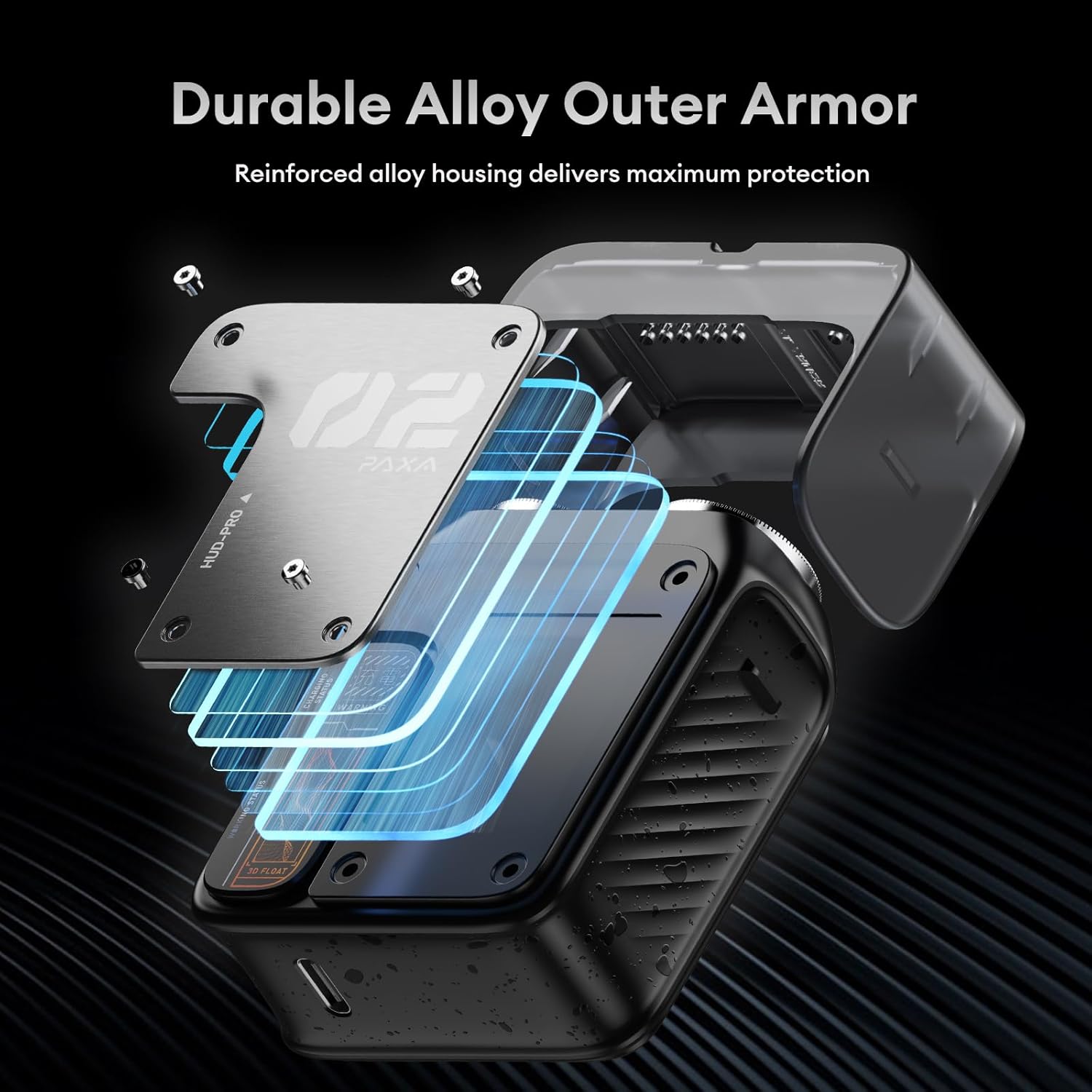
The shaver features a durable alloy outer armor for protection.
4. Setup
Initial Charge:
Before first use, fully charge your PAXA T01 shaver. Refer to the 'Charging' section for detailed instructions.
Attaching/Detaching the Blade Head:
The blade head is held in place by magnets. To attach, simply align the blade head with the shaver body until it clicks into place. To detach, gently pull the blade head away from the shaver body.
5. Charging
The PAXA T01 shaver is equipped with a USB-C charging port for convenient power replenishment.
Charging Procedure:
- Ensure the shaver and its USB-C port are completely dry.
- Connect the provided USB-C cable to the shaver's charging port.
- Connect the other end of the USB-C cable to a compatible power source (e.g., laptop, car charger, power bank, or USB adapter).
- A full charge takes approximately 1 hour, providing up to 60 minutes of shaving time.
- For emergency use, a 5-minute quick charge can provide enough power for one shave.
Battery Indicator:
The smart breathing LED indicator shows the battery status:
- Orange (Solid): Shaver is working.
- Orange (Breathing): Low battery level.
- Red (Solid): Fully charged.

The shaver can be charged via various USB-C compatible sources.
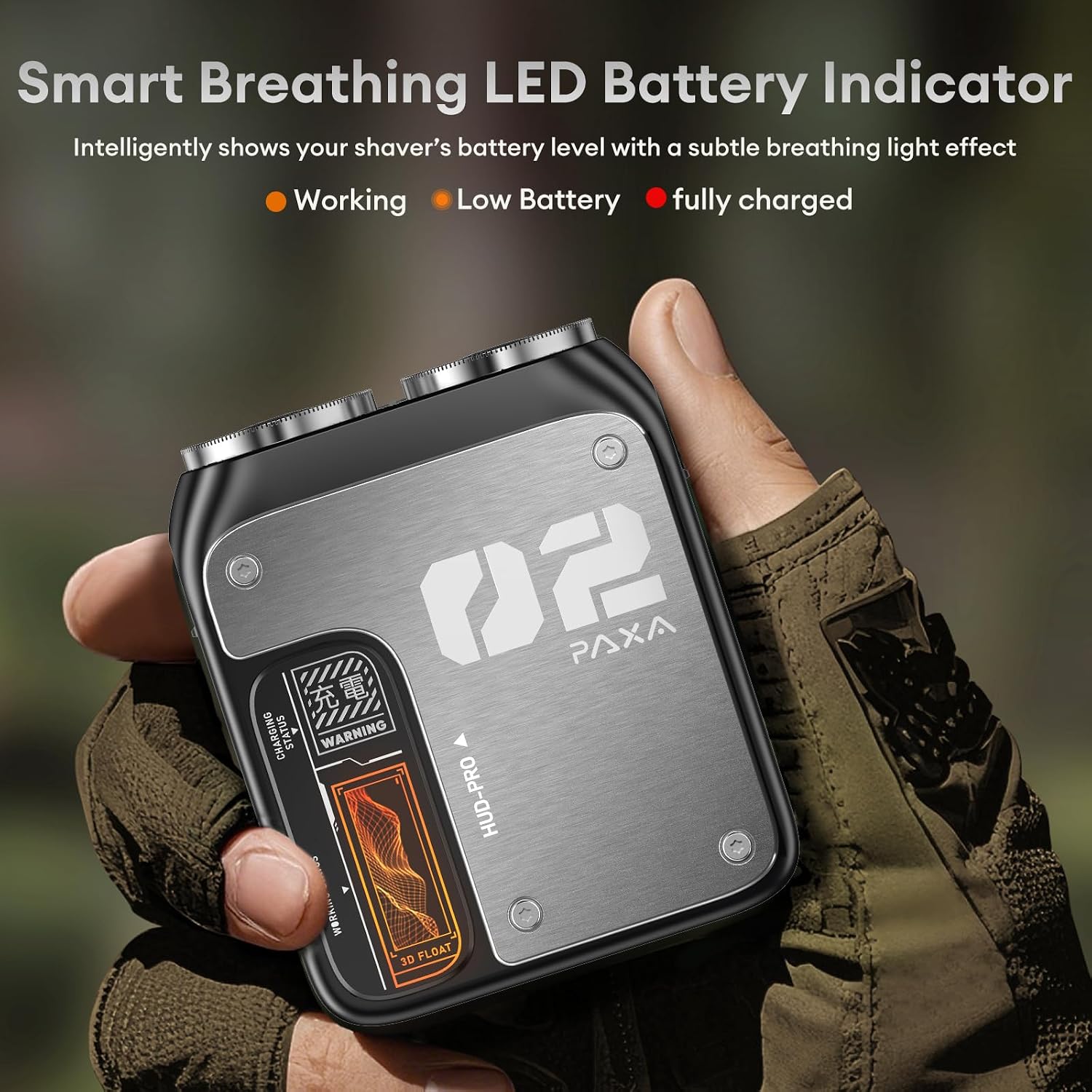
Smart breathing LED indicator for battery status.
6. Operating Instructions
Power On/Off:
Press the power button located on the side of the shaver to turn it on or off.
Dry Shaving:
- Ensure your face is clean and dry.
- Turn on the shaver.
- Gently move the shaver in small circular motions against the direction of hair growth.
- Avoid pressing too hard to prevent skin irritation.
Wet Shaving:
- Apply shaving foam or gel to your face.
- Turn on the shaver.
- Shave in gentle circular motions.
- Rinse the shaver head under running water during shaving to remove accumulated hair and foam.
Important Note: New shaver blades may feel sharper initially. Shave gently without excessive pressure to allow your skin to adapt.
7. Cleaning and Maintenance
Regular cleaning ensures optimal performance and hygiene of your shaver.
Cleaning Procedure:
- Turn off the shaver.
- Remove the magnetic blade head by gently pulling it away from the shaver body.
- Rinse the blade head and the shaver body (where the blade head attaches) under running water. The shaver is IPX7 waterproof, allowing for full body washing.
- Use the included cleaning brush to remove any stubborn hair particles from the blades and shaver interior.
- Shake off excess water and allow all parts to air dry completely before reattaching the blade head and storing the shaver.
- Always place the protective cover back on the shaver when not in use.

The shaver is IPX7 waterproof for easy cleaning under running water.
8. Troubleshooting
If you encounter any issues with your PAXA T01 shaver, refer to the following common problems and solutions:
- Shaver does not turn on:
- Check if the battery is charged. Connect the shaver to a power source and observe the LED indicator.
- Ensure the power button is pressed firmly.
- Poor shaving performance / pulling hair:
- Clean the blade head thoroughly to remove any trapped hair or debris.
- Ensure the shaver is fully charged. Low battery can affect motor speed.
- Adjust your shaving technique; use gentle, circular motions without excessive pressure.
- If the blades are old or dull, consider replacing the blade head (contact customer support for availability).
- Skin irritation after shaving:
- Ensure your skin is clean before shaving.
- Use a gentle shaving technique.
- If wet shaving, ensure sufficient foam or gel is applied.
- Allow your skin to adapt to the new shaver, especially if transitioning from a different shaving method.
9. Specifications
| Model Number | PAT0111-VN6 |
| Product Dimensions (approx.) | Compact, similar to a wireless earbud case |
| Weight | Approx. 110g |
| Power Source | Rechargeable Battery |
| Charging Port | USB-C |
| Charging Time | Approx. 1 hour |
| Operating Time | Up to 60 minutes |
| Standby Time | Up to 90 days |
| Water Resistance | IPX7 (Full body washable) |
| Motor Speed | 9000 rpm |
| Cuts per Minute | 10,800 |
| Special Feature | Detachable Magnetic Blade Head |
| Color | Gray |
10. Warranty and Support
The PAXA T01 Electric Shaver comes with a 2-year warranty from the date of purchase, covering manufacturing defects.
For warranty claims, technical support, or any questions regarding your product, please contact PAXA customer service through the retailer where you purchased the product or visit the official PAXA website for contact information.