
Introduction
Thank you for choosing the Oraolo OE06 Open Ear Headphones. These wireless earbuds are designed to provide a comfortable listening experience with open-ear clip-on design, high-fidelity stereo sound, and clear call quality. This manual will guide you through the setup, operation, and maintenance of your new headphones.
What's in the Box?

Image: The Oraolo OE06 Open Ear Headphones packaging contents.
- 1 x Oraolo Open Ear OE06 Earbuds
- 1 x Type-C Charging Cable
- 1 x User Manual
Product Overview
Audio Technology

Image: Internal structure of the OE06 earbud, detailing audio components.
The Oraolo OE06 earbuds feature a unique digital audio processor and powerful 13mm drivers, delivering high-fidelity stereo sound with deep bass and crisp highs. Qualcomm aptX HD audio decoding ensures rich detail and clarity in every note.
Comfort and Design
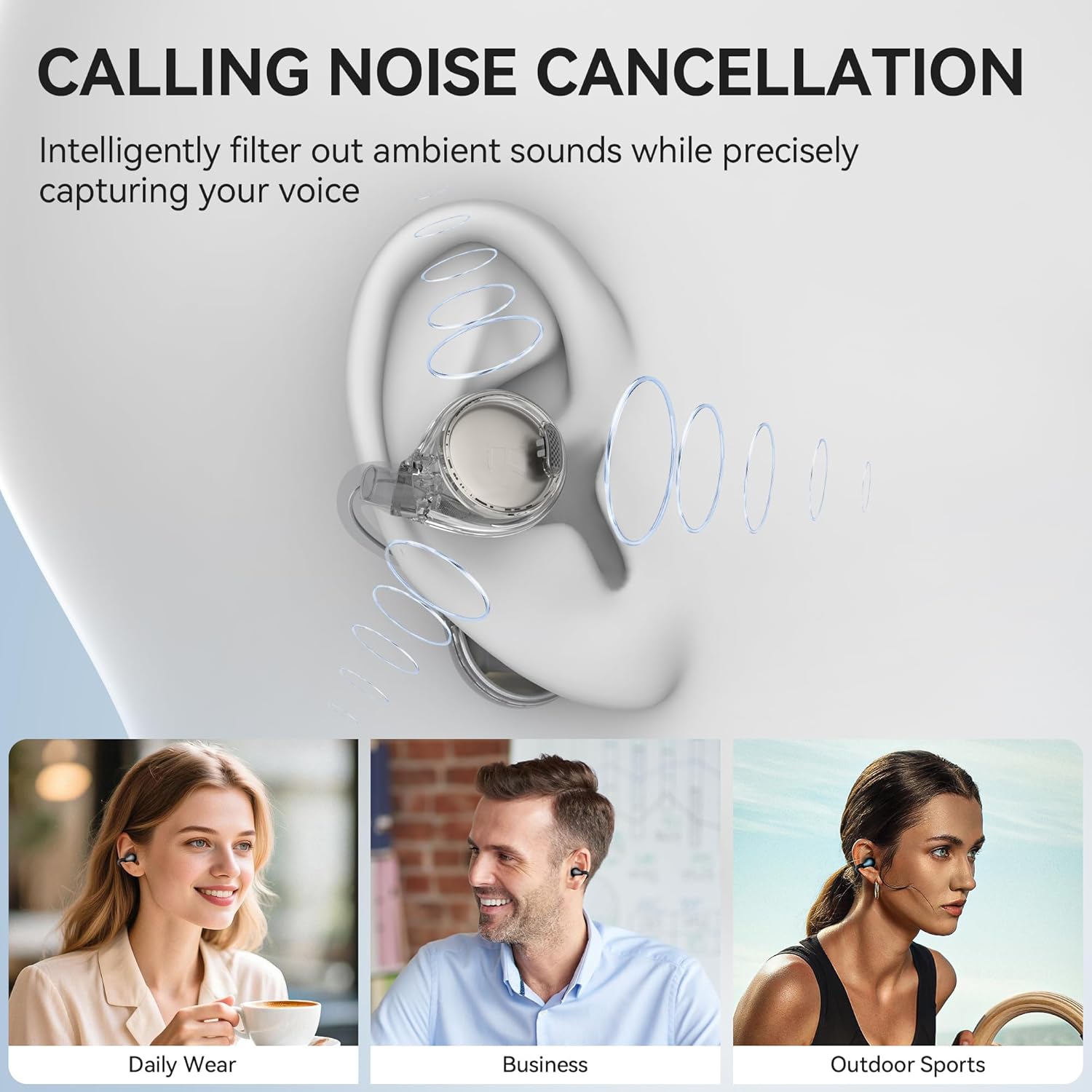
Image: The ergonomic clip-on design for stable and comfortable wear.
Weighing just 0.2 oz, these open-ear clip-on earbuds are designed for all-day comfort without blocking the ear canal. The durable, shape-retaining materials ensure a secure fit for various activities.
Call Quality

Image: ENC technology for clear calls.
Equipped with Environmental Noise Cancellation (ENC), the OE06 earbuds analyze and counteract background noise in real-time, ensuring clear and distortion-free calls.
Battery Life and Charging

Image: Battery endurance and rapid charging features.
A single charge provides up to 7 hours of playtime (at medium volume). The charging case extends total usage to 21 hours. USB-C fast charging allows for 1 hour of listening from just a 10-minute charge.
Durability

Image: IPX6 water resistance for the earbuds.
The OE06 headphones are IPX6 rated, making them resistant to heavy sweat, rain, and splashes. This makes them suitable for outdoor sports and demanding environments.
Connectivity
Featuring advanced Bluetooth 6.0 technology, the earbuds offer fast transmission and stable connectivity up to 33 feet. They support smart auto power-on and pairing when removed from the case.
Setup
Charging the Earbuds and Case
- Place the earbuds into the charging case. Ensure they are correctly seated.
- Connect the Type-C charging cable to the charging port on the case and to a USB power source.
- The indicator lights on the case will show the charging status. A full charge for the case and earbuds takes approximately 1.5-2 hours.
Note: For optimal performance, fully charge the earbuds and case before first use.
Pairing with Your Device
- Open the charging case. The earbuds will automatically power on and enter pairing mode. The indicator light on one earbud will flash, indicating it's ready to pair.
- On your device (smartphone, tablet, etc.), enable Bluetooth.
- Search for "Oraolo OE06" in the list of available Bluetooth devices.
- Select "Oraolo OE06" to connect. Once connected, a voice prompt will confirm the successful pairing, and the indicator lights on the earbuds will turn off.
Note: The earbuds will automatically reconnect to the last paired device when removed from the case, if Bluetooth is enabled on the device.
Wearing Instructions

Image: Step-by-step guide on how to wear the earbuds.
- Confirm L/R Side: Identify the left (L) and right (R) earbuds.
- Confirm Direction: Ensure the earbud is oriented correctly for your ear.
- Clip On: Gently slide the earbud onto your ear, positioning the clip over the top of your ear.
- Adjust: Adjust the earbud for a comfortable and secure fit. The sound outlet should be directed towards your ear canal without entering it.
Operating Instructions

Image: Touch control functions for the earbuds.
Touch Controls
- Play/Pause: Double Touch on L/R earbud.
- Volume Up: Single Touch on R earbud.
- Volume Down: Single Touch on L earbud.
- Next Track: Triple Touch on R earbud.
- Previous Track: Triple Touch on L earbud.
- Answer/End Call: Double Touch on L/R earbud.
- Reject Call: Touch L/R earbud for 2 seconds.
- Voice Assistant: Touch L/R earbud for 2 seconds.
Maintenance
- Cleaning: Regularly wipe the earbuds and charging case with a soft, dry cloth. Avoid using harsh chemicals or abrasive materials.
- Water Exposure: While IPX6 rated for sweat and rain, avoid submerging the earbuds in water. Dry them thoroughly after exposure to moisture.
- Storage: Store the earbuds in their charging case when not in use to protect them and keep them charged. Store in a cool, dry place away from extreme temperatures.
- Charging: Use the provided Type-C cable for charging. Do not use damaged cables or chargers.
Troubleshooting
| Issue | Possible Solution |
|---|---|
| Earbuds not pairing/connecting |
|
| No sound from one earbud |
|
| Charging case not charging |
|
| Low volume or poor sound quality |
|
| Earbuds do not support multipoint connection | The Oraolo OE06 earbuds are designed to connect to one device at a time. To switch between devices, disconnect from the current device and then connect to the new device. |
Specifications
- Brand: Oraolo
- Model: OE06
- Wireless Technology: Bluetooth 6.0
- Earpiece Shape: Open Ear, Clip-On
- Driver Size: 13mm
- Frequency Range: 20Hz - 20,000Hz
- Noise Cancellation: Environmental Noise Cancellation (ENC) for calls
- Water Resistance: IPX6
- Playtime (Single Charge): Up to 7 hours
- Total Playtime (with Charging Case): Up to 21 hours
- Charging Port: Type-C
- Weight (per earbud): Approximately 0.2 oz
Warranty and Support
Oraolo products come with a standard manufacturer's warranty. For specific warranty details, please refer to the warranty card included in your product packaging or visit the official Oraolo website.
If you encounter any issues or have questions regarding your Oraolo OE06 Open Ear Headphones, please contact Oraolo customer support through the retailer where you purchased the product or via the contact information provided on the official Oraolo website.