
1. Product Overview
The Portronics Ignis 65 is a high-capacity 20000mAh power bank designed for portable charging of various electronic devices. It features 65W Power Delivery (PD) for fast charging laptops, tablets, and smartphones. The power bank includes an integrated Type-C cable and an LED digital display for monitoring battery status.
1.1 Package Contents
- Portronics Ignis 65 Power Bank (1N)
- User Manual (1N)
1.2 Key Features
- 65W Super Fast Charging: Delivers high-speed charging for compatible laptops, tablets, and smartphones.
- 20000mAh High-Capacity: Provides extended power backup for multiple device charges.
- Type-C PD Input & Output Port: Supports 65W output and fast input for quick power bank recharging.
- Built-In Type-C Braided Cable: Integrated cable supports up to 65W charging and functions as a lanyard.
- Smart LED Display: Shows real-time battery percentage and charging status.
- Universal Compatibility: Charges a wide range of devices including Android smartphones, iPhones, iPads, tablets, MacBooks, smartwatches, earphones, and other Type-C PD-enabled devices.
- Advanced Safety Features: Includes protection against over-charging, overheating, over-current, and short circuits.
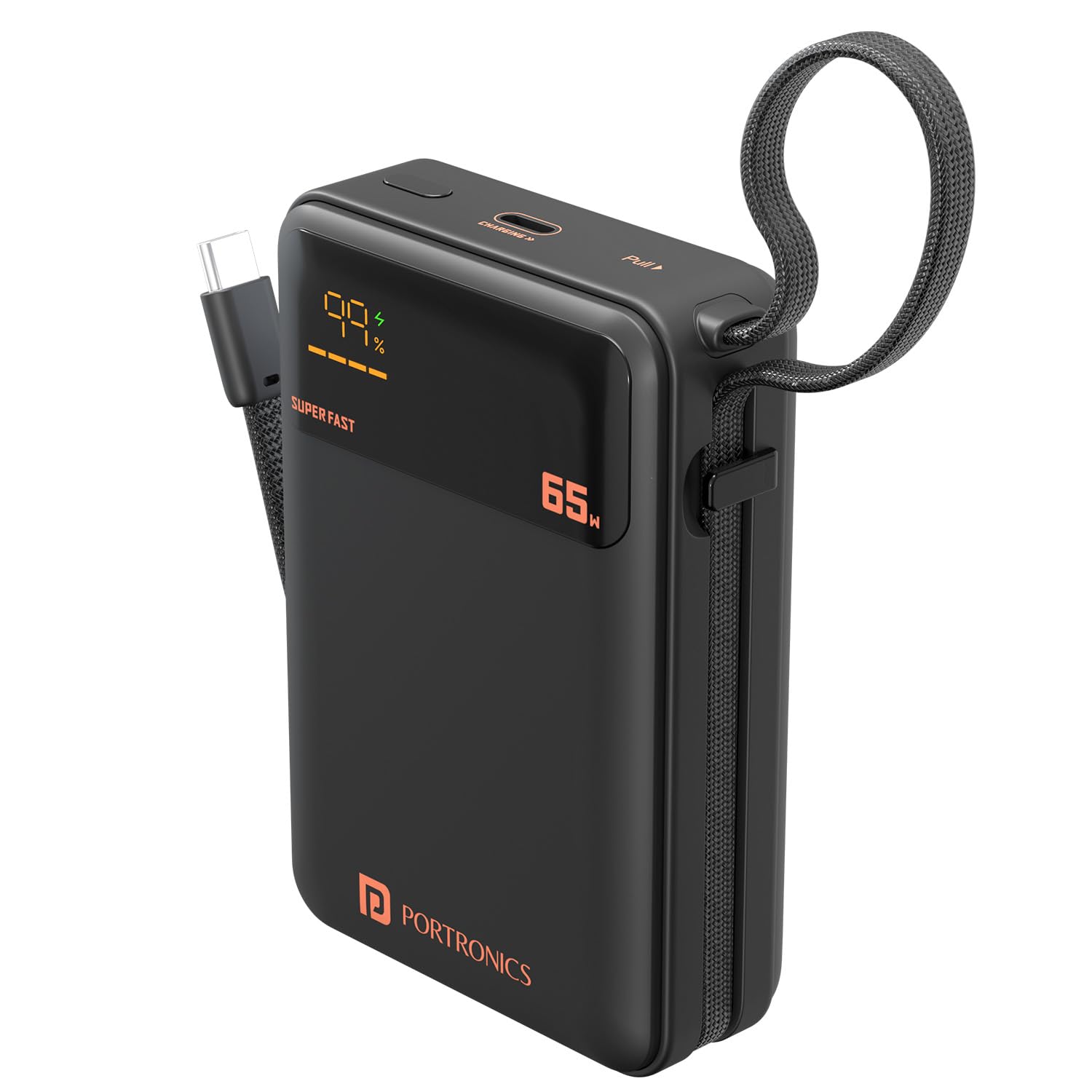
Image: The Portronics Ignis 65 Power Bank, showcasing its 20000mAh capacity while charging a smartphone via its integrated Type-C cable.
2. Safety Information
To ensure safe operation and prolong the lifespan of your Portronics Ignis 65 Power Bank, please adhere to the following safety guidelines:
- Do not expose the power bank to extreme temperatures (above 60°C or below 0°C), direct sunlight, or fire.
- Avoid dropping, puncturing, or subjecting the power bank to strong impacts.
- Keep the power bank away from water, moisture, and corrosive liquids.
- Do not attempt to disassemble, repair, or modify the power bank. This will void the warranty and may cause safety hazards.
- Use only certified and compatible charging cables and adapters.
- Keep out of reach of children.
- Dispose of the power bank responsibly according to local regulations.

Image: The Portronics Ignis 65 Power Bank with icons illustrating its built-in safety protections: overcharge protection, short circuit protection, fireproof casing, and advanced temperature control.
3. Initial Setup
Before using your Portronics Ignis 65 Power Bank for the first time, it is recommended to fully charge it.
3.1 Charging the Power Bank
- Connect a compatible USB Type-C charging cable to the power bank's Type-C PD input/output port.
- Connect the other end of the cable to a power adapter (preferably a 65W PD adapter for fastest charging) and plug it into a wall outlet.
- The LED digital display will show the charging status and current battery percentage. The display will indicate "SUPER FAST" if a high-wattage PD charger is used.
- The power bank is fully charged when the LED display shows 100%.

Image: The Portronics Ignis 65 Power Bank highlighting its 65W maximum output and the dual functionality of its Type-C port and integrated Type-C cable for both input and output.
4. Operating Instructions
4.1 Charging Your Devices
The Portronics Ignis 65 offers two methods for charging your devices:
- Using the Built-In Type-C Cable:
- Unfold the integrated flat braided Type-C cable from its storage slot.
- Connect the Type-C end of the cable directly to your compatible device's charging port.
- The power bank will automatically begin charging your device. The LED display will show the power bank's remaining charge.
- Using the Type-C PD Port:
- Connect a compatible USB Type-C charging cable to the power bank's Type-C PD input/output port.
- Connect the other end of the cable to your device.
- The power bank will automatically begin charging your device.
Note: For optimal fast charging, ensure your device and cable support Power Delivery (PD) protocols. The power bank's LED display will show "SUPER FAST" when delivering high-wattage charging.
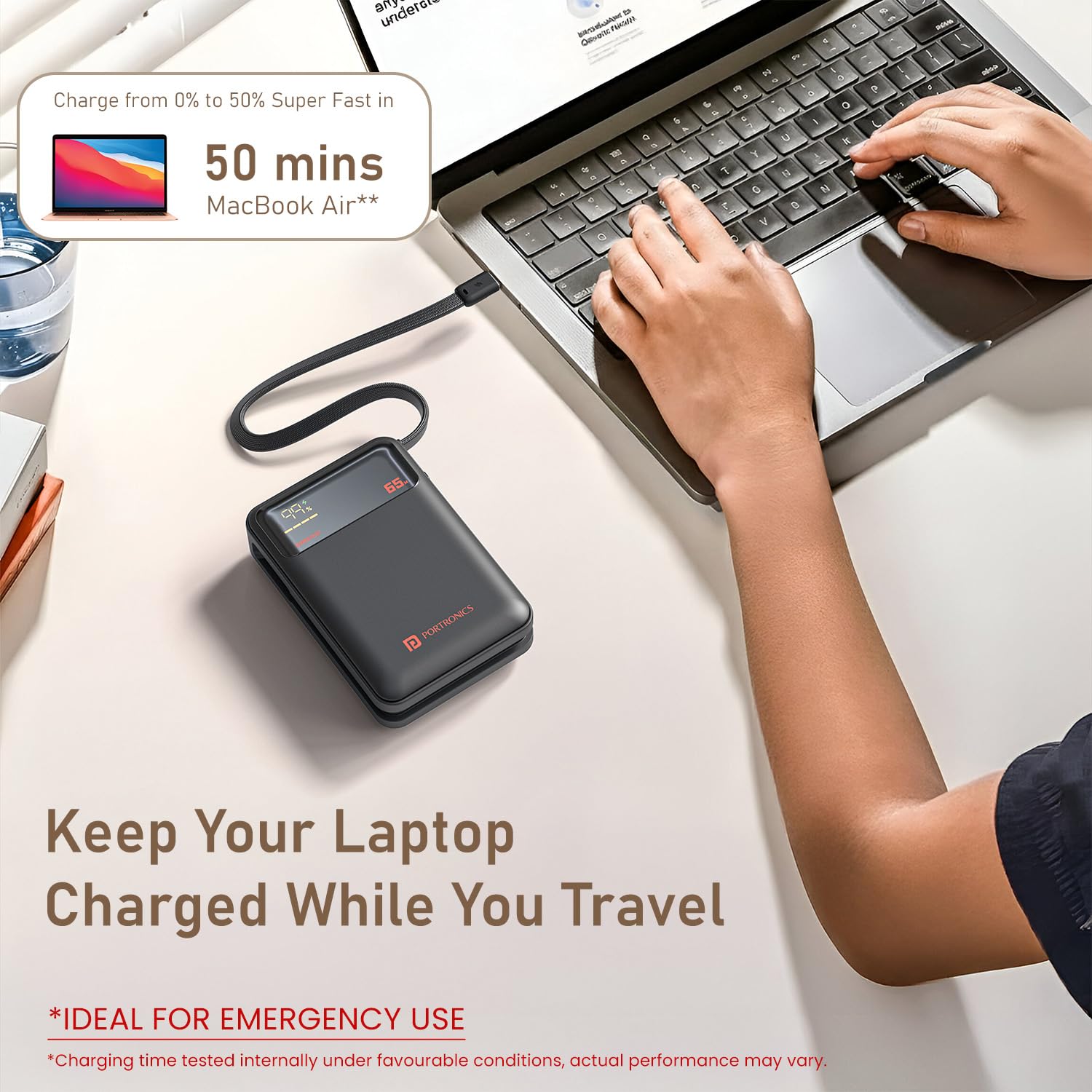
Image: The Portronics Ignis 65 Power Bank connected and charging a MacBook Air, demonstrating its capability to charge laptops.

Image: The Portronics Ignis 65 Power Bank illustrating its universal compatibility with Android smartphones, iPhones, tablets, iPads, MacBooks, smartwatches, earphones, and other laptops.
4.2 LED Digital Display
The integrated LED display provides real-time information:
- Battery Percentage: Shows the remaining charge level of the power bank (0-100%).
- Charging Status: Indicates when the power bank is being charged or is charging a device.
- "SUPER FAST" Indicator: Lights up when the power bank is engaged in high-speed 65W Power Delivery charging.
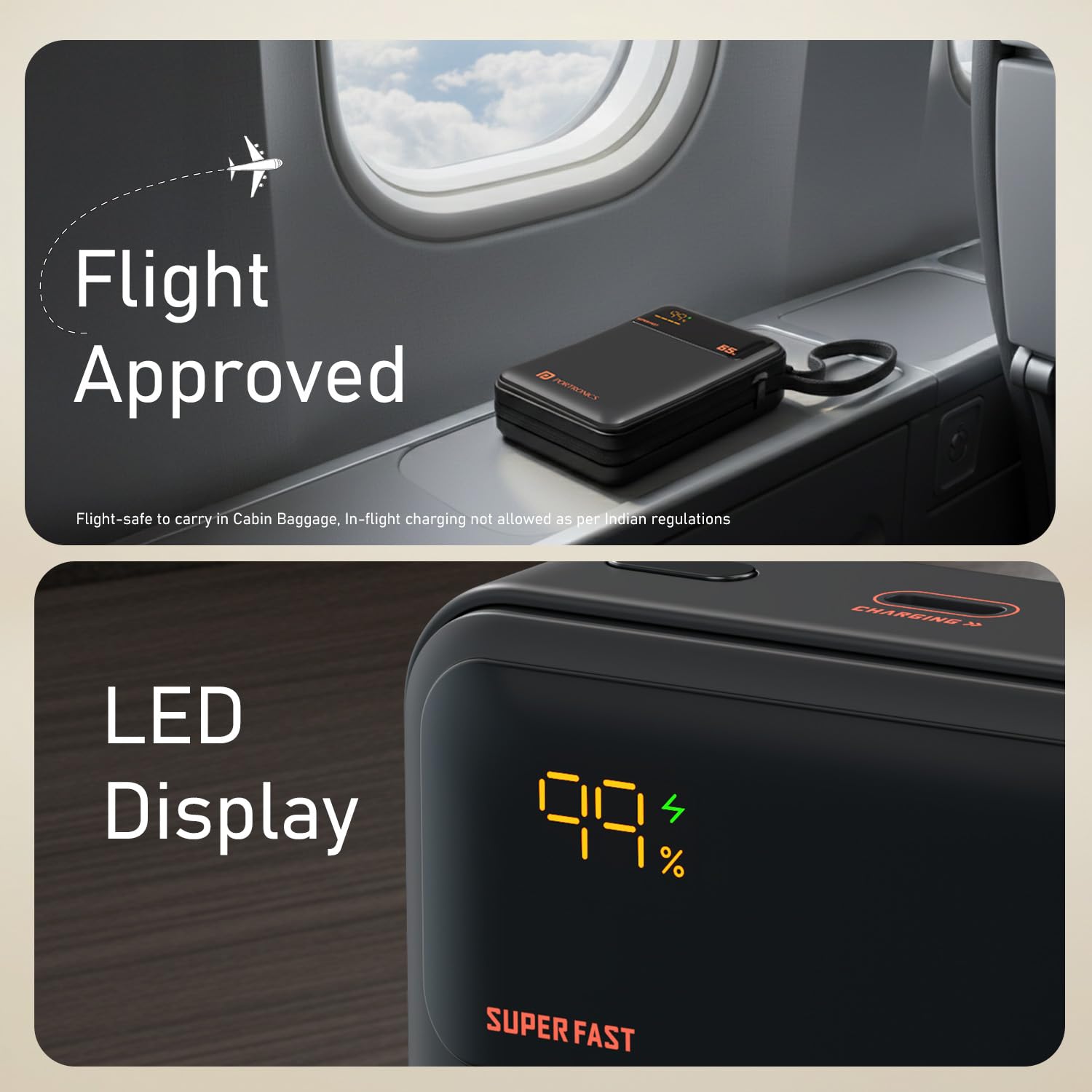
Image: A close-up of the Portronics Ignis 65 Power Bank's LED display, showing a 99% charge level and the 'SUPER FAST' indicator, alongside a 'Flight Approved' graphic.
5. Maintenance
Proper care and maintenance will help ensure the longevity and optimal performance of your power bank.
- Cleaning: Use a soft, dry cloth to clean the exterior of the power bank. Do not use harsh chemicals or abrasive materials.
- Storage: Store the power bank in a cool, dry place away from direct sunlight and extreme temperatures. If storing for extended periods, charge the power bank to approximately 50-75% every 3-6 months to maintain battery health.
- Battery Care: Avoid fully discharging the power bank frequently, as this can reduce battery lifespan.
6. Troubleshooting
If you encounter issues with your Portronics Ignis 65 Power Bank, refer to the following common solutions:
| Problem | Possible Cause | Solution |
|---|---|---|
| Power bank not charging | Loose cable connection, faulty adapter/cable, power outlet issue. | Ensure cables are securely connected. Try a different Type-C cable or power adapter. Test the power outlet with another device. |
| Device not charging from power bank | Power bank is discharged, loose cable, incompatible device, faulty cable/port. | Check power bank's charge level on the LED display. Ensure cable is securely connected to both devices. Try a different cable or the other Type-C port/cable. Ensure your device is compatible. |
| Slow charging or not reaching 65W | Device/cable not PD compatible, power bank charge level low, multiple devices charging, thermal throttling. | Ensure your device and cable support 65W PD. Fully charge the power bank. Avoid charging multiple devices simultaneously if high power is needed for one. Allow the power bank to cool if it feels warm. |
| LED display not working | Internal malfunction. | Contact customer support for assistance. |
7. Product Specifications
| Feature | Detail |
|---|---|
| Model Name | Ignis |
| Model Number | POR-3019 |
| Battery Capacity | 20000 Milliamp Hours (mAh) |
| Battery Cell Type | Lithium Polymer |
| Max Output Power | 65W |
| Connector Type | USB Type C (Built-in cable and port) |
| Number of Ports | 1 (Type-C PD input/output) + 1 (Built-in Type-C cable output) |
| Compatible Devices | Smartphones, Tablets, Laptops (Type-C PD enabled) |
| Color | Black |
| Item Weight | 380 Grams |
| Item Dimensions (L x W x Thickness) | 13.2L x 10.7W x 3.6Th Centimeters |
| Power Source | Battery Powered |
| Country of Origin | India |
8. Warranty and Support
8.1 Warranty Information
The Portronics Ignis 65 Power Bank comes with a 1-Year Warranty from the date of purchase. This warranty covers manufacturing defects. Please retain your purchase receipt for warranty claims.
8.2 Customer Support
For any assistance, technical support, or warranty-related queries, please contact Portronics customer service:
- Phone/WhatsApp: +91 9555-245-245
- Email Support: help@portronics.com
- Online Support Portal: https://support.portronics.com
- Operating Hours: 10am - 6pm (IST)
Manufacturer Contact Information: Portronics Digital Pvt. Ltd., First Floor Property No D 8 Upper Basement Sector 8 Noida Uttar Pradesh 201301


