
Introduction
Thank you for purchasing the CHONCHOW 102J Gaming Keyboard and Mouse Set. This manual provides essential information for setting up, operating, maintaining, and troubleshooting your new gaming peripherals. Please read this manual thoroughly to ensure optimal performance and longevity of your product.

Image: The CHONCHOW 102J Gaming Keyboard and Mouse Set, featuring a 90-key Japanese layout keyboard with RGB backlighting and a matching gaming mouse.
Setup
Follow these steps to connect your CHONCHOW 102J Gaming Keyboard and Mouse Set:
- Connect the Keyboard: Plug the USB cable of the keyboard into an available USB port on your computer or gaming console (PS5, PS4, Switch).
- Connect the Mouse: Plug the USB cable of the mouse into another available USB port on your computer or gaming console.
- Driver Installation: The keyboard and mouse are plug-and-play devices. Your operating system (Windows, Mac OS) should automatically detect and install the necessary drivers. No additional software installation is typically required.
- Console Compatibility: For PS5, PS4, or Switch, ensure that the game you intend to play supports keyboard and mouse input. Some games may require specific in-game settings to enable these peripherals.
Operating Instructions
Keyboard Functions
- 90-Key Layout: The keyboard features a compact 90-key Japanese layout, optimizing desk space while retaining essential keys.
- 19-Key Anti-Ghosting: This feature ensures that multiple key presses are registered accurately, preventing input conflicts during intense gaming sessions.
- Multimedia Keys: 12 dedicated multimedia keys provide quick access to functions like email, volume control, and media playback. These functions are typically accessed using the FN key in combination with the corresponding F-keys.
Backlight Control
- Brightness Adjustment:
- FN + ↑: Increase backlight brightness.
- FN + ↓: Decrease backlight brightness. - Backlight ON/OFF: Press FN + SCR LK to toggle the backlight on or off.
- Breathing Mode: Press FN + PAUBRK to activate the breathing backlight effect.
- Breathing Speed Adjustment: While in breathing mode, use FN + ほ (Ho) or FN + へ (He) to change the breathing speed.

Image: Detailed view of the CHONCHOW 102J keyboard, highlighting the keys used for backlight control and adjustment.
WASD and Arrow Key Swap
The WASD keys and arrow keys can be swapped to suit different gaming preferences. Refer to the product packaging or manufacturer's website for the specific key combination to perform this swap, as it may vary.

Image: Side profile of the CHONCHOW 102J keyboard, illustrating its ergonomic, stepped keycap design for comfortable long-term use.
Mouse Functions
- 6 Programmable Buttons: The mouse features Left Click, Right Click, Scroll Wheel Click, DPI Cycle, Forward, and Backward buttons for versatile control.
- Adjustable DPI: Cycle through 4 DPI settings (800/1600/2400/3200 DPI) to adjust sensitivity for different tasks or games.
- 7-Color Breathing Backlight: The mouse features a dynamic 7-color LED breathing backlight, enhancing the gaming aesthetic.

Image: Close-up of the CHONCHOW 102J gaming mouse, highlighting its nylon braided cable, 6 programmable buttons, 4 DPI levels, and 7-color breathing backlight.
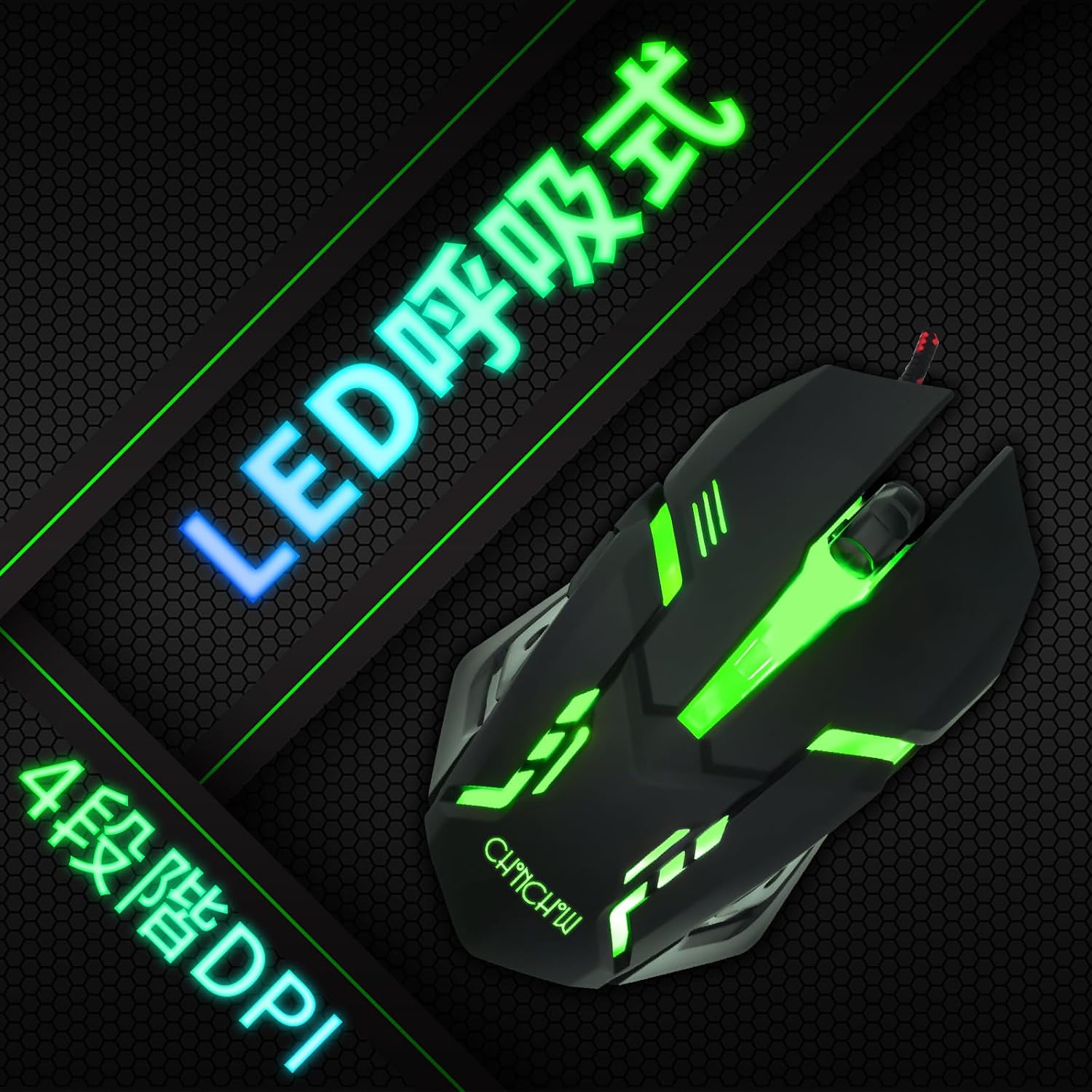
Image: The CHONCHOW 102J gaming mouse with its LED breathing effect active, emphasizing its 4-stage DPI adjustment capability.
Maintenance
Proper maintenance ensures the longevity and performance of your gaming set:
- Cleaning: Use a soft, dry cloth to wipe down the keyboard and mouse regularly. For stubborn dirt, a slightly damp cloth can be used, ensuring no liquid enters the device. Avoid harsh chemicals.
- Cable Care: Avoid bending or twisting the USB cables excessively, especially near the connectors, to prevent internal damage.
- Storage: When not in use, store the devices in a clean, dry environment away from direct sunlight and extreme temperatures.
Troubleshooting
If you encounter issues, try these common solutions:
| Problem | Solution |
|---|---|
| Keyboard/Mouse not responding |
|
| Backlight not working or flickering |
|
| Keys not registering correctly (e.g., Spacebar) |
|
| Mouse cursor erratic or unresponsive |
|
| Compatibility issues with games/consoles |
|
Specifications
| Feature | Detail |
|---|---|
| Brand | CHONCHOW |
| Model Number | 102J |
| Keyboard Key Count | 90 keys |
| Keyboard Anti-Ghosting | 19 keys |
| Keyboard Click Lifespan | 50 million clicks |
| Keyboard Operating Force | 50 ± 10g |
| Keyboard Backlight | 7-color LED (RGB), Breathing mode, Adjustable brightness |
| Mouse Buttons | 6 buttons |
| Mouse DPI Settings | 800 / 1600 / 2400 / 3200 DPI |
| Mouse Click Lifespan | 10 million clicks |
| Mouse Backlight | 7-color LED Breathing |
| Connectivity | USB Wired |
| Cable Length (Mouse) | 1.5m (Nylon braided) |
| Operating System Compatibility | Windows 11/10/8/7/XP, Windows VISTA, Mac OS |
| Console Compatibility | PS5, PS4, Switch (game-dependent) |
| Material | ABS, Metal |
| Special Features | Dustproof, Ergonomic design |
Warranty and Support
Warranty: This CHONCHOW product comes with a 1-year manufacturer's warranty from the date of purchase. This warranty covers manufacturing defects under normal use.
Support: For any questions, technical assistance, or warranty claims, please contact your retailer or the CHONCHOW customer support team. Refer to your purchase documentation for specific contact details.


