
1. Overview
The HOTWAV A17 Pro Max is a 4G unlocked smartphone running Android 15, featuring a large 6.75-inch 120Hz display, a 5160mAh long-lasting battery, a 13MP camera, and 128GB of expandable storage. This manual provides essential information to help you get started and make the most of your device.
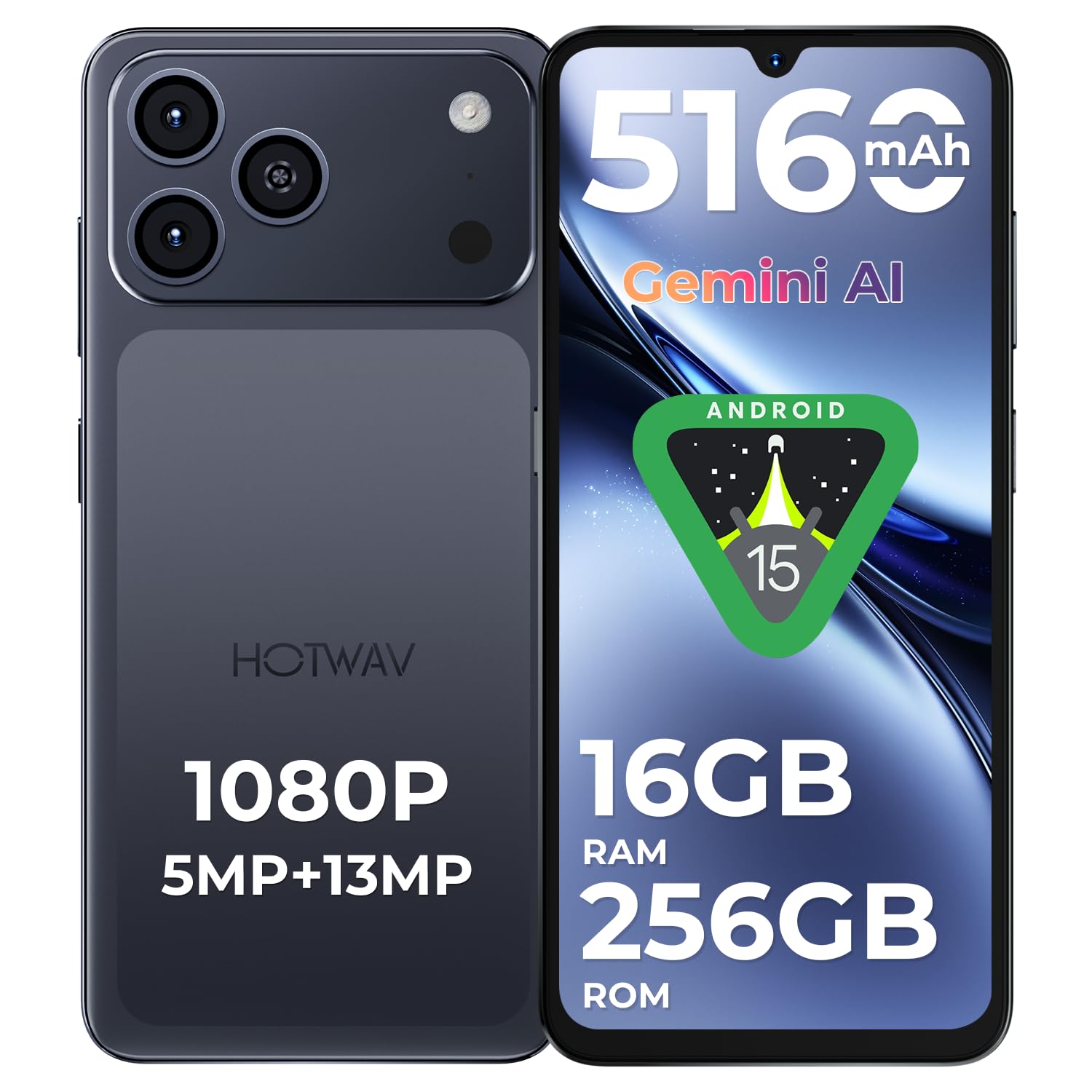
Figure 1: HOTWAV A17 Pro Max Smartphone (Black variant).
2. What's in the Box
Your HOTWAV A17 Pro Max package includes the following items:
- 1 HOTWAV A17 Pro Max phone
- 1 Charger
- 1 Charging Cable (USB-C)
- 1 User Manual
- 1 SIM Ejection Tool

Figure 2: Package contents of the HOTWAV A17 Pro Max.
Video 1: Unboxing of a HOTWAV smartphone (X100 GT model shown, process is similar for A17 Pro Max).
3. Setup
3.1 Inserting SIM and SD Cards
To install your SIM card(s) and/or microSD card:
- Locate the SIM tray on the side of your phone.
- Insert the SIM ejection tool into the small hole next to the tray and press firmly until the tray pops out.
- Place your Nano-SIM card(s) and/or microSD card into the designated slots on the tray. Ensure the gold contacts are facing down.
- Carefully push the tray back into the phone until it clicks into place.
3.2 Initial Power On
Press and hold the Power button (located on the right side of the phone) until the HOTWAV logo appears. Follow the on-screen instructions to complete the initial setup, including language selection, Wi-Fi connection, and Google account setup.
4. Operating Your Device
4.1 Basic Navigation
- Power Button: Press to turn the screen on/off. Press and hold to power off or restart.
- Volume Buttons: Adjust media volume, ringtone volume, and alarm volume.
- Touchscreen: Tap to select, swipe to scroll, pinch to zoom.
4.2 Display
The HOTWAV A17 Pro Max features a 6.75-inch HD+ display with a 120Hz refresh rate, providing a smooth visual experience for scrolling, gaming, and video playback. The screen offers up to 420 nits brightness for clear outdoor visibility.

Figure 3: The 120Hz Fluid Display in action.
4.3 Performance and Storage
Powered by an Octa-Core processor (ARS8662) and 16GB RAM (4GB physical + 12GB virtual), the A17 Pro Max ensures smooth multitasking and app usage. It comes with 128GB of internal storage, expandable up to 1TB via a microSD card, offering ample space for your files and media.

Figure 4: Octa-core processor for powerful performance.

Figure 5: RAM and storage configuration.
4.4 Camera Features
Capture clear photos and videos with the 13MP rear camera and 5MP front camera. The device supports various shooting modes, including Night Mode and 1080p video recording.

Figure 6: Multiple camera lenses for varied perspectives.

Figure 7: Showcase of the 5MP front camera's capabilities.

Figure 8: Examples of photos taken with the 13MP rear camera.

Figure 9: Night Mode photography examples.
4.5 Connectivity
The A17 Pro Max supports 4G cellular technology, Wi-Fi 6, and Bluetooth 5.4 for fast and stable connections. It also includes GPS, GLONASS, Galileo, and Beidou for precise navigation.

Figure 10: Wi-Fi 6 for faster wireless speeds.

Figure 11: Bluetooth 5.4 for seamless accessory connection.

Figure 12: GPS, GLONASS, Galileo, and Beidou for accurate positioning.
4.6 Security Features
Unlock your phone securely using facial recognition or the integrated fingerprint sensor.

Figure 13: Facial recognition and fingerprint unlock.
4.7 Operating System
The HOTWAV A17 Pro Max runs on Android 15, offering an intelligent, fluid, and intuitive user experience with enhanced security and privacy features.

Figure 14: Android 15 operating system interface.
5. Battery and Charging
The device is equipped with a 5160mAh battery, providing long-lasting power for a full day of intensive use. It supports 10W charging.

Figure 15: 5160mAh battery for extended usage.
6. Maintenance
6.1 General Care
- Keep your phone dry. Moisture can damage the device.
- Avoid extreme temperatures.
- Clean the screen and body with a soft, dry cloth.
- Use only approved chargers and accessories.
6.2 Accessories
Consider using a screen protector and a protective case to safeguard your device from scratches and drops.
Video 2: Demonstration of a screen protector and case for the HOTWAV A17 Pro Max 4G.
7. Troubleshooting
7.1 Common Issues and Solutions
| Issue | Possible Solution |
|---|---|
| Phone not turning on | Ensure the battery is charged. Press and hold the Power button for 10-15 seconds to force a restart. |
| Apps crashing or freezing | Clear app cache/data, update the app, or uninstall and reinstall. Restart the phone. |
| Poor Wi-Fi connection | Restart your Wi-Fi router. Forget and reconnect to the Wi-Fi network on your phone. |
| Battery draining quickly | Reduce screen brightness, close unused apps, disable unnecessary features (GPS, Bluetooth). Check battery usage in settings. |
8. Specifications
| Feature | Detail |
|---|---|
| Brand | HOTWAV |
| Model Name | A17 Pro Max |
| Operating System | Android 15 |
| RAM | 12 GB (4GB physical + 12GB virtual) |
| CPU Model | A6-5200 Octa-Core (3.2 GHz) |
| Storage Capacity | 128 GB (Expandable up to 1 TB via microSD) |
| Screen Size | 6.75 Inches |
| Resolution | 720 x 1600 Pixels |
| Refresh Rate | 120 Hz |
| Battery Capacity | 5160 mAh |
| Rear Camera Resolution | 13 MP |
| Front Camera Resolution | 5 MP |
| Cellular Technology | 4G |
| Connectivity | Bluetooth 5.4, USB Type-C, Wi-Fi 6 |
| Biometric Security | Facial Recognition |
| Dimensions | 16.8 x 7.8 x 0.8 cm |
| Headphone Jack | 3.5 mm |
9. Warranty and Support
The HOTWAV A17 Pro Max comes with a 2-year manufacturer's warranty, covering free repairs in case of defects. For further assistance or support, please refer to the official HOTWAV website or contact customer service.
For more information, visit the official HOTWAV store: HOTWAV Store


