
IKT S19-1
IKT S19-1 Portable Bluetooth Speaker User Manual
Model: S19-1 | Brand: IKT
1. Introduction
Thank you for choosing the IKT S19-1 Portable Bluetooth Speaker. This powerful 40W speaker features advanced audio technology, Bluetooth 5.4 connectivity, True Wireless Stereo (TWS) pairing, IPX7 waterproofing, and dynamic RGB lighting. This manual provides detailed instructions to help you get the most out of your speaker.
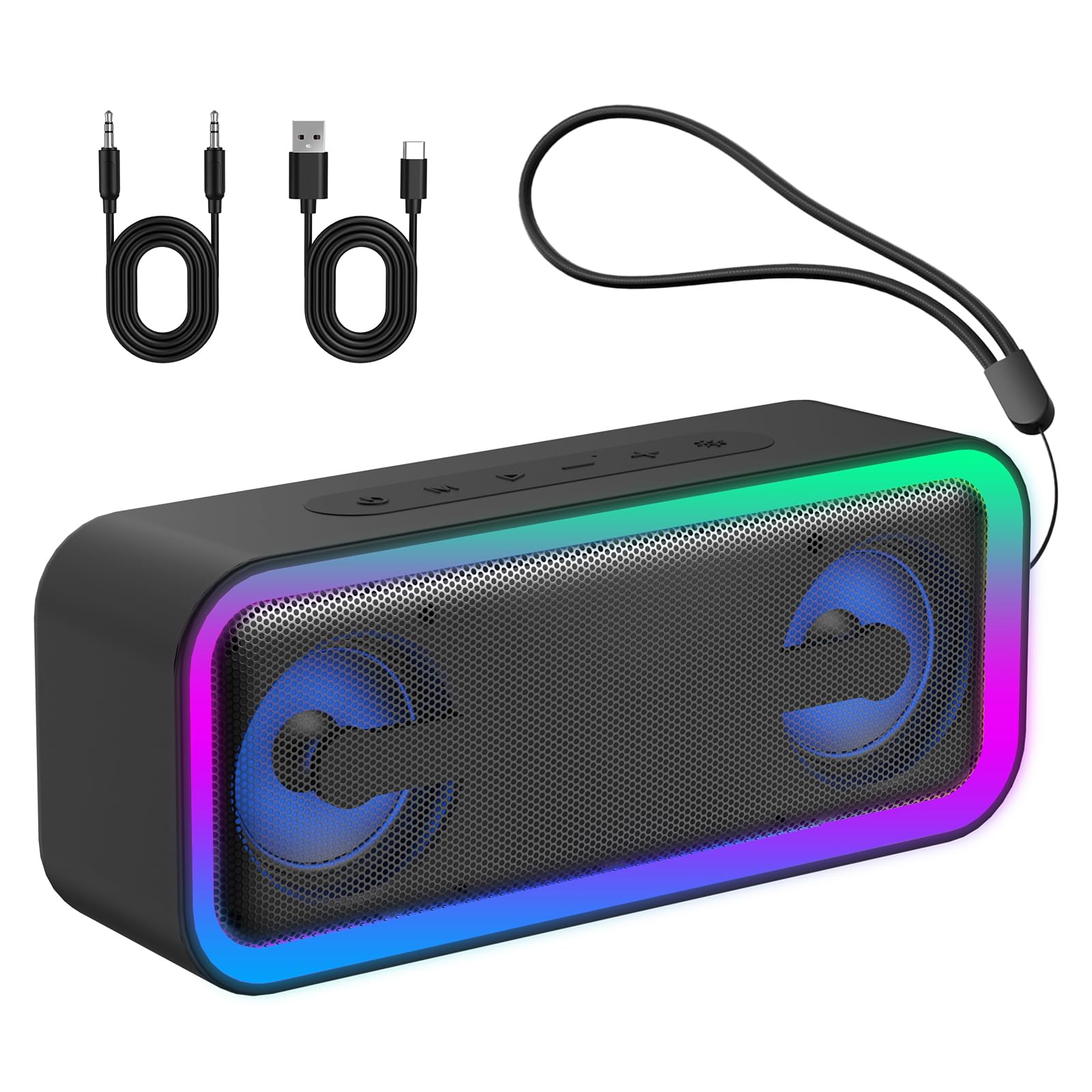
Image 1.1: The IKT S19-1 Portable Bluetooth Speaker, showcasing its sleek design and vibrant RGB lighting.
2. What's in the Box
Please check the package contents upon unboxing:
- IKT S19-1 Portable Bluetooth Speaker
- Power Cable
- Quick Start Guide
3. Product Features
3.1 Professional Audio Technology
The IKT S19-1 speaker delivers 40W of powerful audio through dual neodymium drive units, ensuring impressive volume and impactful bass (≥85dB). Advanced DSP digital audio processing technology provides clear, balanced sound with minimal distortion. A high-sensitivity microphone is integrated for clear hands-free calls.

Image 3.1: Internal view of the speaker highlighting 40W stereo sound and 52mm speaker size.
3.2 Powerful Bass Enhancement
Equipped with bass enhancement technology and a custom bass system, along with two passive radiators, this speaker produces deep and elastic bass that resonates with every beat.

Image 3.2: Visual representation of Enhanced Bass 3.0, Bluetooth 5.4 technology, and the built-in microphone.
3.3 True Wireless Stereo (TWS) Function
For a truly immersive audio experience, two IKT S19-1 speakers can be paired together via TWS. This creates an 80W stereo system with separate left and right channels, delivering 360° surround sound.

Image 3.3: Two speakers connected via TWS for a stereo sound experience.
3.4 IPX7 Water and Dust Resistance
Designed for outdoor use, the speaker is IPX7 rated, providing effective protection against rain, splashes, snow, and temporary submersion. Its robust casing is resistant to impacts, drops, and corrosion, making it suitable for various environments like showers, poolsides, beaches, and camping.

Image 3.4: The speaker demonstrating its IPX7 waterproof capability near water.
3.5 Extended Battery Life
The integrated 4000mAh lithium battery provides up to 30 hours of playback (at 40% volume with lights off), ideal for multiple parties or a full weekend. RGB lights can be turned off to conserve battery life.

Image 3.5: Illustration of the speaker's 30-hour battery life.
3.6 Bluetooth 5.4 and Multi-modal Connectivity
Featuring the latest Bluetooth 5.4 chip, the speaker offers a faster, more stable, and lower-power connection up to 20 meters. It is compatible with phones, tablets, and PCs, and includes a TF card slot and an AUX audio input for versatile playback options.

Image 3.6: The speaker's multiple input modes: Bluetooth, TF card, and AUX.
3.7 Dynamic RGB Lighting Modes
The speaker includes 7 dynamic RGB lighting effects with 6 colors, ranging from flowing rainbows to soft breathing gradients. These lights can be synchronized with music or used independently as an LED night lamp. Lights can also be turned off for a minimalist style.

Image 3.7: The speaker showcasing its 7 RGB lighting modes.
3.8 Portable Design
The compact and lightweight design, along with the included strap, makes the IKT S19-1 speaker highly portable and easy to carry for various outdoor activities.

Image 3.8: The speaker's portable design, suitable for various activities.
4. Setup
4.1 Bluetooth Connection
- Power on the IKT S19-1 speaker by pressing and holding the power button.
- The speaker will enter Bluetooth pairing mode, indicated by a flashing LED light.
- On your device (smartphone, tablet, PC), enable Bluetooth and search for available devices.
- Select "S19-1" from the list of devices to connect.
- Once connected, the speaker will emit an audible confirmation, and the LED light will become solid.
4.2 TWS (True Wireless Stereo) Pairing
To pair two IKT S19-1 speakers for stereo sound:
- Ensure both speakers are powered off.
- Turn on one speaker. This will be your primary speaker.
- Turn on the second speaker.
- Double-press the 'M' button on either speaker. The speakers will automatically search and pair with each other.
- Once successfully paired, both speakers will emit an audible confirmation, and their RGB lights will synchronize.
- Connect your device to the primary speaker via Bluetooth as described in Section 4.1.
5. Operating Instructions
5.1 Button Functions
The speaker features intuitive controls on its top panel:

Image 5.1: Overview of the speaker's main control functions.
- Power Button: Press and hold for 2 seconds to power on/off.
- Mode Button (M): Short press to switch between Bluetooth, TF card, and AUX modes. Double-press for TWS pairing/unpairing.
- Play/Pause Button: Short press to play or pause music.
- Volume Up (+): Short press to increase volume. Press and hold for next track.
- Volume Down (-): Short press to decrease volume. Press and hold for previous track.
- Light Button: Short press to cycle through RGB lighting modes. Press and hold for 3 seconds to turn lights off/on.
- Call Button: Short press to answer/end calls. Press and hold for 2 seconds to reject calls.
5.2 Switching Input Modes
Press the 'M' button to cycle through available input modes: Bluetooth, TF Card, and AUX. The speaker will indicate the current mode.
5.3 Controlling RGB Lights
Use the dedicated Light Button to manage the RGB effects. Short press to change the lighting pattern. Press and hold for 3 seconds to toggle the lights on or off.
6. Charging
The IKT S19-1 speaker is equipped with a 4000mAh battery. To charge the speaker, connect the provided power cable to the DC 5V port on the speaker and a suitable USB power adapter (not included). The charging indicator light will show the charging status. A full charge provides up to 30 hours of playback, depending on volume and light usage.
7. Specifications
| Feature | Detail |
|---|---|
| Model Number | S19-1 |
| Brand | IKT |
| Speaker Output Power | 40W (20W max per speaker) |
| Bluetooth Version | 5.4 |
| Bluetooth Range | Up to 20 meters |
| Battery Capacity | 4000 mAh |
| Playback Time | Up to 30 hours (at 40% volume, lights off) |
| Water Resistance | IPX7 |
| Speaker Size | 52 mm |
| Frequency Response | 60 Hz |
| Signal-to-Noise Ratio | 85 dB |
| Input Modes | Bluetooth, TF Card, AUX |
| RGB Lighting | 7 dynamic modes, 6 colors |
| Dimensions (LxWxH) | 20.1 x 5.6 x 8.3 cm |
| Weight | 810 g |
8. Troubleshooting
- Speaker does not turn on: Ensure the battery is charged. Connect the speaker to a power source and try again.
- Cannot pair via Bluetooth: Make sure the speaker is in pairing mode (flashing LED). Check that Bluetooth is enabled on your device and that the speaker is within range (20 meters). Forget previous pairings on your device and try again.
- No sound: Check the volume levels on both the speaker and your connected device. Ensure the correct input mode is selected.
- TWS pairing fails: Ensure both speakers are IKT S19-1 models and are not connected to any other Bluetooth devices. Follow the TWS pairing steps carefully.
- RGB lights not working: Press the Light Button to cycle through modes or turn them on. Ensure the battery is not critically low.
9. Safety Information
- Do not expose the speaker to extreme temperatures or direct sunlight for prolonged periods.
- Avoid dropping or subjecting the speaker to strong impacts.
- Do not attempt to disassemble or repair the speaker yourself. Contact customer support for assistance.
- Keep the speaker away from medical devices and strong magnetic fields.
- Use only the provided charging cable or a certified equivalent.
- Ensure all ports are properly sealed when using the speaker near water to maintain IPX7 rating.
10. Warranty and Support
The IKT S19-1 Portable Bluetooth Speaker comes with a 1-year limited warranty from the date of purchase. This warranty covers manufacturing defects and workmanship. It does not cover damage caused by misuse, accidents, unauthorized modifications, or normal wear and tear.
For warranty claims, technical support, or any questions regarding your product, please contact IKT customer service through your purchase platform or visit the official IKT website.
Ask a question about this manual
Ask about setup, troubleshooting, compatibility, parts, safety, or missing instructions. Manuals+ will review the question and use this page’s manual context to help answer it.