
Introduction
Thank you for choosing GOBOULT Tenet TWS Earbuds. This manual provides essential information for setting up, operating, and maintaining your earbuds. Please read it carefully before use to ensure optimal performance and longevity of your device.

Image: Overview of GOBOULT Tenet TWS Earbuds features.
What's in the Box
- GOBOULT Tenet TWS Earbuds (Left and Right)
- Charging Case
- USB Type-C Charging Cable
- Ear Cushions (various sizes)
- User Manual
- Warranty Card
Product Overview
The GOBOULT Tenet TWS Earbuds are designed for a seamless audio experience with advanced features.
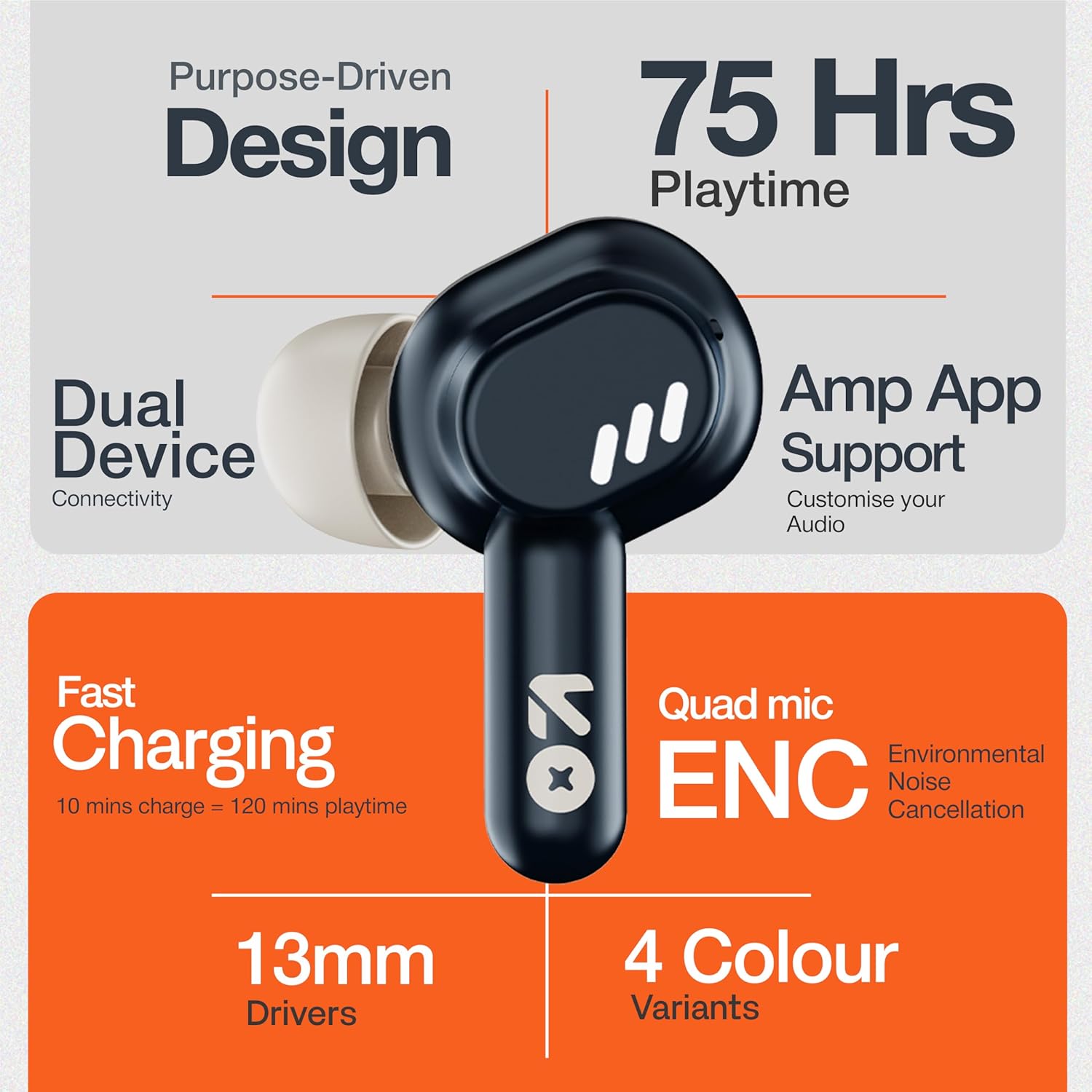
Image: GOBOULT Tenet TWS Earbuds and Charging Case.
Components:
- Earbuds: Left and Right earbuds with touch control surfaces and built-in microphones.
- Charging Case: Stores and charges the earbuds, featuring a USB Type-C port for charging.
- LED Indicators: On both earbuds and the charging case to show battery status and pairing mode.

Image: Quad Mic Environmental Noise Cancellation (ENC) technology.
Setup
1. Charging the Earbuds and Case
Before first use, fully charge the earbuds and the charging case.
- Place the earbuds into the charging case. Ensure they are correctly seated.
- Connect the USB Type-C charging cable to the charging port on the case and to a power source.
- The LED indicator on the case will show charging status. A full charge typically takes approximately 1.5 hours.
Fast Charging: A 10-minute charge provides up to 120 minutes of playtime.

Image: Charging the GOBOULT Tenet TWS Earbuds.
2. Pairing with a Device
- Open the charging case. The earbuds will automatically enter pairing mode, indicated by flashing LED lights.
- On your device (smartphone, tablet, laptop), enable Bluetooth.
- Search for "GOBOULT Tenet" in the list of available Bluetooth devices and select it to connect.
- Once connected, the earbud LEDs will stop flashing.
Dual Device Connectivity: The earbuds support simultaneous connection to two devices. After pairing with the first device, connect to the second device. The earbuds will intelligently switch between them.

Image: Dual Device Connectivity.
3. Amp App Support
Enhance your listening experience by downloading the GOBOULT Amp App. The app allows for custom EQ settings, control customization, and other audio preferences.
- Download the "GOBOULT Amp" app from your device's app store.
- Open the app and follow the on-screen instructions to connect your Tenet earbuds.

Image: GOBOULT Amp App for custom audio tuning.
Operating Instructions
Wearing the Earbuds
Insert the earbuds gently into your ears and rotate them slightly to find a comfortable and secure fit. Choose the appropriate ear cushion size for optimal sound quality and comfort.
Power On/Off
- Power On: Open the charging case, or long-press the touch control area on both earbuds for 3 seconds.
- Power Off: Place the earbuds back into the charging case and close the lid, or long-press the touch control area on both earbuds for 5 seconds.
Touch Controls
The GOBOULT Tenet TWS Earbuds feature intuitive touch controls on each earbud.

Image: Touch Controls and AI Assistant.
| Action | Left Earbud | Right Earbud |
|---|---|---|
| Play/Pause Music | Single Tap | Single Tap |
| Next Track | Double Tap | Double Tap |
| Previous Track | Triple Tap | Triple Tap |
| Answer/End Call | Single Tap | Single Tap |
| Reject Call | Long Press (2s) | Long Press (2s) |
| Activate Voice Assistant | Long Press (2s) | Long Press (2s) |
Maintenance
Cleaning
- Regularly clean the earbuds and charging case with a soft, dry, lint-free cloth.
- Do not use harsh chemicals, cleaning solvents, or strong detergents.
- Clean the charging contacts on both the earbuds and the case to ensure proper charging.
Storage
- When not in use, store the earbuds in their charging case to protect them and keep them charged.
- Store in a cool, dry place, away from extreme temperatures and direct sunlight.
Water Resistance
The GOBOULT Tenet TWS Earbuds are rated IPX5 Water Resistant, meaning they are protected against low-pressure water jets from any direction. This makes them suitable for workouts and light rain. However, they are not designed for swimming or submersion in water.
Troubleshooting
If you encounter any issues with your GOBOULT Tenet TWS Earbuds, please refer to the following common solutions:
- Earbuds not pairing:
- Ensure both earbuds are charged.
- Place earbuds back in the case, close the lid, wait 5 seconds, then open again to re-enter pairing mode.
- Turn off and on Bluetooth on your device.
- Forget/delete "GOBOULT Tenet" from your device's Bluetooth list and try pairing again.
- Only one earbud working:
- Ensure both earbuds are charged.
- Place both earbuds back into the charging case, close the lid, and then open it again.
- Try resetting the earbuds (refer to the Amp App or GOBOULT support for specific reset instructions).
- No sound or low volume:
- Check the volume level on both your device and the earbuds.
- Ensure the earbuds are properly connected to your device.
- Clean any debris from the earbud speaker mesh.
- Charging issues:
- Ensure the charging cable is securely connected to both the case and the power source.
- Clean the charging contacts on the earbuds and inside the case.
- Try a different USB Type-C cable and power adapter.
If the issue persists, please contact GOBOULT customer support.
Specifications

Image: 13mm Dynamic Drivers for enhanced audio.
| Feature | Detail |
|---|---|
| Model Name | Airbass Earbuds |
| Connectivity Technology | Bluetooth 5.4 |
| Audio Driver Size | 13mm Dynamic Driver |
| Battery Life (Total) | Up to 75 Hours |
| Fast Charging | 10 mins charge = 120 mins playtime |
| Charging Port | USB Type-C |
| Microphone | Quad Mic with Environmental Noise Cancellation (ENC) |
| Water Resistance | IPX5 |
| Control Method | Touch |
| Voice Assistant | Built-In (Google Assistant, Siri) |
| Dual Device Pairing | Supported |
| Frequency Response | 20 KHz |
| Sensitivity | 105 dB |
| Item Weight | 54.5 Grams |
| Product Dimensions (Case) | 6.7 x 2.2 x 5.6 cm |
Warranty and Support
Warranty Information
The GOBOULT Tenet TWS Earbuds come with a 1-year manufacturer warranty from the date of purchase. This warranty covers manufacturing defects. Please retain your proof of purchase for warranty claims.
The warranty does not cover damage caused by misuse, accidents, unauthorized modifications, or normal wear and tear.
Customer Support
For any questions, technical assistance, or warranty claims, please contact GOBOULT customer support through their official website or the contact information provided on your warranty card.
Please have your product model number (Airbass Earbuds) and proof of purchase ready when contacting support.


