
Introduction
This manual provides essential information for the safe and efficient operation of your Garvee 10000 BTU Window Air Conditioner. Please read these instructions thoroughly before installation and use, and retain them for future reference. This unit is designed to provide cooling, fan, and dehumidification functions for rooms up to 450 square feet.
Safety Information
WARNING: To reduce the risk of fire, electric shock, or injury, observe the following safety precautions:
- Always plug the unit into a grounded 115V, 60Hz electrical outlet. Do not use extension cords or adapter plugs.
- Do not operate the air conditioner with a damaged power cord or plug.
- Ensure the unit is properly installed according to the installation instructions to prevent electrical hazards.
- Do not block air inlets or outlets.
- Unplug the unit before cleaning or servicing.
- Keep children away from the unit.
Package Contents
Verify that all components are present:
- Garvee 10000 BTU Window Air Conditioner Unit
- Remote Control
- Installation Kit (Side Panels, Top Rail, Window Lock Bracket, Foam Seals, Screws)
- Air Filters (Pre-installed)
- User Manual
Setup and Installation
This air conditioner is designed for installation in standard single or double-hung windows with openings approximately 18.58 to 17.32 inches wide. A full installation kit is included.
Preparation
- Choose a window that is structurally sound and can support the weight of the unit (approximately 25.13 kg).
- Ensure the window opening meets the required dimensions.
- Gather necessary tools: Phillips head screwdriver, measuring tape, level.
Installation Steps
- Attach Top Rail: Secure the top rail to the top of the air conditioner cabinet using the provided screws.
- Attach Side Panels: Slide the accordion side panels into the side panel frames on the unit.
- Place Unit in Window: Carefully lift the unit and center it in the window opening. Close the window sash down onto the top rail of the unit.
- Extend Side Panels: Extend the accordion side panels to fill the window opening completely.
- Secure Unit: Use the provided screws to secure the side panels to the window frame. Install the window lock bracket to prevent the window from being opened from the outside.
- Apply Foam Seals: Apply the foam seals between the window sashes to prevent air leakage.
- Plug In: Plug the power cord into a dedicated 115V, 60Hz grounded outlet.
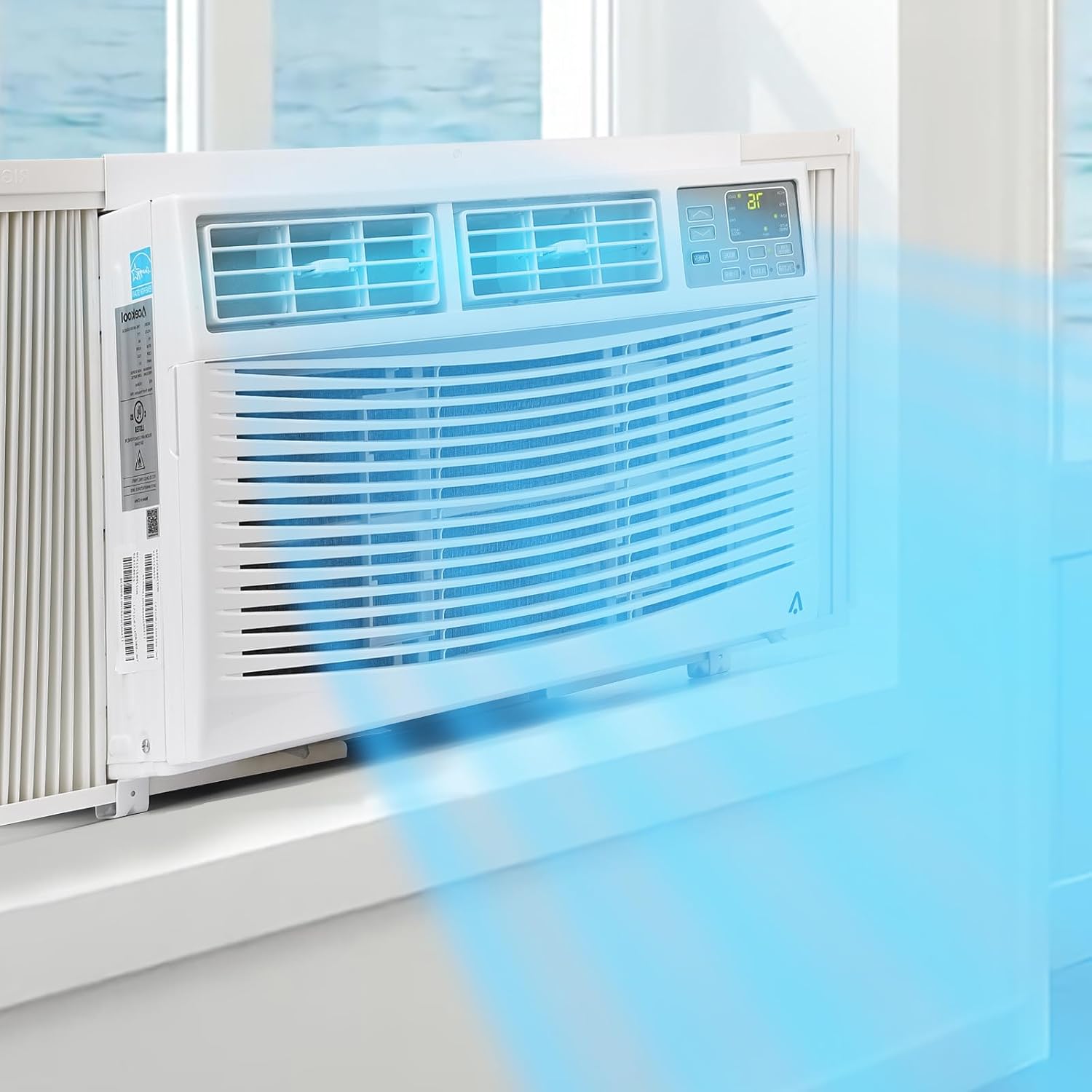
Image: Garvee 10000 BTU Window AC unit installed in a window, showing cool air flow from the vents. This illustrates a properly installed unit.

Image: Garvee 10000 BTU Window AC unit installed in a window, showing the side accordion panels fully extended to seal the window opening.
Operating Instructions
Your Garvee 10000 BTU Window Air Conditioner offers multiple modes and smart control options for personalized comfort.
Control Panel and Remote Control
The unit can be controlled via the integrated control panel or the included remote control. Both offer access to all functions.

Image: Close-up view of the Garvee 10000 BTU Window AC unit's digital control panel and display, indicating current temperature settings.
Operating Modes
- Cool Mode: Provides powerful cooling for rooms up to 450 sq. ft. Adjust the temperature between 60°F (16°C) and 88°F (31°C).
- Fan Mode: Circulates air without cooling. Choose from 3 fan speed settings (Low, Medium, High).
- Dehumidification Mode: Reduces humidity in the room. The fan speed is automatically controlled in this mode.
Additional Features
- Eco Mode: Automatically adjusts cooling and fan speed to optimize energy consumption.
- Sleep Mode: Gradually increases the set temperature overnight to save energy and provide comfortable sleep.
- Timer: Program the unit to turn on or off automatically after a set period (up to 24 hours).
- Smart Control: Connect the unit to a mobile app for remote control and scheduling features. Refer to the app's instructions for pairing.

Image: Close-up of the adjustable horizontal and vertical louvers on the Garvee 10000 BTU Window AC unit, allowing for directional airflow control.
Maintenance
Regular maintenance ensures optimal performance and extends the lifespan of your air conditioner.
Air Filter Cleaning
The air filter should be cleaned every two weeks or more frequently depending on usage and air quality.
- Unplug the Unit: Always disconnect power before maintenance.
- Remove Filter: Open the front grille and slide out the air filter.
- Clean Filter: Wash the filter with warm, soapy water. Rinse thoroughly and allow it to air dry completely before reinstallation. Do not use hot water or harsh detergents.
- Reinstall Filter: Slide the dry filter back into its slot and close the front grille.

Image: Close-up of the Garvee 10000 BTU Window AC unit's front grille, behind which the air filter is located for easy access and cleaning.
General Cleaning
- Wipe the exterior of the unit with a soft, damp cloth. Do not use abrasive cleaners or solvents.
- Ensure the drainage area is clear of debris.
Seasonal Storage
If storing the unit for an extended period, clean the filter and unit thoroughly, then cover it with plastic and store it in a dry place.
Troubleshooting
Refer to the following table for common issues and solutions:
| Problem | Possible Cause | Solution |
|---|---|---|
| Unit does not turn on | No power; Power cord not fully plugged in; Circuit breaker tripped | Check power connection; Reset circuit breaker |
| Insufficient cooling | Dirty air filter; Blocked air vents; Room too large; Doors/windows open | Clean air filter; Clear obstructions; Ensure room size is within capacity; Close doors/windows |
| Unit is noisy | Loose installation; Unit not level; Debris in fan | Check installation for tightness; Ensure unit is level; Inspect for debris |
| Water leakage | Unit not level; Drain plug blocked | Ensure unit is slightly tilted outwards for drainage; Clear drain plug |
Specifications
Technical details for the Garvee 10000 BTU Window Air Conditioner:
| Feature | Specification |
|---|---|
| Cooling Capacity | 10000 BTU |
| Coverage Area | Up to 450 sq. ft. |
| Voltage | 115V |
| Wattage | 650W |
| Noise Level | 50-54 Decibels |
| Product Dimensions (D x W x H) | 54.4D x 49.4W x 38H Centimetres |
| Item Weight | 25.13 kg |
| Controller Type | App Control, Remote Control |
| Installation Type | Window |
| Model Number | MKlvC8WhTMElhzqJx4yX1w7Vduf9c |
| UPC | 820567859664 |

Image: Diagram illustrating the physical dimensions (depth, width, height) of the Garvee 10000 BTU Window AC unit.
Warranty and Support
Warranty: The product information indicates that there is no specific warranty description provided.
Manufacturer Contact: For technical support or inquiries, please contact Garvee, the manufacturer of this product.