
1. Introduction
This manual provides essential information for the proper setup, operation, and maintenance of your Enya CYBER-G String Module. Please read these instructions carefully before use to ensure optimal performance and longevity of your device.
What's in the Box
- Enya CYBER-G Guitar String Module
- Cables/Adapters
2. Setup
Before using your CYBER-G String Module, follow these steps for initial setup:
- Unpacking: Carefully remove all components from the packaging.
- Firmware Update: String modules purchased separately require a firmware update before use. This process takes approximately 2-3 hours. Ensure the module is connected to the main CYBER-G unit and follow the instructions provided in the companion application for the update. Failure to update may result in improper function.
- Connection: Attach the String Module to your Enya CYBER-G guitar body. Ensure it is securely fastened.
- Power On: Power on your CYBER-G guitar. The String Module should be recognized automatically.
- App Connection: Connect your CYBER-G guitar to its companion application on your smart device for full functionality and access to various features and settings.
3. Operating Instructions
The CYBER-G String Module enhances your playing experience with a variety of features.
3.1. 24 Built-in Tones
The module allows you to switch between 24 distinct tones, ranging from classic acoustic sounds to flutes, organs, and other synthetic instruments. These tones are suitable for studio recording, live performances, or practice sessions.

Image: The Enya CYBER-G guitar offers 24 built-in tones, allowing for diverse musical expression.
3.2. Multi-Module Interchange
The CYBER-G system supports interchangeable modules, including string, keyboard, and pick modules. The String Module can be easily swapped with other modules to adapt to different playing styles and musical needs.

Image: The CYBER-G guitar features multi-module interchangeability for versatile play.
3.3. Performance Modes
The CYBER-G String Module offers multiple performance modes to suit various skill levels:
- Simplified Mode: Follow light-guided notes for beginner-friendly play.
- Assisted Mode: Tap chords and pluck strings, maintaining rhythm without complex fingering.
- Standard Mode: For experienced players, offering classic guitar play with full control over fingering and techniques.

Image: The CYBER-G guitar offers Simplified, Assisted, and Standard performance modes.
3.4. Silicone Strings and Frets
The module features silicone strings and a zero-string-distance design, providing a soft touch and light playability. This design aims to reduce hand strain, making it suitable for beginners or players with hand discomfort.

Image: Silicone frets and strings on the CYBER-G module for comfortable play.
3.5. Interactive Play and Smart Practice Assistance
The CYBER-G String Module integrates with a companion app for interactive play. The light-guided fretboard syncs with the app, providing real-time feedback and guidance. This feature acts as a smart guitar coach, helping users perfect timing and master fretting.

Image: The CYBER-G module features interactive play with a light-guided fretboard.
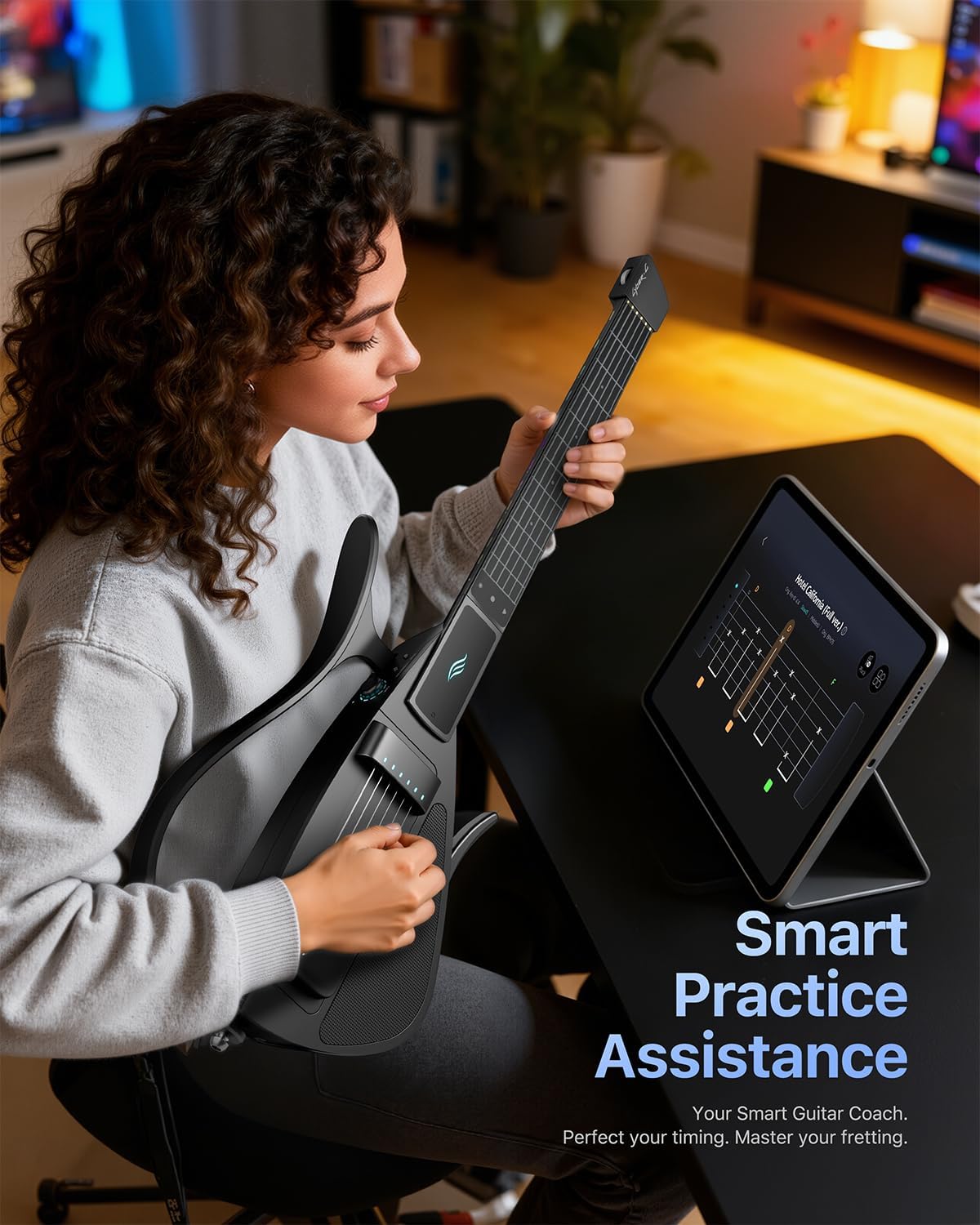
Image: Smart practice assistance is available through the companion app.
3.6. Official Product Videos
Video: Is the Guitar of the Future Made of Silicone? This video demonstrates the features and benefits of the CYBER-G guitar, focusing on its innovative design and materials.
Video: The Cyber-G String Mode is a pain-free guitar for everyone. This video highlights the ergonomic design and ease of use of the CYBER-G String Module, emphasizing its accessibility for all players.
Video: Cyber G the future of smart guitar. This video showcases the advanced features and smart capabilities of the CYBER-G guitar, positioning it as a modern musical instrument.
4. Maintenance
To ensure the longevity and optimal performance of your CYBER-G String Module, follow these maintenance guidelines:
- Cleaning: Use a soft, dry cloth to wipe down the module and strings. Avoid abrasive cleaners or solvents.
- Storage: Store the module in a cool, dry place, away from direct sunlight and extreme temperatures. When not in use, it is recommended to store it in its protective case.
- Handling: Handle the module with care to prevent physical damage. Avoid dropping or subjecting it to strong impacts.

Image: The CYBER-G guitar is designed for portability, making storage and transport easy.
5. Troubleshooting
If you encounter issues with your CYBER-G String Module, refer to the following common problems and solutions:
| Problem | Possible Cause | Solution |
|---|---|---|
| Module not functioning / Unresponsive strings | Firmware not updated; Loose connection; App malfunction. | Ensure firmware is updated (refer to Setup section). Re-attach the module securely. Restart the companion app and the CYBER-G guitar. |
| Lag or delay in sound | App performance issues; Low battery; Interference. | Close other applications on your smart device. Ensure the CYBER-G guitar is fully charged. Move away from potential sources of wireless interference. |
| Difficulty with specific playing techniques (e.g., hammer-ons, pull-offs) | Design limitations of silicone strings; Technique adjustment needed. | The silicone strings offer a different tactile response than traditional guitar strings. Practice and adjust your technique. Utilize the app's practice assistance features. |
| App not connecting or crashing | Outdated app version; Device compatibility; Software bug. | Update the companion app to the latest version. Check device compatibility requirements. If issues persist, contact customer support. |
6. Specifications
- Brand: CYBER-G
- Model Name: CYBER-G
- Model Number: String Module
- Manufacturer: Enya
- Color: White
- Instrument: Guitar
- String Material Type: Silicon
- String Gauge: Light
- Body Material Type: Silicon
- Number of Items: 1
- Unit Count: 1 Count
- Coating Description: Uncoated
7. Warranty
The Enya CYBER-G String Module comes with a 1-year warranty from the date of purchase. This warranty covers manufacturing defects under normal use. Please retain your proof of purchase for warranty claims. For detailed warranty terms and conditions, refer to the official Enya Musical website or contact customer support.
8. Support
For further assistance, technical support, or inquiries regarding your Enya CYBER-G String Module, please contact Enya Musical customer service. Refer to the contact information provided on the official Enya Musical website or within the companion application.

Image: The CYBER-G guitar offers endless ways to play and enjoy music.