
Introduction
Thank you for choosing NIORSUN Solar Post Cap Lights. This manual provides essential information for the safe and efficient installation, operation, and maintenance of your solar lights. Please read these instructions carefully before use and retain them for future reference.
Important Safety Information
- Ensure the solar panel is exposed to direct sunlight for optimal charging performance.
- Do not attempt to disassemble or modify the product. This may void the warranty and pose safety risks.
- Keep the product away from open flames or extreme heat sources.
- Dispose of batteries according to local regulations.
- Clean the solar panel regularly to ensure efficient charging.
Package Contents
- Solar Post Cap Lights (Quantity as purchased)
- Instruction Manual
- Mounting Hardware
- Shade
Product Features
- Two Color Modes: Easily switch between cool white and warm white lighting to suit your preference.
- Applicable Size & Easy Installation: Compatible with standard 4x4 (actual size: 3.5x3.5) wooden posts, or 4x4, 5x5 vinyl post caps. No wiring required.
- Energy Saving: Charges in 4-6 hours of direct sunlight, providing over 10 hours of continuous lighting at night.
- IP44 Waterproof: Designed to withstand high temperatures, heavy rain, wind, and snow.

Image: The solar post cap lights feature two distinct lighting modes: warm white and cool white, allowing users to select their preferred ambiance.

Image: The lights charge efficiently in 4-6 hours of sunlight and provide 10-12 hours of illumination after dark, powered by a 600mAh lithium battery.
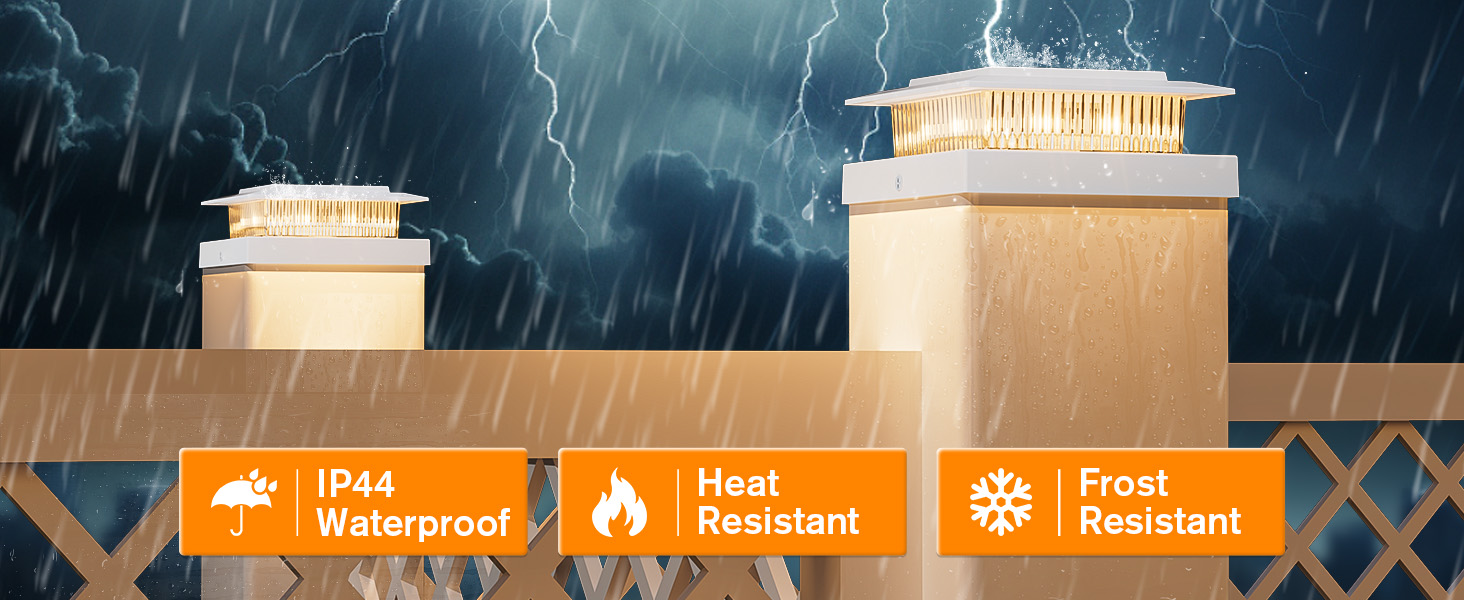
Image: These solar lights are built to be all-weather resistant, featuring IP44 waterproofing, heat resistance, and frost resistance.
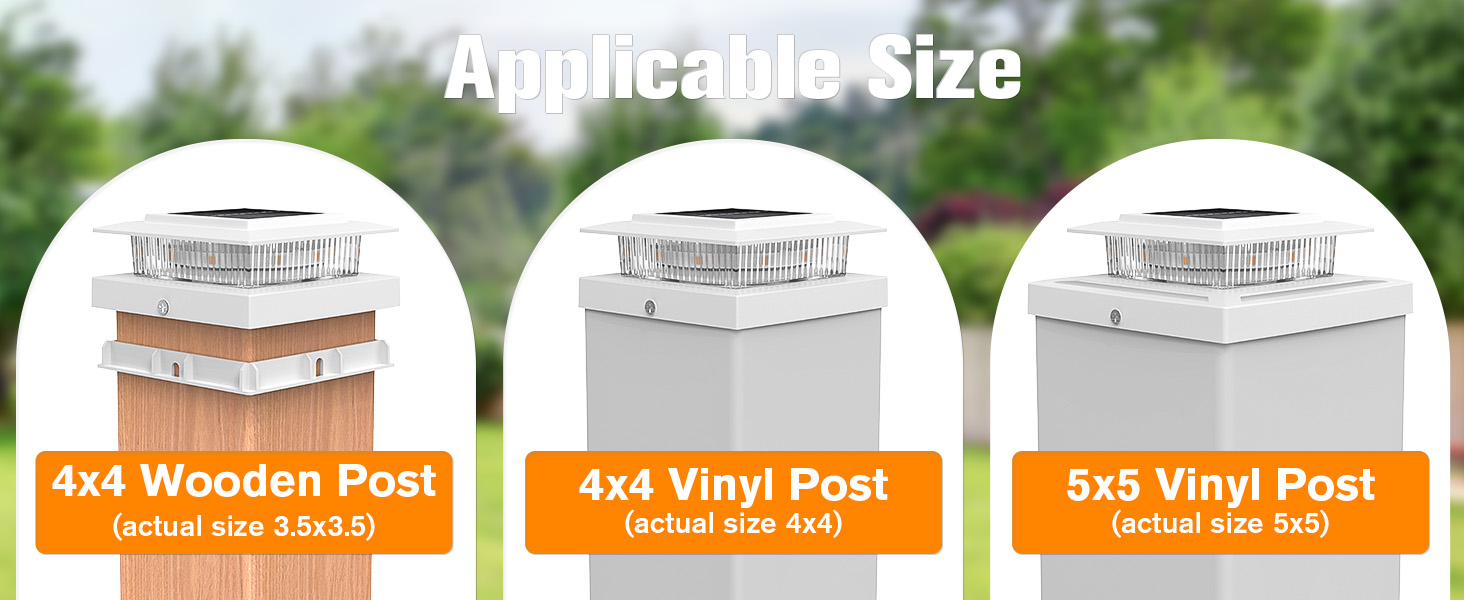
Image: The lights are designed to fit various post sizes, including 4x4 wooden posts (actual 3.5x3.5 inches), 4x4 vinyl posts, and 5x5 vinyl posts.
Video: This video demonstrates the two lighting modes of the NIORSUN Solar Post Cap Lights and their easy installation.
Setup and Installation
These solar post cap lights are designed for easy, wire-free installation. Ensure the installation location receives ample direct sunlight throughout the day.
- Unpack: Carefully remove all components from the packaging.
- Select Post: Identify the post where you intend to install the light. Ensure it is a standard 4x4 (actual 3.5x3.5 inch) wooden post, or a 4x4 or 5x5 vinyl post.
- Choose Base: The lights come with different base sizes. Select the appropriate base that fits snugly over your post.
- Mount: Place the solar light assembly onto the chosen post. Use the included mounting screws to secure the light firmly to the post cap.
- Initial Charge: Allow the solar lights to charge in direct sunlight for at least 6-8 hours before first use to ensure the battery is fully charged.
Operating Instructions
The NIORSUN Solar Post Cap Lights are designed for automatic operation and offer two lighting modes.
- Automatic On/Off: The lights feature a built-in light sensor. They will automatically turn on at dusk and turn off at dawn, provided they have received sufficient sunlight during the day.
- Switching Color Modes: Locate the small button on the side or underside of the light fixture. Press this button to toggle between Warm White and Cool White lighting modes. Select your desired mode before installation or at any time.
Maintenance
- Cleaning: Regularly wipe the solar panel with a soft, damp cloth to remove dust, dirt, or debris. A clean solar panel ensures maximum charging efficiency.
- Battery: The integrated battery is designed for long-term use. If the light output significantly decreases over time, the battery may need replacement. Refer to the manufacturer for compatible replacement batteries.
- Inspection: Periodically check the mounting screws to ensure the lights remain securely attached to the posts.
Troubleshooting
| Issue | Possible Cause | Solution |
|---|---|---|
| Light does not turn on at night. | Insufficient sunlight exposure; Solar panel is dirty; Battery is not charged or faulty. | Ensure solar panel receives 6-8 hours of direct sunlight. Clean the solar panel. Allow several days for charging. If issue persists, battery may need replacement. |
| Light output is dim or short-lived. | Inadequate charging; Old battery. | Relocate to a sunnier spot. Clean solar panel. Consider replacing the battery if it's been in use for an extended period. |
| Light flickers. | Loose connection; Low battery charge. | Ensure all connections are secure. Allow the light to charge fully in direct sunlight. |
Product Specifications
| Specification | Detail |
|---|---|
| Model Number | M013 |
| Brand | NIORSUN |
| Color | White |
| Material | Acrylonitrile Butadiene Styrene |
| Power Source | Solar Powered |
| Light Source | LED |
| Number of Light Sources | 8 |
| Voltage | 3.5 Volts |
| Light Color | Warm White/Cool White |
| Brightness | 15 Lumen |
| Water Resistance Level | IP44 Waterproof |
| Item Dimensions (L x W x H) | 5.2"L x 5.2"W x 1.97"H |
| Charging Time | 4-6 hours (direct sunlight) |
| Lighting Duration | Over 10 hours |
Warranty and Customer Support
NIORSUN provides a 1-year service warranty on these solar post cap lights, covering issues such as non-functionality or defects within the first year of purchase. The manufacturer also states a 2-year manufacturer warranty.
For any questions, concerns, or warranty claims, please contact the NIORSUN service team. You can typically find contact information on the product packaging or through the retailer where the product was purchased.