
1. Important Safety Instructions
Please read all instructions carefully before using this battery. Failure to follow these safety guidelines may result in electric shock, fire, or serious injury.
- Do not disassemble, open, or shred the battery pack.
- Do not expose the battery to heat or fire. Avoid storage in direct sunlight.
- Do not short-circuit a battery pack. Do not store battery packs haphazardly in a box or drawer where they may short-circuit each other or be short-circuited by conductive materials.
- Do not subject battery packs to mechanical shock.
- In the event of a battery leaking, do not allow the liquid to come into contact with the skin or eyes. If contact has been made, wash the affected area with copious amounts of water and seek medical advice.
- Do not use any charger other than that specifically provided for use with the equipment.
- Keep the battery pack clean and dry.
- Observe the plus (+) and minus (-) marks on the battery and equipment and ensure correct use.
- Keep out of reach of children.
- Dispose of properly according to local regulations.
2. Product Overview
This is a replacement battery specifically designed for the XenonLab H015 Cordless Vacuum Cleaner. It provides reliable power for extended cleaning sessions.
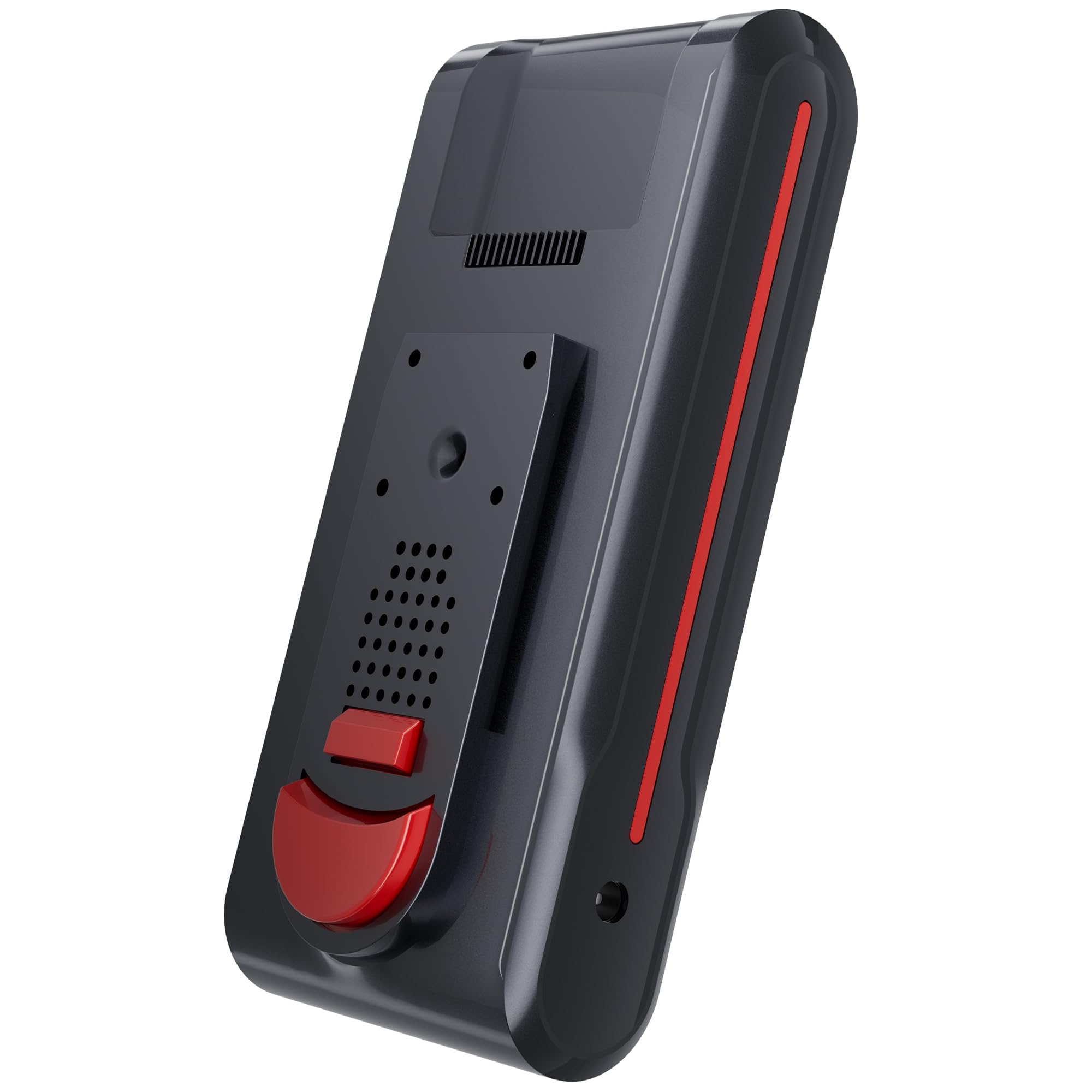
Figure 1: XenonLab H015 Replacement Battery. This image shows the red-colored battery pack, which is designed to be inserted into the compatible H015 cordless vacuum cleaner.
3. Setup and Installation
Follow these steps to correctly install the battery into your XenonLab H015 Cordless Vacuum Cleaner.
- Ensure Power is Off: Before installing or removing the battery, ensure the vacuum cleaner is turned off and disconnected from any charging source.
- Locate Battery Compartment: Identify the battery compartment on your XenonLab H015 vacuum cleaner. Refer to your vacuum cleaner's manual if you are unsure.
- Insert Battery: Align the battery with the compartment, ensuring the connectors match. Gently slide the battery into place until it clicks securely. Do not force the battery.
- Verify Connection: Once installed, gently tug on the battery to ensure it is firmly seated and will not dislodge during operation.
Removing the Battery
- Power Off: Turn off the vacuum cleaner and disconnect it from the charger.
- Release Latch: Locate the battery release button or latch on the vacuum cleaner. Press or slide it to unlock the battery.
- Slide Out Battery: Carefully slide the battery out of its compartment.
4. Charging the Battery
For optimal performance and battery longevity, follow these charging guidelines.
- Use Original Charger: Always use the original XenonLab charger provided with your H015 vacuum cleaner to charge this battery. Using incompatible chargers may damage the battery or vacuum.
- Connect Charger: Plug the charger into a standard wall outlet. Connect the charging cable to the charging port on the vacuum cleaner (with the battery installed) or directly to the battery if your model supports external charging.
- Charging Indicator: Observe the charging indicator lights on your vacuum cleaner or battery. These lights typically show the charging status (e.g., blinking for charging, solid for fully charged).
- Full Charge: Allow the battery to charge completely before its first use and after each subsequent use for best results. A full charge provides approximately 75 minutes of runtime.
- Avoid Overcharging: While modern batteries have protection circuits, it is good practice to disconnect the charger once the battery is fully charged, especially for long-term storage.
5. Operation
Once the battery is fully charged and installed, your XenonLab H015 Cordless Vacuum Cleaner is ready for use. Refer to your vacuum cleaner's main user manual for specific operating instructions.
- This battery provides up to 75 minutes of continuous runtime on a full charge, depending on the power mode selected on your vacuum cleaner.
- If the vacuum cleaner's performance decreases, it indicates the battery charge is low. Recharge the battery as soon as possible.
6. Maintenance and Storage
Proper care and storage will extend the life of your battery.
- Cleaning: Wipe the battery pack with a dry, soft cloth if it becomes dirty. Do not use water or cleaning solutions directly on the battery.
- Temperature: Store the battery in a cool, dry place, away from direct sunlight and extreme temperatures (both hot and cold). Ideal storage temperature is between 5°C and 25°C (41°F and 77°F).
- Long-Term Storage: If storing the battery for an extended period (more than one month), charge it to approximately 50-60% capacity. Recharge it every 3-6 months to prevent deep discharge, which can damage the battery.
- Disposal: Do not dispose of the battery in household waste. Always follow local regulations for battery recycling and disposal.
7. Troubleshooting
If you encounter issues with your battery, refer to the following common problems and solutions.
| Problem | Possible Cause | Solution |
|---|---|---|
| Battery not charging | Charger not connected properly; faulty charger; battery too hot/cold; battery fault. | Ensure charger is securely plugged in. Try a different outlet. Allow battery to reach room temperature. If problem persists, contact customer support. |
| Short runtime after full charge | Battery degradation; incorrect charging. | Ensure battery is fully charged. If battery is old, it may be reaching the end of its lifespan and require replacement. |
| Vacuum cleaner not turning on with battery installed | Battery not properly installed; battery discharged; battery fault; vacuum cleaner fault. | Re-install battery, ensuring it clicks into place. Charge the battery fully. If issue persists, test with another battery if available, or contact vacuum cleaner support. |
If you cannot resolve the issue using the troubleshooting guide, please contact XenonLab customer support.
8. Specifications
Technical details for the XenonLab H015 Replacement Battery.
- Model Compatibility: XenonLab H015 Cordless Vacuum Cleaner
- Battery Type: Lithium-ion
- Voltage: 22.2 Volts DC
- Runtime: Up to 75 minutes (depending on usage mode)
- Color: Red
- Item Weight: Approximately 16 ounces (0.45 kg)
- Item Dimensions (L x W x H): Approximately 0.01" x 0.01" x 3" (0.025 cm x 0.025 cm x 7.62 cm). Note: These dimensions appear unusually small and may be a data entry error. Please refer to the physical product for accurate measurements.
9. Warranty and Support
For warranty information, technical support, or to purchase replacement parts, please visit the official XenonLab website or contact their customer service department. Specific warranty terms may vary by region and purchase date.
No official product videos from the seller were found in the provided data for this manual.
XenonLab Official Store: Visit the XenonLab Store on Amazon