
Introduction
Thank you for choosing the XenonLab HAP605 Air Purifier. This manual provides essential information for the safe and efficient operation, maintenance, and troubleshooting of your new air purifier. Please read it thoroughly before use and retain it for future reference.
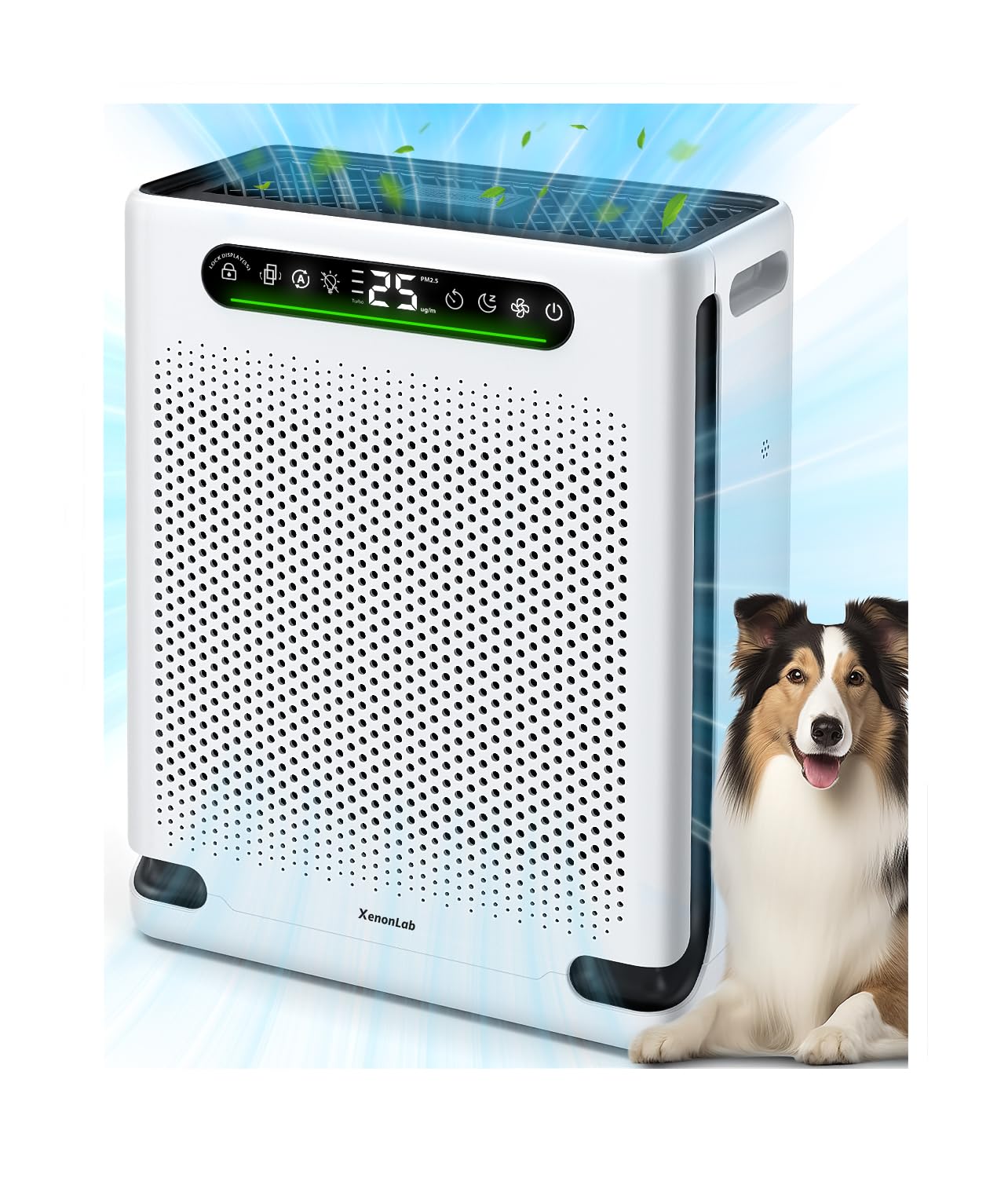
Image: Front view of the XenonLab HAP605 Air Purifier.
Important Safety Instructions
To reduce the risk of fire, electric shock, or injury, please read and follow all instructions and warnings before using this appliance.
- Always unplug the air purifier before moving it, opening the grille, changing filters, or performing any maintenance.
- Do not operate the unit if the cord or plug is damaged.
- Keep the power cord away from heated surfaces.
- Do not use the air purifier in wet or damp environments.
- Ensure the air inlets and outlets are not blocked.
- This appliance is not intended for use by persons (including children) with reduced physical, sensory, or mental capabilities, or lack of experience and knowledge, unless they have been given supervision or instruction concerning use of the appliance by a person responsible for their safety.
Product Components
Familiarize yourself with the main parts of your XenonLab HAP605 Air Purifier.
- Main Unit
- Control Panel with Air Quality Display
- Washable Pre-Filter
- HEPA Filter
- Activated Carbon Filter
- Power Cord

Image: The XenonLab HAP605 Air Purifier, highlighting the control panel and air inlets.
Setup Guide
Unpacking and Placement
Remove the air purifier from its packaging. Place the unit on a firm, level surface at least 6 inches (15 cm) away from walls or furniture to ensure proper airflow. Ensure the power cord is not obstructed.
Filter Installation
The filters are typically pre-installed but may be wrapped in plastic for shipping.
- Unplug the air purifier.
- Open the front cover of the air purifier.
- Remove the pre-filter, HEPA filter, and activated carbon filter.
- Remove any plastic packaging from each filter.
- Reinsert the filters in the correct order: Activated Carbon Filter first, then HEPA Filter, then Washable Pre-Filter. Ensure they are seated correctly.
- Close the front cover securely.

Image: Illustration of opening the air purifier to access and install filters.

Image: Diagram showing the multi-layer filtration system: Pre-Filter, HEPA Layer, and Activated Carbon Matrix.
Power Connection
Plug the power cord into a standard electrical outlet. The unit will enter standby mode.
Operating Instructions
The control panel allows you to manage all functions of your air purifier.

Image: Close-up of the air purifier's control panel with various function icons.
Power On/Off
Press the Power Button to turn the unit on or off. Upon startup, the purifier enters a 30-second detection phase, during which the indicator light will flash continuously.
Fan Speed Adjustment
Press the Fan Speed Button to cycle through different fan speeds: Low, Medium, High.
Auto Mode
Press the Auto Mode Button to activate Auto Mode. In this mode, the built-in PM2.5 sensor continuously monitors air quality, and the fan speed adjusts automatically to optimize purification performance.

Image: The air quality display showing PM2.5 levels and corresponding color indicators.
Turbo Mode
Press the Turbo Mode Button for maximum purification power. This mode is ideal for quickly clearing pet hair, dander, odors, smoke, or dust.
Sleep Mode
Activate Sleep Mode for ultra-quiet operation. In this mode, all lights on the display will turn off after 3 seconds, and the noise level will reduce to as low as 20dB for an undisturbed sleep environment.

Image: The air purifier operating quietly in a bedroom, illustrating its sleep mode feature.
Timer Function
Press the Timer Button to set the operating time for 1 to 24 hours. The unit will automatically turn off after the set duration.

Image: Graphic illustrating the timer function with options for 2, 5, and 8 hours.
Child Lock
Press and hold the Child Lock Button for 3 seconds to activate or deactivate the child lock. This prevents accidental changes to settings by children or pets.

Image: A child and a dog near the air purifier, with an icon indicating the child lock feature.
Essential Oil Diffuser
Locate the essential oil tray. Add a few drops of your preferred essential oil onto the aroma pad. Slide the tray back into the unit.

Image: Illustration of adding essential oil to the diffuser tray on the air purifier.
Maintenance
Cleaning the Washable Pre-Filter
The pre-filter captures larger particles like dust, hair, and pet dander. It should be cleaned regularly to maintain efficiency.
- Unplug the air purifier from the power outlet.
- Open the front cover and remove the washable pre-filter.
- Rinse the pre-filter under running water or use a soft brush to remove accumulated debris.
- Ensure the pre-filter is completely dry before reinstalling it.

Image: Steps for cleaning the washable pre-filter, showing removal and rinsing.
Main Filter Replacement
The built-in indicator will notify you when it's time to replace the main HEPA and Activated Carbon filters.
- When the filter change indicator lights up red, it's time for replacement.
- Unplug the air purifier.
- Open the front cover and remove the old HEPA and Activated Carbon filters.
- Install new filters, ensuring they are correctly oriented.
- Close the front cover.
- To reset the filter life indicator, press and hold the Filter Reset Button for 3 seconds. The indicator will flash and beep twice, then turn off.
Image: Visual guide for filter replacement, including the indicator, removal, and reset.
Exterior Cleaning
Wipe the exterior of the air purifier with a soft, dry cloth. Do not use abrasive cleaners or solvents.
Troubleshooting
| Problem | Possible Cause | Solution |
|---|---|---|
| Unit does not turn on | Not plugged in; Power outage; Front cover not closed properly. | Ensure power cord is securely plugged in; Check power supply; Ensure front cover is fully latched. |
| Weak airflow / Noisy operation | Filters are dirty or clogged; Air inlets/outlets blocked. | Clean the pre-filter; Replace main filters; Clear any obstructions from air vents. |
| Air quality not improving | Filters are old; Unit size not suitable for room; Strong odor source. | Replace main filters; Ensure unit is appropriate for room size; Address source of strong odors. |
| Display lights are off in Sleep Mode | This is normal operation for Sleep Mode. | No action required. Press any button to temporarily illuminate the display. |
Specifications
| Feature | Detail |
|---|---|
| Brand | XenonLab |
| Model Number | HAP605 |
| Product Dimensions | 12.06"D x 6.1"W x 16.06"H |
| Item Weight | 6.73 Pounds |
| Power Source | AC |
| Filter Type | HEPA, Activated Carbon, Washable Pre-Filter |
| Noise Level (Sleep Mode) | As low as 20dB |
| Coverage Area | Up to 2600 Sq. Ft. |
Warranty and Support
For warranty information or technical support, please contact XenonLab customer service. Refer to the product packaging or the official XenonLab website for the most up-to-date contact details.
Online Support: Visit the official XenonLab website for FAQs and support resources.
